# N Carousel
> Carousel component for displaying rotating content like images, banners, or cards. Invoke when user needs to implement image sliders, content carousels, or card-based navigation in Naive UI.
- Skill: `jiaiyan/n-carousel` (Agent Skill)
- Install (CLI): `npx skillmds@latest add jiaiyan/n-carousel`
- Raw SKILL.md: https://api.skillmd.com/api/skills/jiaiyan/n-carousel/raw
- Safety review: PASS (external: skill-scanner PASS, skillspector PASS)
- Works with: Claude Code, Claude.ai, OpenAI Codex
- Category: Web & Frontend
- Author: jiaiyan (https://skillmd.com/u/jiaiyan)
- Updated: 2026-08-19
- Page: https://skillmd.com/skills/jiaiyan/n-carousel
---
# Naive UI Carousel Component
Carousel component for displaying rotating content with various transition effects and navigation options.
## When to Use
Use this component when:
- **Image galleries**: Display rotating images or banners
- **Content sliders**: Show featured content or promotions
- **Card carousels**: Navigate through card-based content
- **Product showcases**: Display products in an interactive slider
## When to Invoke
Invoke this skill when:
- User needs to implement an image slider or carousel
- User wants autoplay or manual navigation features
- User needs vertical or horizontal carousel layouts
- User wants to customize transition effects (slide, fade, card)
- User asks about carousel dots, arrows, or keyboard navigation
- User needs multiple slides per view or centered slides
## Features
- **Direction**: Horizontal or vertical layout
- **Autoplay**: Automatic rotation with configurable interval
- **Navigation**: Dots, arrows, keyboard, mousewheel, touch/drag
- **Effects**: Slide, fade, card, or custom transitions
- **Multiple Slides**: Configurable slides per view with spacing
- **Loop**: Continuous looping through slides
- **Centered Slides**: Center the active slide
- **Customizable**: Custom dots, arrows, and transition styles
## API Reference
### Carousel Props
| Name | Type | Default | Description |
|------|------|---------|-------------|
| autoplay | `boolean` | `false` | Whether to scroll automatically. |
| centered-slides | `boolean` | `false` | Whether to center the current view carousel. |
| current-index | `number` | `undefined` | Current index (controlled). |
| default-index | `number` | `0` | Default index. |
| direction | `'horizontal' \| 'vertical'` | `'horizontal'` | Carousel shows the direction. |
| dot-placement | `'top' \| 'bottom' \| 'left' \| 'right'` | `'bottom'` | Dot placement in the panel. |
| dot-type | `'dot' \| 'line'` | `'dot'` | Dot style. |
| draggable | `boolean` | `false` | Whether to switch by dragging the mouse. |
| effect | `'slide' \| 'fade' \| 'card' \| 'custom'` | `'slide'` | Transition effect. |
| interval | `number` | `5000` | Auto play interval (ms). |
| keyboard | `boolean` | `false` | Whether to switch by keyboard (focus on Dots). |
| loop | `boolean` | `true` | Whether to loop. |
| mousewheel | `boolean` | `false` | Whether to switch through mouse wheel. |
| next-slide-style | `object \| string` | `undefined` | Next slide's style (for card effect). |
| prev-slide-style | `object \| string` | `undefined` | Previous slide's style (for card effect). |
| show-arrow | `boolean` | `false` | Whether to show arrow buttons. |
| show-dots | `boolean` | `true` | Whether to show dots. |
| slides-per-view | `'auto' \| number` | `1` | Number of carousels displayed per view. |
| space-between | `number` | `0` | The spacing between carousels. |
| touchable | `boolean` | `true` | Whether to switch by touch. |
| transition-style | `object` | `{ transitionDuration: '300ms' }` | Transition style. |
| transition-props | `TransitionProps` | `undefined` | Custom transition effect properties. |
| trigger | `'click' \| 'hover'` | `'click'` | The method of manual switching. |
| on-update:current-index | `(currentIndex: number, lastIndex: number) => void` | `undefined` | Callback when index changes. |
### Carousel Slots
| Name | Parameters | Description |
|------|------------|-------------|
| default | `()` | Carousel content. |
| arrow | `{ total, currentIndex, to, prev, next }` | Custom arrow. |
| dots | `{ total, currentIndex, to }` | Custom dots. |
### Carousel Methods
| Name | Type | Description |
|------|------|-------------|
| to | `(index: number) => void` | Slide to index. |
| prev | `() => void` | Slide to previous page. |
| next | `() => void` | Slide to next page. |
| getCurrentIndex | `() => number` | Get current index. |
## Basic Usage
### Basic Carousel
```vue
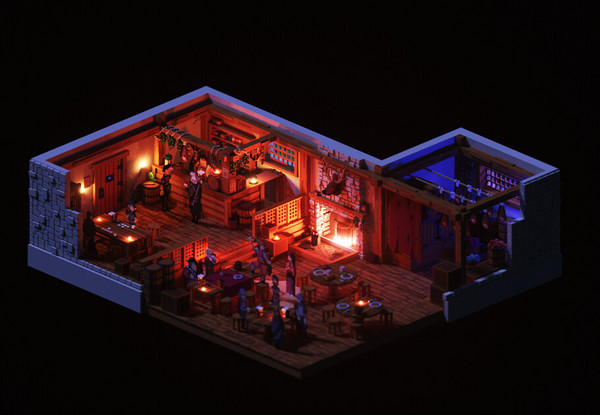

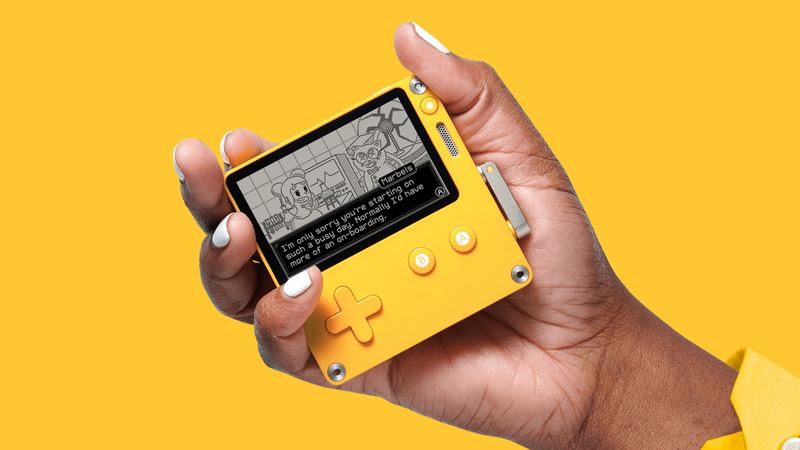 ```
### Autoplay with Arrows
```vue
```
### Vertical Carousel
```vue
```
### Autoplay with Arrows
```vue
```
### Vertical Carousel
```vue


 ```
## Common Patterns
### Multiple Slides Per View
```vue
```
## Common Patterns
### Multiple Slides Per View
```vue
 ```
### Card Effect
```vue
```
### Custom Dots and Arrows
```vue
{{ currentIndex + 1 }} / {{ total }}
```
### Custom Transition Effect
```vue
```
### Controlled Carousel
```vue
Previous
Next
Go to First
```
## Best Practices
1. **Set explicit height**: Always set a fixed height for the carousel container
```vue
```
2. **Use autoplay wisely**: Set appropriate interval for user experience
```vue
```
3. **Responsive images**: Use `object-fit: cover` for consistent image display
```css
.carousel-img {
width: 100%;
height: 100%;
object-fit: cover;
}
```
4. **Disable loop with multiple slides**: When using `slides-per-view`, disable loop
```vue
```
5. **Keyboard accessibility**: Enable keyboard navigation for accessibility
```vue
```
6. **Touch and drag**: Enable for mobile-friendly interaction
```vue
```
7. **Custom navigation**: Use slots for branded navigation controls
```
### Card Effect
```vue
```
### Custom Dots and Arrows
```vue
{{ currentIndex + 1 }} / {{ total }}
```
### Custom Transition Effect
```vue
```
### Controlled Carousel
```vue
Previous
Next
Go to First
```
## Best Practices
1. **Set explicit height**: Always set a fixed height for the carousel container
```vue
```
2. **Use autoplay wisely**: Set appropriate interval for user experience
```vue
```
3. **Responsive images**: Use `object-fit: cover` for consistent image display
```css
.carousel-img {
width: 100%;
height: 100%;
object-fit: cover;
}
```
4. **Disable loop with multiple slides**: When using `slides-per-view`, disable loop
```vue
```
5. **Keyboard accessibility**: Enable keyboard navigation for accessibility
```vue
```
6. **Touch and drag**: Enable for mobile-friendly interaction
```vue
```
7. **Custom navigation**: Use slots for branded navigation controls