# How To Build A Webrtc Signal Server With Pocketbase
> Learn how to build a simple WebRTC video call application using PocketBase as a signaling server, enabling peer-to-peer communication with SQLite on the server and realtime updates via Server Sent Events.
- Skill: `rodydavis/how-to-build-a-webrtc-signal-server-with-pocketbase` (Agent Skill)
- Install (CLI): `npx skillmds@latest add rodydavis/how-to-build-a-webrtc-signal-server-with-pocketbase`
- Raw SKILL.md: https://api.skillmd.com/api/skills/rodydavis/how-to-build-a-webrtc-signal-server-with-pocketbase/raw
- Safety review: pending
- Works with: Claude Code, Claude.ai, OpenAI Codex
- Category: Coding & Dev Tools
- Author: rodydavis (https://skillmd.com/u/rodydavis)
- Updated: 2026-09-17
- Page: https://skillmd.com/skills/rodydavis/how-to-build-a-webrtc-signal-server-with-pocketbase
---
# How to Build a WebRTC Signal Server with PocketBase
## Overview
If you are new to WebRTC then I suggest checking out this great Fireship video on [WebRTC in 100 seconds](https://youtu.be/WmR9IMUD_CY?si=c6xEDVslDOsIJzyP):
Also if you are looking for a [Firebase](https://firebase.google.com/) example then check out [this repository](https://github.com/fireship-io/webrtc-firebase-demo) which this example is largely based on.
This example is built using [PocketBase](https://pocketbase.io/) as the [signal server](https://developer.mozilla.org/en-US/docs/Web/API/WebRTC_API/Signaling_and_video_calling) for [WebRTC](https://webrtc.org/) and runs [SQLite](https://www.sqlite.org/index.html) on the server with easy to use realtime SDKs built on top of [Server Sent Events (SSE)](https://developer.mozilla.org/en-US/docs/Web/API/Server-sent_events/Using_server-sent_events).
## Setting up the server
[Download PocketBase](https://pocketbase.io/docs/) and create a new directory that we will use for the project.
```
mkdir webrtc-pocketbase-demo
cd webrtc-pocketbase-demo
```
Copy the PocketBase binary into the directory you just created under a sub directory `.pb`. If you are on MacOS you will need to [allow the executable](https://discussions.apple.com/thread/253681758) to run in settings.
Start the PocketBase server with the following command:
```
.pb/pocketbase serve
```
If all goes well you should see the following:
```
2023/11/04 15:10:56 Server started at http://127.0.0.1:8090
├─ REST API: http://127.0.0.1:8090/api/
└─ Admin UI: http://127.0.0.1:8090/_/
```
Open up the Admin UI url and create a new username and password.
For this example the email and password will be the following:
Key
Value
Email
[\[email protected\]](/cdn-cgi/l/email-protection#dca8b9afa89cb9a4bdb1acb0b9f2bfb3b1)
Password
Test123456789
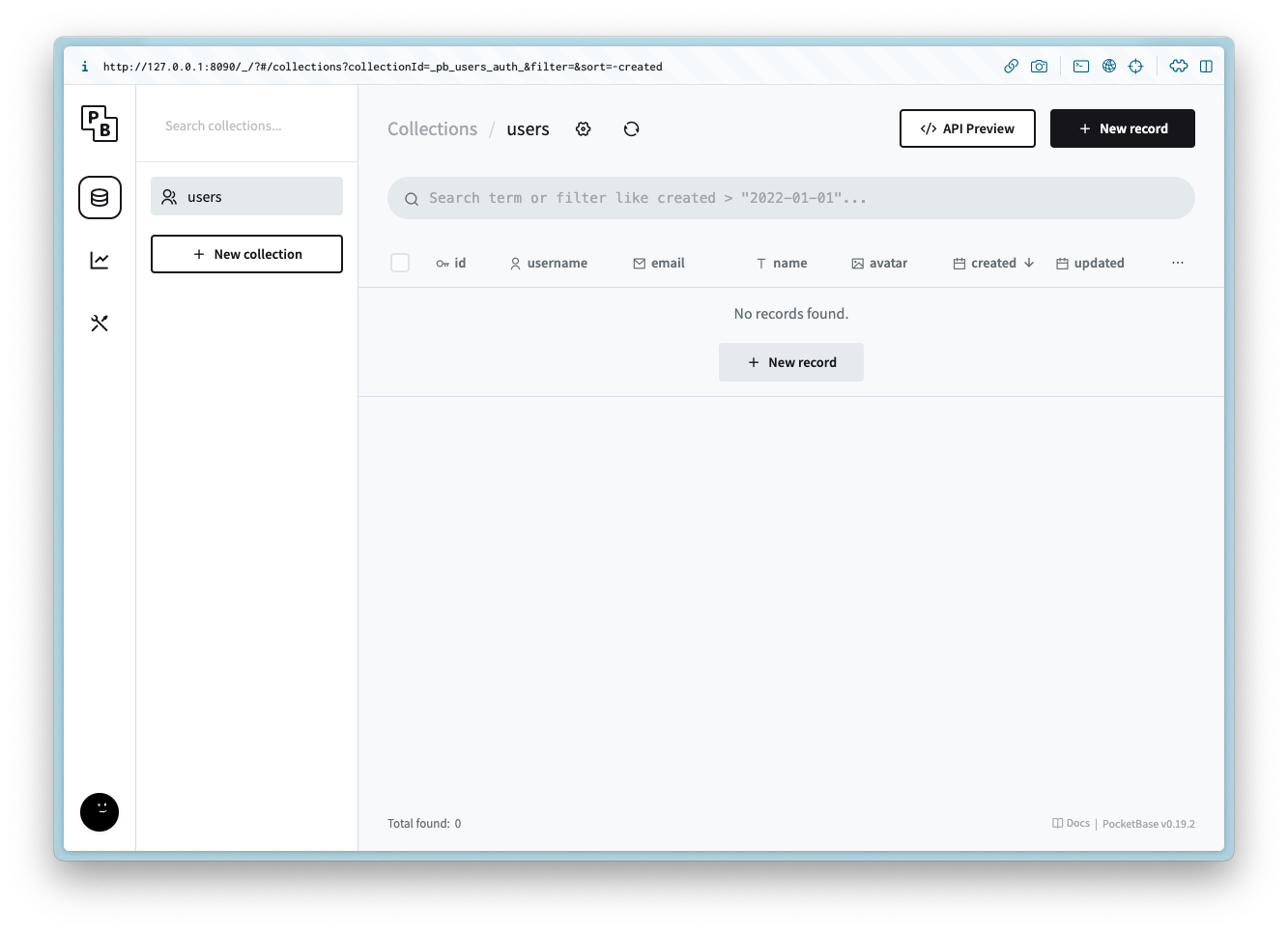
You should now see the following:
### Creating the collections
#### ice\_servers
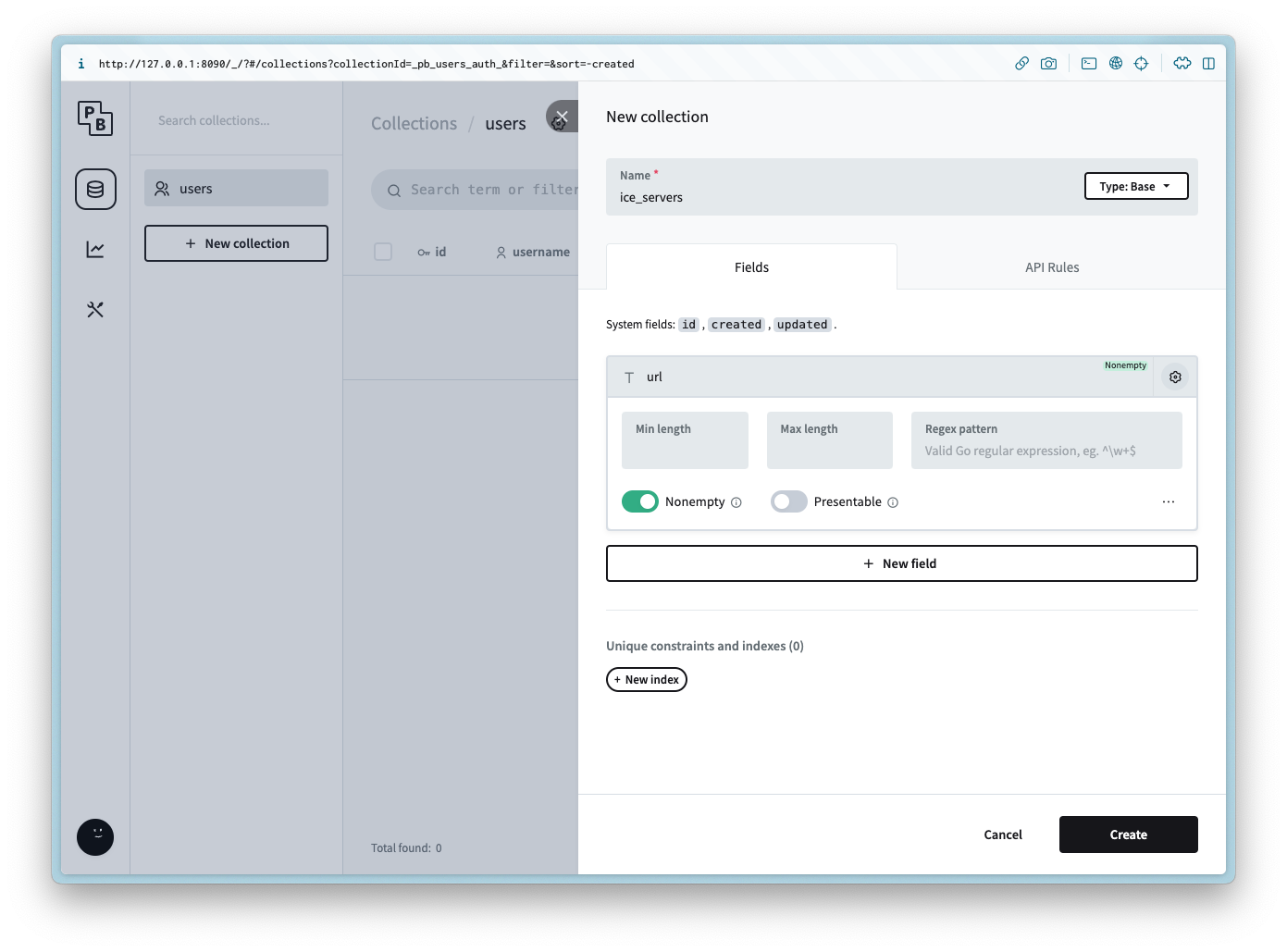
Create a new collection named `ice_servers` with the following columns:
Column Name
Column Type
url
Plain text
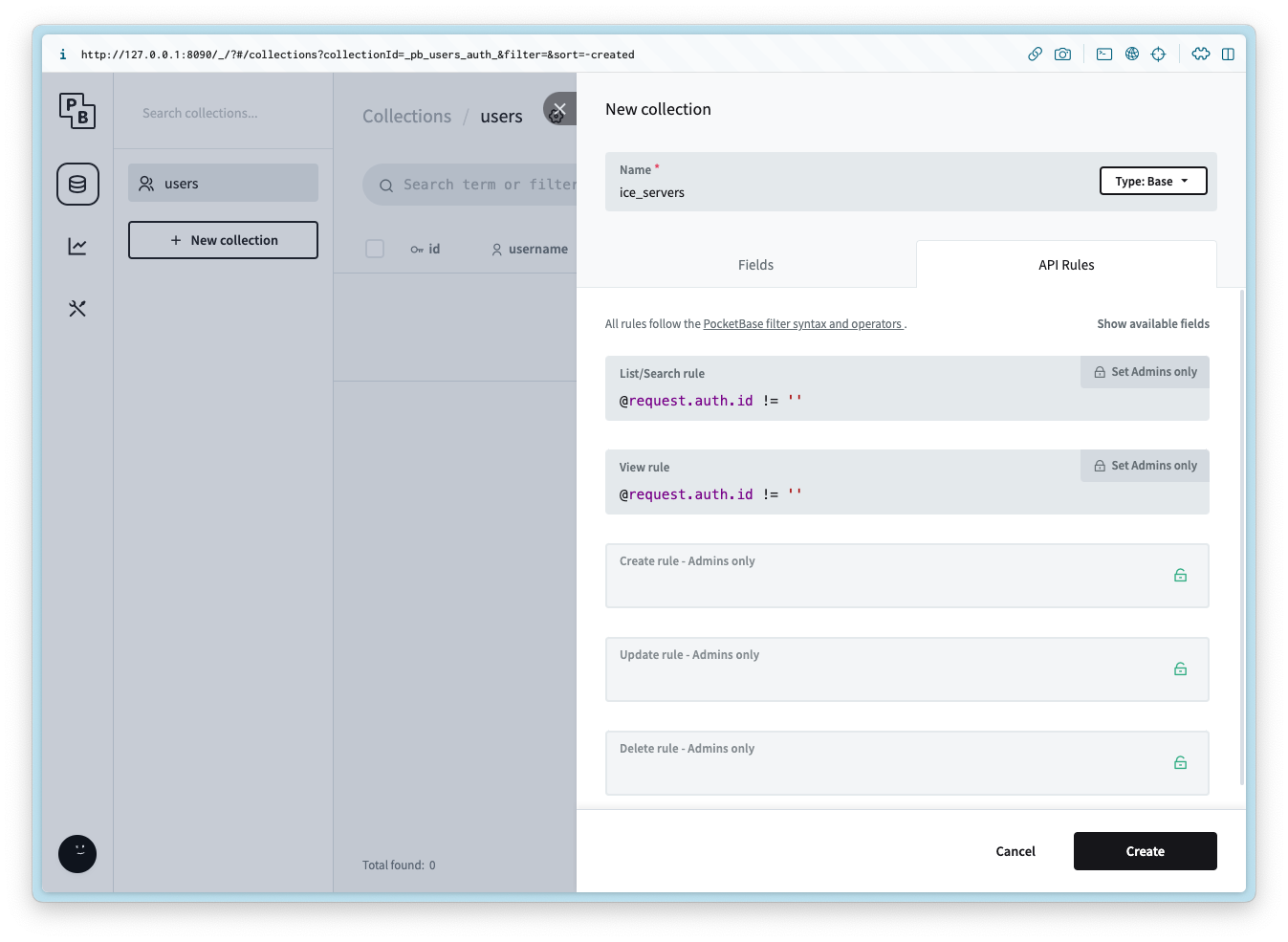
Add the following API rule to the List/Search and View:
```
@request.auth.id != ''
```
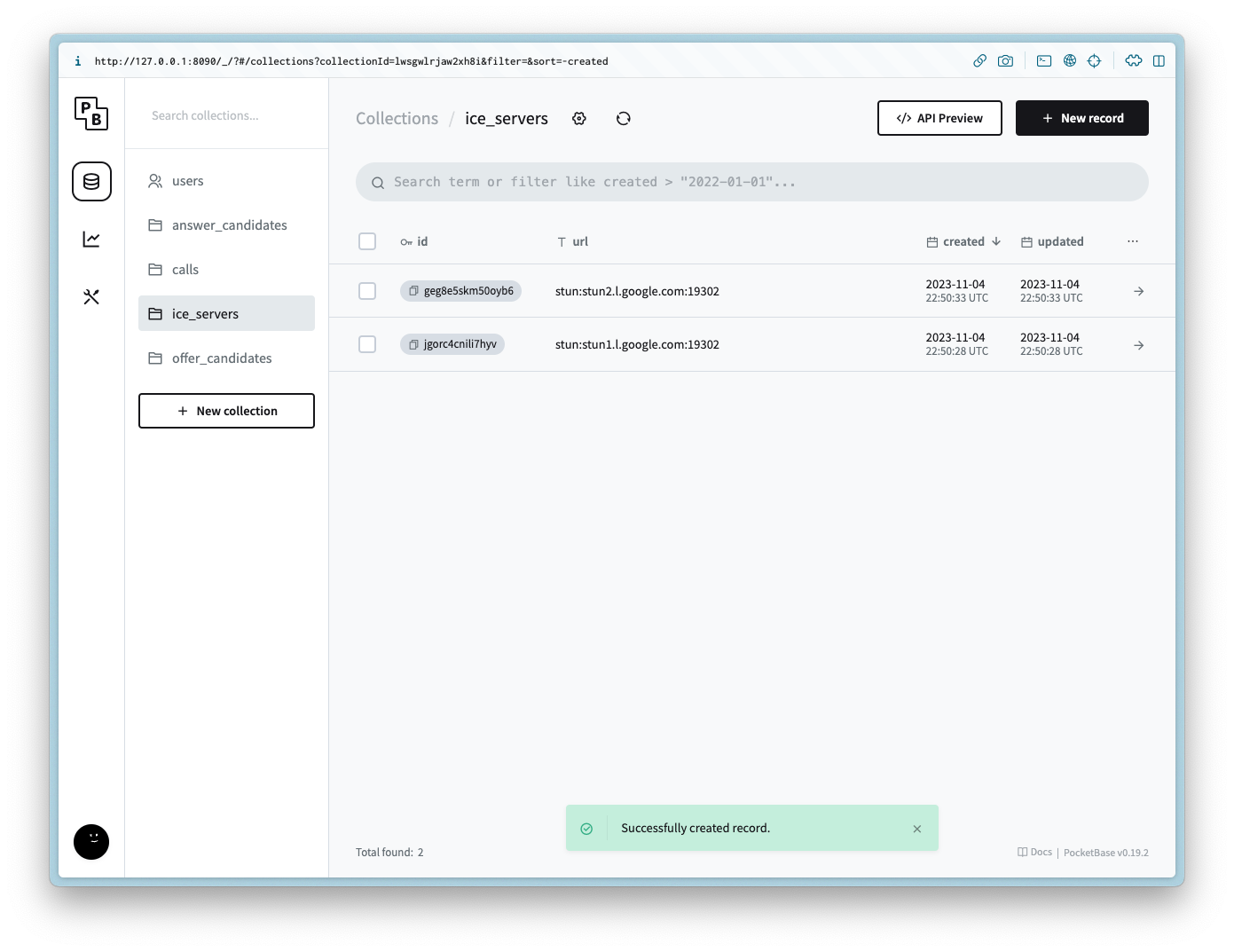
After the collection is created add 2 records for each of the following values for the url:
```
stun:stun1.l.google.com:19302
stun:stun2.l.google.com:19302
```
#### calls
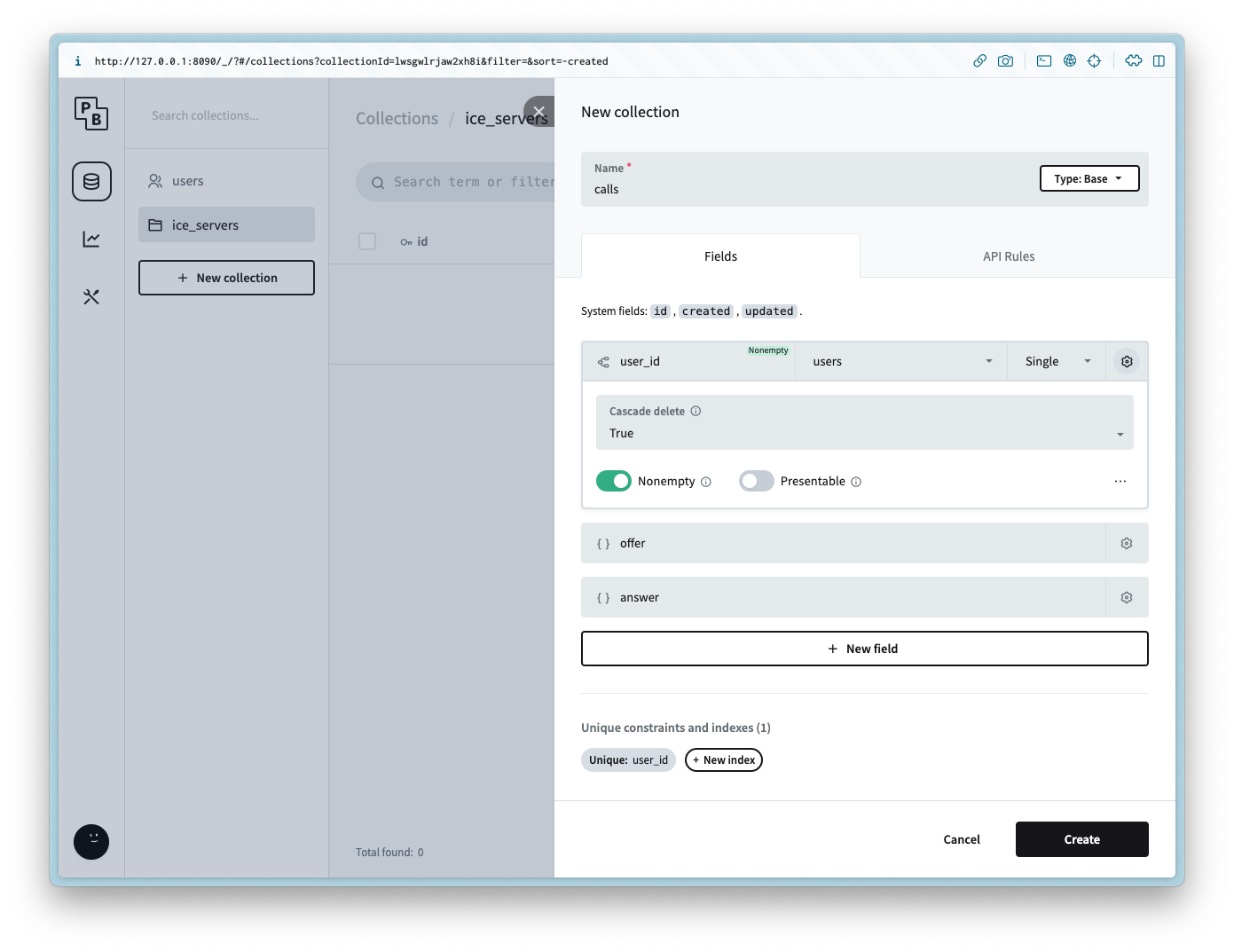
Create a new collection named `calls` with the following columns:
Column Name
Column Type
Column Settings
user\_id
Relation
Non empty, `users`, Cascade delete is `true`
offer
JSON
answer
JSON
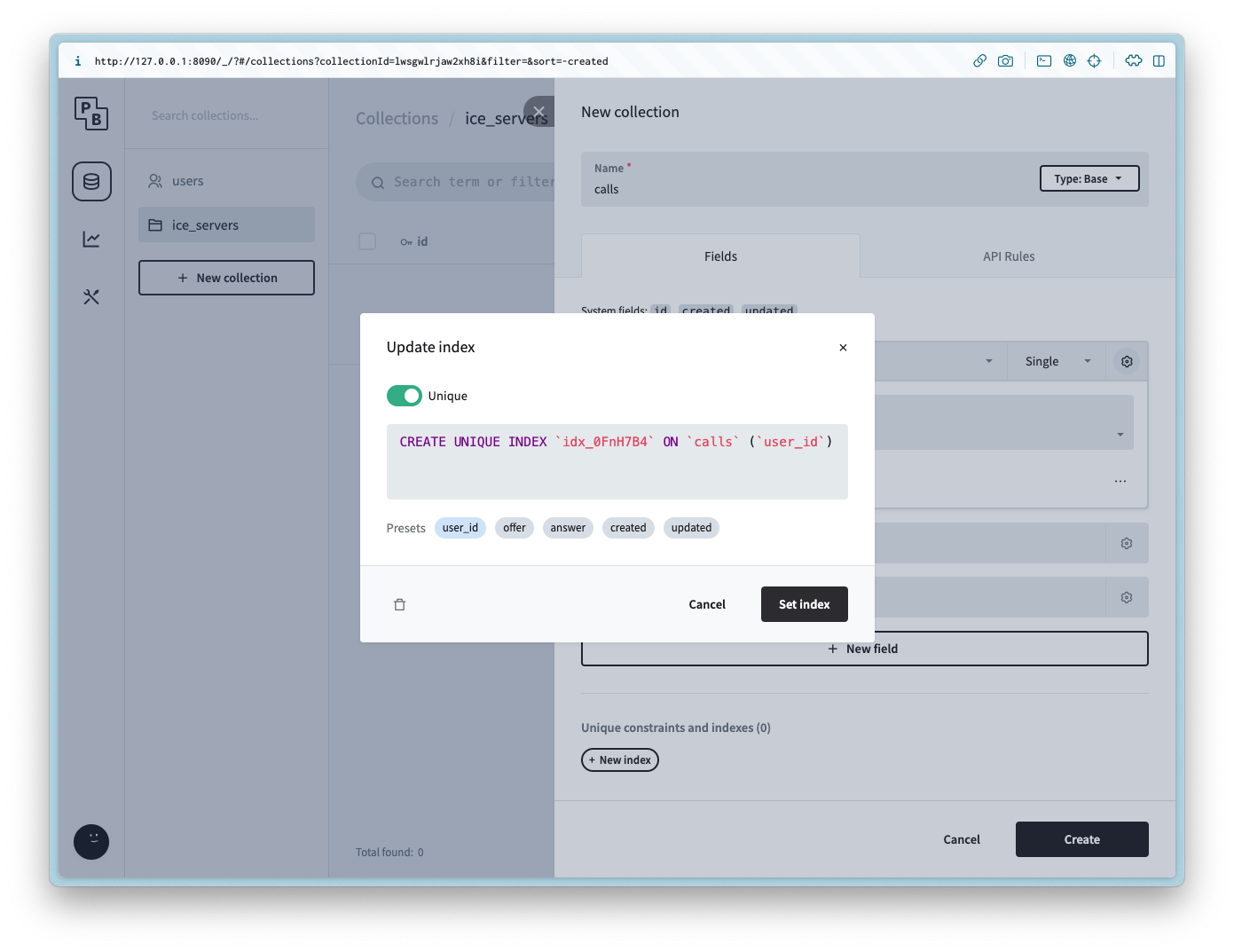
it is also possible to limit the user to one call each by setting the Unique constraint on the `user_id` column.
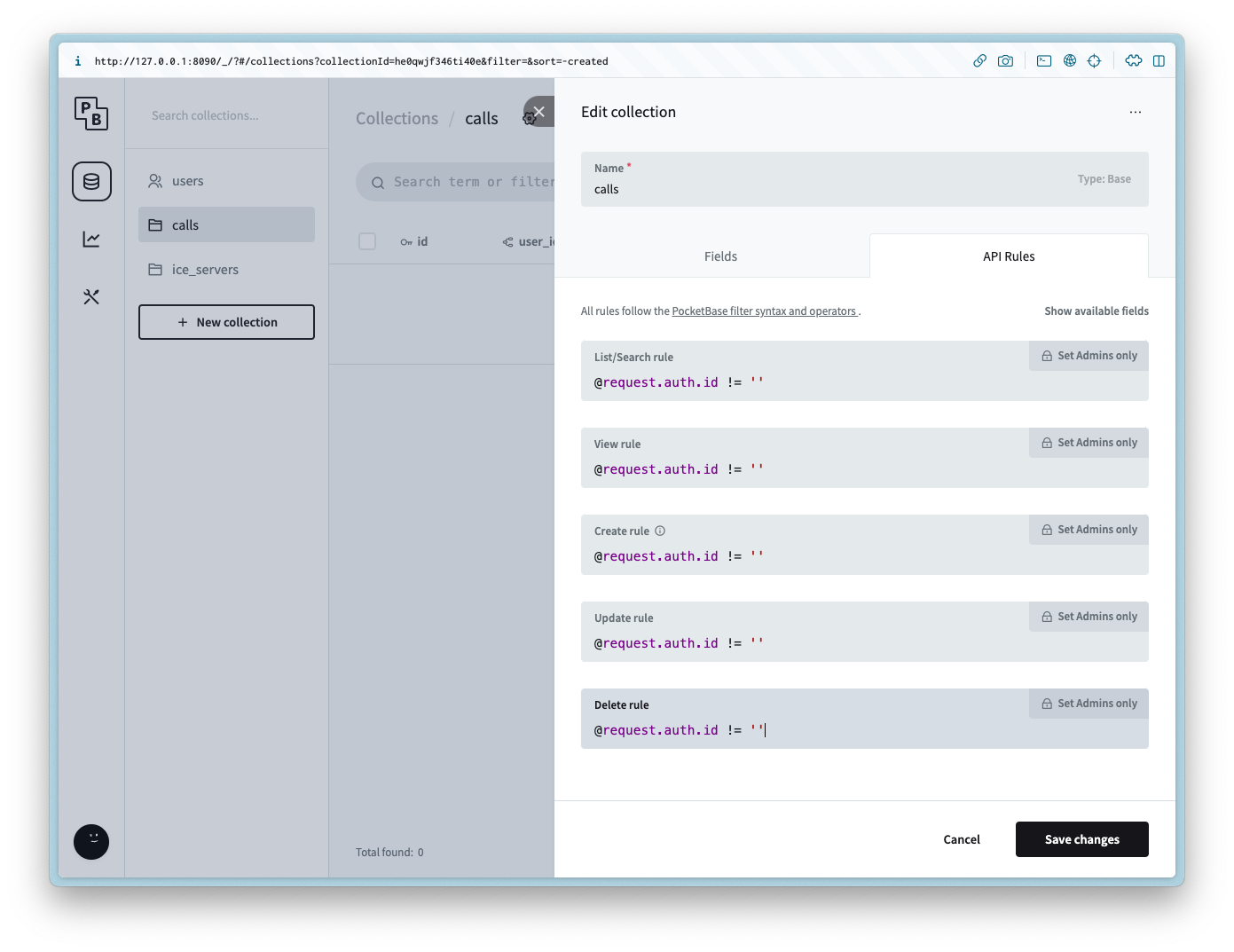
Add the following API rule to all of the methods:
```
@request.auth.id != ''
```
#### offer\_candidates
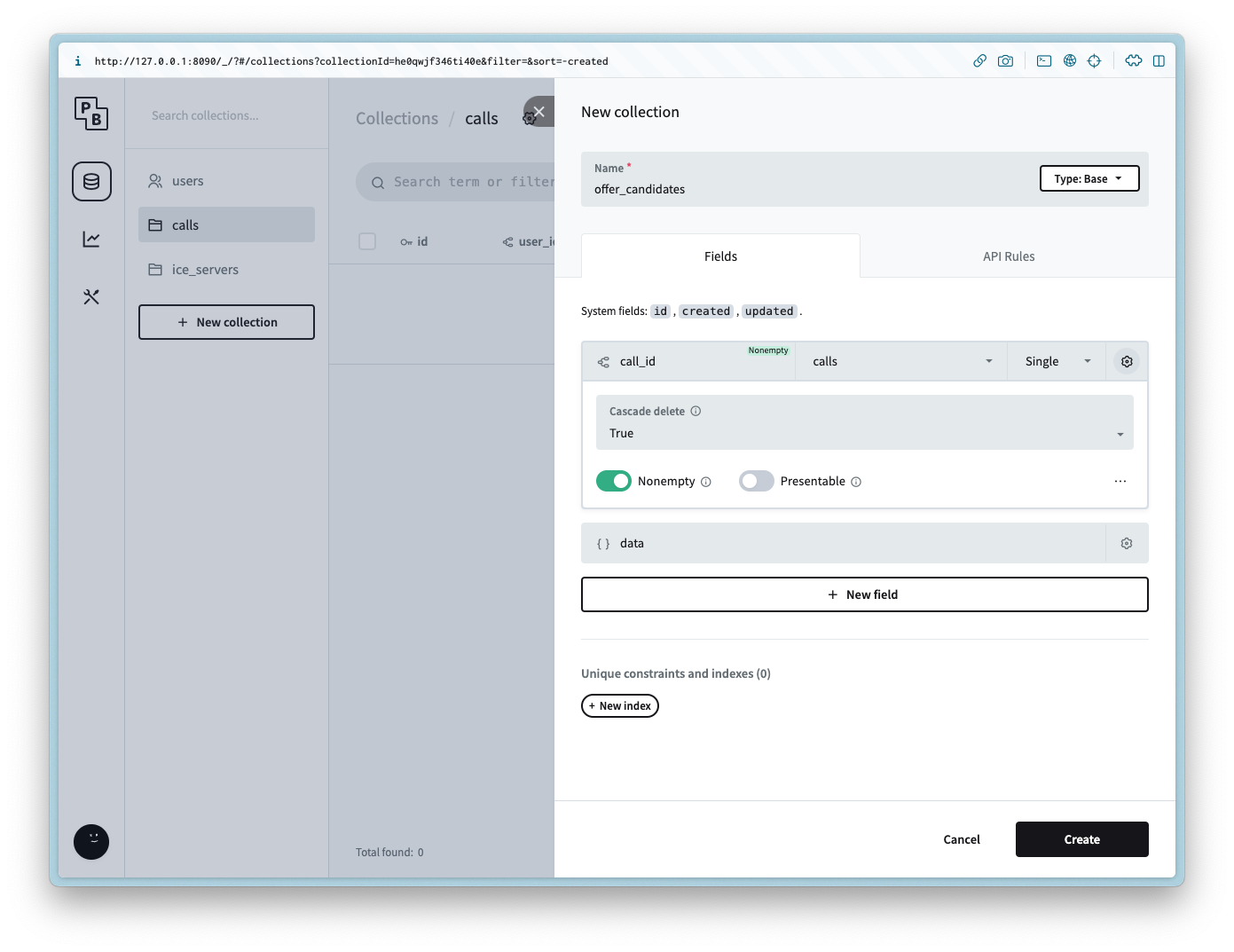
Create a new collection named `offer_candidates` with the following columns:
Column Name
Column Type
Column Settings
call\_id
Relation
Non empty, `calls`, Cascade delete is `true`
data
JSON
Add the following API rule to all of the methods:
```
@request.auth.id != ''
```
#### answer\_candidates
Create a new collection named `answer_candidates` with the following columns:
Column Name
Column Type
Column Settings
call\_id
Relation
Non empty, `calls`, Cascade delete is `true`
data
JSON
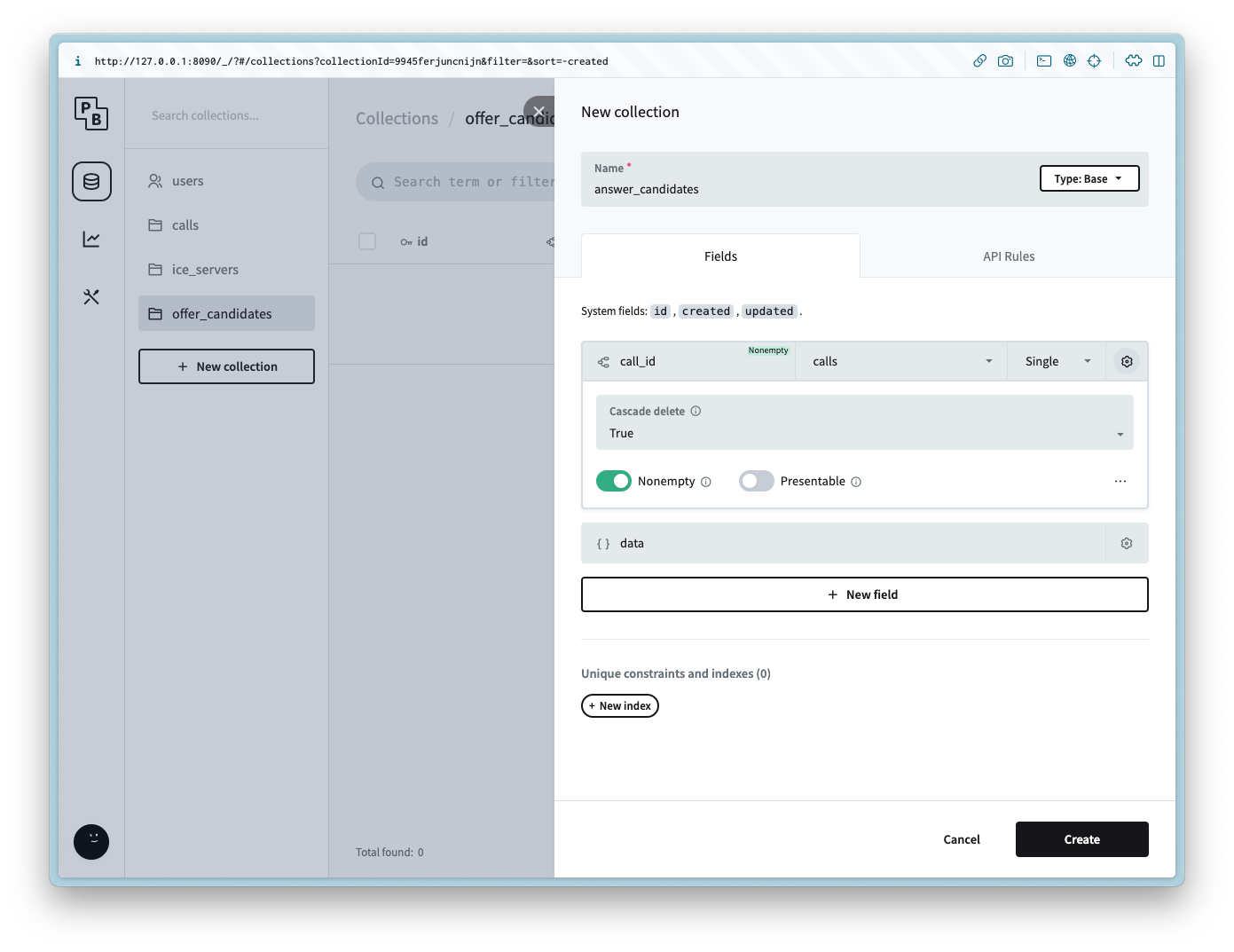
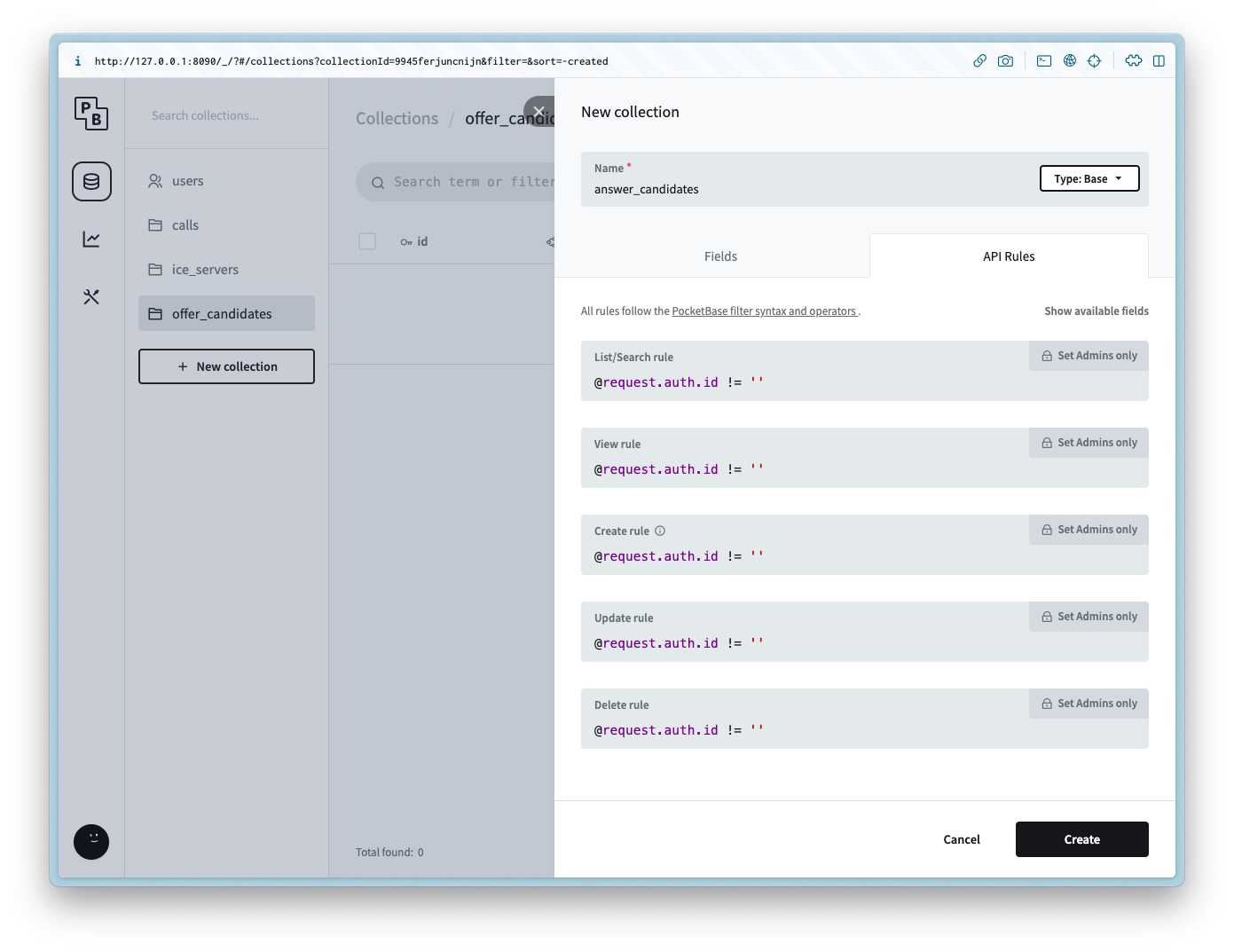
Add the following API rule to all of the methods:
```
@request.auth.id != ''
```
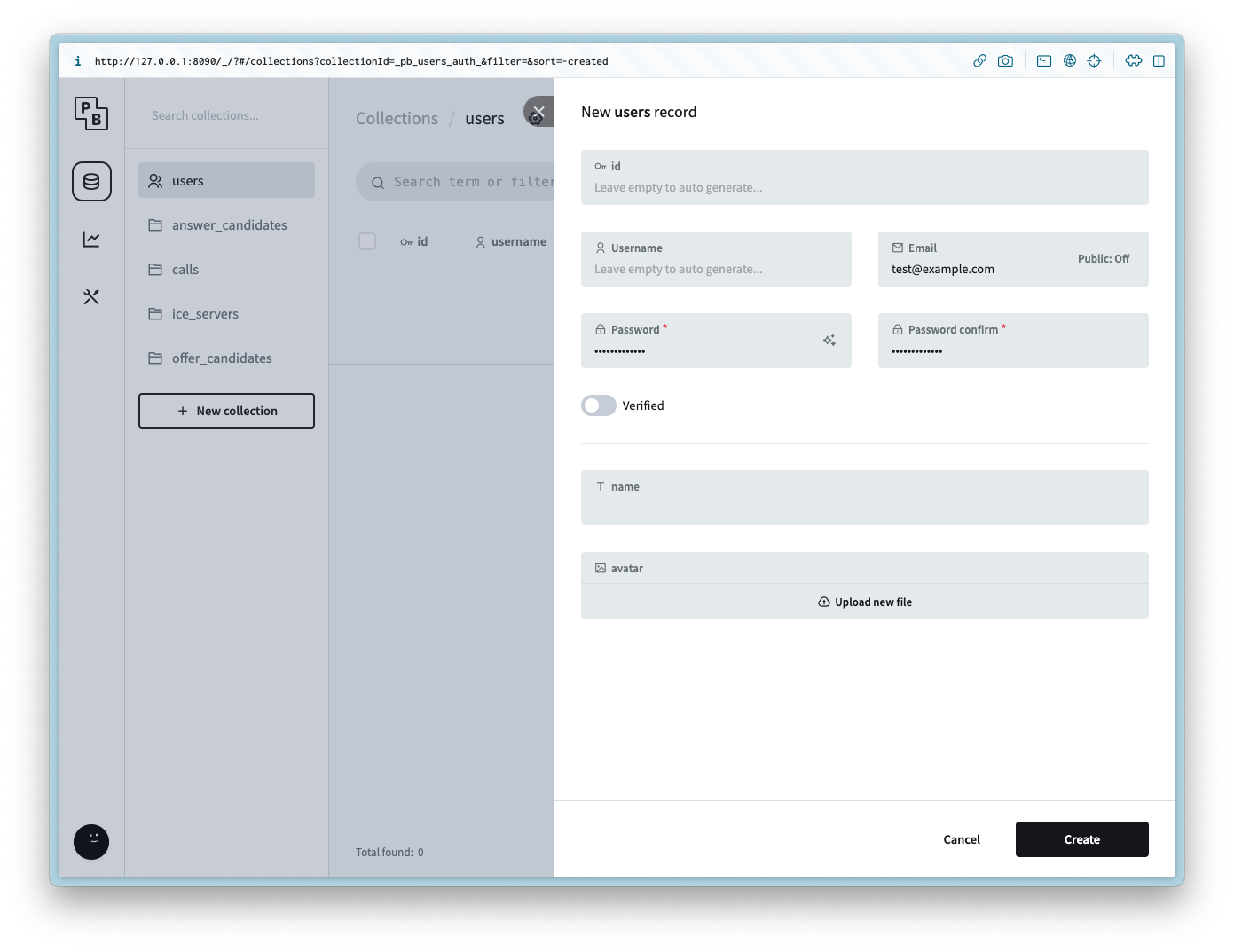
#### users
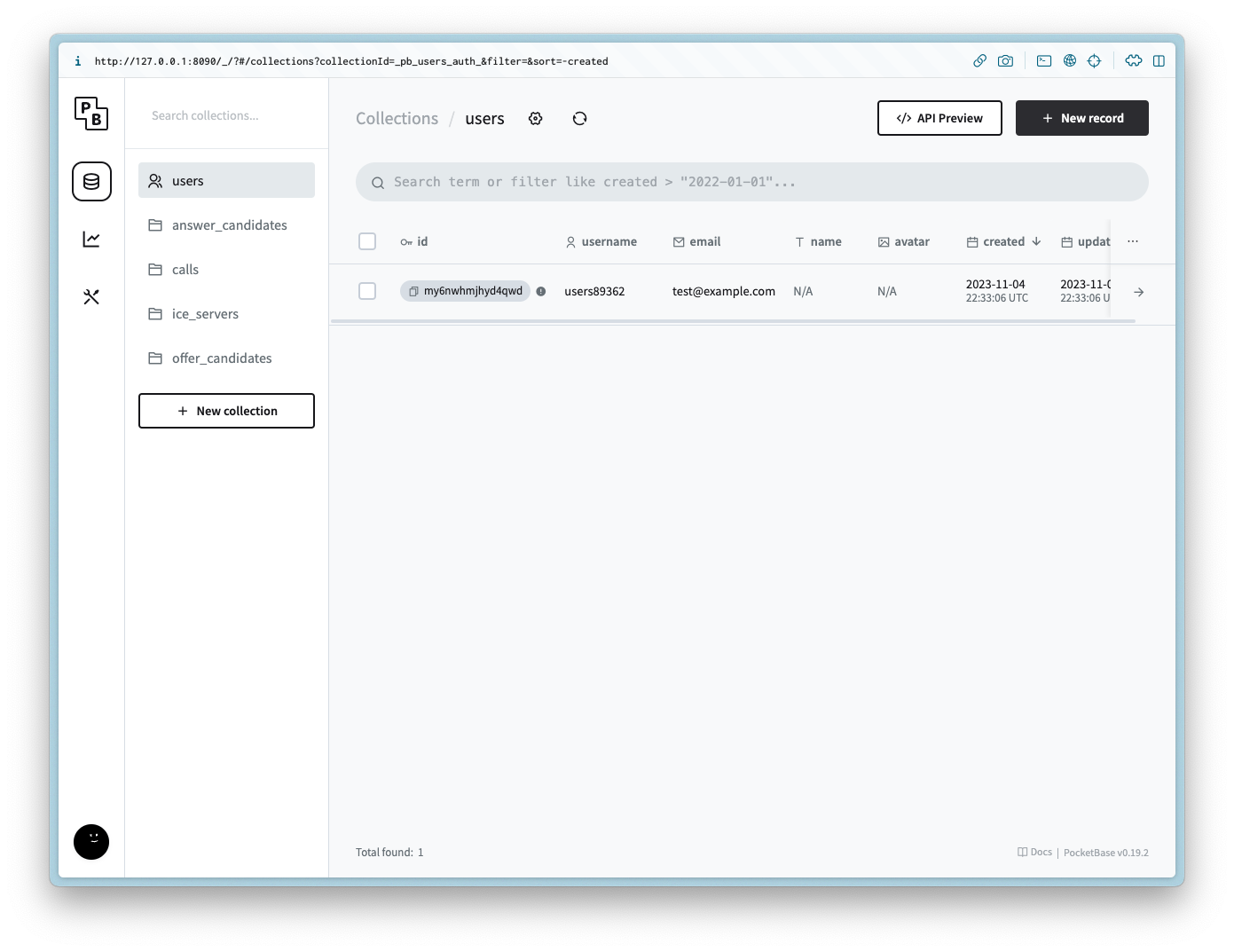
For demo purposes we will not be including an auth form for the user, but to make the example simple create a new user with the same login info for the admin.
## Setting up the client
Navigate to the directory and run the following commands to get started:
```
npm init -y
npm i -D vite
npm i pocketbase
```
Update the `package.json` to be the following:
```
{
"name": "webrtc-pocketbase-demo",
"version": "0.0.0",
"scripts": {
"dev": "vite",
"build": "vite build",
"serve": "vite preview"
},
"devDependencies": {
"vite": "^4.5.0"
},
"dependencies": {
"pocketbase": "^0.19.0"
}
}
```
If you are in a Git repository update/create the `.gitignore` to have the following:
```
node_modules
.DS_Store
dist
dist-ssr
*.local
.pb
.env
```
### HTML
Create `index.html` and add the following:
```
WebRTC Pocketbase Demo
1. Start your Webcam
Local Stream
Remote Stream
2. Create a new Call
``
3. Join a Call
Answer the call from a different browser window or device
4. Hangup
```
### CSS
Create `style.css` and add the following:
```
body {
--text-color: #2c3e50;
--video-background-color: #2c3e50;
font-family: system-ui, -apple-system, BlinkMacSystemFont, "Segoe UI", Roboto,
Oxygen, Ubuntu, Cantarell, "Open Sans", "Helvetica Neue", sans-serif;
-webkit-font-smoothing: antialiased;
-moz-osx-font-smoothing: grayscale;
text-align: center;
color: var(--text-color);
margin: 80px 10px;
}
video {
width: 40vw;
height: 30vw;
margin: 2rem;
background: var(--video-background-color);
}
.videos {
display: flex;
align-items: center;
justify-content: center;
}
```
### JS
Create `main.js` and add the following:
```
import "./style.css";
import PocketBase from "pocketbase";
const pb = new PocketBase("http://127.0.0.1:8090");
const calls = pb.collection("calls");
const offerCandidates = pb.collection("offer_candidates");
const answerCandidates = pb.collection("answer_candidates");
const webcamButton = document.getElementById("webcamButton");
const webcamVideo = document.getElementById("webcamVideo");
const callButton = document.getElementById("callButton");
const callInput = document.getElementById("callInput");
const answerButton = document.getElementById("answerButton");
const remoteVideo = document.getElementById("remoteVideo");
const hangupButton = document.getElementById("hangupButton");
const auth = await pb
.collection("users")
.authWithPassword(
import.meta.env.VITE_POCKETBASE_USERNAME,
import.meta.env.VITE_POCKETBASE_PASSWORD
);
const userId = auth.record.id;
const iceServers = await pb.collection("ice_servers").getFullList();
const servers = {
iceServers: [{ urls: iceServers.map((e) => e.url) }],
iceCandidatePoolSize: 10,
};
const pc = new RTCPeerConnection(servers);
let localStream = null;
let remoteStream = null;
webcamButton.onclick = async () => {
localStream = await navigator.mediaDevices.getUserMedia({
video: true,
audio: true,
});
remoteStream = new MediaStream();
localStream.getTracks().forEach((track) => {
pc.addTrack(track, localStream);
});
pc.ontrack = (event) => {
const stream = event.streams[0];
stream.getTracks().forEach((track) => {
remoteStream.addTrack(track);
});
};
webcamVideo.srcObject = localStream;
remoteVideo.srcObject = remoteStream;
callButton.disabled = false;
answerButton.disabled = false;
webcamButton.disabled = true;
};
callButton.onclick = async () => {
const call = await calls.create({
user_id: userId,
});
const callId = call.id;
callInput.value = callId;
pc.onicecandidate = (event) => {
event.candidate &&
offerCandidates.create({
call_id: callId,
data: event.candidate.toJSON(),
});
};
const offerDescription = await pc.createOffer();
await pc.setLocalDescription(offerDescription);
const offer = {
sdp: offerDescription.sdp,
type: offerDescription.type,
};
await calls.update(callId, { offer });
calls.subscribe(callId, (e) => {
const data = e.record;
if (!pc.currentRemoteDescription && data?.answer) {
const answerDescription = new RTCSessionDescription(data.answer);
pc.setRemoteDescription(answerDescription);
}
});
answerCandidates.subscribe("*", (e) => {
if (e.action === "create") {
if (e.record?.call_id === callId) {
const data = e.record.data;
const candidate = new RTCIceCandidate(data);
pc.addIceCandidate(candidate);
}
}
});
hangupButton.disabled = false;
};
answerButton.onclick = async () => {
const callId = callInput.value;
const call = await calls.getOne(callId);
pc.onicecandidate = (event) => {
event.candidate &&
answerCandidates.create({
call_id: call.id,
data: event.candidate.toJSON(),
});
};
const offerDescription = call.offer;
const remoteDescription = new RTCSessionDescription(offerDescription);
await pc.setRemoteDescription(remoteDescription);
const answerDescription = await pc.createAnswer();
await pc.setLocalDescription(answerDescription);
const answer = {
type: answerDescription.type,
sdp: answerDescription.sdp,
};
await calls.update(call.id, { answer });
offerCandidates.subscribe("*", async (e) => {
if (e.record?.call_id === call.id) {
if (e.action === "create") {
const data = e.record.data;
const candidate = new RTCIceCandidate(data);
await pc.addIceCandidate(candidate);
} else if (e.action === "delete") {
await offerCandidates.unsubscribe();
window.location.reload();
}
}
});
};
hangupButton.onclick = async () => {
const callId = callInput.value;
pc.close();
await calls.unsubscribe(callId);
await calls.delete(callId);
await answerCandidates.unsubscribe();
window.location.reload();
};
```
## Running the example
Run the following command to start the client (make sure the server is running in a separate terminal client):
```
npm run dev
```
If successful you should see the following:
```
VITE v4.5.0 ready in 547 ms
➜ Local: http://localhost:5173/
➜ Network: use --host to expose
➜ press h to show help
```
Open up two browsers with the same url:
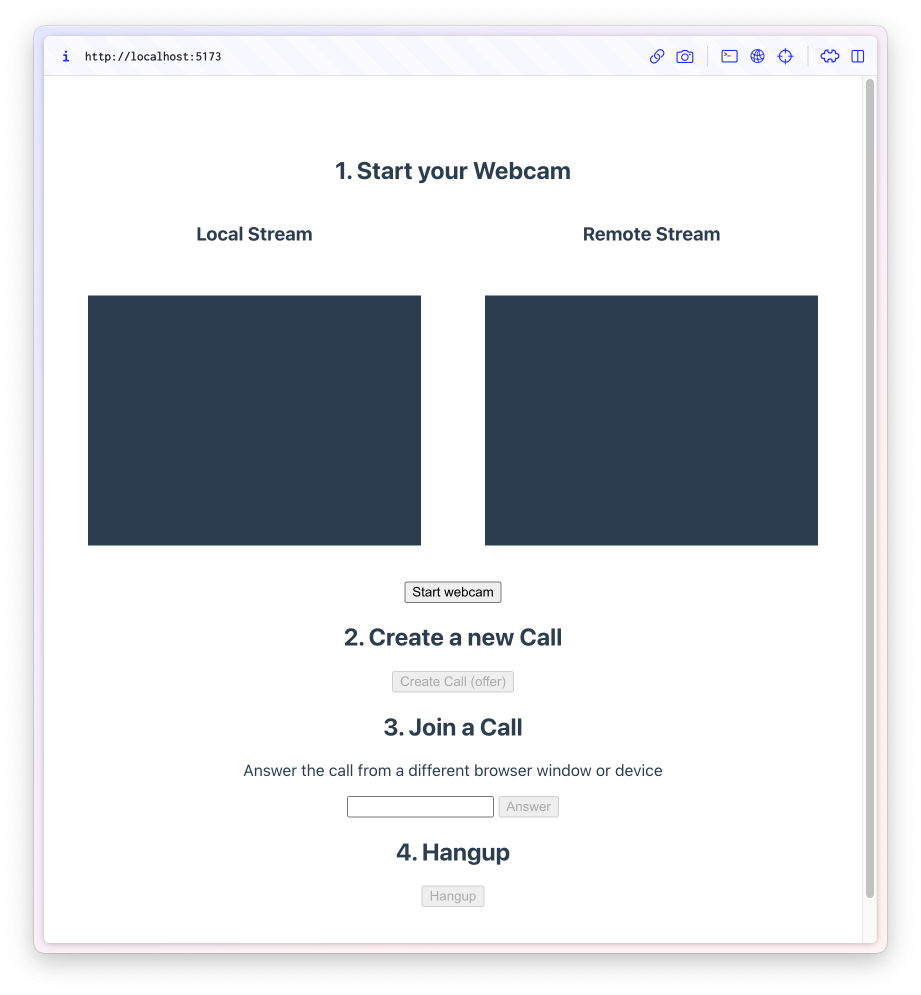
In the first window click `Start webcam` and then `Create Call (offer)`.
This will ask for camera permission and then generate a new id and add it to the `Join a Call` text field.
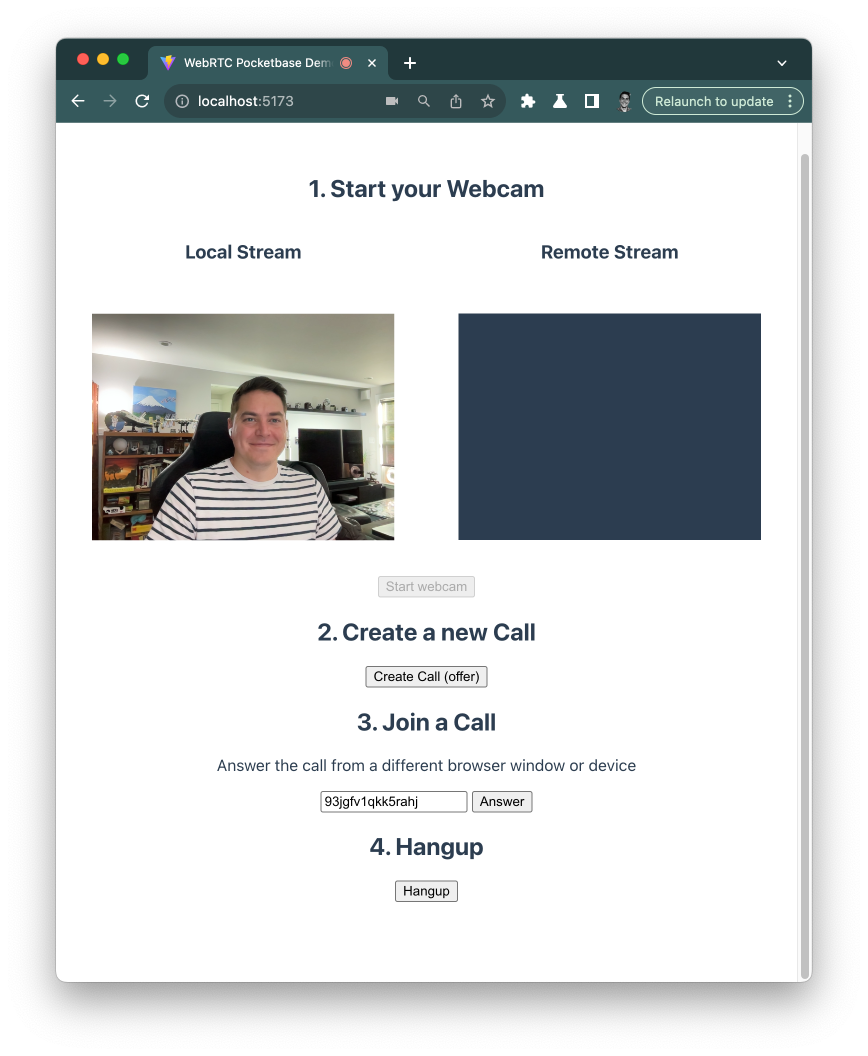
Copy the new id and paste it in the second window field and click `Start webcam`.
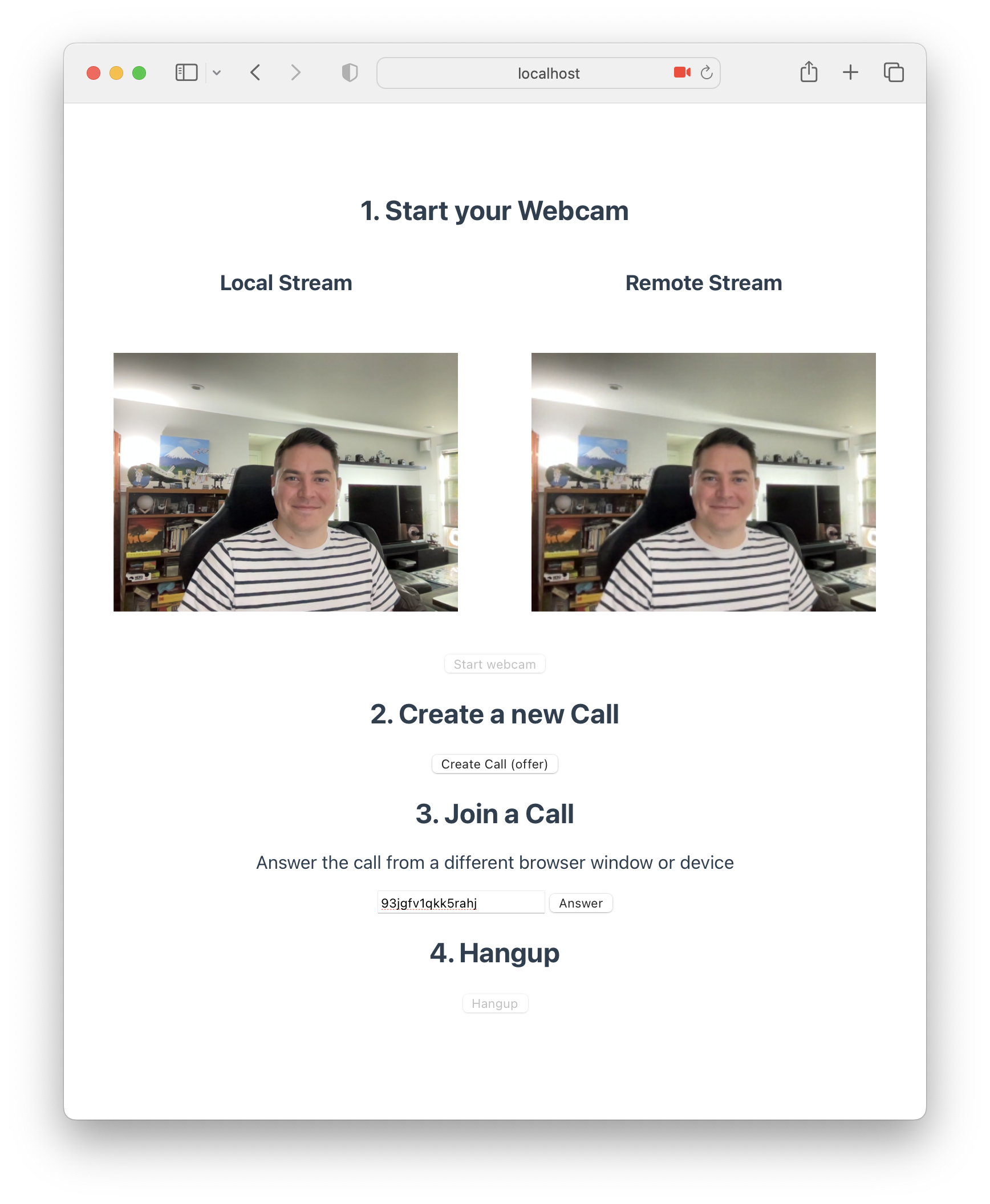
Then click `Hangup` when you are done with the call 🎉.
## Conclusion
You can find the source code [here](https://github.com/rodydavis/webrtc-pocketbase-demo).