# 方式 1:从 JSON 配置文件加载
> 🚀 重大版本发布:PyRepl + Textual TUI + 持久化 Agent 记忆 - SimpleLLMFunc 现已提供基于子进程的持久化 PyRepl、开箱即用的 Textual @tui(支持 llm_chat 流式显示),以及面向有状态 Agent 的 SelfReference 持久记忆契约。
- Skill: `tools-only/1-json-2` (Agent Skill, multi-file: 3 files)
- Install (CLI): `npx skillmds@latest add tools-only/1-json-2`
- Raw SKILL.md: https://api.skillmd.com/api/skills/tools-only/1-json-2/raw
- Safety review: pending (external: skill-scanner PASS, skillspector CAUTION)
- Works with: Claude Code, Claude.ai, OpenAI Codex
- Category: Coding & Dev Tools
- Author: tools-only (https://skillmd.com/u/tools-only)
- Updated: 2026-09-29
- Page: https://skillmd.com/skills/tools-only/1-json-2
---

LLM as Function, Prompt as Code
----


[](https://opensource.org/licenses/MIT)
[](https://www.python.org/)
[](https://pypi.org/project/SimpleLLMFunc/)
[](https://github.com/NiJingzhe/SimpleLLMFunc/graphs/commit-activity)
[](https://github.com/NiJingzhe/SimpleLLMFunc/pulls)
### 更新说明 (0.6.0)
🚀 **重大版本发布:PyRepl + Textual TUI + 持久化 Agent 记忆** - `SimpleLLMFunc` 现已提供基于子进程的持久化 `PyRepl`、开箱即用的 Textual `@tui`(支持 `llm_chat` 流式显示),以及面向有状态 Agent 的 `SelfReference` 持久记忆契约。
📝 **同时包含**:自定义工具事件发射、工具输入路由优化、更完整的测试覆盖,以及文档与示例的全面更新。详情见 **[更新日志](https://github.com/NiJingzhe/SimpleLLMFunc/blob/master/CHANGELOG.md)**。
### 📚 完整文档
阅读详细文档:[中文文档](https://simplellmfunc.readthedocs.io/zh-cn/latest/introduction.html) | [English Docs](https://simplellmfunc.readthedocs.io/en/latest/introduction.html)
> 💡 **多语言支持**: 本项目同时提供中文和英文文档,点击上方链接切换语言版本
-----
## 💡 项目介绍
**SimpleLLMFunc** 是一个轻量但完备的 LLM/Agent 应用开发框架。它的核心理念是:
### 🎯 核心设计理念
- **"LLM as Function"** - 将 LLM 调用视为普通的 Python 函数调用
- **"Prompt as Code"** - Prompt 直接作为函数的 DocString,一目了然
- **"Code as Doc"** - 函数定义同时就是完整的文档
通过简单的装饰器,你可以用最少的代码和最直观的方式集成 LLM 能力到 Python 应用中。
### 🤔 解决的问题
如果你在 LLM 开发中遇到过以下困境:
1. **抽象过度** - 低代码框架为了自定义功能引入过多抽象,代码变得难以理解和维护
2. **缺乏类型安全** - Workflow 框架没有类型提示,导致复杂流程中容易出错,不知道上一步的返回格式
3. **学习曲线陡峭** - LangChain 等框架文档繁琐,仅仅实现一个简单需求也要阅读大量内容
4. **流程限制** - 许多框架只支持 DAG(有向无环图),无法构建有循环或分支的复杂逻辑
5. **代码重复** - 不用框架就得手写 API 调用代码,每次都要重复编写,Prompt 散落在代码各处
6. **可观测性不足** - 缺乏完整的日志跟踪和性能监控能力
**SimpleLLMFunc** 正是为了解决这些痛点而设计的。
### ✨ 核心优势
- ✅ **代码即文档** - Prompt 在函数 DocString 中,一眼看清楚
- ✅ **类型安全** - Python 类型标注 + Pydantic 模型,享受 IDE 代码补全和类型检查
- ✅ **极简易用** - 仅需一个装饰器,自动处理 API 调用、消息构建、响应解析
- ✅ **完全自由** - 基于函数的设计,支持任意流程控制逻辑(循环、分支、递归等)
- ✅ **异步原生** - 全异步支持,天然适配高并发场景,无需额外配置
- ✅ **功能完整** - 内置工具系统、多模态支持、API 密钥管理、流量控制、结构化日志、可观测性集成
- ✅ **提供商无关** - OpenAI-compatible 适配,轻松切换多个模型供应商
- ✅ **易于扩展** - 模块化设计,支持自定义 LLM 接口和工具
> ⚠️ **重要** - 所有与 LLM 交互的装饰器(`@llm_function`、`@llm_chat`、`@tool` 等)支持装饰sync和async函数,但是返回的结果全部都是async函数,使用时请通过 `await` 或 `asyncio.run()` 调用。
-----
## 🚀 快速开始
### 安装
**方式 1:PyPI(推荐)**
```bash
pip install SimpleLLMFunc
```
**方式 2:源码安装**
```bash
git clone https://github.com/NiJingzhe/SimpleLLMFunc.git
cd SimpleLLMFunc
poetry install
```
### 初始化配置
1. 复制配置模板:
```bash
cp env_template .env
```
2. 在 `.env` 中配置 API 密钥和其他参数,推荐配置 `LOG_DIR` 和 `LANGFUSE_BASE_URL`、`LANGFUSE_SECRET_KEY`、`LANGFUSE_PUBLIC_KEY`,用于配置日志和Langfuse的追踪。
3. 查看 `examples/provider_template.json` 了解如何配置多个 LLM 供应商
### 一个简单例子
```python
import asyncio
from SimpleLLMFunc import llm_function, OpenAICompatible
# 从配置文件加载 LLM 接口
llm = OpenAICompatible.load_from_json_file("provider.json")["your_provider"]["model"]
@llm_function(llm_interface=llm)
async def classify_sentiment(text: str) -> str:
"""
分析文本的情感倾向。
Args:
text: 要分析的文本
Returns:
情感分类,可为 'positive', 'negative', 或 'neutral'
"""
pass # Prompt as Code!
async def main():
result = await classify_sentiment("这个产品太棒了!")
print(f"情感分类: {result}")
asyncio.run(main())
```
## ✨ 核心特性
| 特性 | 说明 |
|------|------|
| **@llm_function 装饰器** | 将任何异步函数转化为 LLM 驱动函数,自动处理 Prompt 构建、API 调用和响应解析 |
| **@llm_chat 装饰器** | 构建对话型 Agent,支持流式响应和工具调用 |
| **@tool 装饰器** | 将异步函数注册为 LLM 可用工具,支持多模态返回(图片、文本等) |
| **类型安全** | Python 类型标注 + Pydantic 模型确保类型正确,享受 IDE 代码补全 |
| **异步原生** | 全异步设计,原生支持 asyncio,天然适配高并发场景 |
| **多模态支持** | 支持 `Text`、`ImgUrl`、`ImgPath` 多模态输入输出 |
| **OpenAI 兼容** | 支持任何兼容 OpenAI API 的模型服务(OpenAI、Deepseek、Claude、LocalLLM 等) |
| **API 密钥管理** | 自动负载均衡多个 API 密钥,优化资源利用 |
| **流量控制** | 令牌桶算法实现智能流量平滑,防止速率限制 |
| **结构化日志** | 完整的 trace_id 追踪,自动记录请求/响应/工具调用 |
| **可观测性集成** | 集成 Langfuse,完整的 LLM 可观测性支持 |
| **灵活配置** | JSON 格式的 provider 配置,轻松管理多个模型和供应商 |
## 📖 详细指南
### 1. LLM 函数装饰器 - "Prompt As Code"
SimpleLLMFunc 的核心理念就是 **"Prompt as Code, Code as Doc"**。通过将 Prompt 直接编写在函数 DocString 中,实现:
| 优势 | 说明 |
|------|------|
| **代码可读性** | Prompt 与函数紧密结合,无需到处查找 Prompt 变量 |
| **类型安全** | 类型标注 + Pydantic 模型保证输入输出正确性 |
| **IDE 支持** | 完整的代码补全和类型检查 |
| **自文档化** | DocString 既是函数文档,也是 LLM 的 Prompt |
#### @llm_function - 无状态函数
```python
"""
使用LLM函数装饰器的示例
"""
import asyncio
from typing import List
from pydantic import BaseModel, Field
from SimpleLLMFunc import llm_function, OpenAICompatible, app_log
# 定义一个Pydantic模型作为返回类型
class ProductReview(BaseModel):
rating: int = Field(..., description="产品评分,1-5分")
pros: List[str] = Field(..., description="产品优点列表")
cons: List[str] = Field(..., description="产品缺点列表")
summary: str = Field(..., description="评价总结")
# 使用装饰器创建一个LLM函数
@llm_function(
llm_interface=OpenAICompatible.load_from_json_file("provider.json")["volc_engine"]["deepseek-v3-250324"]
)
async def analyze_product_review(product_name: str, review_text: str) -> ProductReview:
"""你是一个专业的产品评测专家,需要客观公正地分析以下产品评论,并生成一份结构化的评测报告。
报告应该包括:
1. 产品总体评分(1-5分)
2. 产品的主要优点列表
3. 产品的主要缺点列表
4. 总结性评价
评分规则:
- 5分:完美,几乎没有缺点
- 4分:优秀,优点明显大于缺点
- 3分:一般,优缺点基本持平
- 2分:较差,缺点明显大于优点
- 1分:很差,几乎没有优点
Args:
product_name: 要评测的产品名称
review_text: 用户对产品的评论内容
Returns:
一个结构化的ProductReview对象,包含评分、优点列表、缺点列表和总结
"""
pass # Prompt as Code, Code as Doc
async def main():
app_log("开始运行示例代码")
# 测试产品评测分析
product_name = "XYZ无线耳机"
review_text = """
我买了这款XYZ无线耳机已经使用了一个月。音质非常不错,尤其是低音部分表现出色,
佩戴也很舒适,可以长时间使用不感到疲劳。电池续航能力也很强,充满电后可以使用约8小时。
不过连接偶尔会有些不稳定,有时候会突然断开。另外,触控操作不够灵敏,经常需要点击多次才能响应。
总的来说,这款耳机性价比很高,适合日常使用,但如果你需要用于专业音频工作可能还不够。
"""
try:
print("\n===== 产品评测分析 =====")
result = await analyze_product_review(product_name, review_text)
# result is directly a Pydantic model instance
# no need to deserialize
print(f"评分: {result.rating}/5")
print("优点:")
for pro in result.pros:
print(f"- {pro}")
print("缺点:")
for con in result.cons:
print(f"- {con}")
print(f"总结: {result.summary}")
except Exception as e:
print(f"产品评测分析失败: {e}")
if __name__ == "__main__":
asyncio.run(main())
```
Output:
```text
===== 产品评测分析 =====
评分: 4/5
优点:
- 音质非常不错,尤其是低音部分表现出色
- 佩戴也很舒适,可以长时间使用不感到疲劳
- 电池续航能力也很强,充满电后可以使用约8小时
- 性价比很高,适合日常使用
缺点:
- 连接偶尔会有些不稳定,有时候会突然断开
- 触控操作不够灵敏,经常需要点击多次才能响应
- 如果需要用于专业音频工作可能还不够
总结: 音质和续航表现优秀,佩戴舒适,但连接稳定性不足,触控操作不够灵敏,适合日常使用,但不适合专业音频工作。
```
**关键点:**
- ✅ 只需声明函数、类型和 DocString,装饰器自动处理其他
- ✅ 直接返回 Pydantic 对象,无需手动反序列化
- ✅ 支持复杂嵌套的 Pydantic 模型
- ✅ 小模型可能无法输出正确的 JSON,框架会自动重试
#### @llm_chat - 对话与 Agent
同样支持创建**对话类函数**和 **Agent 系统**。llm_chat 支持:
- 多轮对话历史管理
- 实时流式响应
- LLM 工具调用和自动执行
- 灵活的返回模式(文本或原始响应)
如果你想构建完整的 Agent 框架,可以参考我们的姊妹项目 [SimpleManus](https://github.com/NiJingzhe/SimpleManus)。
#### @tui - 开箱即用终端 UI(llm_chat)
SimpleLLMFunc 提供了基于 Textual + Event Stream 的终端 TUI:
- 用户/助手交替消息流
- 流式 Markdown 渲染
- 工具调用参数/结果面板
- 模型与工具统计(耗时、Token)
- 支持 `custom_event_hook` 实时更新工具输出
- 内置退出方式:`/exit`、`/quit`、`/q`、`Ctrl+Q`、`Ctrl+C`
```python
from SimpleLLMFunc import llm_chat, tui
@tui(custom_event_hook=[...])
@llm_chat(llm_interface=my_llm_interface, stream=True, enable_event=True)
async def agent(message: str, history=None):
"""Your agent prompt"""
if __name__ == "__main__":
agent()
```
完整示例见:`examples/tui_chat_example.py`
#### 异步原生设计
`llm_function` 和 `llm_chat` 均为原生异步设计,无需额外配置:
```python
from SimpleLLMFunc import llm_function, llm_chat
@llm_function(llm_interface=my_llm_interface)
async def async_analyze_text(text: str) -> str:
"""异步分析文本内容"""
pass
@llm_chat(llm_interface=my_llm_interface, stream=True)
async def async_chat(message: str, history: List[Dict[str, str]]):
"""异步对话功能,支持流式响应"""
pass
async def main():
result = await async_analyze_text("需要分析的文本")
async for response, updated_history in async_chat("你好", []):
print(response)
```
#### 多模态支持
SimpleLLMFunc 支持多种模态的输入和输出,让 LLM 可以处理文本、图片等多种内容:
```python
from SimpleLLMFunc import llm_function
from SimpleLLMFunc.type import ImgPath, ImgUrl, Text
@llm_function(llm_interface=my_llm_interface)
async def analyze_image(
description: Text, # 文本描述
web_image: ImgUrl, # 网络图片URL
local_image: ImgPath # 本地图片路径
) -> str:
"""分析图像并根据描述提供详细说明
Args:
description: 对图像分析的具体要求
web_image: 要分析的网络图片URL
local_image: 要对比的本地参考图片路径
Returns:
详细的图像分析结果
"""
pass
import asyncio
async def main():
result = await analyze_image(
description=Text("请详细描述这两张图片的区别"),
web_image=ImgUrl("https://example.com/image.jpg"),
local_image=ImgPath("./reference.jpg")
)
print(result)
asyncio.run(main())
```
#### 装饰器参数和高级特性
@llm_function 和 @llm_chat 支持丰富的配置参数:
```python
@llm_function(
llm_interface=llm_interface, # LLM 接口实例
toolkit=[tool1, tool2], # 工具列表
_template_params={ # 动态 Prompt 模板参数
"language": "中文",
"style": "专业"
},
retry_on_exception=True, # 异常时自动重试
timeout=60 # 超时设置
)
async def my_function(param: str) -> str:
"""支持 {language} 的 {style} 分析"""
pass
```
### 2. LLM 供应商接口
SimpleLLMFunc 提供了灵活的 LLM 接口支持:
**支持的供应商(通过 OpenAI Compatible 适配):**
- ✅ OpenAI (GPT-4, GPT-3.5 等)
- ✅ Deepseek
- ✅ Anthropic Claude
- ✅ 火山引擎 Ark
- ✅ 百度千帆
- ✅ 本地 LLM (Ollama, vLLM 等)
- ✅ 任何兼容 OpenAI API 的服务
#### 快速接入示例
```python
from SimpleLLMFunc import OpenAICompatible
# 方式 1:从 JSON 配置文件加载
provider_config = OpenAICompatible.load_from_json_file("provider.json")
llm = provider_config["deepseek"]["v3-turbo"]
# 方式 2:直接创建
llm = OpenAICompatible(
api_key="sk-xxx",
base_url="https://api.deepseek.com/v1",
model="deepseek-chat"
)
@llm_function(llm_interface=llm)
async def my_function(text: str) -> str:
"""处理文本"""
pass
```
#### provider.json 配置文件
```json
{
"deepseek": [
{
"model_name": "deepseek-v3.2",
"api_keys": ["sk-your-api-key-1", "sk-your-api-key-2"],
"base_url": "https://api.deepseek.com/v1",
"max_retries": 5,
"retry_delay": 1.0,
"rate_limit_capacity": 10,
"rate_limit_refill_rate": 1.0
}
],
"openai": [
{
"model_name": "gpt-4",
"api_keys": ["sk-your-api-key"],
"base_url": "https://api.openai.com/v1",
"max_retries": 5,
"retry_delay": 1.0,
"rate_limit_capacity": 10,
"rate_limit_refill_rate": 1.0
}
]
}
```
#### 自定义 LLM 接口
可以通过继承 `LLM_Interface` 基类实现完全自定义的 LLM 接口:
```python
from SimpleLLMFunc.interface import LLM_Interface
class CustomLLMInterface(LLM_Interface):
async def call_llm(self, messages, **kwargs):
# 实现自己的 LLM 调用逻辑
pass
```
### 3. 日志与可观测性系统
SimpleLLMFunc 包含完整的日志追踪和可观测性能力,帮助你深入了解 LLM 应用的运行状况。
#### 核心特性
| 特性 | 说明 |
|------|------|
| **Trace ID 自动追踪** | 每次调用自动生成唯一 trace_id,关联所有相关日志 |
| **结构化日志** | 支持多级别日志(DEBUG, INFO, WARNING, ERROR, CRITICAL) |
| **上下文传播** | 异步环境下自动保留上下文,trace_id 自动关联 |
| **彩色输出** | 控制台美化输出,提升可读性 |
| **文件持久化** | 自动写入本地日志文件,支持轮换和归档 |
| **Langfuse 集成** | 开箱即用的可观测性集成,可视化 LLM 调用链路 |
#### Trace 示例
```
GLaDos_c790a5cc-e629-4cbd-b454-ab102c42d125 <- 自动生成的 trace_id
├── 函数调用输入参数
├── LLM 请求内容
├── Token 使用统计
├── 工具调用(如果有)
├── LLM 响应内容
└── 执行时间和性能指标
```
#### 日志使用示例
```python
from SimpleLLMFunc.logger import app_log, push_error, log_context
# 1. 基础日志记录
app_log("开始处理请求", trace_id="request_123")
push_error("发生错误", trace_id="request_123", exc_info=True)
# 2. 使用上下文管理器自动关联日志
with log_context(trace_id="task_456", function_name="analyze_text"):
app_log("开始分析文本") # 自动继承上下文的 trace_id
try:
# 执行操作...
app_log("分析完成")
except Exception:
push_error("分析失败", exc_info=True) # 同样自动继承 trace_id
```
### 4. 工具系统 - 让 LLM 与环境交互
SimpleLLMFunc 实现了完整的工具系统,让 LLM 可以调用外部函数和 API。工具支持两种定义方式。
#### @tool 装饰器方式(推荐)
最简洁的方式:用 `@tool` 装饰器将异步函数注册为 LLM 可用工具。
> ⚠️ `@tool` 装饰器仅支持装饰 `async def` 定义的函数
```python
from pydantic import BaseModel, Field
from SimpleLLMFunc.tool import tool
# 定义复杂参数的Pydantic模型
class Location(BaseModel):
latitude: float = Field(..., description="纬度")
longitude: float = Field(..., description="经度")
# 使用装饰器创建工具
@tool(name="get_weather", description="获取指定位置的天气信息")
async def get_weather(location: Location, days: int = 1) -> dict:
"""
获取指定位置的天气预报
Args:
location: 位置信息,包含经纬度
days: 预报天数,默认为1天
Returns:
天气预报信息
"""
# 实际实现会调用天气API
return {
"location": f"{location.latitude},{location.longitude}",
"forecast": [{"day": i, "temp": 25, "condition": "晴朗"} for i in range(days)]
}
```
**优势:**
- ✅ 简洁直观,自动从函数签名提取参数信息
- ✅ 支持 Python 原生类型和 Pydantic 模型
- ✅ 装饰后仍可直接调用,便于单元测试
- ✅ 支持多模态返回(文本、图片等)
- ✅ 可叠加使用:一个函数可以同时被 `@llm_function` 和 `@tool` 装饰
#### 多模态工具示例
```python
from SimpleLLMFunc.tool import tool
from SimpleLLMFunc.type import ImgPath, ImgUrl
@tool(name="generate_chart", description="根据数据生成图表")
async def generate_chart(data: str, chart_type: str = "bar") -> ImgPath:
"""
根据提供的数据生成图表
Args:
data: CSV格式的数据
chart_type: 图表类型,默认为柱状图
Returns:
生成的图表文件路径
"""
# 实际实现会生成图表并保存到本地
chart_path = "./generated_chart.png"
# ... 图表生成逻辑
return ImgPath(chart_path)
@tool(name="search_web_image", description="搜索网络图片")
async def search_web_image(query: str) -> ImgUrl:
"""
搜索网络图片
Args:
query: 搜索关键词
Returns:
找到的图片URL
"""
# 实际实现会调用图片搜索API
image_url = "https://example.com/search_result.jpg"
return ImgUrl(image_url)
```
#### 类继承方式(兼容)
也可以通过继承 `Tool` 基类定义工具(用于复杂逻辑或特殊需求):
```python
from SimpleLLMFunc.tool import Tool
class WebSearchTool(Tool):
def __init__(self):
super().__init__(
name="web_search",
description="在互联网上搜索信息"
)
async def run(self, query: str, max_results: int = 5) -> dict:
"""执行网络搜索"""
# 实现搜索逻辑
return {"results": [...]}
```
#### 工具集成到 LLM 函数
所有工具都可以传递给 `@llm_function` 或 `@llm_chat`:
```python
@llm_function(
llm_interface=llm,
toolkit=[get_weather, search_web, WebSearchTool()],
)
async def answer_question(question: str) -> str:
"""
回答用户问题,必要时使用工具。
Args:
question: 用户的问题
Returns:
答案
"""
pass
```
### 5. API 密钥管理和流量控制
SimpleLLMFunc 提供了生产级别的密钥和流量管理能力。
#### API 密钥负载均衡
- 支持多个 API 密钥配置
- 自动选择负载最低的密钥
- 使用小根堆算法,高效选取最优密钥
- 自动跟踪每个密钥的使用情况
#### 流量控制
- 令牌桶算法实现流量平滑
- 防止 API 速率限制
- 支持突发流量缓冲
- 可在 `provider.json` 中配置每个模型的速率限制参数
例如,在 provider.json 中配置:
```json
{
"model_config": {
"rate_limit": 100, // 每分钟最多 100 次请求
"burst": 10 // 突发请求最多 10 次
}
}
```
### 7. 项目结构和模块组织
SimpleLLMFunc 采用模块化设计,结构清晰易于维护:
#### 核心模块
```
SimpleLLMFunc/
├── SimpleLLMFunc/
│ ├── llm_decorator/ # LLM 装饰器模块
│ │ ├── llm_function_decorator.py # @llm_function 实现
│ │ ├── llm_chat_decorator.py # @llm_chat 实现
│ │ ├── steps/ # 步骤化执行流水线
│ │ └── utils/ # 装饰器工具
│ ├── tool/ # 工具系统
│ │ └── tool.py # @tool 装饰器和 Tool 基类
│ ├── builtin/ # 内置工具
│ │ └── pyrepl.py # Python REPL 工具集
│ ├── hooks/ # 事件流系统
│ │ ├── events.py # ReAct 事件定义
│ │ ├── stream.py # 事件/响应流封装
│ │ └── event_emitter.py # 工具自定义事件发射器
│ ├── interface/ # LLM 接口层
│ │ ├── llm_interface.py # 抽象基类
│ │ ├── openai_compatible.py # OpenAI 兼容实现
│ │ ├── key_pool.py # API 密钥管理
│ │ └── token_bucket.py # 流量控制
│ ├── base/ # 核心执行引擎
│ │ ├── ReAct.py # ReAct 引擎和工具调用
│ │ ├── messages/ # 消息构建
│ │ ├── post_process.py # 响应解析和类型转换
│ │ ├── tool_call/ # 工具调用提取/执行/校验
│ │ └── type_resolve/ # 类型解析
│ ├── logger/ # 日志和可观测性
│ │ ├── logger.py # 日志 API
│ │ ├── logger_config.py # 日志配置
│ │ └── context_manager.py # 上下文管理
│ ├── observability/ # 可观测性集成
│ │ └── langfuse_client.py # Langfuse 集成
│ ├── type/ # 多模态类型
│ │ └── __init__.py # Text, ImgUrl, ImgPath 等
│ ├── utils/ # 通用工具与 Textual TUI
│ │ ├── __init__.py # 通用工具导出
│ │ └── tui/ # 终端聊天界面
│ ├── config.py # 全局配置
│ └── __init__.py # 包初始化和 API 导出
├── examples/ # 使用示例
│ ├── llm_function_pydantic_example.py # 结构化输出示例
│ ├── event_stream_chatbot.py # 对话 + 事件流示例
│ ├── parallel_toolcall_example.py # 并发示例
│ ├── multi_modality_toolcall.py # 多模态示例
│ ├── pyrepl_example.py # 内置 PyRepl 示例
│ ├── self_reference_basic_example.py # 本地 SelfReference 示例
│ ├── tui_self_reference_example.py # TUI SelfReference 示例
│ ├── custom_tool_event_example.py # 自定义工具事件示例
│ ├── tui_chat_example.py # Textual TUI 示例
│ ├── provider.json # 供应商配置示例
│ └── provider_template.json # 配置模板
├── pyproject.toml # Poetry 配置
├── README.md # 项目文档(你在这里)
├── CHANGELOG.md # 更新日志
└── env_template # 环境变量模板
```
#### 模块职责说明
| 模块 | 职责 |
|------|------|
| **llm_decorator** | 提供 @llm_function 和 @llm_chat 装饰器 |
| **tool** | 工具系统,@tool 装饰器和 Tool 基类 |
| **builtin** | 内置工具(如持久化 Python REPL) |
| **hooks** | 事件流定义、事件发射器与流封装 |
| **interface** | LLM 接口抽象和 OpenAI 兼容实现 |
| **base** | ReAct 引擎、消息处理、类型转换 |
| **logger** | 结构化日志、trace_id 追踪 |
| **observability** | Langfuse 集成,完整 LLM 可观测性 |
| **type** | 多模态类型定义(Text、ImgUrl、ImgPath)|
| **utils** | 通用工具与 Textual TUI 集成 |
| **config** | 全局配置和环境变量管理 |
### 配置和环境变量
SimpleLLMFunc 支持灵活的配置:
**优先级(从高到低):**
1. 程序中直接配置
2. 环境变量
3. `.env` 文件
**常见配置:**
```bash
# .env 文件示例
LOG_DIR=./logs # 日志目录(可选)
LOG_LEVEL=INFO # 日志级别, 只控制控制台日志的输出,不会影响文件日志的输出
LANGFUSE_PUBLIC_KEY=pk_xxx # Langfuse 公钥(可选)
LANGFUSE_SECRET_KEY=sk_xxx # Langfuse 密钥(可选)
```
## 🎯 常见使用场景
SimpleLLMFunc 适用于各种 LLM 应用开发场景:
### 数据处理和分析
```python
@llm_function(llm_interface=llm)
async def extract_entities(text: str) -> Dict[str, List[str]]:
"""从文本中提取命名实体(人物、地点、组织等)"""
pass
# 使用
entities = await extract_entities("张三在北京的Apple公司工作")
# 返回: {"person": ["张三"], "location": ["北京"], "organization": ["Apple"]}
```
### 智能 Agent 和对话
```python
@llm_chat(llm_interface=llm, toolkit=[search_tool, calculator_tool])
async def agent(user_message: str, history: List[Dict]) -> str:
"""智能助手,可以搜索信息和做数学计算"""
pass
# 使用
response = await agent("明天北京天气怎样?并计算如果温度降 5 度是多少", [])
```
### 批量数据处理
```python
import asyncio
@llm_function(llm_interface=llm)
async def classify_text(text: str) -> str:
"""分类文本"""
pass
# 批量处理,充分利用异步
texts = ["文本1", "文本2", "文本3", ...]
results = await asyncio.gather(*[classify_text(t) for t in texts])
```
### 多模态内容处理
```python
from SimpleLLMFunc.type import ImgPath, ImgUrl
@llm_function(llm_interface=llm)
async def analyze_images(local_img: ImgPath, web_img: ImgUrl) -> str:
"""对比分析两张图片"""
pass
```
## 📚 运行示例代码
项目包含丰富的示例,快速上手:
```bash
# 安装依赖
pip install SimpleLLMFunc
# 设置 API 密钥
cp env_template .env
# 编辑 .env 文件,填入你的 API 密钥
# 运行示例
python examples/llm_function_pydantic_example.py
python examples/event_stream_chatbot.py
python examples/parallel_toolcall_example.py
```
## 🤝 贡献指南
欢迎提交 Issue 和 Pull Request!
- 🐛 **Bug Report** - 在 [GitHub Issues](https://github.com/NiJingzhe/SimpleLLMFunc/issues) 报告问题
- ✨ **功能建议** - 欢迎讨论新功能
- 📝 **文档完善** - 帮助改进文档
- 💡 **示例代码** - 分享你的使用案例
## 📖 更多资源
- 📚 [完整文档](https://simplellmfunc.readthedocs.io/zh-cn/latest/introduction.html) | [English Docs](https://simplellmfunc.readthedocs.io/en/latest/introduction.html)
- 🔄 [更新日志](CHANGELOG.md)
- 🔗 [GitHub 仓库](https://github.com/NiJingzhe/SimpleLLMFunc)
- 🤖 [SimpleManus (Agent 框架)](https://github.com/NiJingzhe/SimpleManus)
- 🌍 [English README](README.md)
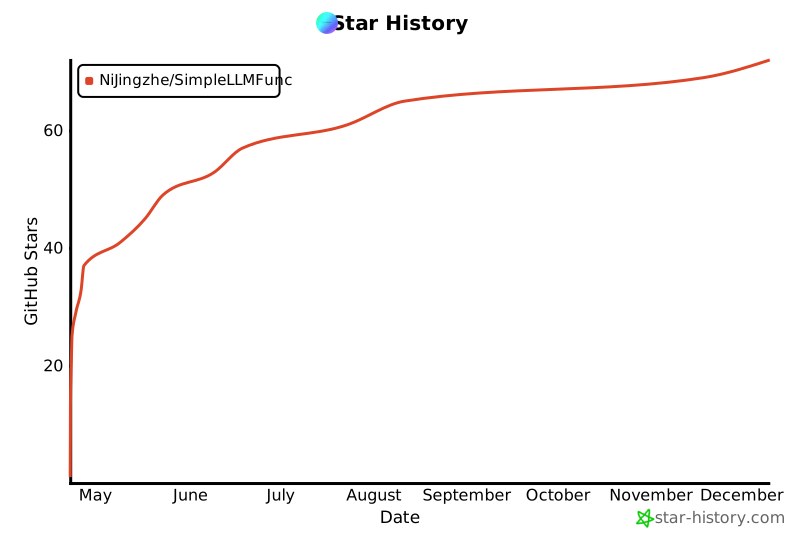
## Star History
 ## Citation
如果您在研究或项目中使用了SimpleLLMFunc,请引用以下信息:
```bibtex
@software{ni2025simplellmfunc,
author = {Jingzhe Ni},
month = {February},
title = {{SimpleLLMFunc: A New Approach to Build LLM Applications}},
url = {https://github.com/NiJingzhe/SimpleLLMFunc},
version = {0.6.0},
year = {2026}
}
```
## 许可证
MIT
## Citation
如果您在研究或项目中使用了SimpleLLMFunc,请引用以下信息:
```bibtex
@software{ni2025simplellmfunc,
author = {Jingzhe Ni},
month = {February},
title = {{SimpleLLMFunc: A New Approach to Build LLM Applications}},
url = {https://github.com/NiJingzhe/SimpleLLMFunc},
version = {0.6.0},
year = {2026}
}
```
## 许可证
MIT