 aws-samples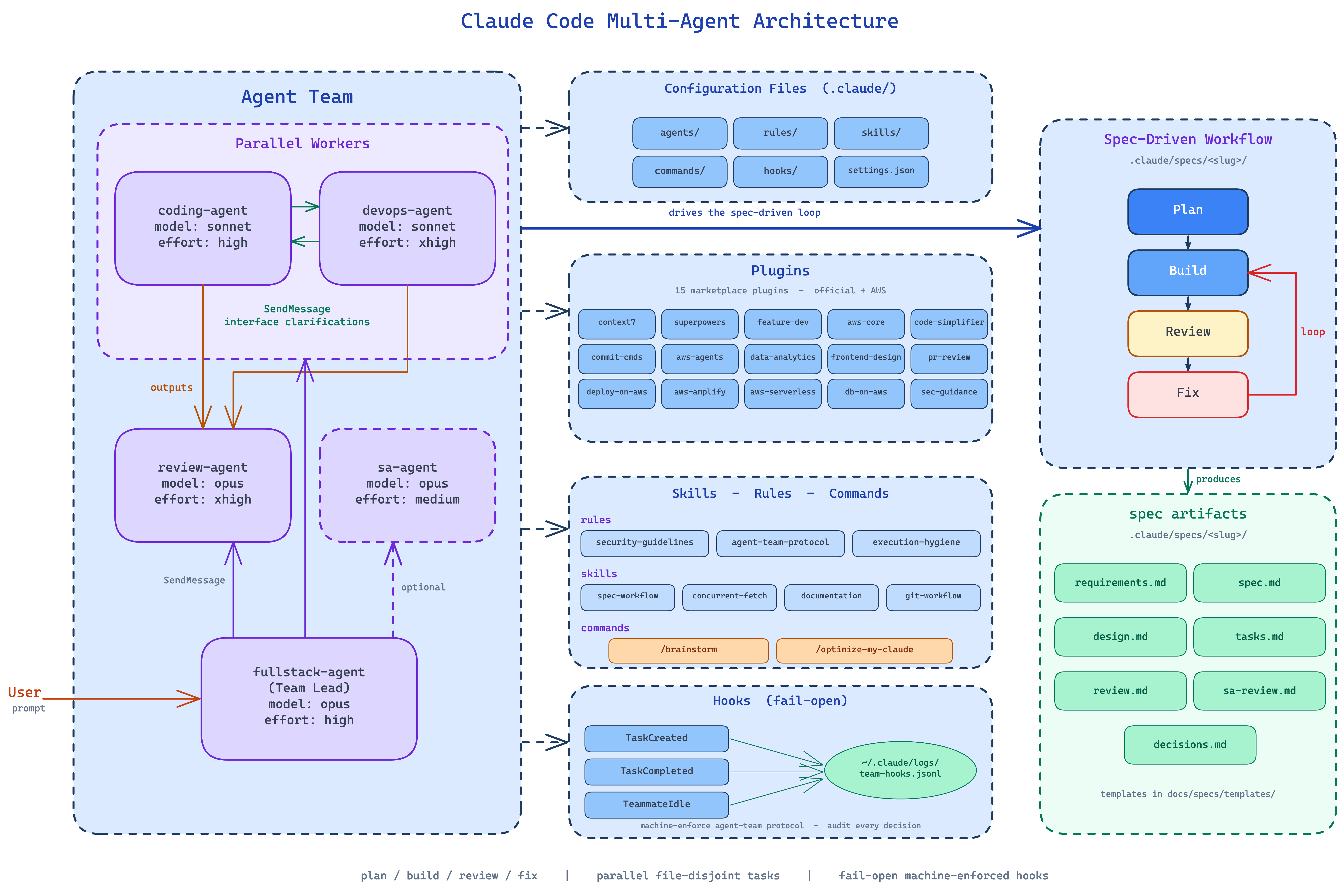
Git Workflow
Use these conventions when working with version control, creating branches, writing commits, or resolving merge conflicts.
Plugins for Git Work
| Plugin / Tool | When to Use |
|---|---|
commit-commands:commit |
Create conventional commits — handles staging, message formatting, and pre-commit checks |
commit-commands:commit-push-pr |
Commit, push, and open a PR in one flow |
commit-commands:clean_gone |
Clean up local branches that have been deleted on remote (marked [gone]), including worktrees |
gh CLI |
GitHub operations — create/edit PRs, link issues, add labels, request reviewers, post comments (gh pr create, gh pr edit, gh issue create) |
Prefer plugins/CLI over raw git for:
- Committing —
commit-commands:commitenforces conventional commit format - PR creation —
commit-commands:commit-push-propens the PR; use theghCLI for labels, linked issues, and reviewers - Branch cleanup —
commit-commands:clean_gonesafely removes stale branches and worktrees
Commit Messages
<type>(<scope>): <subject>

[optional body]

[optional footer]
Types: feat, fix, docs, style, refactor, test, chore
Good: feat(auth): add OAuth2 support for GitHub login
Bad: fixed stuff
Branch Naming
<type>/<ticket>-<description>
Examples:
feature/PROJ-123-user-authenticationfix/PROJ-456-null-pointer-crashhotfix/PROJ-789-security-patch
Non-Interactive Git
All git commands must be non-interactive (see rules/execution-hygiene.md):
# Always use --no-pager or GIT_PAGER=cat
git --no-pager log -10
git --no-pager diff
GIT_PAGER=cat git show HEAD

# Commit with message (never open editor)
git commit -m "feat(auth): add login endpoint"

# Merge without editor
git merge --no-edit feature-branch

# Rebase non-interactively
git rebase --no-edit main
Common Operations
# Squash last N commits (non-interactive)
git reset --soft HEAD~N && git commit -m "squashed commit message"

# Cherry-pick specific commit
git cherry-pick <sha>

# Undo last commit (keep changes)
git reset --soft HEAD~1

# Find commit that introduced bug
git bisect start
git bisect bad HEAD
git bisect good <known-good-sha>

# Stash with description
git stash push -m "WIP: auth middleware"
git stash pop
Merge Conflict Resolution
git status— identify conflicted files- Open file, look for
<<<<<<<,=======,>>>>>>> - Keep correct code, remove markers
git add <file>thengit rebase --continueorgit merge --continue
When resolving conflicts, investigate both sides before choosing — the conflicting code may represent someone else's in-progress work.
Pre-Commit Checks
Always run before pushing:
- Linting/formatting
- Unit tests
- Type checking (if applicable)
# Example pre-push verification
npm run lint && npm test && npx tsc --noEmit && git push
Worktrees
For isolated feature work (used by superpowers:using-git-worktrees):
# Create a worktree for isolated feature work
git worktree add ../project-feature feature/PROJ-123-description

# List active worktrees
git worktree list

# Clean up after merge (or use commit-commands:clean_gone)
git worktree remove ../project-feature
Worktrees are useful when fullstack-agent orchestrates parallel task groups that need file-level isolation beyond what the task ownership rules provide.
Agent Integration
fullstack-agentcreates feature branches before starting spec-driven workcoding-agentanddevops-agentcommit their changes with conventional commit messages matching the task scope- All agents use
--no-pagerandGIT_PAGER=catfor non-interactive output review-agentmay usegit diffto identify the exact changeset under review- After all review cycles pass, use
commit-commands:commit-push-prorsuperpowers:finishing-a-development-branchto handle merge/PR creation - Use the
ghCLI to link PRs to issues and add reviewers (gh pr edit)