 dauquangthanh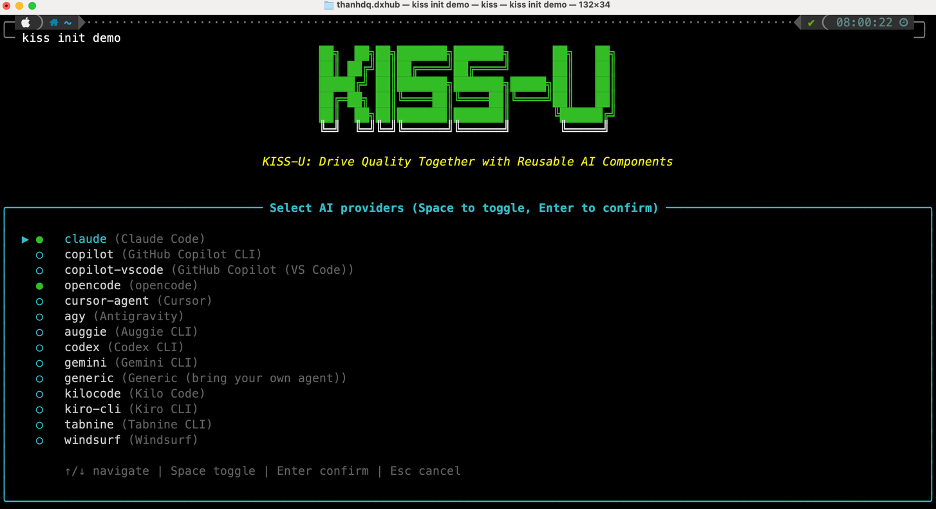
User Input
$ARGUMENTS
Audience and tone (interactive mode)
When KISS_AGENT_MODE=interactive (the default), assume the user
has no design or technical background. Run this skill as a
guided questionnaire:
- One question at a time. No walls of questions.
- Yes / no first. Phrase so
yes,no,not sure, orskipis a valid answer. - No jargon. Translate to everyday words: "Who's the main user, in one sentence?" not "Define the persona"; "What's the most important button on the screen?" not "What's the primary CTA?"; "What if there's nothing to show yet?" not "What's the empty state?"; "What if it's loading?" not "What's the loading state?".
- Examples over abstractions. When asking about the user, give concrete examples ("a busy parent placing a delivery order on their phone in 30 seconds").
- Choices, not blank fields. When yes/no isn't enough, offer 2-4 lettered options (A/B/C/D) with one-line everyday descriptions. Always include "Not sure — pick a sensible default".
- Always recommend. State the option you would pick and why in one sentence so the user can reply "yes" / "ok" to accept.
not sure/skiptriggers a sensible default — mark copy as<TBD>, use the recommended layout, write "(default applied — confirm later)", and log aUXDEBT-entry inux-debts.md.
When KISS_AGENT_MODE=auto (or --auto), skip the questionnaire
entirely: draft wireframes + flows from the spec's user stories,
mark unknown copy <TBD>, and log decisions to the ux-designer
agent's decision log.
Inputs
.kiss/context.yml{context.paths.specs}/<feature>/spec.md(user stories){context.paths.docs}/product/acceptance.md(AC)
Outputs
{context.paths.docs}/ux/<feature>/wireframes.md{context.paths.docs}/ux/<feature>/user-flows.md
Context Update
Does not mutate .kiss/context.yml.
Handoffs
kiss-test-casesuses the flows to structure e2e test cases.developeruses wireframes as the UI contract.
AI authoring scope
Does: draft low-fidelity wireframes as ASCII / structured markdown per screen, render user flows in Mermaid, annotate each screen with the AC it satisfies.
Does not: conduct user interviews, run A/B tests, produce high-fidelity visual design, push to a design tool.
Usage
<SKILL_DIR>= the integration's skills root (e.g..claude/skills/for Claude Code,.agents/skills/for Antigravity / Codex,.cursor/skills/for Cursor,.windsurf/workflows/for Windsurf). Scripts live at<SKILL_DIR>/<skill-name>/scripts/….
UX_PERSONA="new customer" bash <SKILL_DIR>/kiss-wireframes/scripts/bash/draft-wireframes.sh --auto
Answer keys
| Key | Meaning | Default |
|---|---|---|
UX_PERSONA |
one-line persona label | end user |