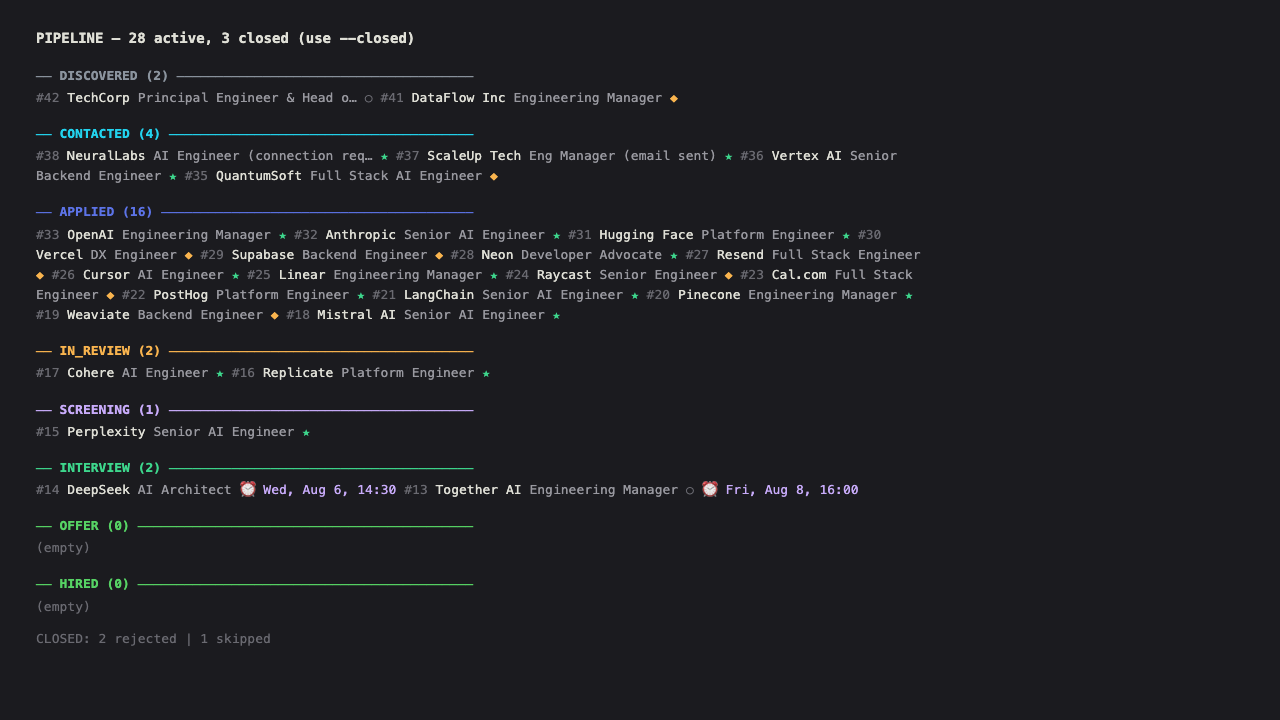
The user says apply (or variants: "apply to N jobs", "postulate", "search jobs") and the full search and application flow is triggered.
Pre-flight (applies to ALL applications: LinkedIn Easy Apply AND direct career pages)
Verify active LinkedIn session. If session closed → open browser with wrapper (see AGENTS.md "Browser session"): node scripts/browser.js open <url> --headed (Gold Rule 5) → notify user → wait for confirmation
Browser: always use node scripts/browser.js for open/close/goto. See AGENTS.md "Browser session" and "Parallel execution" for details. Never call playwright-cli open directly, never open Chrome directly
Parallel execution: if running alongside other flows (e.g: news or targets), attach a session with node scripts/browser.js attach --session apply-1 and pass --session apply-1 to linkedin-easy-apply.js and all browser commands. Use detach when done (never close — it's ref-counted)
Load active preferences (see memory skill):
node scripts/db.js "SELECT category, key, value, confidence, source FROM preferences WHERE user_id = <user_id> AND status = 'active' ORDER BY category, key"
Load strategy (see AGENTS.md "Strategy levels"):
node scripts/db.js "SELECT data->'strategy' AS strategy FROM users WHERE id = <user_id>"
Respect: apply_batch_size (max jobs per session), match_threshold (must_only / must_strong / must_strong_nice), relax_must_haves (loosen Must-have filtering). If apply_batch_size = 0, don't auto-apply, only present matches for manual approval
Read profile and existing applications via db CLI:
node scripts/db.js "SELECT data->'profile' AS profile, data->'job_preferences' AS prefs, data->'personal_info' AS personal FROM users WHERE id = <user_id>"
node scripts/db.js "SELECT url FROM applications WHERE user_id = <user_id>"
DB is the single source of truth for ALL form fields. Before filling ANY form (LinkedIn, Lever, Greenhouse, Workday, SuccessFactors, custom sites), the agent must have the profile data loaded in context. Never invent, guess, or fabricate any value. If a required field is not in the DB, STOP, ask the user, save the answer to DB, then continue. This is Gold Rule 5c.
Captcha policy: NEVER attempt to solve captchas programmatically. This is Gold Rule 5b. When a captcha appears (hCaptcha, reCAPTCHA, image challenge, drag-and-drop, etc.), the agent must: (1) ensure browser is headed, (2) notify the user and wait, (3) continue only after user confirms. Never retry in a loop. Never attempt to click captcha elements, solve challenges, or bypass them.
Flow
1. Search jobs
Preferred: use the automation script (see AGENTS.md "Scripts de automatizacion"):
# Dry-run first to see what's available
node scripts/linkedin-easy-apply.js --dry-run --max 15

# Apply to top N jobs
node scripts/linkedin-easy-apply.js --max 10

# Run in a specific browser session (for parallel execution with other agents)
# First attach a session: node scripts/browser.js attach --session apply-1
# Then run the script with --session:
node scripts/linkedin-easy-apply.js --max 10 --session apply-1
The script handles: search with Easy Apply filter, form filling with standard answers, radio/combobox/checkbox handling, DB registration, and captcha detection (stops on captcha). The --session flag allows running in parallel with other agents by using an attached session instead of the default one.
Manual fallback (when script fails or forms have complex open-ended questions):
Search LinkedIn Jobs with filters:
Keywords derived from profile (primary role, seniority, AI-related terms)
Location: Worldwide or remote
Work type: Remote
Experience level: per profile (mid-senior, director)
Easy Apply: yes (filter f_AL=true)
Sort: Date posted (most recent first)
Paginate until collecting 20-30 candidates.
2. Filter by Must-haves
For each job, verify against profile Must-haves from users.data.job_preferences. Discard if:
Doesn't match any Must-have (the filter is dynamic, based on the user's Must-weighted preferences, not hardcoded)
Requires visa/location the user doesn't have (e.g: US-only, EU-only)
Not in the user's field/sector (per users.data.profile.sector and job_preferences)
If an internal contact, alumni, or ex-colleague is found:
Prioritize Strategy #1 (Internal Referral) over cold apply.
Stage a personalized referral request draft in messages table (following Gold Rule 7 & user style profile).
Register card in pipeline as discovered.
If NO internal contact exists:
If strategy.cold_outreach = false → skip recruiter outreach, proceed to Step 3 (cold apply only).
If strategy.cold_outreach = true → extract Recruiter / Hiring Manager info for the position, stage a recruiter outreach DM draft (Strategy #4 Multi-channel combo).
Perform ATS micro-alignment (tailor CV keywords to JD if applying directly/email) and proceed to Step 3.
3. Apply via Easy Apply
For each selected job:
Navigate to the job URL
Click "Easy Apply"
Advance through form steps:
Contact info: pre-filled by LinkedIn, verify
Resume: already loaded in LinkedIn profile, verify
Additional questions: answer based on profile and preferences
Years of experience: use real value from profile
Salary expectations: use profile range from DB (job_preferences.salary.value: min/max/currency). Convert to local currency if the form requires it. Never invent a salary number.
Location: use personal_info.city + personal_info.country from DB
Work authorization: answer honestly
Availability: use job_preferences.availability.value from DB
For any field not in the DB: STOP, ask the user, save answer to DB, then fill. Gold Rule 5c.
Review → Submit
If a captcha appears at any point: STOP, ensure browser is headed, notify user, wait. Gold Rule 5b. Never attempt to solve it.
data should include: match reason, method (easy_apply), location, questions_answered count.
4. Anti-ban
Wait 2-3 seconds between actions (don't spam clicks)
Don't apply to more than 15 jobs per session
If a captcha or block appears: STOP IMMEDIATELY. Do NOT attempt to solve it. Do NOT retry in a loop. Ensure browser is headed, notify the user, and wait for them to solve it. This is Gold Rule 5b. The agent fills the entire form, triggers submit, and when the captcha appears, it stops and asks the user. Period.
Vary navigation order (don't go sequentially through the results list)
5. Summary
Upon completion, present table with:
Company, role, URL
Total applied
Total skipped with reason
6. Direct applications (non-LinkedIn: Lever, Greenhouse, Workday, SuccessFactors, custom sites)
When applying directly to a company career page (not via LinkedIn Easy Apply), the same pre-flight rules apply. The flow is:
Load profile data from DB first (pre-flight checklist). Have all values in context before opening the form.
English comfort (open text): users.data.form_answers.english_comfort
If a key doesn't exist in form_answers: the script skips the field (doesn't invent it). The agent must stop, ask the user, save the answer to DB (jsonb_set on users.data.form_answers), then continue. Gold Rule 5c.
Script reference
scripts/linkedin-easy-apply.js -- Apply via Easy Apply
Searches jobs with Easy Apply filter, clicks, fills forms with standard answers, submits, registers in DB.
# Apply to the first 10 jobs (default)
node scripts/linkedin-easy-apply.js

# Keywords custom + limit
node scripts/linkedin-easy-apply.js --keywords '"<Role>" OR "<Skill>"' --max 5

# List only, don't apply
node scripts/linkedin-easy-apply.js --dry-run

# Output JSON
node scripts/linkedin-easy-apply.js --json
Flags:--keywords <q> (default: derived from DB profile.title + profile.skills), --location <loc> (default: from DB job_preferences.location), --max <n> (default 10), --dry-run, --json, --session <name> (for parallel execution)
Auto-fill: all values are read from users.data.form_answers (DB). The script fills: years of experience per tech, language level, location, current company, LinkedIn URL, salary, availability, GenAI tools, AWS, etc. Radios: Yes for skills, No for disability/sponsorship (configurable values in DB). Comboboxes: English/Spanish level, seniority (from DB).
Captcha: detects and stops with exit 1 + message. Never attempts to solve.
DB: registers each application with platform='linkedin', status='applied'.
scripts/linkedin-search.js -- Search posts for job openings
Searches LinkedIn posts, extracts author + vanity + email + content preview. Filters by relevance (AI/ML keywords) and dedupes.
# Basic search (human-readable output)
node scripts/linkedin-search.js '"<Role>" "hiring" <Region>'

# Search with more scrolls and JSON output (to pipe to other scripts)
node scripts/linkedin-search.js '"<Role>" "<City>" "hiring"' --scroll 3 --json

# Validated queries:
#   '"<Role>" "hiring" <Region>'               (most productive)
#   '"<Role>" "<City>" "hiring"'      (geo-specific)
#   '"ingeniero IA" "buscamos"'                  (Spanish)
1---2name: apply3description: Searches for jobs on LinkedIn, filters by profile Must-haves, applies via Easy Apply, registers each application in DB.4trigger: apply5metadata:6 source: https://skillmd.com/skills/galiprandi/apply7---89# Apply1011## Trigger1213**Keyword: `apply`**1415The user says `apply` (or variants: "apply to N jobs", "postulate", "search jobs") and the full search and application flow is triggered.1617## Pre-flight (applies to ALL applications: LinkedIn Easy Apply AND direct career pages)1819- [ ] Verify active LinkedIn session. If session closed → open browser with wrapper (see AGENTS.md "Browser session"): `node scripts/browser.js open <url> --headed` (Gold Rule 5) → notify user → wait for confirmation20- [ ] **Browser:** always use `node scripts/browser.js` for open/close/goto. See AGENTS.md "Browser session" and "Parallel execution" for details. Never call `playwright-cli open` directly, never open Chrome directly21- [ ] **Parallel execution:** if running alongside other flows (e.g: `news` or `targets`), attach a session with `node scripts/browser.js attach --session apply-1` and pass `--session apply-1` to `linkedin-easy-apply.js` and all browser commands. Use `detach` when done (never `close` — it's ref-counted)22- [ ] Load active preferences (see `memory` skill):23 ```bash24 node scripts/db.js "SELECT category, key, value, confidence, source FROM preferences WHERE user_id = <user_id> AND status = 'active' ORDER BY category, key"25 ```26- [ ] Load strategy (see AGENTS.md "Strategy levels"):27 ```bash28 node scripts/db.js "SELECT data->'strategy' AS strategy FROM users WHERE id = <user_id>"29 ```30 Respect: `apply_batch_size` (max jobs per session), `match_threshold` (must_only / must_strong / must_strong_nice), `relax_must_haves` (loosen Must-have filtering). If `apply_batch_size = 0`, don't auto-apply, only present matches for manual approval31- [ ] Read profile and existing applications via db CLI:32 ```bash33 node scripts/db.js "SELECT data->'profile' AS profile, data->'job_preferences' AS prefs, data->'personal_info' AS personal FROM users WHERE id = <user_id>"34 node scripts/db.js "SELECT url FROM applications WHERE user_id = <user_id>"35 ```36- [ ] **DB is the single source of truth for ALL form fields.** Before filling ANY form (LinkedIn, Lever, Greenhouse, Workday, SuccessFactors, custom sites), the agent must have the profile data loaded in context. **Never invent, guess, or fabricate any value.** If a required field is not in the DB, STOP, ask the user, save the answer to DB, then continue. This is Gold Rule 5c.37- [ ] **Captcha policy: NEVER attempt to solve captchas programmatically.** This is Gold Rule 5b. When a captcha appears (hCaptcha, reCAPTCHA, image challenge, drag-and-drop, etc.), the agent must: (1) ensure browser is headed, (2) notify the user and wait, (3) continue only after user confirms. Never retry in a loop. Never attempt to click captcha elements, solve challenges, or bypass them.3839## Flow4041### 1. Search jobs4243**Preferred: use the automation script** (see AGENTS.md "Scripts de automatizacion"):4445```bash46# Dry-run first to see what's available47node scripts/linkedin-easy-apply.js --dry-run --max 154849# Apply to top N jobs50node scripts/linkedin-easy-apply.js --max 105152# Run in a specific browser session (for parallel execution with other agents)53# First attach a session: node scripts/browser.js attach --session apply-154# Then run the script with --session:55node scripts/linkedin-easy-apply.js --max 10 --session apply-156```5758The script handles: search with Easy Apply filter, form filling with standard answers, radio/combobox/checkbox handling, DB registration, and captcha detection (stops on captcha). The `--session` flag allows running in parallel with other agents by using an attached session instead of the default one.5960**Manual fallback** (when script fails or forms have complex open-ended questions):6162Search LinkedIn Jobs with filters:63- Keywords derived from profile (primary role, seniority, AI-related terms)64- Location: Worldwide or remote65- Work type: Remote66- Experience level: per profile (mid-senior, director)67- Easy Apply: yes (filter `f_AL=true`)68- Sort: Date posted (most recent first)6970Paginate until collecting 20-30 candidates.7172### 2. Filter by Must-haves7374For each job, verify against profile Must-haves from `users.data.job_preferences`. Discard if:75- Doesn't match any Must-have (the filter is dynamic, based on the user's Must-weighted preferences, not hardcoded)76- Requires visa/location the user doesn't have (e.g: US-only, EU-only)77- Not in the user's field/sector (per `users.data.profile.sector` and `job_preferences`)78- Already applied (check against DB)7980Keep 10-15 matching positions.8182### 2.5. Warm Sourcing & Referral Pre-Check (Strategy #1 & #4)8384**Gate:** only run this step if `referrals` is in `strategy.sources_active`. If not, skip to Step 3.8586For each selected position, before submitting a cold application:87881. **Run warm sourcing discovery:**89 ```bash90 node scripts/linkedin-warm-sourcing.js --company "<Company>" --role "<Role>" --json91 ```922. **If an internal contact, alumni, or ex-colleague is found:**93 - Prioritize **Strategy #1 (Internal Referral)** over cold apply.94 - Stage a personalized referral request draft in `messages` table (following Gold Rule 7 & user style profile).95 - Register card in pipeline as `discovered`.963. **If NO internal contact exists:**97 - If `strategy.cold_outreach = false` → skip recruiter outreach, proceed to Step 3 (cold apply only).98 - If `strategy.cold_outreach = true` → extract Recruiter / Hiring Manager info for the position, stage a recruiter outreach DM draft (Strategy #4 Multi-channel combo).99 - Perform ATS micro-alignment (tailor CV keywords to JD if applying directly/email) and proceed to Step 3.100101### 3. Apply via Easy Apply102103For each selected job:1041051. Navigate to the job URL1062. Click "Easy Apply"1073. Advance through form steps:108 - Contact info: pre-filled by LinkedIn, verify109 - Resume: already loaded in LinkedIn profile, verify110 - Additional questions: answer based on profile and preferences111 - Years of experience: use real value from profile112 - Salary expectations: use profile range from DB (`job_preferences.salary.value`: min/max/currency). Convert to local currency if the form requires it. **Never invent a salary number.**113 - Location: use `personal_info.city` + `personal_info.country` from DB114 - Work authorization: answer honestly115 - Availability: use `job_preferences.availability.value` from DB116 - **For any field not in the DB: STOP, ask the user, save answer to DB, then fill.** Gold Rule 5c.1174. Review → Submit1185. **If a captcha appears at any point: STOP, ensure browser is headed, notify user, wait.** Gold Rule 5b. Never attempt to solve it.1196. Verify "Application submitted" on screen1207. Register in DB via db CLI:121122```bash123node scripts/db.js "INSERT INTO applications (user_id, platform, company, role, url, status, data) VALUES (<user_id>, 'linkedin', '<company>', '<role>', '<url>', 'applied', '<json>'::jsonb)" --write124```125126`data` should include: match reason, method (easy_apply), location, questions_answered count.127128### 4. Anti-ban129130- Wait 2-3 seconds between actions (don't spam clicks)131- Don't apply to more than 15 jobs per session132- **If a captcha or block appears: STOP IMMEDIATELY. Do NOT attempt to solve it. Do NOT retry in a loop. Ensure browser is headed, notify the user, and wait for them to solve it.** This is Gold Rule 5b. The agent fills the entire form, triggers submit, and when the captcha appears, it stops and asks the user. Period.133- Vary navigation order (don't go sequentially through the results list)134135### 5. Summary136137Upon completion, present table with:138- Company, role, URL139- Total applied140- Total skipped with reason141142### 6. Direct applications (non-LinkedIn: Lever, Greenhouse, Workday, SuccessFactors, custom sites)143144When applying directly to a company career page (not via LinkedIn Easy Apply), the same pre-flight rules apply. The flow is:1451461. **Load profile data from DB first** (pre-flight checklist). Have all values in context before opening the form.1472. Navigate to the application URL.1483. Fill ALL form fields using ONLY data from the DB:149 - Name: `profile.full_name` or `personal_info`150 - Email: `profile.email`151 - Phone: `personal_info.phone`152 - Address: `personal_info.address`, `personal_info.city`, `personal_info.state`, `personal_info.postal_code`, `personal_info.country`153 - Salary: `job_preferences.salary.value` (min/max/currency). Convert to local currency if the form requires it.154 - LinkedIn URL: `profile.linkedin_profile`155 - GitHub URL: `profile.github`156 - CV: `profile.cv_path` or `personal_info.cv_pdf_path`157 - Work experience: `profile.experience[]`158 - Education: `profile.education[]`159 - Skills: `profile.skills[]` or `profile.tech_stack`160 - Languages: `profile.languages[]`1614. **If a field is required but NOT in the DB: STOP, ask the user, save to DB, then fill.** Gold Rule 5c. Never invent.1625. Upload CV when prompted.1636. Submit the form.1647. **If a captcha appears: STOP, ensure headed, notify user, wait.** Gold Rule 5b. Never solve programmatically.1658. Verify submission confirmation on screen.1669. Register in DB via db CLI (same INSERT as LinkedIn flow, with `platform` = the ATS detected: 'lever', 'greenhouse', 'workday', etc.).167168## Dependencies169170- Depends on `onboarding` (DB to register)171- Depends on `profile` (Must-haves to filter)172- Consumed by `daily`173174## Easy Apply form answers (DB keys)175176All personal data lives in the DB, never in scripts or docs. The agent and scripts read form answers from:177178| Data | DB location |179|---|---|180| Name, email, phone, CV path | `users.data.profile` (full_name, email, phone, cv_path) |181| Address, city, country | `users.data.personal_info` (address, city, state, country, postal_code) |182| Salary, availability, preferences | `users.data.job_preferences` (salary, availability, modalities, etc.) |183| Easy Apply form answers | `users.data.form_answers` (see keys below) |184| LinkedIn URL, blog URL | `users.data.form_answers.linkedin_url`, `form_answers.blog_url` |185186**Common Easy Apply question types and where to get the answers:**187- Years of experience with [tech]: `users.data.form_answers.<tech>_experience`188- Language level: `users.data.form_answers.english_level` / `spanish_level`189- Current location: `users.data.form_answers.location`190- Current company: `users.data.form_answers.current_company`191- LinkedIn URL: `users.data.form_answers.linkedin_url`192- Salary expectation: `users.data.form_answers.salary_usd` / `salary_cop` / `salary_usd_max`193- Availability: `users.data.form_answers.notice_period` / `availability_date`194- Consent/privacy: always accept195- Diversity/accessibility: `users.data.form_answers.diversity_*` (accessibility, gender, ethnicity)196- Disability: `users.data.form_answers.disability`197- GenAI tools experience: `users.data.form_answers.genai_tools`198- AWS experience: `users.data.form_answers.aws_experience`199- English comfort (open text): `users.data.form_answers.english_comfort`200201**If a key doesn't exist in `form_answers`:** the script skips the field (doesn't invent it). The agent must stop, ask the user, save the answer to DB (`jsonb_set` on `users.data.form_answers`), then continue. Gold Rule 5c.202203## Script reference204205### `scripts/linkedin-easy-apply.js` -- Apply via Easy Apply206207Searches jobs with Easy Apply filter, clicks, fills forms with standard answers, submits, registers in DB.208209```bash210# Apply to the first 10 jobs (default)211node scripts/linkedin-easy-apply.js212213# Keywords custom + limit214node scripts/linkedin-easy-apply.js --keywords '"<Role>" OR "<Skill>"' --max 5215216# List only, don't apply217node scripts/linkedin-easy-apply.js --dry-run218219# Output JSON220node scripts/linkedin-easy-apply.js --json221```222223**Flags:** `--keywords <q>` (default: derived from DB profile.title + profile.skills), `--location <loc>` (default: from DB job_preferences.location), `--max <n>` (default 10), `--dry-run`, `--json`, `--session <name>` (for parallel execution)224**Auto-fill:** all values are read from `users.data.form_answers` (DB). The script fills: years of experience per tech, language level, location, current company, LinkedIn URL, salary, availability, GenAI tools, AWS, etc. Radios: Yes for skills, No for disability/sponsorship (configurable values in DB). Comboboxes: English/Spanish level, seniority (from DB).225**Captcha:** detects and stops with exit 1 + message. Never attempts to solve.226**DB:** registers each application with `platform='linkedin'`, `status='applied'`.227228### `scripts/linkedin-search.js` -- Search posts for job openings229230Searches LinkedIn posts, extracts author + vanity + email + content preview. Filters by relevance (AI/ML keywords) and dedupes.231232```bash233# Basic search (human-readable output)234node scripts/linkedin-search.js '"<Role>" "hiring" <Region>'235236# Search with more scrolls and JSON output (to pipe to other scripts)237node scripts/linkedin-search.js '"<Role>" "<City>" "hiring"' --scroll 3 --json238239# Validated queries:240# '"<Role>" "hiring" <Region>' (most productive)241# '"<Role>" "<City>" "hiring"' (geo-specific)242# '"ingeniero IA" "buscamos"' (Spanish)243```244245**Flags:** `--scroll <n>` (default 2), `--json` (raw JSON output)246**Output JSON:** `[{author, vanity, email, content}, ...]`
Run npx get-skill add galiprandi/apply in your terminal (requires Node.js), paste this page's agent-chat prompt into Claude, Cursor, or any MCP-connected agent, or download the SKILL.md file and copy it into your agent's skills directory.
Searches for jobs on LinkedIn, filters by profile Must-haves, applies via Easy Apply, registers each application in DB. It is listed under Coding & Dev Tools on SkillMD.
This skill has not completed SkillMD's automated safety review yet. Independent scanners report: SkillSpector: PASS, Skill Scanner: PASS. Capability flags: docs only. SkillMD never runs a skill's scripts for you; review the SKILL.md before installing.
This skill is tagged as working with Claude Code, Claude.ai, OpenAI Codex. SKILL.md is an open format, so most agents that read a skills directory can load it too.
Yes. Installing skills from SkillMD is free, and the skill stays under its author's original license.
galiprandi (@galiprandi) published this skill. Their other Agent Skills are listed on their SkillMD profile.