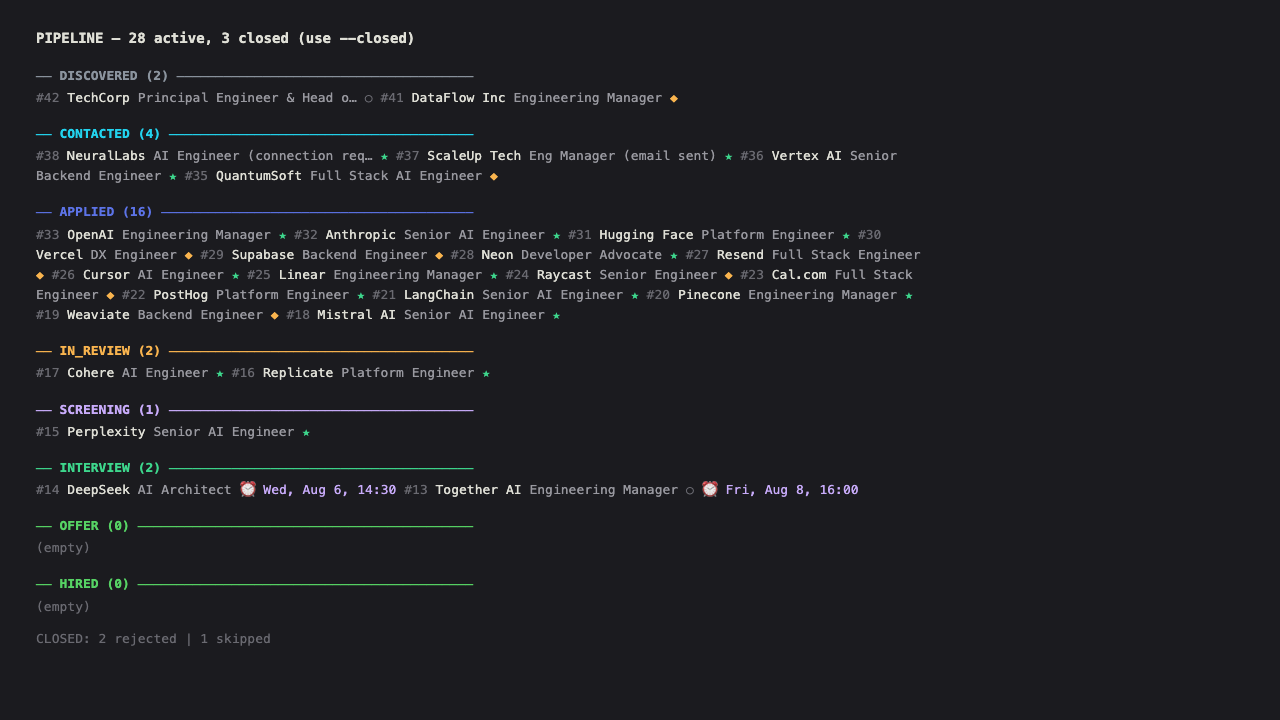
The user says targets (or variants: "register on companies", "apply to target companies", "company direct", "direct sourcing") and the full registration + application flow is triggered.
Purpose
The third sourcing pillar alongside radar (passive alerts) and apply (LinkedIn Easy Apply). This flow goes directly to the career sites of the target companies (loaded from users.data.target_companies in DB), registers the user, creates a standout profile, and applies to matching positions.
Pre-flight
Browser: always use node scripts/browser.js for open/close/goto. See AGENTS.md "Browser session" and "Parallel execution" for details. Never call playwright-cli open directly
Parallel execution: if running alongside other flows (e.g: apply or news), attach a session with node scripts/browser.js attach --session targets-1 and pass --session targets-1 to all browser commands and scripts. Use detach when done (never close — it's ref-counted)
Load active preferences (see memory skill):
node scripts/db.js "SELECT category, key, value, confidence, source FROM preferences WHERE user_id = <user_id> AND status = 'active' ORDER BY category, key"
Load strategy (see AGENTS.md "Strategy levels"):
node scripts/db.js "SELECT data->'strategy' AS strategy FROM users WHERE id = <user_id>"
Respect: targets_batch_size (max companies per session, 0 = don't run, "all" = no limit), match_threshold, relax_must_haves. If targets is not in sources_active, skip this flow entirely
Load profile, job preferences, CV and photo paths:
node scripts/db.js "SELECT data->'profile' AS profile, data->'job_preferences' AS prefs, data->'cv_path' AS cv_path, data->'photo_path' AS photo_path, data->'style_profile' AS style_profile FROM users WHERE id = <user_id>"
Load company registrations to see current state:
node scripts/db.js "SELECT id, company, region, sector, careers_url, ats_platform, registration_status, profile_completed, applied_jobs_count, notes FROM company_registrations WHERE user_id = <user_id> ORDER BY registration_status, region, company"
Load existing applications for dedup:
node scripts/db.js "SELECT company, url FROM applications WHERE user_id = <user_id>"
Must-haves filter (from job_preferences)
Before applying to any job, verify against Must-haves from users.data.job_preferences. The filter is dynamic, not hardcoded. For each Must-weighted preference, discard if the job doesn't match. Common examples:
Work mode mismatch (if work_mode.weight = Must, role must match the user's preferred mode. If relax_must_haves resolves to include work_mode, accept partial matches)
Sector/specialization mismatch (if sector.weight = Must, role must be in the user's preferred sector)
Role level in deal_breakers (the user defines their own deal-breakers, never hardcoded. If the user listed "junior" as a deal-breaker, discard junior roles. If they didn't, don't)
In industries_avoid list (per industries_avoid.weight)
Salary below job_preferences.salary.value.min (if mentioned and salary.weight = Must)
Not in user's accepted locations (per location and timezones preferences)
Gold Rule 4: The user's career goal and what's sacrificable live in users.data.profile.career_goal and users.data.job_preferences. Read them from DB. Don't discard roles based on hardcoded assumptions about role type or seniority. Check relax_must_haves (resolved from users.data.job_preferences) to know which Must-haves are relaxed for the current strategy level.
Flow
Phase 1 — Registration & profile creation
For each company with registration_status = 'pending' (or profile_completed = false):
Navigate to careers URL using node scripts/browser.js goto <url> (or open if no session)
Detect ATS if not already identified. Common signals:
None of the above → Custom (manual inspection needed)
Find the registration / sign up / create account page
Login method priority:
Google login (preferred, reuses Gmail session from onboarding)
LinkedIn login (reuses LinkedIn session from onboarding)
Email + password (create account, save credentials to company_registrations.data as {email, password})
If no account creation possible → mark registration_status = 'manual_login_needed', notify user (Gold Rule 5)
Complete profile to make it stand out:
Full name (from users.data.profile.full_name)
Title/headline: use profile.title + top skills (e.g: " | ")
Summary/bio: use profile.summary, adapted to the platform's character limit
Location: from users.data.personal_info (city, country) or form_answers.location
Upload CV: use profile.cv_path or personal_info.cv_pdf_path (from DB, never hardcoded)
Upload photo: use users.data.photo_path if the platform accepts it
Skills: add all from profile.skills
Experience: fill from profile.experience if the platform has structured fields
Languages: from profile.languages
Work preferences: from job_preferences.modalities, job_preferences.role_types
Salary expectation: from job_preferences.salary.value (only if field is required)
Update DB after each company:
node scripts/db.js "UPDATE company_registrations SET registration_status = 'registered', profile_completed = true, ats_platform = '<ats>', login_method = '<google|linkedin|email>', profile_url = '<url if available>', last_visit_at = NOW(), updated_at = NOW(), data = '<json with credentials if email login>'::jsonb WHERE id = <id>" --write
Subscribe to job alerts if the ATS or career site supports it. This is critical for passive monitoring of new openings:
Greenhouse: look for "Subscribe to alerts" or "Email me new jobs" link on the job board. Enter email, select job categories or keywords (AI, Engineering, Remote)
Lever: look for "Subscribe" or "Alerts" button. Enter email, select departments or locations
Ashby: look for "Subscribe to alerts" link. Enter email, select teams or locations
Workable: look for "Subscribe" or "Job Alerts" link. Enter email, select job categories
SmartRecruiters: look for "Job Alerts" or "Subscribe" link. Enter email, select filters
Teamtailor: look for "Subscribe" or "Alerts" link. Enter email, select categories
Eightfold: AI matching may auto-suggest relevant jobs. Look for "Save search" or "Alerts" option
Workday: often has " Save Search" or "Job Alerts" after searching. Set up with filters
Custom ATS: look for any "Subscribe", "Alerts", "Notify me", or RSS feed icon. If none exists, skip this step and note it in company_registrations.notes
Keywords for alerts: derived from profile.skills, profile.title, and job_preferences (e.g: AI, the user's primary role, seniority level, key tech skills)
Frequency: daily if available, weekly otherwise
Email: use the user's email (from users.data.profile.email) so alerts route through the Gmail filter
Update DB with alert status:
node scripts/db.js "UPDATE company_registrations SET data = jsonb_set(COALESCE(data, '{}'::jsonb), '{alerts_subscribed}', 'true'::jsonb), notes = COALESCE(notes, '') || ' | Alerts subscribed' WHERE id = <id>" --write
If alerts not available on the platform, note it:
node scripts/db.js "UPDATE company_registrations SET notes = COALESCE(notes, '') || ' | No native alerts' WHERE id = <id>" --write
If a company has no matching roles or no remote options:
Mark registration_status = 'no_fit' with reason in notes
Do not register
If a company requires manual login (no Google/LinkedIn, no email signup):
Mark registration_status = 'manual_login_needed'
Open headed browser (Gold Rule 5), notify user, wait for confirmation
Phase 2 — Search & apply
For each company with registration_status = 'registered' and applied_jobs_count = 0 (or user requests more):
Navigate to the company's job board
Search with filters:
Keywords: derived from profile.title, profile.skills, and job_preferences (the user's primary role + key skills + seniority level)
Location: from job_preferences.location and job_preferences.timezones
Seniority: from job_preferences.seniority
Filter by Must-haves (see above). For each matching job:
Gate: only run if referrals is in strategy.sources_active. If not, skip to step 5.
Run node scripts/linkedin-warm-sourcing.js --company "<Company>" --role "<Role>" --json
If internal contact/alumni/ex-colleague found: stage referral request in messages and set card status to discovered (Strategy #1).
If NO internal contact found: if strategy.cold_outreach = true, extract recruiter info and stage recruiter outreach DM in messages (Strategy #4). If cold_outreach = false, skip outreach. Either way, micro-align CV keywords to JD via scripts/generate-cv.js and proceed to ATS application.
Apply following the ATS-specific flow (see ATS guide below)
URL to user's profile on the platform (if available)
login_method
TEXT
google, linkedin, email
applied_jobs_count
INTEGER
How many jobs applied to via this flow
last_visit_at
TIMESTAMPTZ
Last time the careers page was visited
last_applied_at
TIMESTAMPTZ
Last time an application was submitted
notes
TEXT
Free-form notes (ATS details, role observations, no_fit reasons)
data
JSONB
Credentials (if email login), extra metadata
created_at
TIMESTAMPTZ
updated_at
TIMESTAMPTZ
Typical queries:
# Pending companies
node scripts/db.js "SELECT id, company, region, careers_url, ats_platform, notes FROM company_registrations WHERE user_id = <user_id> AND registration_status = 'pending' ORDER BY region, company"

# Registered but no applications yet
node scripts/db.js "SELECT id, company, careers_url, ats_platform FROM company_registrations WHERE user_id = <user_id> AND registration_status = 'registered' AND applied_jobs_count = 0 ORDER BY company"

# Update after registration
node scripts/db.js "UPDATE company_registrations SET registration_status = 'registered', profile_completed = true, ats_platform = '<ats>', login_method = '<method>', profile_url = '<url>', last_visit_at = NOW(), updated_at = NOW() WHERE id = <id>" --write

# Mark as no_fit
node scripts/db.js "UPDATE company_registrations SET registration_status = 'no_fit', notes = '<reason>', last_visit_at = NOW(), updated_at = NOW() WHERE id = <id>" --write

# Increment applied count
node scripts/db.js "UPDATE company_registrations SET applied_jobs_count = applied_jobs_count + <N>, last_applied_at = NOW(), updated_at = NOW() WHERE id = <id>" --write
Rules
Browser: always use node scripts/browser.js for open/close/goto. Never playwright-cli open directly
Resumable. Every action updates company_registrations. If interrupted, next run continues from where it left off
Must-haves are non-negotiable. Don't register or apply to companies that don't match the user's job_preferences (remote, location, AI focus, salary, industries_avoid)
Gold Rule 4. Manager is preferred but sacrificable for interesting IC roles with AI focus and good compensation
Gold Rule 5. If manual login needed → open headed browser, notify user, wait
Gold Rule 6. If applying via email (not ATS form) → show draft to user before sending
Anti-ban. 3-5 second delays, max 5 applications per company per session
Dedup. Check applications table before applying. Don't apply to the same job twice
Persist everything. Registration status, profile completion, applications, credentials (in data JSONB)
CV and photo paths come from users.data.cv_path and users.data.photo_path. Never hardcode paths
Single user (repo owner)
Dependencies
Depends on onboarding (DB, browser profile, Gmail + LinkedIn sessions)
Depends on profile (Must-haves to filter, profile data to fill forms)
Consume by daily (can be added as a third pillar alongside news + apply)
1---2name: targets3description: Active direct sourcing. Registers and creates standout profiles on the 40 target companies' career sites, then applies to matching positions.4trigger: targets5metadata:6 source: https://skillmd.com/skills/galiprandi/targets7---89# Targets — Active direct sourcing1011## Trigger1213**Keyword: `targets`**1415The user says `targets` (or variants: "register on companies", "apply to target companies", "company direct", "direct sourcing") and the full registration + application flow is triggered.1617## Purpose1819The third sourcing pillar alongside `radar` (passive alerts) and `apply` (LinkedIn Easy Apply). This flow goes directly to the career sites of the target companies (loaded from users.data.target_companies in DB), registers the user, creates a standout profile, and applies to matching positions.2021## Pre-flight2223- [ ] **Browser:** always use `node scripts/browser.js` for open/close/goto. See AGENTS.md "Browser session" and "Parallel execution" for details. Never call `playwright-cli open` directly24- [ ] **Parallel execution:** if running alongside other flows (e.g: `apply` or `news`), attach a session with `node scripts/browser.js attach --session targets-1` and pass `--session targets-1` to all browser commands and scripts. Use `detach` when done (never `close` — it's ref-counted)25- [ ] Load active preferences (see `memory` skill):26 ```bash27 node scripts/db.js "SELECT category, key, value, confidence, source FROM preferences WHERE user_id = <user_id> AND status = 'active' ORDER BY category, key"28 ```29- [ ] Load strategy (see AGENTS.md "Strategy levels"):30 ```bash31 node scripts/db.js "SELECT data->'strategy' AS strategy FROM users WHERE id = <user_id>"32 ```33 Respect: `targets_batch_size` (max companies per session, 0 = don't run, "all" = no limit), `match_threshold`, `relax_must_haves`. If `targets` is not in `sources_active`, skip this flow entirely34- [ ] Load profile, job preferences, CV and photo paths:35 ```bash36 node scripts/db.js "SELECT data->'profile' AS profile, data->'job_preferences' AS prefs, data->'cv_path' AS cv_path, data->'photo_path' AS photo_path, data->'style_profile' AS style_profile FROM users WHERE id = <user_id>"37 ```38- [ ] Load company registrations to see current state:39 ```bash40 node scripts/db.js "SELECT id, company, region, sector, careers_url, ats_platform, registration_status, profile_completed, applied_jobs_count, notes FROM company_registrations WHERE user_id = <user_id> ORDER BY registration_status, region, company"41 ```42- [ ] Load existing applications for dedup:43 ```bash44 node scripts/db.js "SELECT company, url FROM applications WHERE user_id = <user_id>"45 ```4647## Must-haves filter (from job_preferences)4849Before applying to any job, verify against Must-haves from `users.data.job_preferences`. The filter is dynamic, not hardcoded. For each Must-weighted preference, discard if the job doesn't match. Common examples:5051- Work mode mismatch (if `work_mode.weight = Must`, role must match the user's preferred mode. If `relax_must_haves` resolves to include `work_mode`, accept partial matches)52- Sector/specialization mismatch (if `sector.weight = Must`, role must be in the user's preferred sector)53- Role level in `deal_breakers` (the user defines their own deal-breakers, never hardcoded. If the user listed "junior" as a deal-breaker, discard junior roles. If they didn't, don't)54- In `industries_avoid` list (per `industries_avoid.weight`)55- Salary below `job_preferences.salary.value.min` (if mentioned and `salary.weight = Must`)56- Not in user's accepted locations (per `location` and `timezones` preferences)5758**Gold Rule 4:** The user's career goal and what's sacrificable live in `users.data.profile.career_goal` and `users.data.job_preferences`. Read them from DB. Don't discard roles based on hardcoded assumptions about role type or seniority. Check `relax_must_haves` (resolved from `users.data.job_preferences`) to know which Must-haves are relaxed for the current strategy level.5960## Flow6162### Phase 1 — Registration & profile creation6364For each company with `registration_status = 'pending'` (or `profile_completed = false`):65661. **Navigate to careers URL** using `node scripts/browser.js goto <url>` (or `open` if no session)672. **Detect ATS** if not already identified. Common signals:68 - URL contains `greenhouse.io` → **Greenhouse**69 - URL contains `lever.co` → **Lever**70 - URL contains `ashbyhq.com` → **Ashby**71 - URL contains `workday` → **Workday**72 - URL contains `smartrecruiters.com` → **SmartRecruiters**73 - URL contains `teamtailor.com` → **Teamtailor**74 - URL contains `eightfold.ai` → **Eightfold**75 - URL contains `successfactors` → **SAP SuccessFactors**76 - URL contains `workable.com` → **Workable**77 - URL contains `phenom` → **Phenom**78 - URL contains `attrax` → **Attrax**79 - URL contains `gupy` → **Gupy**80 - None of the above → **Custom** (manual inspection needed)813. **Find the registration / sign up / create account page**824. **Login method priority:**83 - Google login (preferred, reuses Gmail session from onboarding)84 - LinkedIn login (reuses LinkedIn session from onboarding)85 - Email + password (create account, save credentials to `company_registrations.data` as `{email, password}`)86 - If no account creation possible → mark `registration_status = 'manual_login_needed'`, notify user (Gold Rule 5)875. **Complete profile** to make it stand out:88 - Full name (from `users.data.profile.full_name`)89 - Title/headline: use `profile.title` + top skills (e.g: "<Title> | <Top Skills>")90 - Summary/bio: use `profile.summary`, adapted to the platform's character limit91 - Location: from `users.data.personal_info` (city, country) or `form_answers.location`92 - Upload CV: use `profile.cv_path` or `personal_info.cv_pdf_path` (from DB, never hardcoded)93 - Upload photo: use `users.data.photo_path` if the platform accepts it94 - Skills: add all from `profile.skills`95 - Experience: fill from `profile.experience` if the platform has structured fields96 - Languages: from `profile.languages`97 - Work preferences: from `job_preferences.modalities`, `job_preferences.role_types`98 - Salary expectation: from `job_preferences.salary.value` (only if field is required)996. **Update DB after each company:**100 ```bash101 node scripts/db.js "UPDATE company_registrations SET registration_status = 'registered', profile_completed = true, ats_platform = '<ats>', login_method = '<google|linkedin|email>', profile_url = '<url if available>', last_visit_at = NOW(), updated_at = NOW(), data = '<json with credentials if email login>'::jsonb WHERE id = <id>" --write102 ```1037. **Subscribe to job alerts** if the ATS or career site supports it. This is critical for passive monitoring of new openings:104 - **Greenhouse**: look for "Subscribe to alerts" or "Email me new jobs" link on the job board. Enter email, select job categories or keywords (AI, Engineering, Remote)105 - **Lever**: look for "Subscribe" or "Alerts" button. Enter email, select departments or locations106 - **Ashby**: look for "Subscribe to alerts" link. Enter email, select teams or locations107 - **Workable**: look for "Subscribe" or "Job Alerts" link. Enter email, select job categories108 - **SmartRecruiters**: look for "Job Alerts" or "Subscribe" link. Enter email, select filters109 - **Teamtailor**: look for "Subscribe" or "Alerts" link. Enter email, select categories110 - **Eightfold**: AI matching may auto-suggest relevant jobs. Look for "Save search" or "Alerts" option111 - **Workday**: often has " Save Search" or "Job Alerts" after searching. Set up with filters112 - **Custom ATS**: look for any "Subscribe", "Alerts", "Notify me", or RSS feed icon. If none exists, skip this step and note it in `company_registrations.notes`113 - **Keywords for alerts**: derived from `profile.skills`, `profile.title`, and `job_preferences` (e.g: AI, the user's primary role, seniority level, key tech skills)114 - **Frequency**: daily if available, weekly otherwise115 - **Email**: use the user's email (from `users.data.profile.email`) so alerts route through the Gmail filter116 - Update DB with alert status:117 ```bash118 node scripts/db.js "UPDATE company_registrations SET data = jsonb_set(COALESCE(data, '{}'::jsonb), '{alerts_subscribed}', 'true'::jsonb), notes = COALESCE(notes, '') || ' | Alerts subscribed' WHERE id = <id>" --write119 ```120 - If alerts not available on the platform, note it:121 ```bash122 node scripts/db.js "UPDATE company_registrations SET notes = COALESCE(notes, '') || ' | No native alerts' WHERE id = <id>" --write123 ```124125**If a company has no matching roles or no remote options:**126- Mark `registration_status = 'no_fit'` with reason in `notes`127- Do not register128129**If a company requires manual login (no Google/LinkedIn, no email signup):**130- Mark `registration_status = 'manual_login_needed'`131- Open headed browser (Gold Rule 5), notify user, wait for confirmation132133### Phase 2 — Search & apply134135For each company with `registration_status = 'registered'` and `applied_jobs_count = 0` (or user requests more):1361371. **Navigate to the company's job board**1382. **Search with filters:**139 - Keywords: derived from `profile.title`, `profile.skills`, and `job_preferences` (the user's primary role + key skills + seniority level)140 - Location: from `job_preferences.location` and `job_preferences.timezones`141 - Seniority: from `job_preferences.seniority`1423. **Filter by Must-haves** (see above). For each matching job:143 - Check dedup against `applications` table144 - If already applied → skip1454. **Warm Sourcing & Referral Pre-Check (Strategy #1 & #4):**146 - **Gate:** only run if `referrals` is in `strategy.sources_active`. If not, skip to step 5.147 - Run `node scripts/linkedin-warm-sourcing.js --company "<Company>" --role "<Role>" --json`148 - If internal contact/alumni/ex-colleague found: stage referral request in `messages` and set card status to `discovered` (Strategy #1).149 - If NO internal contact found: if `strategy.cold_outreach = true`, extract recruiter info and stage recruiter outreach DM in `messages` (Strategy #4). If `cold_outreach = false`, skip outreach. Either way, micro-align CV keywords to JD via `scripts/generate-cv.js` and proceed to ATS application.1505. **Apply** following the ATS-specific flow (see ATS guide below)1516. **Register each application in DB:**152 ```bash153 node scripts/db.js "INSERT INTO applications (user_id, platform, company, role, url, status, data) VALUES (<user_id>, '<company_lowercase>', '<company>', '<role>', '<url>', 'applied', '<json with match_reason, ats_type, location, salary_if_known>'::jsonb)" --write154 ```1557. **Update company registration:**156 ```bash157 node scripts/db.js "UPDATE company_registrations SET applied_jobs_count = applied_jobs_count + <N>, last_applied_at = NOW(), updated_at = NOW() WHERE id = <id>" --write158 ```159160### Phase 3 — Report161162Present to user:163164```165## Targets report166167### Registration summary168- Registered: X/40 companies169- Profile completed: X/40170- No fit (no remote/<country>/tech): X171- Manual login needed: X172173### Applications summary174- Total applications via targets: X175- By company:176 | Company | Applied | Roles |177 |---|---|---|178 | Mercado Libre | 3 | Sr EM AI, AI Architect, Platform Eng |179 | Bitso | 2 | Sr EM, AI Engineer |180 ...181182### Pending (need attention)183- [manual_login_needed] Santander Tecnología — requires manual login184- [no_fit] Nubank — all roles hybrid, no 100% remote185```186187## ATS-specific application guide188189### Greenhouse190- URL pattern: `job-boards.greenhouse.io/<company>` or `boards.greenhouse.io/<company>`191- "Apply" button → form with personal info, resume upload, custom questions192- Resume: upload CV file directly193- Questions: answer based on profile (years of experience, salary, location, work authorization)194- Submit → confirmation page195196### Lever197- URL pattern: `jobs.lever.co/<company>`198- "Apply for this job" → form with name, email, phone, resume, links (GitHub, LinkedIn, portfolio)199- Resume: upload CV file200- Custom questions: answer from profile201- Submit → email confirmation202203### Ashby204- URL pattern: `jobs.ashbyhq.com/<company>`205- "Apply" → multi-step form (personal info, experience, resume, questions)206- Resume: upload CV file207- May require cover letter — use a brief, tailored version from profile summary208- Submit → confirmation209210### Workday211- URL pattern: `mywd.<company>.com` or `<company>.wd1.myworkdayjobs.com`212- **Notoriously difficult to automate.** Dynamic forms, anti-bot measures213- If automation fails after 3 attempts → mark company as `manual_apply_needed`, notify user214- Create account first, then search and apply215216### SmartRecruiters217- URL pattern: `careers.smartrecruiters.com/<company>`218- "Apply now" → form with personal info, resume, questions219- Resume: upload CV file220- May offer Google/LinkedIn prefill221- Submit → confirmation222223### Teamtailor224- URL pattern: `<company>.teamtailor.com` or `<company>.na.teamtailor.com`225- "Apply" → form with personal info, CV, cover letter (optional)226- Resume: upload CV file227- Submit → confirmation228229### Eightfold230- URL pattern: `<company>.eightfold.ai/careers`231- AI-powered matching. May suggest roles based on profile232- "Apply" → form, may offer LinkedIn import233- Resume: upload CV file234- Submit → confirmation235236### Custom / Unknown ATS237- Navigate to the careers page238- Look for "Apply" or "Postulate" or "Send CV" button239- If it redirects to LinkedIn → apply via LinkedIn flow instead240- If it's an email submission → draft email with CV attached, show to user (Gold Rule 6)241- If no apply button → mark as `no_application_system` in notes242243## Anti-ban244245- Wait 3-5 seconds between actions (don't spam clicks)246- Don't apply to more than 5 jobs per company per session247- If a captcha or block appears → pause and notify user248- Vary navigation order when browsing job lists249- Take snapshots before interacting (LinkedIn-style tiptap editors are not the only ones with dynamic refs)250251## Resumability252253The flow is fully resumable. The `company_registrations` table tracks state per company:254- `pending` → not yet visited255- `registered` → account created, profile completed256- `no_fit` → no matching roles (with reason in notes)257- `manual_login_needed` → requires user intervention258- `manual_apply_needed` → Workday or similar that can't be automated259260If the session is interrupted, the next run picks up where it left off by querying:261```bash262node scripts/db.js "SELECT * FROM company_registrations WHERE user_id = <user_id> AND registration_status = 'pending' ORDER BY region, company"263```264265## DB access266267**All DB access via `scripts/db.js`** (see `db` skill). Read-only by default, `--write` for inserts/updates.268269### company_registrations table270271| Column | Type | Purpose |272|---|---|---|273| `id` | SERIAL PK | |274| `user_id` | INTEGER FK → users | Always 1 |275| `company` | TEXT | Company name (unique per user) |276| `region` | TEXT | `latam` or `argentina` |277| `sector` | TEXT | Industry sector |278| `careers_url` | TEXT | Direct URL to careers page |279| `ats_platform` | TEXT | Detected ATS type |280| `registration_status` | TEXT | `pending`, `registered`, `no_fit`, `manual_login_needed`, `manual_apply_needed` |281| `profile_completed` | BOOLEAN | Whether profile was fully filled |282| `profile_url` | TEXT | URL to user's profile on the platform (if available) |283| `login_method` | TEXT | `google`, `linkedin`, `email` |284| `applied_jobs_count` | INTEGER | How many jobs applied to via this flow |285| `last_visit_at` | TIMESTAMPTZ | Last time the careers page was visited |286| `last_applied_at` | TIMESTAMPTZ | Last time an application was submitted |287| `notes` | TEXT | Free-form notes (ATS details, role observations, no_fit reasons) |288| `data` | JSONB | Credentials (if email login), extra metadata |289| `created_at` | TIMESTAMPTZ | |290| `updated_at` | TIMESTAMPTZ | |291292Typical queries:293```bash294# Pending companies295node scripts/db.js "SELECT id, company, region, careers_url, ats_platform, notes FROM company_registrations WHERE user_id = <user_id> AND registration_status = 'pending' ORDER BY region, company"296297# Registered but no applications yet298node scripts/db.js "SELECT id, company, careers_url, ats_platform FROM company_registrations WHERE user_id = <user_id> AND registration_status = 'registered' AND applied_jobs_count = 0 ORDER BY company"299300# Update after registration301node scripts/db.js "UPDATE company_registrations SET registration_status = 'registered', profile_completed = true, ats_platform = '<ats>', login_method = '<method>', profile_url = '<url>', last_visit_at = NOW(), updated_at = NOW() WHERE id = <id>" --write302303# Mark as no_fit304node scripts/db.js "UPDATE company_registrations SET registration_status = 'no_fit', notes = '<reason>', last_visit_at = NOW(), updated_at = NOW() WHERE id = <id>" --write305306# Increment applied count307node scripts/db.js "UPDATE company_registrations SET applied_jobs_count = applied_jobs_count + <N>, last_applied_at = NOW(), updated_at = NOW() WHERE id = <id>" --write308```309310## Rules311312- **Browser:** always use `node scripts/browser.js` for open/close/goto. Never `playwright-cli open` directly313- **Resumable.** Every action updates `company_registrations`. If interrupted, next run continues from where it left off314- **Must-haves are non-negotiable.** Don't register or apply to companies that don't match the user's `job_preferences` (remote, location, AI focus, salary, industries_avoid)315- **Gold Rule 4.** Manager is preferred but sacrificable for interesting IC roles with AI focus and good compensation316- **Gold Rule 5.** If manual login needed → open headed browser, notify user, wait317- **Gold Rule 6.** If applying via email (not ATS form) → show draft to user before sending318- **Anti-ban.** 3-5 second delays, max 5 applications per company per session319- **Dedup.** Check `applications` table before applying. Don't apply to the same job twice320- **Persist everything.** Registration status, profile completion, applications, credentials (in `data` JSONB)321- **CV and photo paths** come from `users.data.cv_path` and `users.data.photo_path`. Never hardcode paths322- Single user (repo owner)323324## Dependencies325326- Depends on `onboarding` (DB, browser profile, Gmail + LinkedIn sessions)327- Depends on `profile` (Must-haves to filter, profile data to fill forms)328- Consume by `daily` (can be added as a third pillar alongside `news` + `apply`)
Run npx get-skill add galiprandi/targets in your terminal (requires Node.js), paste this page's agent-chat prompt into Claude, Cursor, or any MCP-connected agent, or download the SKILL.md file and copy it into your agent's skills directory.
Active direct sourcing. Registers and creates standout profiles on the 40 target companies' career sites, then applies to matching positions. It is listed under Coding & Dev Tools on SkillMD.
This skill has not completed SkillMD's automated safety review yet. Independent scanners report: SkillSpector: PASS, Skill Scanner: PASS. Capability flags: reads secrets. SkillMD never runs a skill's scripts for you; review the SKILL.md before installing.
This skill is tagged as working with Claude Code, Claude.ai, OpenAI Codex. SKILL.md is an open format, so most agents that read a skills directory can load it too.
Yes. Installing skills from SkillMD is free, and the skill stays under its author's original license.
galiprandi (@galiprandi) published this skill. Their other Agent Skills are listed on their SkillMD profile.