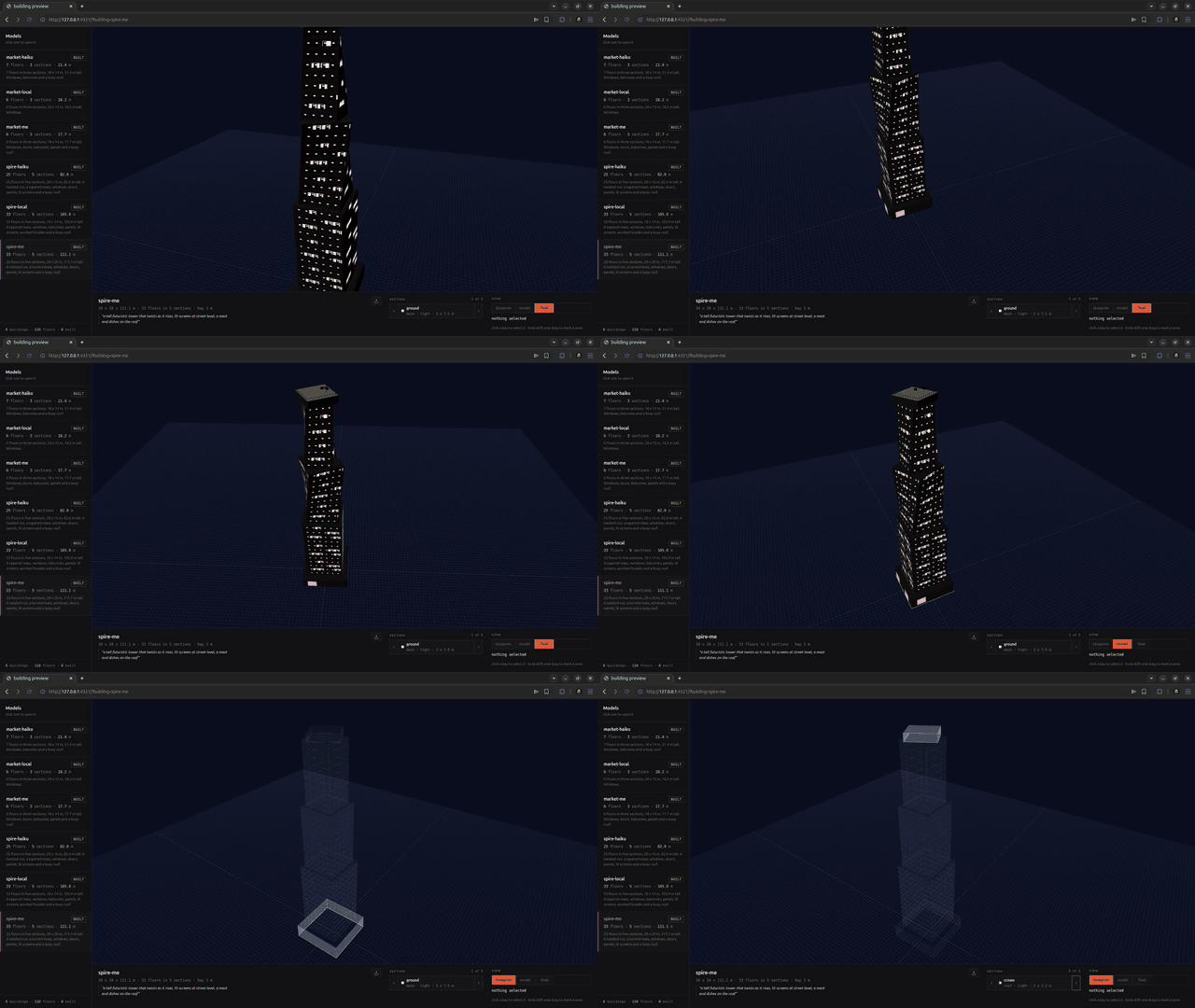
glb-buildings (resolver)
Build and edit buildings by calling ONE CLI: buildings <verb>. Never write building.json by hand, never
edit the repo. Every action is a verb, and every verb answers with one JSON object.
Match the request to a row, open the file it names (next to this one), then run the verbs.
| The user wants |
Read |
| a building from a description, start to finish |
parts/auto.md |
| a cyberpunk tower: a black mass, neon lines, screens, lit floors |
parts/cyber.md |
| to shape the stack: floors, heights, setbacks, the roof |
parts/stack.md |
| windows, doors, balconies, screens, pipes on a wall |
parts/facade.md |
| to change what is already there, using what they clicked in the preview |
parts/editing.md |
| to break up a run of identical floors |
parts/enhance.md |
| to lay out a roof: turbines, pipes, tanks, masts |
parts/roof.md |
| sizes that look right: floor heights, doors, guards, bays |
parts/dimensions.md |
| to generate the pictures a building wears, with an image tool of your own |
parts/textures.md |
| what a family already has, what each finish is, how to save a picture and reuse it |
parts/textures-glossary.md |
Always
Run buildings doctor first, and whenever anything is strange. It answers whether this machine can
build and preview at all: the Node version, where projects live and whether that is writable, whether the
viewer bundler is installed, and whether the preview service is up. Every failing check carries the one
command that fixes it, so read fix and run it rather than guessing.
Two you will meet: if the home cannot be written, buildings new <name> --here keeps projects in a
.buildings folder beside your work and every later verb finds it on its own. If nothing is serving the
preview, buildings preview starts it and stays up.
Know which building you are editing. buildings list shows the projects and the current one.
buildings new <name> starts one and makes it current; buildings use <name> switches. Every other verb
works on the current project, so you say the name once.
Read before you write. buildings show prints the stack section by section: sizes, the plan each one
is drawn on, what it wears, and what it rests on. Every flag you can set comes back, so read it after an
edit instead of assuming.
Build to check your work. buildings build writes the GLB and runs the Khronos validator. A build that
answers "ok": false did not write a file; fix what the message says and build again.
Read missing on a build that succeeded. It lists what is legal but almost certainly wrong: no door
on any face, or a wall picture that carries no lit windows. Each line says what to run. Do not report a
building finished while missing is in its answer, unless the user asked for scenery.
Report the file path and the numbers (floors, height, triangles) when you are done.
The verbs
Run buildings help for the current list. Today:
| Verb |
What it does |
doctor [--port 4321] |
is this machine able to build and preview: node, the home, the bundler, the service. Every failure names the command that fixes it |
link [name] [--port 4321] |
the address that opens one building in the preview, for sharing |
new <name> [--brief "what it should be"] [--width 18] [--depth 14] [--floors 14] [--style cyber] [--textures off] |
start a building, in metres, and make it current |
brief ["what it should be"] |
what this building was asked for, kept with it and shown in the preview |
list |
every building, and which is current |
use <name> |
switch the current building |
remove <name> |
take a building away, with its build and its last pick. It cannot be undone, so name it outright |
show [name] |
the stack band by band |
style [modern|cyber] |
which family of finishes the building wears. Says what a family looks like, and whether generated images are in play |
textures [on|off] |
whether the file carries its pictures, or flat colours an engine can replace |
add-texture <finish> <file> [--emissive f] [--across 8 --down 4] [--metres 1.6] [--style cyber] [--as 2] |
put a picture you generated into a style pack: names it, pairs its emissive map, records what grid it holds |
templates |
the floor templates the kit can build |
add-band <id> --kind --tier --template --floors [shape and dressing flags] [--after id|--before id] |
put a section into the stack |
set-band <id> [same flags] |
change a section; omitted flags keep what was there |
remove-band <id> |
take a section out |
enhance [floorId ...] [--style ledge|notch|twist|taper|cables] [--side S] |
give one floor a shape of its own, so a section stops being uniform. With no floor named it uses what the human picked |
face <section> [--side S] [--draw] |
the face as a grid of 10 cm cells, and what stands on it |
put <window|door|panel|balcony> <from> <to> [--section id] [--side S] [--material] [--depth] [--every 3] |
put something on a face, in cells |
clear [n ...] [--section id] [--side S] [--all] |
take elements off a face |
run <x,y,z> <x,y,z> [more ...] [--section id] [--profile] [--thickness] [--material] |
a duct, pipe or cable along a path, mitred at every corner |
line <section> [--side S] [--count 5] [--spacing 3] [--along 2] [--from 0] [--to 19] [--colours cyan,red] |
lit lines climbing one face across many floors |
screen <section> [--side S] --along 3 --width 8 [--from] [--to] [--stand 1] [--image file] |
a screen standing off a face, spanning many floors, carrying its own picture |
crown [section] [--colour red] [--off] |
a lit run round the top of a section |
unlight <section> [--lines] [--screens] [--all] |
take the lit parts off a section |
deck [section] |
the roof as a grid of cells, what stands in each, and the parts you can use |
place <part> <cell ...> [--section id] [--turn 45] |
put a part in one or more cells |
unplace <cell ...> [--section id] |
clear cells |
build [name] [--all] |
write the GLB, validated. --all builds every building you have |
preview [name] [--port 4321] |
start the preview service and stay up. Answers with a link per building |
selection [name] |
what the human last picked in the preview |
Lengths on the command line are metres. Rotation is degrees.
--project <name> works on any verb and pins that one line to that building, whatever is current. Use it
whenever anything else might be running: a person clicking in the preview, or another session, moves the
current project under you, and every verb without a name follows it.
What a building is
A stack of sections, bottom to top: a base, some floors, a roof. A section is the design unit. It repeats
one floor N times and owns its own footprint, so a 40 floor tower costs one section of geometry per design, and
anything special (a twist, a cantilever, cables crossing floors) belongs to one section and stops there.
The verbs spell a section band: add-band, set-band, remove-band. Same thing.
kind says what the section is for: main (the base), bulk (the repeated middle), custom (a section
that breaks the rhythm), roof (the crown).tier says how much geometry it carries: flat (walls, everything else in the texture), light, full.- Shape it with
--width --depth (its own footprint), --shape box\|round (a round section is a cylinder),
--inset (step in, or out with a negative), --shift-x --shift-z (slide), --rotation (turn), --twist
(turn across the section), --taper (pull in toward the top).
- Dress it in bulk with
--greebles 0.4 (fake parts standing off the faces, which is what stops a bulk
section reading as a box), --columns corners\|ribs\|partial (uprights), --wires S (cables up one face).
- Compose its faces one at a time with
face and put: a face is a grid of 10 cm cells, and a window,
door, balcony, panel or screen is a rectangle of them. Two things cannot share a cell, so an overlap is
refused instead of shipped. See parts/facade.md.
- A whole building may be
flat top to bottom. That is a real product, not a degraded one, and it is what
fills a city.
How it is dressed
Two settings on the building, not on a section.
style is the family every finish comes from: modern (dark glass, aluminium, pale precast, cool
white offices) and cyber (a near black mass drawn by its lights, with a lit mast on every roof). Set it
with buildings style cyber, or --style when you start one.textures is whether the file carries pictures at all. on is the default. off writes no images:
every part is a named flat colour slot (facade, window, concrete, pipe, antenna, door,
balcony, screen, neon, roof), which is what a team that applies its own materials in the engine
wants. In plain mode a section with no cut windows reads as a plain mass, since the windows lived in
the picture.
buildings style also says whether generated images are in play: a folder of PNGs or JPEGs named after the
finishes overrides the drawn tiles for that family, and anything the folder lacks stays drawn.
Rules that keep files openable
- Support is the friction. A section has to land on the one below.
build reports what each one rests on;
under 20%, or with its middle out past the edge, it is refused and named. Slide it back, widen what is under
it, or make it smaller.
- A cantilever (under half of it resting) is allowed and is often the point. Say so when you report.
- A section that is bigger in plan than the one under it is reported as
wider than it. Fine for a platform,
wrong for a tower: keep sections narrowing as they rise unless the user asked otherwise.
--inset steps in from the section's own footprint, so --width 12 --inset 2 gives 8. Use one or the other.- The stack needs a
main section at the bottom and a roof section on top. build refuses otherwise.
- Keep the file plain: no compression extensions, one UV set, metres, Y up. The CLI already does this; do not
ask for anything else.
What the toolkit guarantees, so you do not have to
You are composing, not modelling. These are true of every build, and you never need to compensate for them:
- Parts anchor themselves. A corner column sits on the corner, a rib on the face, a balcony on the wall,
a deck part in its cell. Everything sinks slightly into what it stands on, so no two surfaces share a plane
and nothing flickers.
- Nothing can float. A part that reaches more than 3 m past its section fails the build, and a section
resting on under 20% of the one below fails too.
- Nothing can be buried. Every part a section wears reaches at least 5 cm out of it, so nothing you add
ends up hidden inside the walls.
- Nothing can overlap on a roof. A part claims its cells, and a second part in them is refused.
- Nothing can be inside out or open. Every solid is proved closed with positive volume before a file is
written, and the Khronos validator runs after.
So place things where the design wants them and let build tell you if the arrangement is impossible. Do not
add margins, do not offset by hand, and do not try to keep parts from touching: they are meant to touch.
Never read the source
buildings help, buildings show and the error messages are the whole surface. Reading the repository's code
is never part of the job, and neither is editing any file: the verbs write everything.
When a verb fails
Relay the code and message, fix the one thing it names, run the verb again. Do not work around a failure by
editing files, and do not run build in a loop hoping it changes.
1---2name: glb-buildings3description: Generate building GLBs for Unreal Engine, Unity and three.js by editing a named project through the `buildings` CLI. Stacks of floor bands become one validated glTF file, cheap enough to place by the thousand, with a blueprint preview the human can click. Use whenever the user wants to create, edit, rebuild or preview a building, a tower, a facade, a city block, or a GLB of any structure.4---56# glb-buildings (resolver)78Build and edit buildings by calling ONE CLI: `buildings <verb>`. Never write `building.json` by hand, never9edit the repo. Every action is a verb, and every verb answers with one JSON object.1011Match the request to a row, open the file it names (next to this one), then run the verbs.1213| The user wants | Read |14| --- | --- |15| a building from a description, start to finish | `parts/auto.md` |16| a cyberpunk tower: a black mass, neon lines, screens, lit floors | `parts/cyber.md` |17| to shape the stack: floors, heights, setbacks, the roof | `parts/stack.md` |18| windows, doors, balconies, screens, pipes on a wall | `parts/facade.md` |19| to change what is already there, using what they clicked in the preview | `parts/editing.md` |20| to break up a run of identical floors | `parts/enhance.md` |21| to lay out a roof: turbines, pipes, tanks, masts | `parts/roof.md` |22| sizes that look right: floor heights, doors, guards, bays | `parts/dimensions.md` |23| to generate the pictures a building wears, with an image tool of your own | `parts/textures.md` |24| what a family already has, what each finish is, how to save a picture and reuse it | `parts/textures-glossary.md` |2526## Always27280. **Run `buildings doctor` first, and whenever anything is strange.** It answers whether this machine can29 build and preview at all: the Node version, where projects live and whether that is writable, whether the30 viewer bundler is installed, and whether the preview service is up. Every failing check carries the one31 command that fixes it, so read `fix` and run it rather than guessing.3233 Two you will meet: if the home cannot be written, `buildings new <name> --here` keeps projects in a34 `.buildings` folder beside your work and every later verb finds it on its own. If nothing is serving the35 preview, `buildings preview` starts it and stays up.361. **Know which building you are editing.** `buildings list` shows the projects and the current one.37 `buildings new <name>` starts one and makes it current; `buildings use <name>` switches. Every other verb38 works on the current project, so you say the name once.392. **Read before you write.** `buildings show` prints the stack section by section: sizes, the plan each one40 is drawn on, what it wears, and what it rests on. Every flag you can set comes back, so read it after an41 edit instead of assuming.423. **Build to check your work.** `buildings build` writes the GLB and runs the Khronos validator. A build that43 answers `"ok": false` did not write a file; fix what the message says and build again.444. **Read `missing` on a build that succeeded.** It lists what is legal but almost certainly wrong: no door45 on any face, or a wall picture that carries no lit windows. Each line says what to run. Do not report a46 building finished while `missing` is in its answer, unless the user asked for scenery.475. **Report the file path and the numbers** (floors, height, triangles) when you are done.4849## The verbs5051Run `buildings help` for the current list. Today:5253| Verb | What it does |54| --- | --- |55| `doctor [--port 4321]` | is this machine able to build and preview: node, the home, the bundler, the service. Every failure names the command that fixes it |56| `link [name] [--port 4321]` | the address that opens one building in the preview, for sharing |57| `new <name> [--brief "what it should be"] [--width 18] [--depth 14] [--floors 14] [--style cyber] [--textures off]` | start a building, in metres, and make it current |58| `brief ["what it should be"]` | what this building was asked for, kept with it and shown in the preview |59| `list` | every building, and which is current |60| `use <name>` | switch the current building |61| `remove <name>` | take a building away, with its build and its last pick. It cannot be undone, so name it outright |62| `show [name]` | the stack band by band |63| `style [modern\|cyber]` | which family of finishes the building wears. Says what a family looks like, and whether generated images are in play |64| `textures [on\|off]` | whether the file carries its pictures, or flat colours an engine can replace |65| `add-texture <finish> <file> [--emissive f] [--across 8 --down 4] [--metres 1.6] [--style cyber] [--as 2]` | put a picture you generated into a style pack: names it, pairs its emissive map, records what grid it holds |66| `templates` | the floor templates the kit can build |67| `add-band <id> --kind --tier --template --floors [shape and dressing flags] [--after id\|--before id]` | put a section into the stack |68| `set-band <id> [same flags]` | change a section; omitted flags keep what was there |69| `remove-band <id>` | take a section out |70| `enhance [floorId ...] [--style ledge\|notch\|twist\|taper\|cables] [--side S]` | give one floor a shape of its own, so a section stops being uniform. With no floor named it uses what the human picked |71| `face <section> [--side S] [--draw]` | the face as a grid of 10 cm cells, and what stands on it |72| `put <window\|door\|panel\|balcony> <from> <to> [--section id] [--side S] [--material] [--depth] [--every 3]` | put something on a face, in cells |73| `clear [n ...] [--section id] [--side S] [--all]` | take elements off a face |74| `run <x,y,z> <x,y,z> [more ...] [--section id] [--profile] [--thickness] [--material]` | a duct, pipe or cable along a path, mitred at every corner |75| `line <section> [--side S] [--count 5] [--spacing 3] [--along 2] [--from 0] [--to 19] [--colours cyan,red]` | lit lines climbing one face across many floors |76| `screen <section> [--side S] --along 3 --width 8 [--from] [--to] [--stand 1] [--image file]` | a screen standing off a face, spanning many floors, carrying its own picture |77| `crown [section] [--colour red] [--off]` | a lit run round the top of a section |78| `unlight <section> [--lines] [--screens] [--all]` | take the lit parts off a section |79| `deck [section]` | the roof as a grid of cells, what stands in each, and the parts you can use |80| `place <part> <cell ...> [--section id] [--turn 45]` | put a part in one or more cells |81| `unplace <cell ...> [--section id]` | clear cells |82| `build [name] [--all]` | write the GLB, validated. `--all` builds every building you have |83| `preview [name] [--port 4321]` | start the preview service and stay up. Answers with a link per building |84| `selection [name]` | what the human last picked in the preview |8586Lengths on the command line are **metres**. Rotation is degrees.8788**`--project <name>` works on any verb** and pins that one line to that building, whatever is current. Use it89whenever anything else might be running: a person clicking in the preview, or another session, moves the90current project under you, and every verb without a name follows it.9192## What a building is9394A stack of **sections**, bottom to top: a base, some floors, a roof. A section is the design unit. It repeats95one floor N times and owns its own footprint, so a 40 floor tower costs one section of geometry per design, and96anything special (a twist, a cantilever, cables crossing floors) belongs to one section and stops there.9798The verbs spell a section `band`: `add-band`, `set-band`, `remove-band`. Same thing.99100- `kind` says what the section is for: `main` (the base), `bulk` (the repeated middle), `custom` (a section101 that breaks the rhythm), `roof` (the crown).102- `tier` says how much geometry it carries: `flat` (walls, everything else in the texture), `light`, `full`.103- Shape it with `--width` `--depth` (its own footprint), `--shape box\|round` (a round section is a cylinder),104 `--inset` (step in, or out with a negative), `--shift-x` `--shift-z` (slide), `--rotation` (turn), `--twist`105 (turn across the section), `--taper` (pull in toward the top).106- Dress it in bulk with `--greebles 0.4` (fake parts standing off the faces, which is what stops a bulk107 section reading as a box), `--columns corners\|ribs\|partial` (uprights), `--wires S` (cables up one face).108- Compose its faces one at a time with `face` and `put`: a face is a grid of 10 cm cells, and a window,109 door, balcony, panel or screen is a rectangle of them. Two things cannot share a cell, so an overlap is110 refused instead of shipped. See `parts/facade.md`.111- A whole building may be `flat` top to bottom. That is a real product, not a degraded one, and it is what112 fills a city.113114## How it is dressed115116Two settings on the building, not on a section.117118- **`style`** is the family every finish comes from: `modern` (dark glass, aluminium, pale precast, cool119 white offices) and `cyber` (a near black mass drawn by its lights, with a lit mast on every roof). Set it120 with `buildings style cyber`, or `--style` when you start one.121- **`textures`** is whether the file carries pictures at all. `on` is the default. `off` writes no images:122 every part is a named flat colour slot (`facade`, `window`, `concrete`, `pipe`, `antenna`, `door`,123 `balcony`, `screen`, `neon`, `roof`), which is what a team that applies its own materials in the engine124 wants. In `plain` mode a section with no cut windows reads as a plain mass, since the windows lived in125 the picture.126127`buildings style` also says whether generated images are in play: a folder of PNGs or JPEGs named after the128finishes overrides the drawn tiles for that family, and anything the folder lacks stays drawn.129130## Rules that keep files openable131132- **Support is the friction.** A section has to land on the one below. `build` reports what each one rests on;133 under 20%, or with its middle out past the edge, it is refused and named. Slide it back, widen what is under134 it, or make it smaller.135- A **cantilever** (under half of it resting) is allowed and is often the point. Say so when you report.136- A section that is bigger in plan than the one under it is reported as `wider than it`. Fine for a platform,137 wrong for a tower: keep sections narrowing as they rise unless the user asked otherwise.138- `--inset` steps in from the section's own footprint, so `--width 12 --inset 2` gives 8. Use one or the other.139- The stack needs a `main` section at the bottom and a `roof` section on top. `build` refuses otherwise.140- Keep the file plain: no compression extensions, one UV set, metres, Y up. The CLI already does this; do not141 ask for anything else.142143## What the toolkit guarantees, so you do not have to144145You are composing, not modelling. These are true of every build, and you never need to compensate for them:146147- **Parts anchor themselves.** A corner column sits on the corner, a rib on the face, a balcony on the wall,148 a deck part in its cell. Everything sinks slightly into what it stands on, so no two surfaces share a plane149 and nothing flickers.150- **Nothing can float.** A part that reaches more than 3 m past its section fails the build, and a section151 resting on under 20% of the one below fails too.152- **Nothing can be buried.** Every part a section wears reaches at least 5 cm out of it, so nothing you add153 ends up hidden inside the walls.154- **Nothing can overlap on a roof.** A part claims its cells, and a second part in them is refused.155- **Nothing can be inside out or open.** Every solid is proved closed with positive volume before a file is156 written, and the Khronos validator runs after.157158So place things where the design wants them and let `build` tell you if the arrangement is impossible. Do not159add margins, do not offset by hand, and do not try to keep parts from touching: they are meant to touch.160161## Never read the source162163`buildings help`, `buildings show` and the error messages are the whole surface. Reading the repository's code164is never part of the job, and neither is editing any file: the verbs write everything.165166## When a verb fails167168Relay the `code` and `message`, fix the one thing it names, run the verb again. Do not work around a failure by169editing files, and do not run `build` in a loop hoping it changes.