/iblai-vibe-admin
First time here? If iblai.env has no ARCHITECTURE=, run /iblai-vibe-start first (four questions; two minutes) — it decides single-org / multi-org / headless and who signs in, and every skill reads the answer.
Every app on the platform has two audiences: members (they sign in and
use the app) and org admins (they manage users, agents, spend, memory,
and branding). This skill is the pattern vibe-starter uses for both, and the
map of every admin surface the SDK already ships.
Common setup (brand, conventions, env files, verification): see docs/skill-setup.md.
The model in three sentences
- The platform has two predefined roles per org — Admin and User —
plus optional policies (RBAC) for finer grants; an admin implicitly
holds every policy.
- An app learns who is an admin from the
tenants list the sign-in stored:
isTenantAdmin() = the is_admin flag on the entry whose key is the
org the app is pinned to. Not the SDK's useIsAdmin(), which answers
for the SDK's current organization — they can differ.
- Admins get a User / Admin switch; in User mode they see exactly what a
member sees. Admin-only UI gates on
adminMode (admin and switched on);
anything that must stay admin-only regardless of the view gates on
isTenantAdmin().
Until your app has an admin area, os.ibl.ai is your admin console: Admin
mode → settings → Management / Integrations / Billing / Memory / Organization.
What you get (vibe-starter ships it)
| Piece |
File |
Does |
isTenantAdmin(), readTenants() |
lib/iblai/tenant.ts |
the rule above |
AdminModeProvider, useAdminMode() |
lib/iblai/admin-mode.tsx |
view state: default Admin, resets on reload |
AdminModeSwitch |
components/navbar/admin-mode-switch.tsx |
the switch (hidden for members) |
AccountPanel |
components/admin/account-panel.tsx |
one SDK Account surface opened on a tab, full-width |
/admin/users |
app/(app)/admin/users/page.tsx |
Users · Groups · Roles · Policies · Teams · Alerts + InviteUserDialog / InvitedUsersDialog |
/admin/analytics/*, /admin/billing, /admin/memory, /admin/organization |
app/(app)/admin/… |
/iblai-vibe-analytics, -billing, -memory, -org-metadata surfaces |
| route gate |
app/(app)/layout.tsx |
admin links only when adminMode; /admin/* redirects home otherwise |
requireAdmin(req) |
lib/iblai/platform.ts |
server-side proof for admin routes (/iblai-vibe-api) |
Step 1: Install (existing app)
Render the assets (strip .j2; no variables): admin-mode.tsx.j2 →
lib/iblai/admin-mode.tsx, admin-mode-switch.tsx.j2 →
components/navbar/admin-mode-switch.tsx, account-panel.tsx.j2 →
components/admin/account-panel.tsx, admin-users-page.tsx.j2 →
app/(app)/admin/users/page.tsx, tenant.test.ts.j2 →
__tests__/tenant.test.ts. Add readTenants / isTenantAdmin to
lib/iblai/tenant.ts (copy them from vibe-starter). Needs shadcn switch.
Step 2: Wire the layout
In the authenticated layout: read the session once, wrap the tree in
AdminModeProvider, split nav links into member and admin arrays, render the
admin ones only when isAdmin && adminMode, and redirect /admin/* home
otherwise. vibe-starter's app/(app)/layout.tsx is the reference — copy it.
const liveAdmin = isAdmin && adminMode;
const links = liveAdmin ? [...MEMBER_LINKS, ...ADMIN_LINKS] : MEMBER_LINKS;
useEffect(() => {
  if (pathname.startsWith("/admin") && !liveAdmin) router.replace("/");
}, [pathname, liveAdmin, router]);
Put <AdminModeSwitch /> in the navbar's right cluster (and in the profile
menu on narrow screens if you have one).
Step 3: Pick the admin surfaces
AccountPanel tab="…" mounts the SDK Account on one of: organization,
management, integrations, advanced, billing, memory,
monetization. Each is documented by its own skill:
| Admin need |
Tab / component |
Skill |
| Users: role Admin/User, policies, activate/deactivate, search |
management → Users |
this skill; REST management |
Invite (single, CSV: email, first_name, last_name, platform_key, company_name, user_group) |
InviteUserDialog, InvitedUsersDialog |
/iblai-vibe-invite |
| Roles and policies (custom grants) |
management → Roles / Policies (RolesTab, PoliciesTab) |
/iblai-vibe-rbac |
| Groups, teams, alerts |
management |
/iblai-vibe-account |
| LLM keys, data-source credentials, API tokens |
integrations |
/iblai-vibe-account, /iblai-vibe-credential |
| Default agent, feature toggles, help URL |
advanced |
/iblai-vibe-account |
| Plan, credits, spend caps |
billing |
/iblai-vibe-billing, /iblai-vibe-pricing |
| Everyone's memories |
memory |
/iblai-vibe-memory |
| Name, logos, support email + your app's org settings |
organization + OrgSettingsForm |
/iblai-vibe-org-metadata |
| Sell items |
monetization |
/iblai-vibe-monetization |
Org-wide analytics, per-agent with ?agent= |
AnalyticsLayout + tabs |
/iblai-vibe-analytics |
| Directory sync |
— (REST only) |
scim |
For sharing one agent with editors/chat users, use the agent's Access tab
(/iblai-vibe-agent-access), not org roles.
Step 4: Admin-only server work
Anything an admin does for someone else (write another user's metadata,
create an agent, send a notification) is a server route that first proves
the caller is an admin — requireAdmin(req) from /iblai-vibe-api — then
uses the org's key. Never trust a client-side isAdmin for a write.
Verify
pnpm typecheck && pnpm test (__tests__/tenant.test.ts).- Sign in as an admin: the switch and the admin links are there; flip to
User: they vanish and
/admin/users sends you home. Sign in as a member:
no switch at all.
npx playwright screenshot http://localhost:3000/admin/users /tmp/admin-users.png shows the Management surface and the Invite button.
Related skills
/iblai-vibe-rbac — roles, policies, action strings, checkRbacPermission/iblai-vibe-invite — the invitation dialogs/iblai-vibe-account — the SDK Account page as one modal/iblai-vibe-api — admin routes
1---2name: iblai-vibe-admin3description: Users versus admins in an ibl.ai app — the User/Admin view switch, the isTenantAdmin() rule, an admin area (users and invitations, roles and policies, analytics, billing, memory, organization) that only org admins see, and where each admin surface comes from in the SDK. Use when the user mentions admin, administrators, user management, roles, permissions, invite users, admin dashboard, "who can", or wants some pages hidden from regular members. For agent-level sharing see /iblai-vibe-agent-access; for the RBAC model see /iblai-vibe-rbac; for the SDK Account page see /iblai-vibe-account.4---56# /iblai-vibe-admin78> **First time here?** If `iblai.env` has no `ARCHITECTURE=`, run `/iblai-vibe-start` first (four questions; two minutes) — it decides single-org / multi-org / headless and who signs in, and every skill reads the answer.910Every app on the platform has two audiences: **members** (they sign in and11use the app) and **org admins** (they manage users, agents, spend, memory,12and branding). This skill is the pattern vibe-starter uses for both, and the13map of every admin surface the SDK already ships.1415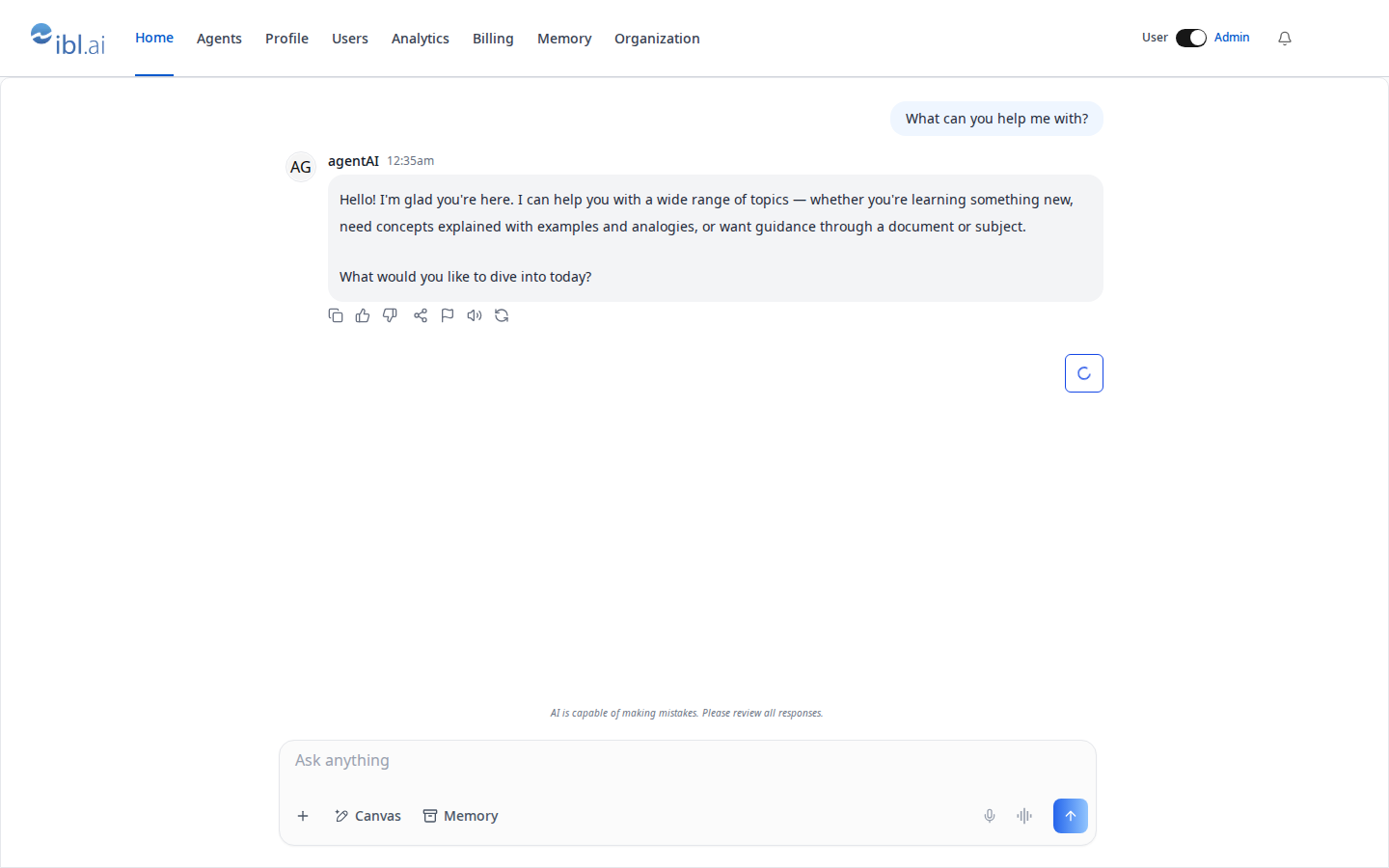16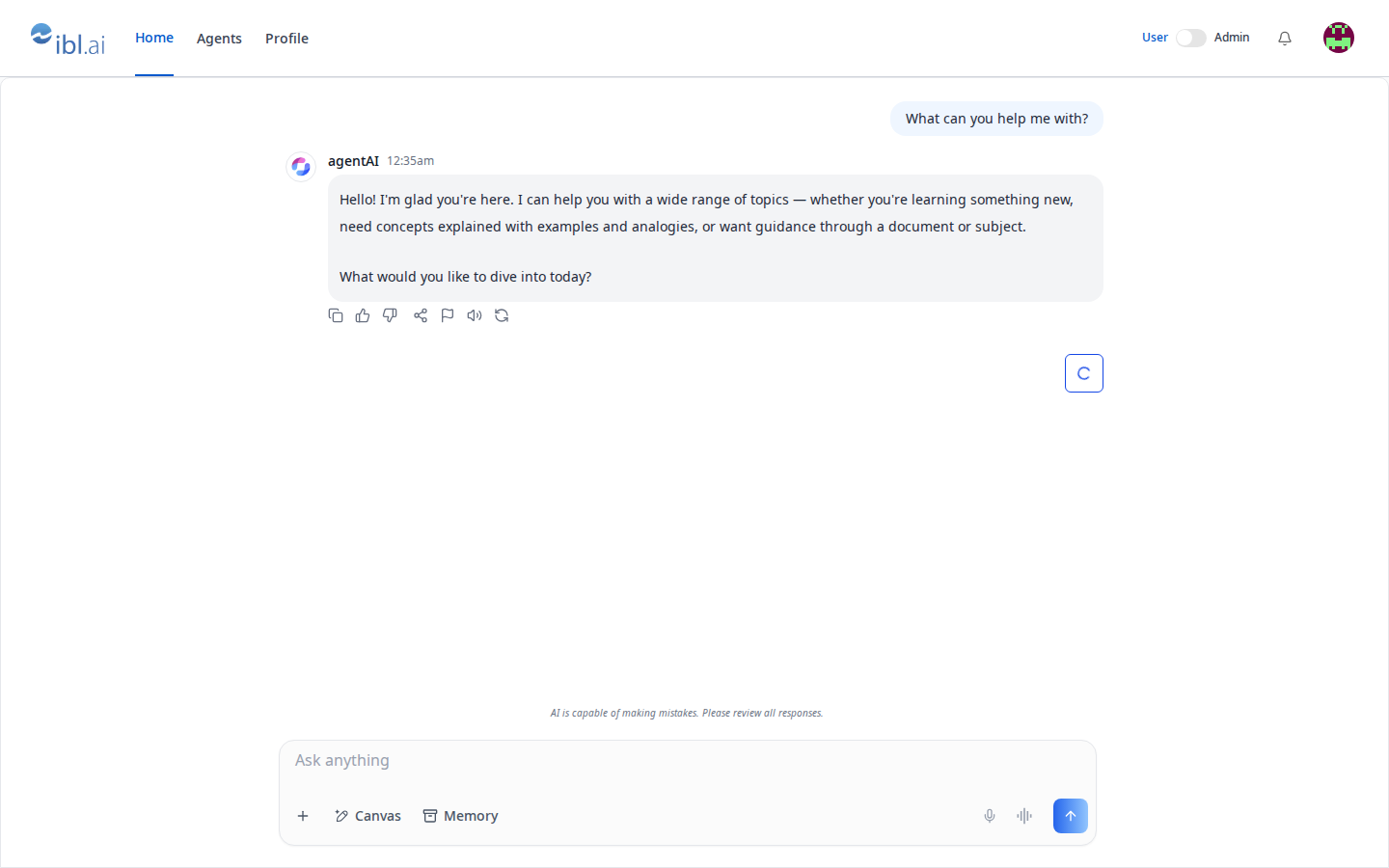17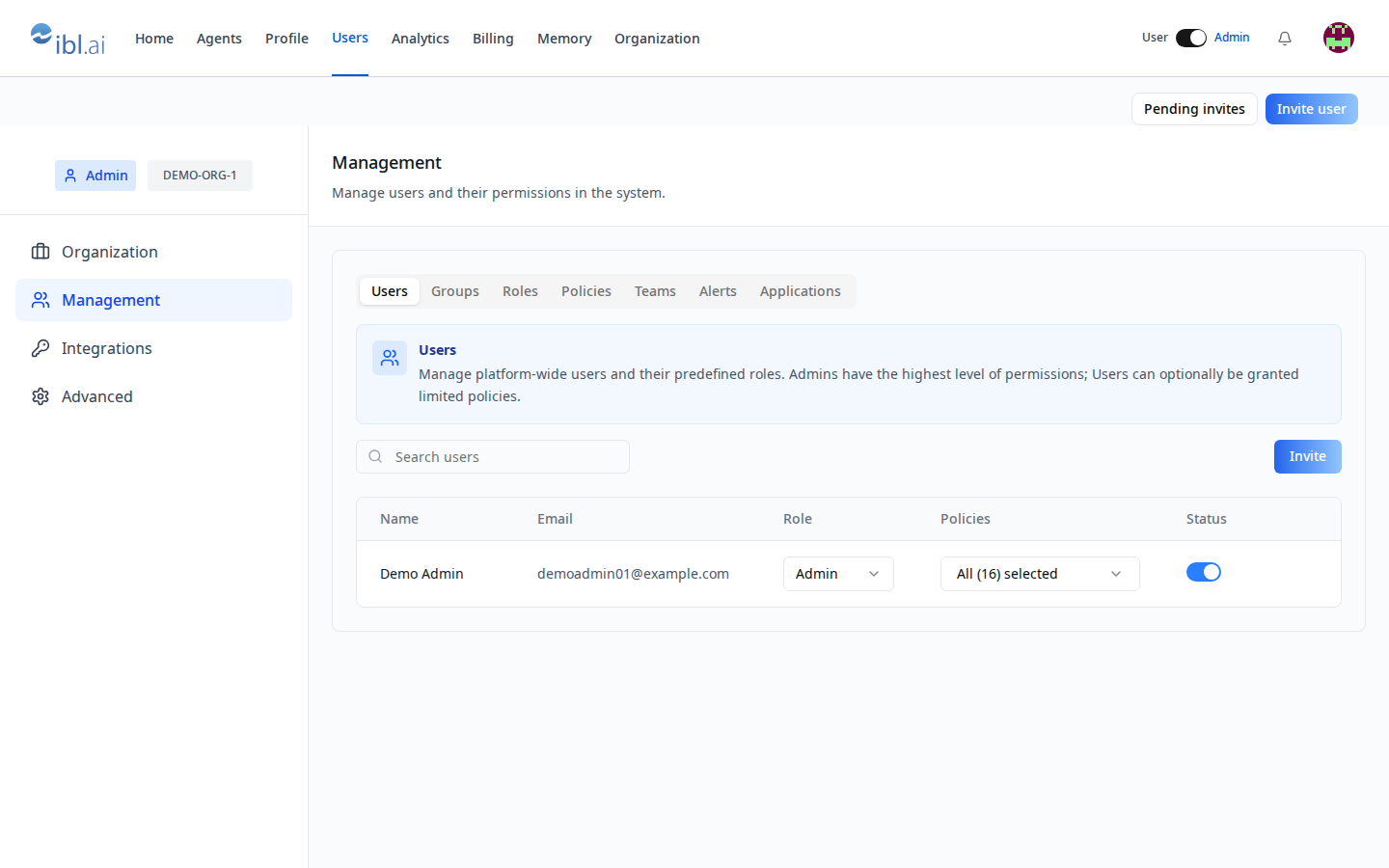1819> **Common setup (brand, conventions, env files, verification):** see [docs/skill-setup.md](https://raw.githubusercontent.com/iblai/vibe/refs/heads/main/docs/skill-setup.md).2021## The model in three sentences2223- The platform has two predefined roles per org — **Admin** and **User** —24 plus optional **policies** (RBAC) for finer grants; an admin implicitly25 holds every policy.26- An app learns who is an admin from the `tenants` list the sign-in stored:27 `isTenantAdmin()` = the `is_admin` flag on the entry whose `key` is the28 org the app is pinned to. **Not** the SDK's `useIsAdmin()`, which answers29 for the SDK's *current* organization — they can differ.30- Admins get a **User / Admin switch**; in User mode they see exactly what a31 member sees. Admin-only UI gates on `adminMode` (admin *and* switched on);32 anything that must stay admin-only regardless of the view gates on33 `isTenantAdmin()`.3435Until your app has an admin area, **os.ibl.ai is your admin console**: Admin36mode → settings → Management / Integrations / Billing / Memory / Organization.3738## What you get (vibe-starter ships it)3940| Piece | File | Does |41|---|---|---|42| `isTenantAdmin()`, `readTenants()` | `lib/iblai/tenant.ts` | the rule above |43| `AdminModeProvider`, `useAdminMode()` | `lib/iblai/admin-mode.tsx` | view state: default Admin, resets on reload |44| `AdminModeSwitch` | `components/navbar/admin-mode-switch.tsx` | the switch (hidden for members) |45| `AccountPanel` | `components/admin/account-panel.tsx` | one SDK `Account` surface opened on a tab, full-width |46| `/admin/users` | `app/(app)/admin/users/page.tsx` | Users · Groups · Roles · Policies · Teams · Alerts + `InviteUserDialog` / `InvitedUsersDialog` |47| `/admin/analytics/*`, `/admin/billing`, `/admin/memory`, `/admin/organization` | `app/(app)/admin/…` | `/iblai-vibe-analytics`, `-billing`, `-memory`, `-org-metadata` surfaces |48| route gate | `app/(app)/layout.tsx` | admin links only when `adminMode`; `/admin/*` redirects home otherwise |49| `requireAdmin(req)` | `lib/iblai/platform.ts` | server-side proof for admin routes (`/iblai-vibe-api`) |5051## Step 1: Install (existing app)5253Render the assets (strip `.j2`; no variables): `admin-mode.tsx.j2` →54`lib/iblai/admin-mode.tsx`, `admin-mode-switch.tsx.j2` →55`components/navbar/admin-mode-switch.tsx`, `account-panel.tsx.j2` →56`components/admin/account-panel.tsx`, `admin-users-page.tsx.j2` →57`app/(app)/admin/users/page.tsx`, `tenant.test.ts.j2` →58`__tests__/tenant.test.ts`. Add `readTenants` / `isTenantAdmin` to59`lib/iblai/tenant.ts` (copy them from vibe-starter). Needs shadcn `switch`.6061## Step 2: Wire the layout6263In the authenticated layout: read the session once, wrap the tree in64`AdminModeProvider`, split nav links into member and admin arrays, render the65admin ones only when `isAdmin && adminMode`, and redirect `/admin/*` home66otherwise. vibe-starter's `app/(app)/layout.tsx` is the reference — copy it.6768```tsx69const liveAdmin = isAdmin && adminMode;70const links = liveAdmin ? [...MEMBER_LINKS, ...ADMIN_LINKS] : MEMBER_LINKS;71useEffect(() => {72 if (pathname.startsWith("/admin") && !liveAdmin) router.replace("/");73}, [pathname, liveAdmin, router]);74```7576Put `<AdminModeSwitch />` in the navbar's right cluster (and in the profile77menu on narrow screens if you have one).7879## Step 3: Pick the admin surfaces8081`AccountPanel tab="…"` mounts the SDK `Account` on one of: `organization`,82`management`, `integrations`, `advanced`, `billing`, `memory`,83`monetization`. Each is documented by its own skill:8485| Admin need | Tab / component | Skill |86|---|---|---|87| Users: role Admin/User, policies, activate/deactivate, search | `management` → Users | this skill; REST [management](https://raw.githubusercontent.com/iblai/vibe/refs/heads/main/skills/users/iblai-api-management/SKILL.md) |88| Invite (single, CSV: `email, first_name, last_name, platform_key, company_name, user_group`) | `InviteUserDialog`, `InvitedUsersDialog` | `/iblai-vibe-invite` |89| Roles and policies (custom grants) | `management` → Roles / Policies (`RolesTab`, `PoliciesTab`) | `/iblai-vibe-rbac` |90| Groups, teams, alerts | `management` | `/iblai-vibe-account` |91| LLM keys, data-source credentials, API tokens | `integrations` | `/iblai-vibe-account`, `/iblai-vibe-credential` |92| Default agent, feature toggles, help URL | `advanced` | `/iblai-vibe-account` |93| Plan, credits, spend caps | `billing` | `/iblai-vibe-billing`, `/iblai-vibe-pricing` |94| Everyone's memories | `memory` | `/iblai-vibe-memory` |95| Name, logos, support email + your app's org settings | `organization` + `OrgSettingsForm` | `/iblai-vibe-org-metadata` |96| Sell items | `monetization` | `/iblai-vibe-monetization` |97| Org-wide analytics, per-agent with `?agent=` | `AnalyticsLayout` + tabs | `/iblai-vibe-analytics` |98| Directory sync | — (REST only) | [scim](https://raw.githubusercontent.com/iblai/vibe/refs/heads/main/skills/users/iblai-api-scim/SKILL.md) |99100For sharing **one agent** with editors/chat users, use the agent's Access tab101(`/iblai-vibe-agent-access`), not org roles.102103## Step 4: Admin-only server work104105Anything an admin does *for someone else* (write another user's metadata,106create an agent, send a notification) is a server route that first proves107the caller is an admin — `requireAdmin(req)` from `/iblai-vibe-api` — then108uses the org's key. Never trust a client-side `isAdmin` for a write.109110## Verify1111121. `pnpm typecheck && pnpm test` (`__tests__/tenant.test.ts`).1132. Sign in as an admin: the switch and the admin links are there; flip to114 User: they vanish and `/admin/users` sends you home. Sign in as a member:115 no switch at all.1163. `npx playwright screenshot http://localhost:3000/admin/users /tmp/admin-users.png` shows the Management surface and the Invite button.117118## Related skills119120- `/iblai-vibe-rbac` — roles, policies, action strings, `checkRbacPermission`121- `/iblai-vibe-invite` — the invitation dialogs122- `/iblai-vibe-account` — the SDK Account page as one modal123- `/iblai-vibe-api` — admin routes
 iblai
iblai