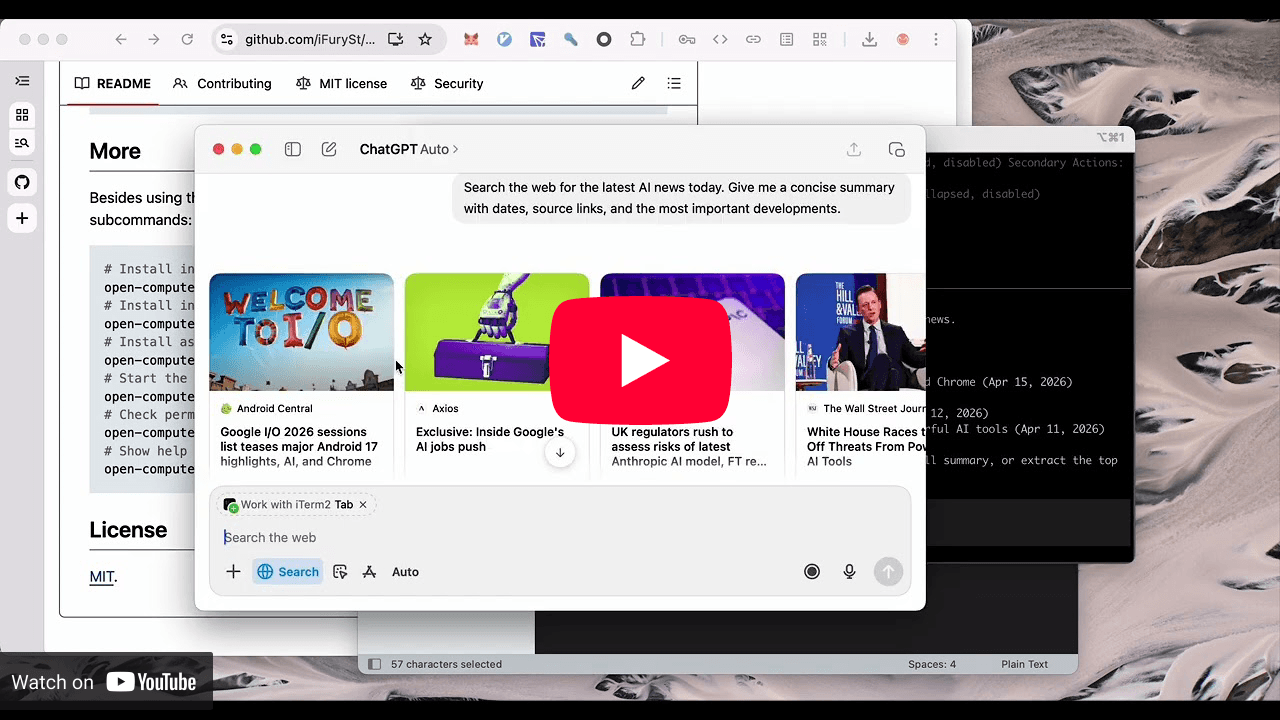
Open Computer Use
Overview
Open Computer Use exposes Computer Use as a local CLI and stdio MCP server. It is not Codex.app-specific; adapt the commands and MCP config to the agent runtime you are operating in.
The macOS runtime requires macOS 14.0 or later. Windows and Linux use their own platform runtimes and are not subject to this macOS minimum.
It supports the same core tool surface across macOS, Linux, and Windows:
list_apps, get_app_state, click, perform_secondary_action, scroll,
drag, type_text, press_key, and set_value.
The macOS runtime additionally implements select_text, which selects the given text inside a text
element or places the text cursor before / after it (selection: text, cursor_before,
cursor_after). Pass text exactly as it appears in the accessibility tree, plus prefix /
suffix when it is not unique; an ambiguous target fails closed instead of silently selecting the
first match. JavaScript exposes app.selectText(elementIndex, text, options?). Unreadable or mismatched range verification throws, including when full action read-back is off. Windows and Linux runtimes do not implement this tool yet.
macOS additionally exposes query: a targeted accessibility lookup that finds
controls by text and/or role without rendering a tree or taking a screenshot.
Core Workflow
- On macOS, run
sw_vers -productVersion before invoking the CLI and require macOS 14.0 or later. On older versions, explain that the runtime cannot launch; do not recommend doctor or permission changes as a fix for binary incompatibility.
- Check the CLI is installed with
open-computer-use -h or ocu -h. If installation or setup is missing, read references/installation.md.
- On supported macOS versions, run
open-computer-use doctor before the first real GUI task. If permissions are missing, ask the user to approve Accessibility and Screen Recording in the onboarding UI.
- Inspect available apps before acting:
open-computer-use call list_apps.
- Capture current UI state with
open-computer-use call get_app_state --args '{"app":"TextEdit"}'. The default state is usually enough for UI operation.
- When the task needs longer semantic text, such as chat history, email bodies, document text, or long form content, call
get_app_state with text_limit: 1000 or text_limit: "max".
- When visible long pages or lists appear incomplete even after scrolling, call
get_app_state with a larger max_tree_nodes or max_tree_depth.
- Prefer element-targeted actions using
element_index from the latest get_app_state result.
- For multi-step CLI work, use
open-computer-use call --calls '<json-array>' so one process can reuse the latest element index mapping.
- For agent runtimes that support local MCP servers, configure
open-computer-use mcp or ocu mcp and call the exposed Computer Use tools directly. Read references/usage.md.
- For direct code-first orchestration, run
ocu capabilities and then use one-shot ocu js or persistent ocu repl. Read references/usage.md.
- If communication, permission, or desktop-session access fails, read references/troubleshooting.md.
Operating Rules
- Treat the target desktop as the user's real session. Do not inspect password managers, unrelated private content, or sensitive apps unless the user explicitly asked for that task.
- Ask before sending, deleting, purchasing, approving, uploading, or making other externally visible changes.
- Do not assume Codex.app plugin helpers are available. Use the installed
open-computer-use / ocu CLI or an explicit MCP config.
- Use indexes returned by
get_app_state or macOS query in the same native session; do not guess indexes across sessions or after large UI changes.
- Prefer semantic actions and
set_value for editable controls. Use coordinate click, scroll, and drag only when the element tree does not expose a safer target.
- On macOS, do not enable
OPEN_COMPUTER_USE_ALLOW_GLOBAL_POINTER_FALLBACKS=1 unless the user explicitly requested click_method: "global", a drag that must drive a window-server drag session (window move, drag-select text, Finder drag-and-drop), or other diagnostic behavior that may move the real pointer. Without it drag reports Drag delivered via app_post and those operations have no effect; see references/usage.md for alternatives.
- On Windows and Linux, confirm the command is running inside the logged-in desktop session before assuming GUI automation is available.
Common CLI Actions
open-computer-use -h
ocu -h
ocu capabilities --json
ocu js 'nodeRepl.write(6 * 7)'
ocu repl
open-computer-use doctor
open-computer-use call list_apps
ocu call list_apps
open-computer-use call get_app_state --args '{"app":"TextEdit"}'
open-computer-use call get_app_state --args '{"app":"TextEdit","text_limit":1000}'
open-computer-use call get_app_state --args '{"app":"TextEdit","text_limit":"max"}'
open-computer-use call get_app_state --args '{"app":"Google Chrome","max_tree_nodes":3000,"max_tree_depth":96}'
open-computer-use call click --args '{"app":"TextEdit","element_index":"0"}'
open-computer-use call type_text --args '{"app":"TextEdit","text":"Hello from Open Computer Use"}'
For a short sequence that reuses state in one process:
open-computer-use call --calls '[
  {"tool":"get_app_state","args":{"app":"TextEdit"}},
  {"tool":"press_key","args":{"app":"TextEdit","key":"Return"}}
]'
MCP Usage
For runtimes that can launch local MCP servers over stdio, use:
[mcp_servers.open_computer_use]
command = "open-computer-use"
args = ["mcp"]
Read references/usage.md for JSON config examples, direct tool-call patterns, and platform notes.
References
- references/installation.md: one-time CLI install, agent MCP install commands, and macOS permissions.
- references/usage.md: MCP config, direct CLI calls, sequencing, and platform behavior.
- references/troubleshooting.md: permission, desktop-session, app discovery, and action failures.
1---2name: open-computer-use-23description: Platform-neutral guidance for using Open Computer Use, the open-source Computer Use MCP server and CLI for macOS, Linux, and Windows. Use when an agent needs to install, verify, troubleshoot, configure, or operate Open Computer Use through its native CLI, stdio MCP server, or direct Computer Use tool calls.4metadata:5 source: https://skillmd.com/skills/ifuryst/open-computer-use-26---78# Open Computer Use910## Overview1112Open Computer Use exposes Computer Use as a local CLI and stdio MCP server. It is not Codex.app-specific; adapt the commands and MCP config to the agent runtime you are operating in.1314The macOS runtime requires macOS 14.0 or later. Windows and Linux use their own platform runtimes and are not subject to this macOS minimum.1516It supports the same core tool surface across macOS, Linux, and Windows:17`list_apps`, `get_app_state`, `click`, `perform_secondary_action`, `scroll`,18`drag`, `type_text`, `press_key`, and `set_value`.1920The macOS runtime additionally implements `select_text`, which selects the given text inside a text21element or places the text cursor before / after it (`selection`: `text`, `cursor_before`,22`cursor_after`). Pass `text` exactly as it appears in the accessibility tree, plus `prefix` /23`suffix` when it is not unique; an ambiguous target fails closed instead of silently selecting the24first match. JavaScript exposes `app.selectText(elementIndex, text, options?)`. Unreadable or mismatched range verification throws, including when full action read-back is off. Windows and Linux runtimes do not implement this tool yet.2526macOS additionally exposes `query`: a targeted accessibility lookup that finds27controls by text and/or role without rendering a tree or taking a screenshot.2829## Core Workflow30311. On macOS, run `sw_vers -productVersion` before invoking the CLI and require macOS 14.0 or later. On older versions, explain that the runtime cannot launch; do not recommend `doctor` or permission changes as a fix for binary incompatibility.322. Check the CLI is installed with `open-computer-use -h` or `ocu -h`. If installation or setup is missing, read [references/installation.md](references/installation.md).333. On supported macOS versions, run `open-computer-use doctor` before the first real GUI task. If permissions are missing, ask the user to approve Accessibility and Screen Recording in the onboarding UI.344. Inspect available apps before acting: `open-computer-use call list_apps`.355. Capture current UI state with `open-computer-use call get_app_state --args '{"app":"TextEdit"}'`. The default state is usually enough for UI operation.366. When the task needs longer semantic text, such as chat history, email bodies, document text, or long form content, call `get_app_state` with `text_limit: 1000` or `text_limit: "max"`.377. When visible long pages or lists appear incomplete even after scrolling, call `get_app_state` with a larger `max_tree_nodes` or `max_tree_depth`.388. Prefer element-targeted actions using `element_index` from the latest `get_app_state` result.399. For multi-step CLI work, use `open-computer-use call --calls '<json-array>'` so one process can reuse the latest element index mapping.4010. For agent runtimes that support local MCP servers, configure `open-computer-use mcp` or `ocu mcp` and call the exposed Computer Use tools directly. Read [references/usage.md](references/usage.md).4111. For direct code-first orchestration, run `ocu capabilities` and then use one-shot `ocu js` or persistent `ocu repl`. Read [references/usage.md](references/usage.md).4212. If communication, permission, or desktop-session access fails, read [references/troubleshooting.md](references/troubleshooting.md).4344## Operating Rules4546- Treat the target desktop as the user's real session. Do not inspect password managers, unrelated private content, or sensitive apps unless the user explicitly asked for that task.47- Ask before sending, deleting, purchasing, approving, uploading, or making other externally visible changes.48- Do not assume Codex.app plugin helpers are available. Use the installed `open-computer-use` / `ocu` CLI or an explicit MCP config.49- Use indexes returned by `get_app_state` or macOS `query` in the same native session; do not guess indexes across sessions or after large UI changes.50- Prefer semantic actions and `set_value` for editable controls. Use coordinate `click`, `scroll`, and `drag` only when the element tree does not expose a safer target.51- On macOS, do not enable `OPEN_COMPUTER_USE_ALLOW_GLOBAL_POINTER_FALLBACKS=1` unless the user explicitly requested `click_method: "global"`, a `drag` that must drive a window-server drag session (window move, drag-select text, Finder drag-and-drop), or other diagnostic behavior that may move the real pointer. Without it `drag` reports `Drag delivered via app_post` and those operations have no effect; see `references/usage.md` for alternatives.52- On Windows and Linux, confirm the command is running inside the logged-in desktop session before assuming GUI automation is available.5354## Common CLI Actions5556```sh57open-computer-use -h58ocu -h59ocu capabilities --json60ocu js 'nodeRepl.write(6 * 7)'61ocu repl62open-computer-use doctor63open-computer-use call list_apps64ocu call list_apps65open-computer-use call get_app_state --args '{"app":"TextEdit"}'66open-computer-use call get_app_state --args '{"app":"TextEdit","text_limit":1000}'67open-computer-use call get_app_state --args '{"app":"TextEdit","text_limit":"max"}'68open-computer-use call get_app_state --args '{"app":"Google Chrome","max_tree_nodes":3000,"max_tree_depth":96}'69open-computer-use call click --args '{"app":"TextEdit","element_index":"0"}'70open-computer-use call type_text --args '{"app":"TextEdit","text":"Hello from Open Computer Use"}'71```7273For a short sequence that reuses state in one process:7475```sh76open-computer-use call --calls '[77 {"tool":"get_app_state","args":{"app":"TextEdit"}},78 {"tool":"press_key","args":{"app":"TextEdit","key":"Return"}}79]'80```8182## MCP Usage8384For runtimes that can launch local MCP servers over stdio, use:8586```toml87[mcp_servers.open_computer_use]88command = "open-computer-use"89args = ["mcp"]90```9192Read [references/usage.md](references/usage.md) for JSON config examples, direct tool-call patterns, and platform notes.9394## References9596- [references/installation.md](references/installation.md): one-time CLI install, agent MCP install commands, and macOS permissions.97- [references/usage.md](references/usage.md): MCP config, direct CLI calls, sequencing, and platform behavior.98- [references/troubleshooting.md](references/troubleshooting.md): permission, desktop-session, app discovery, and action failures.