 jr2804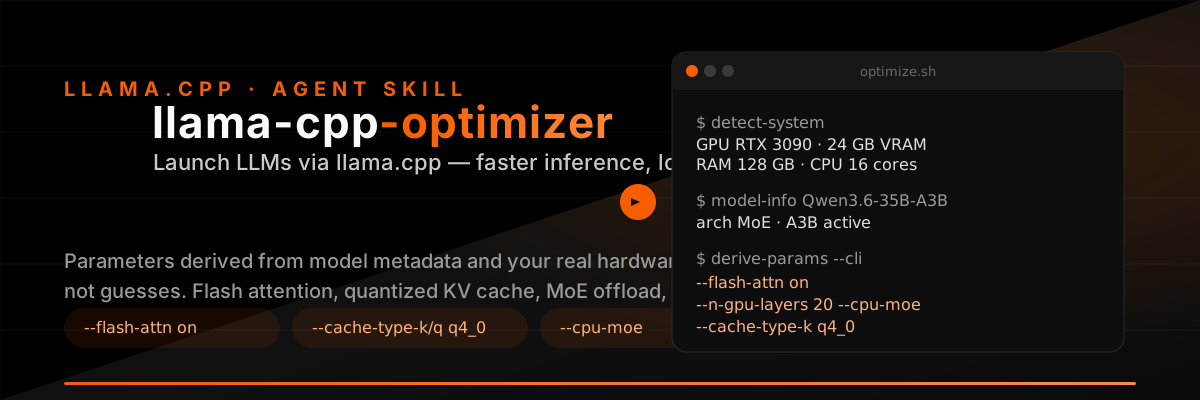
llama.cpp Optimizer
Portable llama.cpp setup, multi-model serving, and parameter optimization. This skill covers the full lifecycle from "install" to "production server".
Scope
- Portable installation — get llama.cpp binaries into a project folder without admin rights or system packages. Methods: existing install, mise (local project dirs only — never for system-wide services), or the built-in GitHub release downloader (preferred for services).
- Windows service — run
llama-serveras an auto-starting service via Servy. - Multi-model config — draft a
--models-presetINI file that serves multiple models from onellama-serverinstance on one port. See server-tuning.md § Router mode. - Hardware analysis — detect GPU (CUDA/Vulkan/ROCm), RAM, CPU cores, and disk via
scripts/detect-system.py. See system-capabilities.md. - Parameter tuning — derive optimal context size, GPU offload, KV cache quantization, and MoE strategy from model metadata + hardware. Use
llama-benchto measure token speed trade-offs. See parameter-tuning.md and optimization-guide.md. - Benchmarking — measure real chat tok/s (cold + warm) for a preset via
scripts/bench-model.py. See benchmarking.md.
When to Use
- User wants to set up llama.cpp (portable, no admin, no compile)
- User wants to run a local LLM via llama.cpp (interactive or server)
- User wants to serve multiple models from one server instance
- User wants to install llama.cpp as a Windows service
- User needs help tuning inference parameters (context size, GPU layers, KV cache, MoE offload)
- User wants the largest possible context window that still runs at usable speed
- User wants to reduce VRAM/RAM usage or speed up inference
- User provides a Hugging Face model URL and wants to run it locally
Quick Start
# 0. (optional) install portable llama.cpp binaries into ./bin
uv run scripts/install-llama.py latest vulkan  # or cpu / cuda-12.4; see references/portable-setup.md

# 1. Detect system capabilities
uv run scripts/detect-system.py

# 2. Get model metadata from Hugging Face
uv run scripts/model-info.py Qwen/Qwen3.6-35B-A3B

# 3. Derive optimal parameters (auto-detect system + model)
uv run scripts/model-info.py Qwen/Qwen3.6-35B-A3B | uv run scripts/derive-params.py --model -

# 4. Run the model with derived parameters
llama-cli --hf-repo <user>/<model> --hf-file <file.gguf> \
  $(uv run scripts/model-info.py <model> | uv run scripts/derive-params.py --model - --cli)
Multi-model server — one instance, one port, models load on demand:
# Draft presets.ini (see server-tuning.md for full format)
llama-server --models-preset presets.ini --host 127.0.0.1 --port 8080
# Hit /models to list, select via "model": "name" in requests
Core Workflow
1. Detect System Capabilities
Run system detection to determine available hardware:
# Using Python script (recommended)
uv run scripts/detect-system.py

# Or using raw commands
nvidia-smi --query-gpu=name,memory.total,memory.free,compute_cap --format=csv,noheader
powershell -Command "(Get-CimInstance Win32_ComputerSystem).TotalPhysicalMemory"
powershell -Command "[Environment]::ProcessorCount"
See references/system-capabilities.md for complete detection commands.
2. Retrieve Model Metadata
Given a Hugging Face model URL or identifier, retrieve model architecture metadata:
# Using Python script (recommended)
uv run scripts/model-info.py Nanbeige/Nanbeige4.2-3B
uv run scripts/model-info.py https://huggingface.co/Qwen/Qwen3.6-35B-A3B
uv run scripts/model-info.py ggml-org/Qwen3.6-35B-A3B-GGUF --list-files

# Or using uvx hf.
uvx hf. -- model-info Nanbeige/Nanbeige4.2-3B
See references/hf-model-info.md for complete instructions.
3. Derive Optimal Parameters
Combine system capabilities with model metadata to derive optimal llama.cpp parameters:
# Auto-detect system + model (pipe model info)
uv run scripts/model-info.py Qwen/Qwen3.6-35B-A3B | uv run scripts/derive-params.py --model -

# With explicit system info (from file)
uv run scripts/detect-system.py > system.json
uv run scripts/model-info.py Qwen/Qwen3.6-35B-A3B > model.json
uv run scripts/derive-params.py --system system.json --model model.json

# Get CLI argument string directly
uv run scripts/derive-params.py --model model.json --cli

# Pipe model info directly to CLI args
uv run scripts/model-info.py Qwen/Qwen3.6-35B-A3B | uv run scripts/derive-params.py --model - --cli
The script outputs structured JSON with all derived parameters plus a _cli field with the complete argument string.
See references/parameter-tuning.md for detailed derivation logic.
4. Run the Model
Interactive chat:
llama-cli --hf-repo <user>/<model> --hf-file <file.gguf> \
  --ctx-size 64000 --flash-attn on \
  --n-gpu-layers 99 --temp 0.80 --top-p 0.95 --min-p 0.05 \
  --conversation --color auto --multiline-input
OpenAI-compatible server:
llama-server --hf-repo <user>/<model> --hf-file <file.gguf> \
  --host 127.0.0.1 --port 8080 \
  --ctx-size 64000 --flash-attn on \
  --n-gpu-layers 99
MoE model (VRAM constrained):
llama-server --hf-repo <user>/<model> --hf-file <file.gguf> \
  --ctx-size 64000 --flash-attn on \
  --n-gpu-layers 20 --cpu-moe \
  --load-mode mmap \
  --cache-type-k q4_0 --cache-type-v q4_0
Python Scripts
The scripts/ directory contains three Python scripts that automate the parameter derivation workflow:
| Script | Purpose | Usage |
|---|---|---|
detect-system.py |
Detect system capabilities (GPU, RAM, CPU) | uv run scripts/detect-system.py |
model-info.py |
Fetch model metadata from Hugging Face | uv run scripts/model-info.py <model_id> |
derive-params.py |
Derive optimal llama.cpp parameters | uv run scripts/derive-params.py --model - |
bench-model.py |
Bench a preset: cold + warm tok/s | uv run scripts/bench-model.py --preset NAME |
All scripts use inline dependencies (# /// script header) and run via uv run — no manual dependency management needed.
Optimization Techniques
The derived parameters and run commands combine several techniques for faster inference and lower memory consumption:
| Technique | Effect |
|---|---|
--flash-attn on |
Faster attention, lower memory (esp. long contexts) |
--cache-type-k/v q8_0/q4_0 |
Quantize KV cache → lower VRAM, slight quality cost |
--no-op-offload |
For hybrid-attention models at partial GPU offload: prevents fused kernel from being silently disabled (see caveats.md) |
--cpu-moe |
MoE only: keep expert weights in system RAM, offload attention layers to GPU — fits large MoEs (12B+ active) on 8 GB VRAM (see moe-optimization.md) |
--cpu-moe / --n-cpu-moe N |
Keep MoE expert weights in CPU RAM → fit larger MoE models |
--load-mode mmap |
Memory-map model file → lower RAM footprint, faster load |
--n-gpu-layers N |
Offload the right number of layers to GPU |
--tensor-split N0,N1,... |
Distribute across multiple GPUs |
See references/moe-optimization.md for MoE-specific tuning and the derivation script for KV cache / layer-offload logic.
llama.cpp vs. Alternatives
| Framework | Best For | When to Choose Instead |
|---|---|---|
| llama.cpp | CPU, Apple Silicon, AMD/Intel GPUs, edge devices | You have NVIDIA A100/H100 → use TensorRT-LLM |
| GGUF quantization (1.5–8 bit) | You need 100K+ tok/s throughput → use TensorRT-LLM | |
| Simple deployment without Docker/Python | You need PagedAttention + Python API → use vLLM | |
| TensorRT-LLM | NVIDIA datacenter GPUs (A100, H100) | You're on CPU/Apple Silicon → use llama.cpp |
| vLLM | NVIDIA GPUs with Python-first API | You need maximum throughput → use TensorRT-LLM |
References
- quantization-guide.md — GGUF formats, model size scaling, imatrix calibration
- optimization-guide.md — Thread tuning, GPU offload strategy, context memory
- server-tuning.md — Concurrency, continuous batching, metrics, load balancing
- llama-cli-reference.md — Comprehensive CLI flag reference
- hf-model-info.md — Retrieving model metadata from Hugging Face
- system-capabilities.md — Detecting local system capabilities
- parameter-tuning.md — Deriving optimal parameters from model + system
- moe-optimization.md — MoE-specific optimization guide
- portable-setup.md — Install/update/switch backends via prebuilt binaries (no build)
- benchmarking.md — Measure real chat tok/s (cold + warm) for a preset
Model Download
# Auto-download via HF (built into llama-cli/llama-server)
llama-cli --hf-repo <user>/<model> --hf-file <file.gguf> --prompt "test" --predict 1

# Manual download with resume support
curl -L -C - -o models/model.gguf "https://huggingface.co/<user>/<model>/resolve/main/<file.gguf>"

# Verify SHA256 from LFS pointer
curl -sL "https://huggingface.co/<user>/<model>/raw/main/<file.gguf>"
# Returns: oid sha256:<hash> / size <bytes>
Reference Documents
- llama-cli-reference.md — Comprehensive CLI reference for all llama.cpp tools
- hf-model-info.md — Retrieving model metadata from Hugging Face
- system-capabilities.md — Detecting local system capabilities
- parameter-tuning.md — Deriving optimal parameters from model + system
- moe-optimization.md — MoE-specific optimization guide
- caveats.md — Fork-format GGUFs, load failures, sidecar confusion