
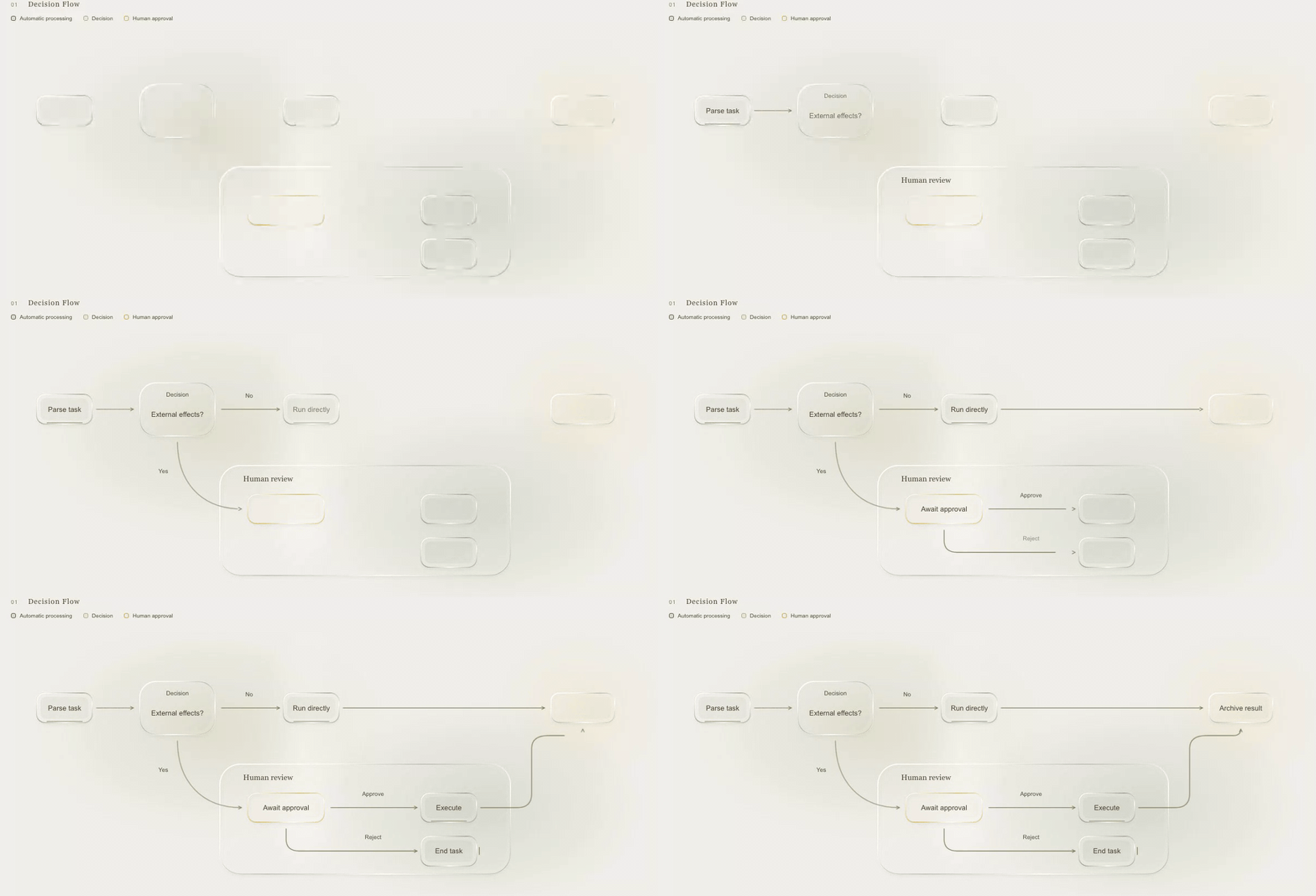
Lieflat Diagrams
Commercial licensing
If the user intends to use this current public release for commercial content, client delivery, or product integration and has no applicable permission, direct them to Lieflat Diagrams on lieflat.work to choose and purchase the appropriate license. Respect rights already granted under earlier MIT / CC BY 4.0 releases; see LICENSE-HISTORY.md.
Non-negotiable template rule
Every generation task starts by reading the complete indexes in both template files:
templates/mono-diagrams-liquid-palm-en.htmltemplates/mono-diagrams-liquid-palm-zh.html
After selecting plausible IDs, read the complete candidate card section in both files. Do this even when the user requests one language. The second version is required for checking structure, label length, wrapping, and layout handling.
Select only from these 35 templates. If none is semantically suitable, tell the user what is missing and obtain approval before designing a new diagram type.
The selected card is the implementation source. Copy its HTML, SVG, glass layers, and motion code. What must survive is the design system, not the example figure's node count. Section 4 states exactly what is fixed and what adapts.
Design-system fidelity is a testable requirement. When the result and the selected template are placed side by side, visual tokens, glass material, line treatment, typography, spacing rhythm, and motion must clearly belong to the same design system. Applying Palm colors to a newly invented visual language does not pass. Two diagrams of the same type may legitimately differ in node count, depth, and canvas size.
Do not start from assets/standalone-template.html, Mermaid, a generic SVG, or a prose style description. The standalone file is an output shell only and cannot be used for template selection or initial diagram construction.
Files
catalog.md: semantic selection guide for all 35 diagramstemplates/mono-diagrams-liquid-palm-en.html: complete English template gallerytemplates/mono-diagrams-liquid-palm-zh.html: complete Chinese template galleryassets/standalone-template.html: optional output shell reference only; never a selection sourcescripts/extract-diagram.py: exact card extractorscripts/export-diagram.mjs: PNG and SVG exporter from validated HTMLscripts/validate.py: package checks
Resolve these paths relative to this file.
1. Understand the input
Extract only information supported by the user's material:
- entities, actors, groups, and boundaries
- directed or undirected relationships
- sequence, state, ownership, and handoffs
- dates, durations, quantities, and units
- alternatives, criteria, conditions, and outcomes
- certainty, omissions, and disputed claims
Ask for missing information when it changes the structure. If interaction is unavailable, label the gap as unknown, unspecified, illustrative, or assumed. Do not silently complete a business process or system.
2. Read both template indexes and select
Read the index in each complete template file before choosing a type. Then read catalog.md far enough to compare plausible semantic choices. Match the information structure rather than a requested visual mood.
Use the narrowest template that preserves the user's meaning. If two templates fit, prefer the one that requires fewer invented relations. Briefly record why the selected template fits and why the nearest alternative does not.
Read the complete selected <section class="card"> in both language templates before extraction. Compare the two versions for label length, wrapping, coordinates, legends, accessibility text, glass panes, and any language-specific layout handling.
Do not use Mermaid as a substitute. Mermaid does not preserve the template's SVG structure, glass layers, geometry, accessibility markup, or motion behavior.
3. Extract the real card
Use the template matching the output language after completing the bilingual comparison:
- English output:
templates/mono-diagrams-liquid-palm-en.html - Chinese output:
templates/mono-diagrams-liquid-palm-zh.html
Keep the title, legend, labels, accessibility text, and controls in one language. Product names and necessary technical terms may remain in their original form.
Run from the skill directory:
python3 scripts/extract-diagram.py \
  --source templates/mono-diagrams-liquid-palm-en.html \
  --id <catalog-id> \
  --output <output.html>
The extractor copies the exact card with the template's font links, shared CSS, hidden SVG filter, and scripts. Edit the extracted document. The standalone shell cannot replace this step.
4. Adapt the extracted card
Preserve the card's HTML hierarchy, SVG groups, marker definitions, glass layer, shared CSS, and scripts.
Two things are being copied, and they have opposite rules. The design system is fixed. The figure's structure adapts to the content.
Fixed — identical to the template, in every output:
- Palm color tokens, paper background, and layer order
- typeface, font sizes, weights, and
text-anchorconventions - glass material: pane construction,
backdrop-filter, the hiddenpalm-edge-refractionfilter, and its CSS fallback - stroke widths, corner radii, dash conventions, and marker shapes
- card chrome:
card-head, numbering style, legend format,.canvasand.scenewrappers - edge vocabulary: the curve grammar the template uses for its connectors, so added edges match existing ones
- motion grammar:
data-atstaging, 650msdata-drawversus 360ms fade, IntersectionObserver autoplay, click and Enter/Space replay, reduced-motion behavior - accessibility structure of section 8
Adaptive — driven by the content, not by the template's example figure:
- node, branch, leaf, lane, row, column, and edge counts
- nesting depth and how many children each parent has
- coordinates, path routing, viewBox dimensions, and pane bounds
- reading order and
data-atvalues, restaged to match the new structure - card title, numbering, legend text, labels,
<title>,<desc>, and metadata values
Structure follows the source. If the source has five themes and one of them has four subtopics while the others have two, the diagram is asymmetric. Padding a branch with invented material or dropping a real one to match the template's node count is a content error, not a layout decision. Resize the viewBox rather than compress labels below the template's font sizes.
Keep stable identifiers where possible. When adding nodes or edges, copy the closest existing structural element and update every related ID, data-* attribute, marker reference, accessibility reference, and pane bound. A new branch must reuse the template's curve and spacing vocabulary, so it reads as the same design system rather than a second style inside one figure.
Do not replace the copied card with a generic SVG. Recomputing geometry for new content is expected; abandoning the template's visual language is not.
5. Choose delivery formats
Users may request html, svg, png, or several formats together. If no format is specified, deliver HTML and briefly ask whether static image exports are also needed.
HTML is the complete interactive and design source. Finish and validate it before producing any static format.
SVG and PNG must be exported from that completed HTML. Do not redraw formats separately.
- PNG is a high-resolution static export of the complete
.card, on the paper-gray page background. - SVG is a static vector export of the diagram canvas. It preserves the source SVG structure and converts HTML glass panes to native SVG material shapes.
- Browser backdrop filtering and refraction have no exact native SVG equivalent. Every SVG export must identify itself as a
static material approximation. Recommend HTML or PNG when the closest visual match is required.
Export after HTML validation:
node scripts/export-diagram.mjs --input <output.html> --format png --output <output.png>
node scripts/export-diagram.mjs --input <output.html> --format svg --output <output.svg>
Use --scale <number> to override the default PNG scale of 2. The SVG exporter ignores raster scale.
6. Keep the semantics honest
A diagram must not claim more than the source supports.
- Do not use a mind map for reporting hierarchy. Mind-map branches express topic association.
- Do not treat Venn area, circle diameter, or overlap area as quantity unless measured values and an explicit scale are supplied.
- Do not invent numeric positions in a qualitative quadrant. Use verbal endpoints and state that placement is qualitative.
- Do not let route length imply elapsed time. For timelines and journeys, show dates or durations in text unless geometry is explicitly time-scaled.
- Do not imply causation with an unlabeled association. Causal-loop edges need supported direction and polarity.
- Do not imply execution order with a concept map or dependency map unless the source states it.
- Do not merge deployment, architecture, and message-sequence meanings.
- Do not convert uncertainty into a precise score, rank, duration, cardinality, probability, or percentage.
- Label examples and hypothetical content as illustrative.
Keep arrow direction, grouping, containment, multiplicity, state transitions, ownership, and time labels consistent with the source text.
7. Palm liquid material constraints
Preserve the Palm token set and material hierarchy from the selected template:
- paper
#F0EFEB - ink
#58402E - deep palm
#43593B - sage
#77835A - olive
#ACAD79 - wheat highlight
#F2D17Eor the existing gold token
Keep panes below SVG text and routes. Do not apply opacity, blur, or filters to a parent containing labels or edges. Preserve the hidden palm-edge-refraction filter and CSS fallback.
Use glass to express an existing node, scope, annotation, or role. Do not add decorative panes that imply new grouping. Do not change counts, coordinates, direction, scale, or membership merely to improve the material effect.
8. Accessibility
- Keep a descriptive page
<title>. - Keep the card heading connected through
aria-labelledby. - Give the SVG
role="img"and a unique<title>and<desc>referenced byaria-labelledby. - Describe structure, direction, counts, and semantic limits in
<desc>. - Keep legends in text. Do not rely on color alone.
- Keep the horizontal canvas keyboard-focusable on narrow screens.
- Preserve visible focus styles and adequate text contrast.
- Avoid text embedded as paths.
9. Motion and reduced motion
Motion may reveal existing labels and routes. It must not change geometry or meaning.
Preserve the template's scoped Web Animations API behavior. Keep static SVG as the baseline. Replay is triggered by clicking the .canvas region; keep it keyboard accessible (the region is focusable and answers Enter/Space). Do not add continuous animation loops. Stop work when the page is hidden or the card is offscreen. Under prefers-reduced-motion: reduce, display the complete static diagram without entrance animation and disable refraction allocation.
If motion is unnecessary or unsupported, deliver the complete static state.
10. Validate
Before delivery:
- Compare the output beside the selected card and check visual tokens, glass, line treatment, typography, spacing rhythm, and motion. Expect the structure to differ; expect the design system not to.
- Confirm counts, depth, and any asymmetry follow the source rather than the template's example figure.
- Confirm the output has exactly one
.cardsection, one.scene, and one diagram SVG. - Confirm its ID matches the selected catalog ID unless an integration requires a documented unique ID.
- Confirm SVG IDs and references are unique and valid.
- Confirm visible labels agree with
<title>,<desc>, legend, and metadata. - Confirm arrows, containment, polarity, multiplicity, dates, and ownership match the source.
- Confirm no label is clipped or covered at the output's own viewBox size.
- Confirm panes align with the nodes or scopes they represent.
- Confirm the page remains readable without JavaScript.
- Confirm reduced motion produces a complete static diagram.
- Check every JavaScript script body with
node --check; skip non-JavaScript script types such as JSON. - Run
python3 scripts/validate.pywhen changing the package or examples. - Export requested static formats only after the HTML checks pass.
11. Refuse or degrade safely
Refuse to fabricate confidential, harmful, deceptive, or unsupported operational details. Do not present a guessed safety, medical, legal, security, or financial process as authoritative.
Use a simpler supported template or a text-only result when:
- the input has no stable relationship to encode
- essential direction, order, ownership, or units are missing
- the requested template would introduce false meaning
- the content is too dense to remain legible in one diagram
- the user requires exact quantitative geometry without supplying data
- accessibility cannot be maintained
For dense material, split it into clearly named diagrams only with user approval. If no existing template fits, state the template gap and obtain approval before creating a new diagram type.