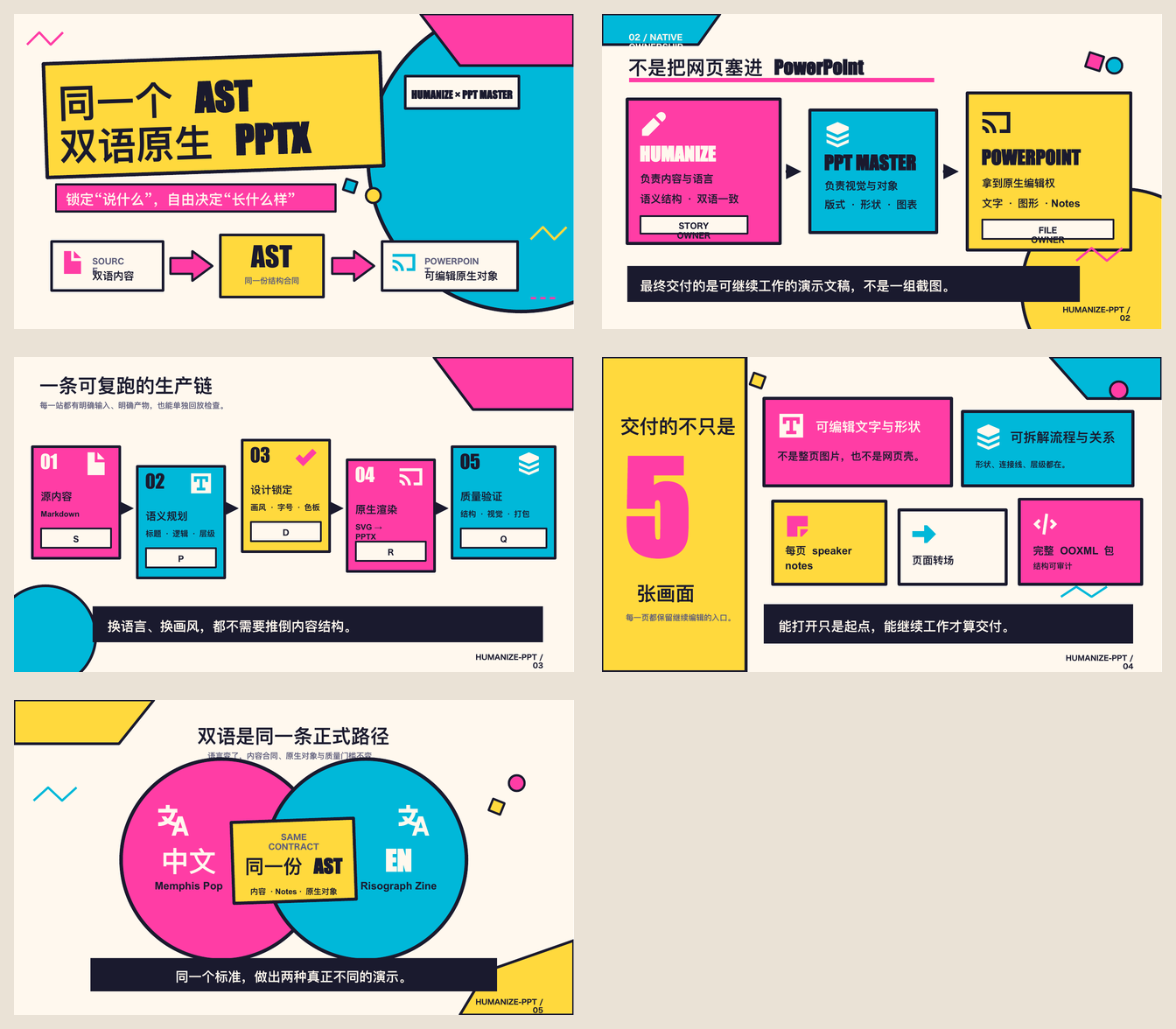
Humanize PPT
Use this skill when a user wants to turn raw material, notes, voice transcripts, documents, or links into a presentation-ready outline and per-page media decisions before delegating rendering to a downstream skill. Old PPT/PPTX files are not read directly: extract their text first (see scripts/pptx_qa.py's dump/inspect output), then feed that text in as --source. A deck Humanize PPT already rendered goes through --qa-from <rendered.pptx> instead — the presentation checkup, not brief mode.
Positioning
Humanize PPT is a presentation system, born for the talk: an Outline Director (AST audience-state-transfer — every page turn moves the audience forward), a Per-Page Visual-Enhancement Director (real image / SVG diagram / Remotion video), a Production Brief Orchestrator, a Presentation Checkup Runner (演讲体检; formerly the QA loop, CLI flag still --qa-from), and a Presenter-Mode hand-off. The motivation: HTML-PPT template skills are great at concept display but blow a simple idea into a dozen pretty pages, while a real 90-minute talk is ~30 — the pretty shell outruns the content density. Humanize closes that gap: it keeps the beauty (rendered natively by the downstream template skill) and makes it presentable — a line you can stand up and deliver. Downstream template skills own "renders beautifully"; Humanize owns "it's a talk, and someone checked it."
The presentation checkup in one sentence: it does not grade beauty, it grades the outline. It compares every rendered page against its outline page, pulls out the pages that can only be looked at but not spoken from, and keeps going until every page is one the speaker can stand up and present. A failed page, in plain words: a page that holds only a few words and never finishes its point, or a page that fails the audience state transfer it promised (the listener walks out of that page in the same state they walked in). Such a page should not exist; the checkup pulls it out and generates fix instructions.
Humanize is broadly compatible with downstream renderers that can consume plain markdown + JSON. Verified routes are: Chinese HTML → guizang-ppt-skill; English HTML → frontend-slides / beautiful-html-templates; native editable PowerPoint → ppt-master. Other downstreams remain hot-pluggable; support levels live in registry/renderer_registry.json and move only on real output.
It runs before downstream PPT / HTML slide skills and around the post-render presentation checkup. It owns the AST contract, the per-page media decision (does this page need a photo, a system diagram, a 10-second process clip, nothing?), the production brief that the next agent consumes, and the checkup pass on rendered HTML/PPTX. It does not own the rendered deck itself.
There are two human review gates before rendering: the outline preview and the renderer's style gate. HTML routes use Humanize's ≥4 real-cover --style-gallery. PPT Master already owns a mandatory three-stage Confirm UI with native visual previews, so --renderer ppt-master --style-gallery delegates to that gate and writes style_gallery_plan.json + commands/style-gallery/ppt-master-confirm-ui.md rather than duplicating the catalog.
The user calls Humanize PPT once for the brief, hands the brief to a downstream skill for native rendering, then calls Humanize again with --qa-from <rendered.html|native.pptx> to run the 3-iteration presentation checkup. Each iteration writes qa_report.md, fix_prompt.md, and qa_iteration.json. After 3 rounds with remaining failures, status flips to needs-human.
Humanize PPT never copies a downstream skill's template, never injects custom sections into it, and never post-processes rendered HTML or PPTX. Fixes return to the downstream author source. See references/guizang-production-brief-orchestrator.md and adapters/ppt-master-bridge-notes.md.
For public positioning, describe Humanize PPT as a brief orchestrator that pairs with native downstream renderers. Do not frame it as a renderer itself, and do not present it as a "router" that picks the best visual style for the user — that decision lives in the brief, the downstream skill's own templates, and the human's review. When a user only wants a pretty template page, that is a rendering-skill job, not a Humanize job: state the choice, not a prohibition.
AST theory
AST means Audience-State-Transfer.
- Audience: who is listening, what they know, what they resist, and why they would keep listening.
- State: the audience state before and after the deck, plus the core tension that blocks the transition.
- Transfer: the slide-by-slide path that moves the audience from initial state to desired state.
Core sentence:
PPT is not an information container. PPT is an audience state-transfer artifact.
Required output contract
For every Humanize PPT run, produce:
deck_brief.md — audience, goal, tension, success criteria.ast_outline.md — AST map and narrative arc.slide_plan.json — slide-by-slide plan, with per-page media: {image, diagram, video} decision and layout_hint.speaker_intent.md — what the speaker should do on each slide. Downstream skills consume this as the source for their native speaker notes and presenter shell.asset_manifest.md — Humanize's per-page material decisions: which page needs which kind of asset (image / diagram / video) and for what purpose.video_slots.json — optional Remotion / HyperFrames / native video insertion plan.style_brief.md — visual principle for downstream production.renderer_registry.json — renderer capability snapshot for this run.router_plan.json — selected primary renderer and staged route plan.commands/*.md — bounded instructions for each downstream specialist agent.run_manifest.json — final file inventory, route status, and QA status.<renderer>-production-prompt.md — the downstream entrypoint. In addition to the HTML routes, ppt-master emits ppt-master-production-prompt.md + self-contained ppt-master-source.md and disposable outputs/ppt-master-handoff/ copies.outputs/qa/qa_report.md — first-pass QA gate (brief mode) or per-iteration QA findings (QA mode).
QA mode (post-render) additionally produces per iteration:
outputs/qa/fix_prompt.md — downstream-skill-actionable fix instructions.outputs/qa/qa_iteration.json — round number, status (iterate / pass / needs-human), unresolved findings, history.
Style-gallery mode (--style-gallery, pre-outline gate) instead produces and stops:
- HTML routes:
style_gallery.html plus ≥4 cover entries. PPT Master: no fake gallery HTML; style selection stays in its native Confirm UI.
style_gallery_plan.json — cover candidates for HTML or mode: downstream-confirm-ui for PPT Master.commands/style-gallery/<id>.md — cover command for HTML, or ppt-master-confirm-ui.md for the native gate.
Recommended OPC workflow (v0.6.4)
O — Outline + Per-Page Media Direction
  Humanize PPT: raw material → AST outline + per-page media decision
  (deck_brief.md, ast_outline.md, slide_plan.json, speaker_intent.md,
   asset_manifest.md, video_slots.json, style_brief.md)

P — Native Renderer Invocation (100% downstream)
  zh  → guizang-ppt-skill        (Style A or B, native; recommended)
  en  → frontend-slides / beautiful-html-templates (native; recommended)
  pptx → ppt-master (native DrawingML; explicit --renderer ppt-master)
  other HTML-PPT skills → hot-pluggable, same brief contract
  Humanize emits the production prompt and stops. The downstream
  skill renders the deck. Humanize does NOT copy templates, does
  NOT inject SLIDES_HERE / [必填] replacements, does NOT add
  postMessage bridges to the rendered HTML.

Q — Presentation Checkup (演讲体检) on the rendered artifact
  Humanize --qa-from <rendered.html|native.pptx> reads the output of P,
  compares pages against the outline, scans for failure modes
  (references/qa-failure-modes.md), writes qa_report.md and
  fix_prompt.md, tracks iteration in qa_iteration.json.
  Cap: 3 rounds. After cap with remaining findings, status
  flips to needs-human.

C — Complete / Control
  Downstream skill native speaker notes + presenter shell + deploy
  (Humanize does not own these in v0.6.4 — the brief tells the
  next agent to produce them in the downstream skill's own format)
Rules
v0.6.4 invariants (these are the hard rules; if you break any, you're off the v0.6.4 boundary)
- Humanize is brief-only. It writes the renderer production contract and stops. It does not open, copy, or post-process downstream templates or final HTML/PPTX.
- Downstream renderers are 100% native. The next agent follows the downstream skill's own
SKILL.md. The brief tells the next agent which skill to load, which Style (A/B) to use, which layouts to pick from, and which QA gates must pass — but it does not carry template internals.
- The presentation checkup caps at 3 iterations. Round 4 with remaining fail findings is
needs-human. The loop does not spin forever; it hands the decision back to a human.
- Speaker notes and presenter shell — Humanize produces a baseline
presenter-shell.html; downstream owns the full stage. Humanize owns the semantic source (speaker_intent.md) and now also writes outputs/presenter/presenter-shell.html directly from slide_plan.json + speaker_intent.md (usable standalone, even before the downstream deck exists). The downstream skill produces the native speaker notes and fuller presenter console. Humanize does not inject postMessage bridges or ?slide= URL parameters into the rendered HTML.
- The production prompt is the downstream entrypoint. It names every support artifact the renderer must read. PPT Master additionally reads
ppt-master-source.md, which freezes the Humanize page story and notes intent without duplicating PPT Master's visual contracts.
Working rules
- Do not let slide renderers consume raw material directly when Humanize PPT can first produce the AST contract.
- Keep the downstream skill as the owner of the full stage view; Humanize's
presenter-shell.html is a functional baseline, not a replacement for native consoles.
- Absorb AI-writing cleanup principles from humanizer tools, but do not reduce Humanize PPT to text polishing.
- Prefer a small verified workflow over a broad unverified promise.
- For public Skill releases, create/push the repo, install from GitHub locally, run one safe full sample, verify the brief + presentation checkup on the verified known-good checkpoint (
examples/03-codex-guizang-native-ink-classic/), and only then polish README details.
- For Agent Teams development, emit
router_plan.json, run_manifest.json, bounded commands/*.md, and the per-renderer production prompt before wiring real downstream Skills.
- For WorkBuddy/CodeBuddy team upload packages, do not package demo or rendered HTML outputs as the team zip. The upload zip must mirror a team-plugin structure like
trading-team: root-level .codebuddy-plugin/plugin.json, agents/, skills/, rules/, and setting.json (plus optional avatars/, .workbuddy-plugin/, README.md, settings.json). The rules/ directory should include a scenario rule file such as rules/<plugin-name>_rules.md with frontmatter (description, alwaysApply, enabled, updatedAt, provider) and a <system_reminder> block describing available agents, skills, SOP, and usage requirements. Verify with unzip -l that the root is not index.html/assets/screenshots/source and is not folder-wrapped unless the target uploader explicitly requires a wrapper directory.
- Do not treat HyperFrames/Remotion videos as a single embedded player that replaces PPT content. For Humanize PPT deliverables, video tools are material producers: transitions, explainer clips, before/after comparisons, talking-material inserts, social previews, and fallback stills that fill specific slide needs. The
media.video decision per page (see slide_plan.json schema) tells the downstream skill which pages want a Remotion clip, for what purpose, and at what duration.
Operational references
references/guizang-production-brief-orchestrator.md — canonical brief specification: what <renderer>-production-prompt.md must and must not contain.references/qa-failure-modes.md (+ English mirror references/qa-failure-modes.en.md) — failure-mode catalog for the presentation checkup; code-side source of truth is FAILURE_MODES in scripts/humanize_ppt_v2.py.references/style-gallery-spec.md — the --style-gallery cover-style gate.references/renderer-guidance.md — per-renderer recommended paths and the known-good checkpoint rules.references/renderer-verification.md — per-renderer verification evidence behind the frontmatter one-liners.adapters/ppt-master-bridge-notes.md — native PPTX route boundary and OOXML checkup contract.SPEC.md — engine technical specification: CLI surface, data flow, output contract, style gallery, checkup, media model, renderer registry.- Full annotated index of all references, adapters, version notes, and helper scripts:
docs/index.md.
Local demo
The recommended stable entrypoint is scripts/humanize_ppt.py (versioned scripts remain as compatibility shims). Full CLI examples — brief mode, presentation checkup, native PPTX, outline preview, legacy entrypoints — live in docs/local-demo.md.
--out warning: point --out at a dedicated run directory. Brief mode rebuilds it from scratch every run, but only wipes it automatically when it is missing, empty, or already a previous Humanize PPT run (run_manifest.json / style_gallery_plan.json / outline-preview.md / preview-confirmed.json at its root) — otherwise it refuses and asks for --force.
1---
2name: humanize-ppt
3description: >-
4 A presentation system for agent-made PPTs — born for the talk, not just the
5 template. It turns raw material into an AST (audience-state-transfer) outline
6 with per-page visual-enhancement decisions (image / SVG diagram / video),
7 hands a production brief to a downstream renderer (HTML-PPT skills or native
8 PPTX), then runs a capped 3-round presentation checkup (演讲体检) on the
9 rendered deck. It never renders slides itself. Use before generating
10 PPT/HTML slides from raw material, and after rendering when the user says
11 things like "给这份 deck 做演讲体检" or "PPT 渲染质检". If all you want is
12 one beautiful template page with no outline and no checkup, a rendering
13 skill alone is enough.
14version: 1.1.2
15author: LearnPrompt
16license: MIT
17requires-skills:
18 guizang-ppt-skill: "Required for Chinese decks — the downstream native HTML renderer the brief targets."
19 frontend-slides: "Recommended English HTML renderer. support_level: full."
20 beautiful-html-templates: "English HTML alternative. support_level: full."
21 ppt-master: "Native editable PPTX renderer. support_level: full."
22 remotion-video-production: "Main pipeline for the video media slot — renders the real mp4 to the slot's asset_path."
23 remotion-best-practices: "Pair with remotion-video-production while writing Remotion code."
24 remotion-video-toolkit: "Only for complex video work — captions, charts, 3D, batch templates."
25 baoyu-image-gen: "Image media slot — drives the local Codex CLI, no OPENAI_API_KEY needed."
26# Verification evidence and per-renderer hand-off details: references/renderer-verification.md
27# Machine-readable support levels: registry/renderer_registry.json
28metadata:
29 source: https://skillmd.com/skills/learnprompt/humanize-ppt
30 tags: [presentation, ppt, pptx, html-slides, humanizer, ast, workflow, brief-orchestrator, hv-analysis, 9-styles]
31---
32
33# Humanize PPT
34
35Use this skill when a user wants to turn raw material, notes, voice transcripts, documents, or links into a presentation-ready outline and per-page media decisions before delegating rendering to a downstream skill. Old PPT/PPTX files are not read directly: extract their text first (see `scripts/pptx_qa.py`'s dump/inspect output), then feed that text in as `--source`. A deck Humanize PPT already rendered goes through `--qa-from <rendered.pptx>` instead — the presentation checkup, not brief mode.
36
37## Positioning
38
39Humanize PPT is a **presentation system, born for the talk**: an **Outline Director** (AST audience-state-transfer — every page turn moves the audience forward), a **Per-Page Visual-Enhancement Director** (real image / SVG diagram / Remotion video), a **Production Brief Orchestrator**, a **Presentation Checkup Runner** (演讲体检; formerly the QA loop, CLI flag still `--qa-from`), and a **Presenter-Mode hand-off**. The motivation: HTML-PPT template skills are great at *concept display* but blow a simple idea into a dozen pretty pages, while a real 90-minute talk is ~30 — the pretty shell outruns the content density. Humanize closes that gap: it keeps the beauty (rendered natively by the downstream template skill) and makes it *presentable* — a line you can stand up and deliver. Downstream template skills own "renders beautifully"; Humanize owns "it's a talk, and someone checked it."
40
41The presentation checkup in one sentence: it does not grade beauty, it grades the outline. It compares every rendered page against its outline page, pulls out the pages that can only be looked at but not spoken from, and keeps going until every page is one the speaker can stand up and present. A failed page, in plain words: a page that holds only a few words and never finishes its point, or a page that fails the audience state transfer it promised (the listener walks out of that page in the same state they walked in). Such a page should not exist; the checkup pulls it out and generates fix instructions.
42
43Humanize is broadly compatible with downstream renderers that can consume plain markdown + JSON. Verified routes are: Chinese HTML → `guizang-ppt-skill`; English HTML → `frontend-slides` / `beautiful-html-templates`; native editable PowerPoint → `ppt-master`. Other downstreams remain hot-pluggable; support levels live in `registry/renderer_registry.json` and move only on real output.
44
45It runs **before** downstream PPT / HTML slide skills and **around** the post-render presentation checkup. It owns the AST contract, the per-page media decision (does this page need a photo, a system diagram, a 10-second process clip, nothing?), the production brief that the next agent consumes, and the checkup pass on rendered HTML/PPTX. It does **not** own the rendered deck itself.
46
47There are two human review gates before rendering: the **outline preview** and the renderer's style gate. HTML routes use Humanize's ≥4 real-cover `--style-gallery`. PPT Master already owns a mandatory three-stage Confirm UI with native visual previews, so `--renderer ppt-master --style-gallery` delegates to that gate and writes `style_gallery_plan.json` + `commands/style-gallery/ppt-master-confirm-ui.md` rather than duplicating the catalog.
48
49The user calls Humanize PPT once for the brief, hands the brief to a downstream skill for native rendering, then calls Humanize again with `--qa-from <rendered.html|native.pptx>` to run the 3-iteration presentation checkup. Each iteration writes `qa_report.md`, `fix_prompt.md`, and `qa_iteration.json`. After 3 rounds with remaining failures, status flips to `needs-human`.
50
51Humanize PPT never copies a downstream skill's template, never injects custom sections into it, and never post-processes rendered HTML or PPTX. Fixes return to the downstream author source. See `references/guizang-production-brief-orchestrator.md` and `adapters/ppt-master-bridge-notes.md`.
52
53For public positioning, describe Humanize PPT as a brief orchestrator that pairs with native downstream renderers. Do **not** frame it as a renderer itself, and do not present it as a "router" that picks the best visual style for the user — that decision lives in the brief, the downstream skill's own templates, and the human's review. When a user only wants a pretty template page, that is a rendering-skill job, not a Humanize job: state the choice, not a prohibition.
54
55## AST theory
56
57AST means **Audience-State-Transfer**.
58
59- **Audience**: who is listening, what they know, what they resist, and why they would keep listening.
60- **State**: the audience state before and after the deck, plus the core tension that blocks the transition.
61- **Transfer**: the slide-by-slide path that moves the audience from initial state to desired state.
62
63Core sentence:
64
65> PPT is not an information container. PPT is an audience state-transfer artifact.
66
67## Required output contract
68
69For every Humanize PPT run, produce:
70
711. `deck_brief.md` — audience, goal, tension, success criteria.
722. `ast_outline.md` — AST map and narrative arc.
733. `slide_plan.json` — slide-by-slide plan, with per-page `media: {image, diagram, video}` decision and `layout_hint`.
744. `speaker_intent.md` — what the speaker should do on each slide. Downstream skills consume this as the source for their native speaker notes and presenter shell.
755. `asset_manifest.md` — Humanize's per-page material decisions: which page needs which kind of asset (image / diagram / video) and for what purpose.
766. `video_slots.json` — optional Remotion / HyperFrames / native video insertion plan.
777. `style_brief.md` — visual principle for downstream production.
788. `renderer_registry.json` — renderer capability snapshot for this run.
799. `router_plan.json` — selected primary renderer and staged route plan.
8010. `commands/*.md` — bounded instructions for each downstream specialist agent.
8111. `run_manifest.json` — final file inventory, route status, and QA status.
8212. `<renderer>-production-prompt.md` — the downstream entrypoint. In addition to the HTML routes, `ppt-master` emits `ppt-master-production-prompt.md` + self-contained `ppt-master-source.md` and disposable `outputs/ppt-master-handoff/` copies.
8313. `outputs/qa/qa_report.md` — first-pass QA gate (brief mode) or per-iteration QA findings (QA mode).
84
85QA mode (post-render) additionally produces per iteration:
86
8714. `outputs/qa/fix_prompt.md` — downstream-skill-actionable fix instructions.
8815. `outputs/qa/qa_iteration.json` — round number, status (`iterate` / `pass` / `needs-human`), unresolved findings, history.
89
90Style-gallery mode (`--style-gallery`, pre-outline gate) instead produces and stops:
91
9216. HTML routes: `style_gallery.html` plus ≥4 cover entries. PPT Master: no fake gallery HTML; style selection stays in its native Confirm UI.
9317. `style_gallery_plan.json` — cover candidates for HTML or `mode: downstream-confirm-ui` for PPT Master.
9418. `commands/style-gallery/<id>.md` — cover command for HTML, or `ppt-master-confirm-ui.md` for the native gate.
95
96## Recommended OPC workflow (v0.6.4)
97
98```text
99O — Outline + Per-Page Media Direction
100 Humanize PPT: raw material → AST outline + per-page media decision
101 (deck_brief.md, ast_outline.md, slide_plan.json, speaker_intent.md,
102 asset_manifest.md, video_slots.json, style_brief.md)
103
104P — Native Renderer Invocation (100% downstream)
105 zh → guizang-ppt-skill (Style A or B, native; recommended)
106 en → frontend-slides / beautiful-html-templates (native; recommended)
107 pptx → ppt-master (native DrawingML; explicit --renderer ppt-master)
108 other HTML-PPT skills → hot-pluggable, same brief contract
109 Humanize emits the production prompt and stops. The downstream
110 skill renders the deck. Humanize does NOT copy templates, does
111 NOT inject SLIDES_HERE / [必填] replacements, does NOT add
112 postMessage bridges to the rendered HTML.
113
114Q — Presentation Checkup (演讲体检) on the rendered artifact
115 Humanize --qa-from <rendered.html|native.pptx> reads the output of P,
116 compares pages against the outline, scans for failure modes
117 (references/qa-failure-modes.md), writes qa_report.md and
118 fix_prompt.md, tracks iteration in qa_iteration.json.
119 Cap: 3 rounds. After cap with remaining findings, status
120 flips to needs-human.
121
122C — Complete / Control
123 Downstream skill native speaker notes + presenter shell + deploy
124 (Humanize does not own these in v0.6.4 — the brief tells the
125 next agent to produce them in the downstream skill's own format)
126```
127
128## Rules
129
130### v0.6.4 invariants (these are the hard rules; if you break any, you're off the v0.6.4 boundary)
131
1321. **Humanize is brief-only.** It writes the renderer production contract and stops. It does **not** open, copy, or post-process downstream templates or final HTML/PPTX.
1332. **Downstream renderers are 100% native.** The next agent follows the downstream skill's own `SKILL.md`. The brief tells the next agent which skill to load, which Style (A/B) to use, which layouts to pick from, and which QA gates must pass — but it does not carry template internals.
1343. **The presentation checkup caps at 3 iterations.** Round 4 with remaining fail findings is `needs-human`. The loop does not spin forever; it hands the decision back to a human.
1354. **Speaker notes and presenter shell — Humanize produces a baseline `presenter-shell.html`; downstream owns the full stage.** Humanize owns the semantic source (`speaker_intent.md`) and now also writes `outputs/presenter/presenter-shell.html` directly from `slide_plan.json` + `speaker_intent.md` (usable standalone, even before the downstream deck exists). The downstream skill produces the native speaker notes and fuller presenter console. Humanize does not inject `postMessage` bridges or `?slide=` URL parameters into the rendered HTML.
1365. **The production prompt is the downstream entrypoint.** It names every support artifact the renderer must read. PPT Master additionally reads `ppt-master-source.md`, which freezes the Humanize page story and notes intent without duplicating PPT Master's visual contracts.
137
138### Working rules
139
1406. Do not let slide renderers consume raw material directly when Humanize PPT can first produce the AST contract.
1417. Keep the downstream skill as the owner of the full stage view; Humanize's `presenter-shell.html` is a functional baseline, not a replacement for native consoles.
1428. Absorb AI-writing cleanup principles from humanizer tools, but do not reduce Humanize PPT to text polishing.
1439. Prefer a small verified workflow over a broad unverified promise.
14410. For public Skill releases, create/push the repo, install from GitHub locally, run one safe full sample, verify the brief + presentation checkup on the verified known-good checkpoint (`examples/03-codex-guizang-native-ink-classic/`), and only then polish README details.
14511. For Agent Teams development, emit `router_plan.json`, `run_manifest.json`, bounded `commands/*.md`, and the per-renderer production prompt before wiring real downstream Skills.
14612. For WorkBuddy/CodeBuddy team upload packages, do **not** package demo or rendered HTML outputs as the team zip. The upload zip must mirror a team-plugin structure like `trading-team`: root-level `.codebuddy-plugin/plugin.json`, `agents/`, `skills/`, `rules/`, and `setting.json` (plus optional `avatars/`, `.workbuddy-plugin/`, `README.md`, `settings.json`). The `rules/` directory should include a scenario rule file such as `rules/<plugin-name>_rules.md` with frontmatter (`description`, `alwaysApply`, `enabled`, `updatedAt`, `provider`) and a `<system_reminder>` block describing available agents, skills, SOP, and usage requirements. Verify with `unzip -l` that the root is not `index.html/assets/screenshots/source` and is not folder-wrapped unless the target uploader explicitly requires a wrapper directory.
14713. Do not treat HyperFrames/Remotion videos as a single embedded player that replaces PPT content. For Humanize PPT deliverables, video tools are **material producers**: transitions, explainer clips, before/after comparisons, talking-material inserts, social previews, and fallback stills that fill specific slide needs. The `media.video` decision per page (see `slide_plan.json` schema) tells the downstream skill which pages want a Remotion clip, for what purpose, and at what duration.
148
149## Operational references
150
151- `references/guizang-production-brief-orchestrator.md` — canonical brief specification: what `<renderer>-production-prompt.md` must and must not contain.
152- `references/qa-failure-modes.md` (+ English mirror `references/qa-failure-modes.en.md`) — failure-mode catalog for the presentation checkup; code-side source of truth is `FAILURE_MODES` in `scripts/humanize_ppt_v2.py`.
153- `references/style-gallery-spec.md` — the `--style-gallery` cover-style gate.
154- `references/renderer-guidance.md` — per-renderer recommended paths and the known-good checkpoint rules.
155- `references/renderer-verification.md` — per-renderer verification evidence behind the frontmatter one-liners.
156- `adapters/ppt-master-bridge-notes.md` — native PPTX route boundary and OOXML checkup contract.
157- `SPEC.md` — engine technical specification: CLI surface, data flow, output contract, style gallery, checkup, media model, renderer registry.
158- Full annotated index of all references, adapters, version notes, and helper scripts: `docs/index.md`.
159
160## Local demo
161
162The recommended stable entrypoint is `scripts/humanize_ppt.py` (versioned scripts remain as compatibility shims). Full CLI examples — brief mode, presentation checkup, native PPTX, outline preview, legacy entrypoints — live in `docs/local-demo.md`.
163
164**`--out` warning:** point `--out` at a dedicated run directory. Brief mode rebuilds it from scratch every run, but only wipes it automatically when it is missing, empty, or already a previous Humanize PPT run (`run_manifest.json` / `style_gallery_plan.json` / `outline-preview.md` / `preview-confirmed.json` at its root) — otherwise it refuses and asks for `--force`.