 majiayu000
 Meme Generation with Memegen.link
This skill enables creation of memes using the free and open-source memegen.link API.
Quick Reference
For comprehensive meme creation guidance:
- See Complete Markdown Memes Guide for 15+ textual meme formats (greentext, copypasta, ASCII art, chat logs, Reddit AITA, Tumblr chains, wojak dialogues, etc.) AND image meme techniques
- This file focuses on the memegen.link API for image meme generation
Overview
The memegen.link API allows you to:
- Generate memes using 100+ popular templates
- Add custom top and bottom text
- Use custom images as backgrounds
- Control dimensions, fonts, and styles
- Create animated memes with GIF/WebP support
Quick Start
Basic Meme Structure
URL Format:
https://api.memegen.link/images/{template}/{top_text}/{bottom_text}.{extension}
Example:
https://api.memegen.link/images/buzz/memes/memes_everywhere.png
This generates a Buzz Lightyear meme with "memes" at the top and "memes everywhere" at the bottom.
Text Formatting
Spacing
- Use underscores (
_) or dashes (-) for spaces in text - Example:
One_Does_Not_Simply→ "One Does Not Simply"
Special Characters
- Use URL encoding for special characters
- Spaces:
_or- - Newlines:
~n - Question mark:
~q - Percent:
~p - Slash:
~s - Hash/Pound:
~h - Quotes:
''for single,""for double
Single Line Text
For memes with only one line of text, use an underscore for the empty line:
https://api.memegen.link/images/yodawg/_/your_text_here.png
Available Templates
Popular Templates:
buzz- Buzz Lightyear ("X, X Everywhere")drake- Drake Hotline Bling (two panels)doge- Doge (multiple text positions)distracted- Distracted Boyfriendchangemind- Change My Mindsuccess- Success Kidskeptical- Skeptical Third World Kidawesome- Awesome/Awkward Penguinyodawg- Yo Dawgancient- Ancient Aliens Guywonka- Condescending Wonka
View all templates:
- API endpoint:
https://api.memegen.link/templates/ - Interactive docs:
https://api.memegen.link/docs/
Advanced Features
Image Formats
Supported Extensions:
.png- Standard format, best quality.jpg- Smaller file size.webp- Modern format, good compression.gif- Animated (if template supports it)
Example:
https://api.memegen.link/images/buzz/memes/memes_everywhere.webp
Dimensions
Width & Height:
?width=800
?height=600
?width=800&height=600  (padded to exact dimensions)
Example:
https://api.memegen.link/images/buzz/memes/memes_everywhere.png?width=1200
Layout Options
Control text positioning with the layout parameter:
?layout=top     # Text at top only
?layout=bottom  # Text at bottom only
?layout=default # Standard top/bottom
Example:
https://api.memegen.link/images/rollsafe/when_you_have/a_good_idea.png?layout=top
Custom Fonts
Available fonts:
- View at:
https://api.memegen.link/fonts/ - Use:
?font=impact(default)
Custom Images
Use any image URL as a background:
?style=https://example.com/your-image.jpg
Example:
https://api.memegen.link/images/custom/hello/world.png?style=https://i.imgur.com/abc123.jpg
Practical Examples
Example 1: Drake Meme
https://api.memegen.link/images/drake/manual_testing/automated_testing.png
Top panel (rejected): "manual testing" Bottom panel (approved): "automated testing"
Example 2: Distracted Boyfriend
https://api.memegen.link/images/distracted/my_code/new_shiny_framework/current_project.png
- Boyfriend: "my code"
- Other girl: "new shiny framework"
- Girlfriend: "current project"
Example 3: One Does Not Simply
https://api.memegen.link/images/mordor/one_does_not_simply/fix_a_bug_without_creating_two_more.png
Example 4: Change My Mind
https://api.memegen.link/images/changemind/tabs_are_better_than_spaces.png
Example 5: Success Kid
https://api.memegen.link/images/success/all_tests_passing/on_the_first_try.png
Example 6: Custom Dimensions
https://api.memegen.link/images/buzz/memes/memes_everywhere.png?width=1200&height=630
Perfect for Open Graph social media sharing (1200x630).
Creating Contextual Memes
For Code Reviews
Template: fry (Futurama Fry - "Not sure if...")
https://api.memegen.link/images/fry/not_sure_if_feature/or_bug.png
For Deployments
Template: interesting (The Most Interesting Man)
https://api.memegen.link/images/interesting/i_dont_always_test_my_code/but_when_i_do_i_do_it_in_production.png
For Documentation
Template: yodawg
https://api.memegen.link/images/yodawg/yo_dawg_i_heard_you_like_docs/so_i_documented_the_documentation.png
For Performance Issues
Template: fine (This is Fine Dog)
https://api.memegen.link/images/fine/memory_usage_at_99~/this_is_fine.png
Best Practices
1. Keep Text Concise
- Memes work best with short, punchy text
- Aim for 2-6 words per line
- Long text becomes hard to read
2. Choose Appropriate Templates
- Match the template to your message
- Drake = comparisons/choices
- Distracted boyfriend = priorities/distractions
- Change my mind = controversial opinions
- Success kid = victories/wins
3. Consider Context
- Know your audience
- Keep it professional for work contexts
- Use humor that resonates with your team
4. Optimize for Platform
- Social media: 1200x630 (Open Graph)
- Slack/Discord: 800x600 works well
- GitHub: Default size is fine
5. Test Your URLs
- Preview memes before sharing
- Check for typos in text
- Verify template name is correct
Workflow Integration
1. Generating Memes in Response
When a user requests a meme or you want to add humor:
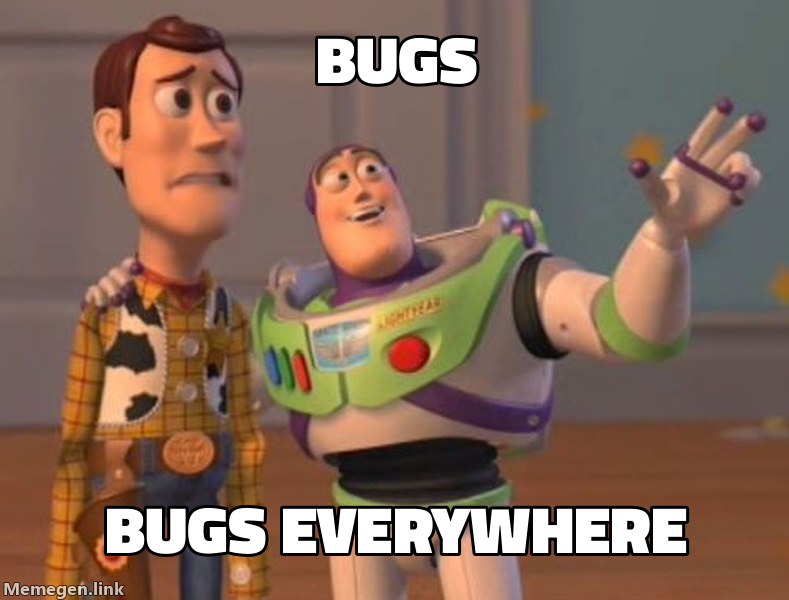
Here's a relevant meme about your situation:
2. Creating Meme Collections
Generate multiple memes for a topic:
base_url = "https://api.memegen.link/images"
memes = [
f"{base_url}/buzz/features/features_everywhere.png",
f"{base_url}/drake/manual_testing/automated_testing.png",
f"{base_url}/success/all_tests_passing/on_first_try.png"
]
for meme in memes:
print(f"")
3. Dynamic Meme Generation
Generate memes based on context:
def generate_status_meme(status: str, message: str):
    template_map = {
        "success": "success",
        "failure": "fine",
        "review": "fry",
        "deploy": "interesting"
    }

    template = template_map.get(status, "buzz")
    top_text = message.split()[0:3]  # First 3 words
    bottom_text = message.split()[3:6]  # Next 3 words

    top = "_".join(top_text)
    bottom = "_".join(bottom_text)

    return f"https://api.memegen.link/images/{template}/{top}/{bottom}.png"
Template Selection Guide
Comparison/Choice Templates
- drake - Two options (reject/approve)
- awesome - Good/bad situations (split penguin)
- distracted - Priorities/distractions (3 elements)
Reaction Templates
- success - Victories and wins
- fine - Things going wrong but acting OK
- surprised - Unexpected outcomes
- yuno - Why aren't you doing X?
Statement Templates
- buzz - X, X everywhere
- yodawg - Yo dawg, I heard you like X
- interesting - I don't always X, but when I do Y
- mordor - One does not simply X
- changemind - Controversial statement
Questioning Templates
- fry - Not sure if X or Y
- skeptical - Skeptical about claims
- suspicious - Suspicious about something
- roll - Points head (you can't X if Y)
Error Handling
If a meme URL doesn't work:
- Check template name at
https://api.memegen.link/templates/ - Verify text formatting (underscores for spaces)
- Check for special characters that need encoding
- Ensure extension is valid (.png, .jpg, .webp, .gif)
- Test in browser before sharing
API Limitations
- Free and open-source (no API key needed)
- No rate limiting for normal use
- Stateless (all info in URL)
- No storage (images generated on-demand)
- No authentication required
Examples for Egregora Project
Privacy-Focused Memes
# For anonymization features
https://api.memegen.link/images/buzz/pii/pii_everywhere.png

# For data privacy
https://api.memegen.link/images/success/all_data_anonymized/no_leaks.png
WhatsApp Export Memes
# Processing messages
https://api.memegen.link/images/yodawg/yo_dawg_i_heard_you_like_messages/so_i_parsed_your_messages.png

# Data pipeline
https://api.memegen.link/images/buzz/dataframes/dataframes_everywhere.png
LLM Content Generation
# AI writing
https://api.memegen.link/images/interesting/i_dont_always_write_blog_posts/but_when_i_do_llms_write_them.png

# AI confusion
https://api.memegen.link/images/fry/not_sure_if_ai_generated/or_human_written.png
Interactive API Documentation
For complete, interactive documentation:
- Docs: https://api.memegen.link/docs/
- Templates: https://api.memegen.link/templates/
- Fonts: https://api.memegen.link/fonts/
- GitHub: https://github.com/jacebrowning/memegen
Tips for Claude
When generating memes:
- Listen for keywords: "meme", "funny", "humor", "reaction"
- Match context: Choose templates that fit the situation
- Be relevant: Connect memes to the current conversation
- Preview first: Generate URL and describe what it will show
- Embed properly: Use markdown image syntax for display
- Respect tone: Only use memes when appropriate for context
Common Mistakes to Avoid
- Forgetting underscores -
hello worldwon't work, usehello_world - Wrong template name - Check templates list if unsure
- Too much text - Keep it concise and readable
- Missing extension - Always include
.png,.jpg, etc. - Special characters - Use URL encoding for ?, /, %, etc.
Quick Reference
Basic URL:
https://api.memegen.link/images/{template}/{top}/{bottom}.png

With sizing:
?width=1200&height=630

With layout:
?layout=top

With custom background:
?style=https://example.com/image.jpg

View all templates:
https://api.memegen.link/templates/

Interactive docs:
https://api.memegen.link/docs/
Summary
The memegen.link API is a powerful, free tool for generating contextual memes. Use it to:
- Add humor to conversations
- Create visual aids for social media
- Make code reviews more engaging
- Celebrate successes
- Communicate complex ideas simply
Remember: A good meme is concise, relevant, and uses the right template for the message.