 onfire7777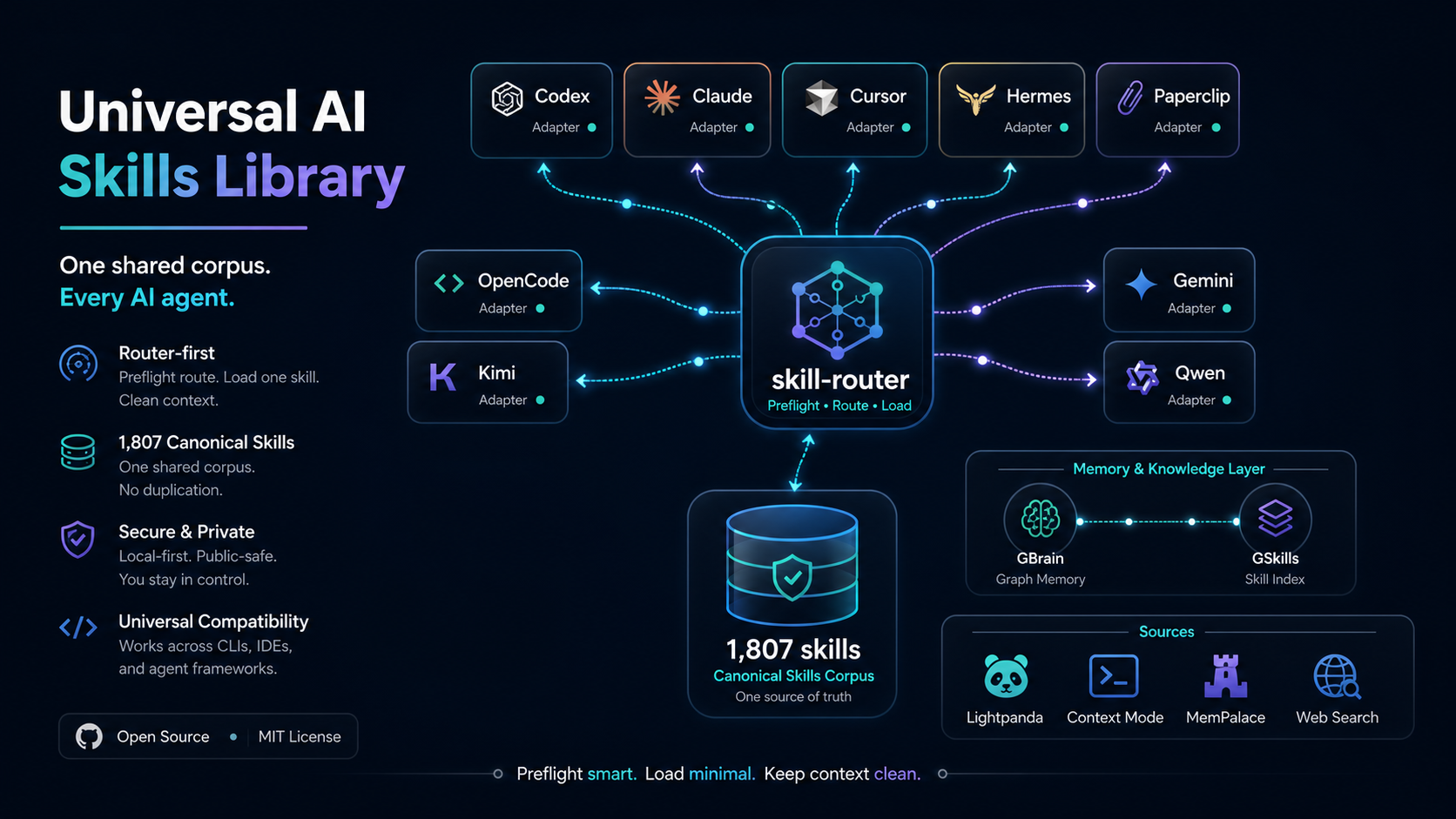
Skill Finder
Identify, select, and fully activate the most relevant installed skills to execute any user task end-to-end — not summarize, but use them.
Workflow
Analyze the request — Extract the core task, domain, and key action verbs from the user's prompt. For multi-part tasks, decompose into distinct subtasks.
Search the library — Run the search script with a targeted query:
python3 /home/ubuntu/skills/skill-finder/scripts/find_skills.py "user task description" --top 5 --verboseQuery refinement: If the top result scores below 3.0 or seems off-target, rephrase using synonyms, domain-specific terms, or split into subtask queries. Retry up to 3 times with different formulations. For multi-part tasks, run separate searches per subtask.
Select skills — Pick the top 1-3 most relevant results. Prefer skills with executable scripts (more actionable). For guidance on combining multiple skills, see
references/selection-strategy.md.Read and activate — For each selected skill, sequentially: a. Read the skill's full
SKILL.mdat/home/ubuntu/skills/{skill-dir-name}/SKILL.mdb. Run its scripts in their specified directories c. Consult its references as directed d. Apply its workflows to produce outputs e. On errors, check the skill's troubleshooting guidance before falling backExecute the task — Integrate outputs from all activated skills into a unified result. Produce concrete deliverables, not summaries.
Handle no-match — If no skills score above 3.0 after all retries, inform the user that no specialized skill was found and proceed with base model capabilities. Consider using
internet-skill-finderto search GitHub for new skills to install.
Script Reference
| Command | Purpose |
|---|---|
find_skills.py "query" --top N |
Search for top N matching skills |
find_skills.py "query" --verbose |
Include full descriptions in output |
find_skills.py "query" --json |
Output as JSON for programmatic use |
find_skills.py --rebuild-index |
Force rebuild the cached skill index |
find_skills.py --list-all |
List all indexed skills |
Example
User asks: "audit my Python project for security issues"
python3 /home/ubuntu/skills/skill-finder/scripts/find_skills.py "audit Python project security vulnerabilities" --top 3
Top result: multi-model-code-auditor → Read its SKILL.md → Run its audit scripts → Deliver full audit report.
Constraints
- Never merely summarize skills — always execute their full procedures.
- Limit query reformulations to 3 retries maximum.
- Run skill scripts in their specified directories to preserve environment integrity.
- For multi-part tasks, address each subtask sequentially, then integrate results.
- Only ask the user for clarification as a last resort after autonomous attempts.