Screenshots
The engine is agent-browser,
a CLI that drives Chrome over CDP. Two ways in:
scripts/screenshot.mjs for the standard evidence shots. It logs in with
a seeded session, shoots desktop (1400 px, 2×) and mobile (390 px,
3×, iPhone user agent) in light, hides dev-only chrome,
takes the element or the page, and writes a gallery.agent-browser directly for a state the script cannot reach: a dropdown
open, a dialog, a filled composer. See Interactive shots.
node scripts/screenshot.mjs --app dashboard /incidents/1 --selector "[data-slot=timeline]"
node scripts/screenshot.mjs --app web /pricing --full-page
node scripts/screenshot.mjs --app dashboard /incidents/1 --selector "[data-slot=timeline]" --aspect 16:9 --device desktop
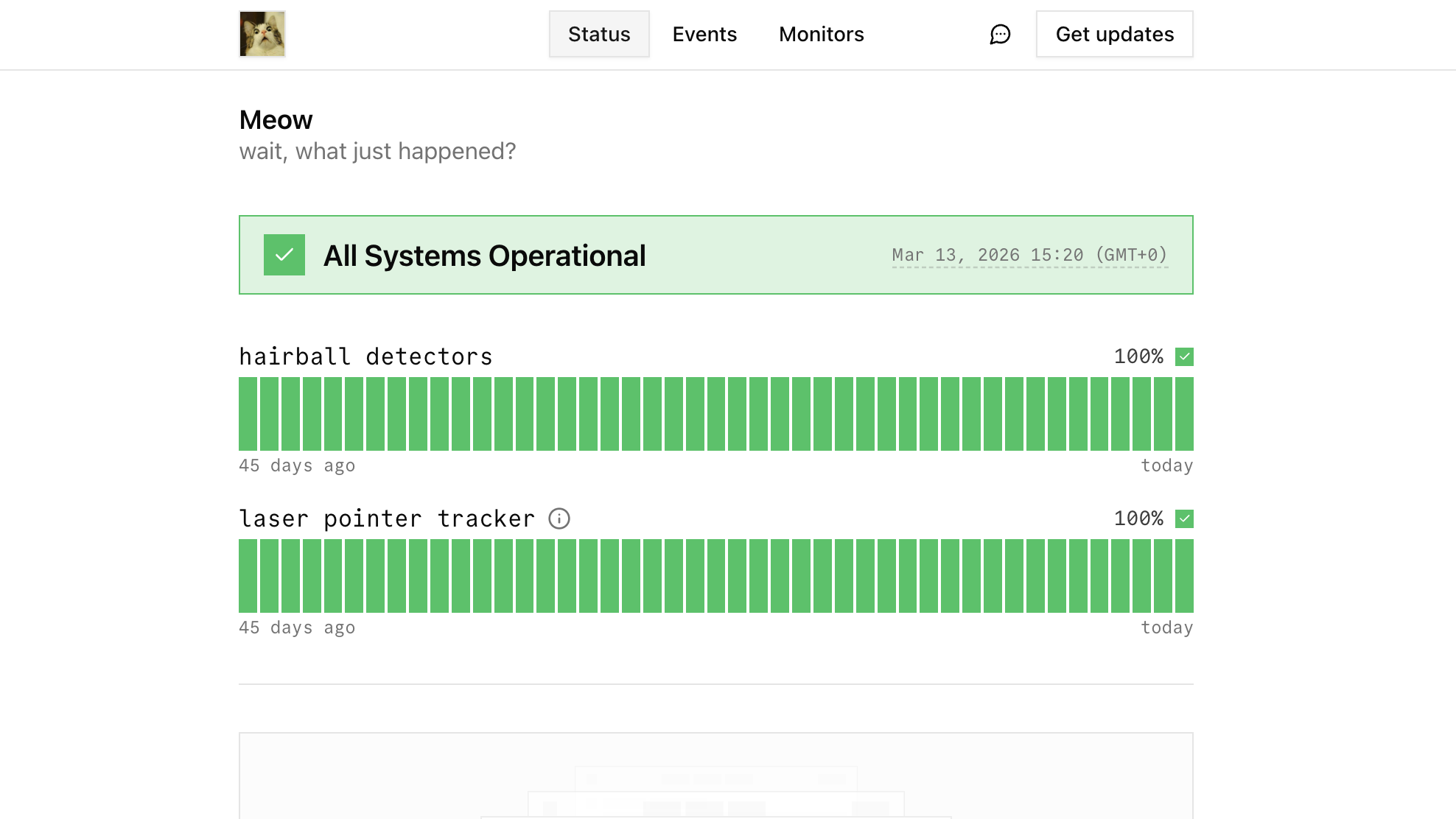
node scripts/screenshot.mjs --app status-page /acme
Shots land in .screenshots/<branch>/, the current branch with / turned
into - (feat/dashboard-activity-lists gives
.screenshots/feat-dashboard-activity-lists/; a detached HEAD uses the short
commit). --label before / --label after nest a set one level deeper, for
comparisons. It prints the PNG paths and writes index.html in that folder,
a gallery of every shot in it. Read the PNGs with the Read tool and
judge against DESIGN.md. Files are <name>.desktop.png and
<name>.mobile.png, where the name is the path with every run of non-word
characters turned into - (/incidents/1 gives incidents-1). Light only by
default; --theme dark or --theme both adds <name>.<device>.dark.png.
--device desktop or --device mobile shoots one.
Cloud session (nothing installed, nothing running)
One command brings up everything the dashboard needs, then shoot:
node scripts/dev-stack.mjs up --warm /incidents/1
node scripts/screenshot.mjs --app dashboard /incidents/1 --user max@openstatus.dev
node scripts/dev-stack.mjs down      # when finished; stops only what `up` started
up fetches pinned sqld and agent-browser from npm when they are not
on PATH (the official download hosts are blocked in the sandbox; npm is
not), creates the two .env files from their examples, starts sqld on
:8080, migrates, seeds once (--reseed wipes and reseeds), starts the
dashboard on :3001 and warms the given routes. Servers already answering
are reused and left alone by down. The session-start hook has usually
already fetched the tools and compiled the dashboard, so up takes about
15 seconds. status shows what is up; logs are in .screenshots/stack/.
--port and --db-port move the two servers. --api also starts the API
server (apps/server) on :3000 in development mode, where an API key stands
in for its workspace id: key 1 is the seeded workspace, and Unkey is never
called.
pnpm -w dev:dashboard does not work there: it runs turso dev, which the
sandbox lacks. agent-browser uses the sandbox's Chromium through
AGENT_BROWSER_EXECUTABLE_PATH=/opt/pw-browsers/chromium; the hook exports
it and the script sets it itself when unset. No agent-browser install.
Before running (local machine)
- Find the dev server:
lsof -nP -iTCP:3000 -iTCP:3001 -iTCP:3002 -sTCP:LISTEN.
Defaults are dashboard :3001, web and status page :3000, but apps/web
is often started on :3001 here, so check lsof -a -p <pid> -d cwd or
just run the script: it refuses a base whose probe path is a 404. Reuse a
running server, HMR picks up edits. Nothing running:
pnpm -w dev:dashboard, dev:web or dev:status-page (each also starts
sqld on :8080), logged to a file, stopped when done. If the default port is
taken, start the app alone on another port and pass --base:
PORT=3002 pnpm --filter @openstatus/dashboard dev. Use that direct form
whenever you also need a different DATABASE_URL: the root pnpm -w dev:dashboard runs through turbo, which passes PORT through but drops
other variables, so the app reads its .env database.
- Database, dashboard only: the script reads live sessions from sqld over
HTTP, default
--db http://127.0.0.1:8080. A second sqld on :8099 is the
throwaway seeded one; pass --db http://127.0.0.1:8099 and point the
dashboard at it with DATABASE_URL.
- Auth, dashboard only. The seed (
pnpm --filter @openstatus/db seed,
which runs on node) creates two maintainers
with sessions that expire in 2099: max@openstatus.dev (token
seed-session-max, owner of workspace 1 love-openstatus) and
thibault@openstatus.dev (token seed-session-thibault, admin of 1).
Pass --user max@openstatus.dev and the script finds the row, or skip the
DB with --token seed-session-max --workspace love-openstatus. Without
--user it takes any live session, and the two seeded ones tie, so name
the user when identity matters. No seeded session: log in once with
agent-browser (open http://localhost:3001/login, submit the email, follow
the >>> Magic Link: line from the dev server log with open), run
agent-browser state save .screenshots/auth.json, and pass
--state .screenshots/auth.json.
- agent-browser:
npm i -g agent-browser (it wants node 24, the devbox
pin), or let node scripts/dev-stack.mjs tools fetch the pinned copy
into node_modules/.cache. It finds Chrome on its own locally.
Flags
| Flag |
Default |
Note |
--app |
dashboard |
dashboard, web or status-page; sets base and whether to log in |
<path> … |
required |
one or more paths; on the status page the slug is the first segment in dev |
--selector |
page |
CSS selector; every visible match is shot on its own |
--device |
both |
desktop or mobile (390×844, 3×, iPhone 14 user agent) |
--theme |
light |
dark or both |
--label |
|
subfolder inside the branch folder, e.g. before, after |
--out |
.screenshots/<branch>[/<label>] |
gitignored; overrides branch and label |
--width |
1400 |
desktop viewport width, 2× device scale |
--full-page |
off |
full-page capture when no selector |
--aspect |
off |
16:9 (any ratio between 1:4 and 4:1, terms up to 2000) frames the shot at that exact ratio: a selector match centered on the page background with at least 48 px around it, or a page shot with a viewport of that ratio (width rounded up to a multiple of the reduced ratio's first term, 16 for 16:9; desktop only, so it defaults to --device desktop and refuses mobile/both). Not with --full-page |
--base |
per app |
override the dev server URL |
--db |
http://127.0.0.1:8080 |
sqld HTTP endpoint for the session lookup |
--user |
|
pick the session of this email |
--workspace |
first membership |
slug for the workspace-slug cookie |
--token |
|
explicit session token, skips the lookup |
--state |
|
agent-browser state file (cookies + storage) instead of a seeded session |
Interactive shots
For a state the script cannot reach, drive agent-browser yourself. The
sequence below is what the script does, minus the gallery; agent-browser skills get core has the full command set.
agent-browser set viewport 1400 1000 2        # desktop, 2× like the script
# mobile: agent-browser set device "iPhone 14" && agent-browser set viewport 390 844 3
agent-browser set media dark                  # or light; next-themes follows it
agent-browser cookies set authjs.session-token seed-session-max --url http://localhost:3001
agent-browser cookies set workspace-slug love-openstatus --url http://localhost:3001
agent-browser open http://localhost:3001/incidents/1
agent-browser wait --fn "document.fonts.status === 'loaded'"
agent-browser eval "document.head.insertAdjacentHTML('beforeend','<style>[data-slot=tailwind-indicator],nextjs-portal{display:none!important}</style>')"
agent-browser snapshot -i                     # refs for the interactive elements
agent-browser click @e12                      # e.g. the severity select
agent-browser screenshot .screenshots/<branch>/incidents-1-severity-dark.png
agent-browser close                           # sessions outlive the shell
wait --load networkidle times out against the dev server (the HMR
socket never goes idle). Wait for fonts, an element (wait @ref) or text.--session <name> isolates a browser; the script uses one per device and
theme, and closes it. Close the ones you open.- agent-browser shoots viewports, not elements. The script's
--selector
pins the match to the viewport's top-left at its own size and hides the
rest; for an ad-hoc element shot, scrollintoview and shoot the viewport.
Selectors worth knowing
- dashboard:
[data-slot=timeline] activity timelines, [data-slot=input-group]
composers, [data-slot=detail-header] page headers, [data-slot=property-list]
the aside
- web:
main, or a section by its heading id
- status page:
[data-slot=status-bar] and the other block slots from
packages/ui/src/components/blocks/
Fixtures
Seeded, workspace 1 love-openstatus: incident #1 (/incidents/1, declared
by Thibault, commander Max, eight events covering declare, Slack bind, linked
report #2, a Slack note, a commander change, a mitigation with a note, a
plain note and a Slack unbind), status reports #1 (resolved) and #2 (linked), maintenances, status pages
/status (page 1, with components) and /acme (page 2). Safe to mutate;
re-seed to reset.
What the script already handles
- Each route is fetched once with the session cookies before the browser
opens it, so a cold Turbopack compile (10s+) never trips a timeout.
- The dev-only Tailwind breakpoint badge (
[data-slot=tailwind-indicator]),
the Next.js dev indicator and the React Query devtools button (the beach
logo, .tsqd-open-btn-container) are hidden before the capture.
- Not handled: avatar images from blocked hosts render as initials or alt
text in the sandbox. Say so when it shows; do not chase it.
Walkthrough videos
node scripts/record.mjs <tutorial> [--theme dark] drives the same seeded
stack through a step file in scripts/tutorials/ and writes
.recordings/<tutorial>[.dark].mp4 (gitignored). It fails without writing a
video when an on-screen image does not load or an expect()ed confirmation
never appears, and leaves .recordings/<tutorial>[.dark].failure.png with the
last frame. It refuses a --db that is not local, since tutorials delete
their own rows.
- A tutorial exports
meta (series order, a one-word label, intro and
outro copy, optional thumbEyebrow/thumbTitle/thumbSubtitle for the
thumbnail, an optional viewport, requires) next to its steps;
scripts/tutorials/lib/meta.mjs checks it before the browser starts. The shared workspace, page and monitor
fixtures and the cleanup statements live in lib/fixtures.mjs; sheets,
date pickers, multi-select menus, comboboxes and tabs have helpers in
lib/ui.mjs. pnpm --filter @openstatus/tutorials test covers the
fixtures, the date helper and every tutorial's meta; the UI helpers are
exercised by recording the tutorials.
requires: ["checker"] (create-monitor: saving tests the URL) fails fast
unless a checker answers at CHECKER_URL (default http://localhost:8090):
build and run apps/checker (FLY_REGION=ams CLOUD_PROVIDER=fly CRON_SECRET=x PORT=8090) and start the stack with
CHECKER_URL=http://localhost:8090 CRON_SECRET=x.- Tutorials delete their own previous output first, so they re-run cleanly;
run them on a fresh
--reseed and in meta.order for consistent videos.
--remotion (light only) captures at 2x without the in-page cursor and
writes .recordings/remotion/<tutorial>/{video.mp4,timeline.json, thumbnail.png}. The still is the final state unless the tutorial calls
thumbnail(locator) at a better moment; the locator stays in frame.
scripts/videos has one composition per recording there and turns it into
the edited cut: shared intro and outro from meta, the recording in a
window under a camera that follows the clicks, step() captions, typing
played faster and idle stretches sped up. pnpm --filter @openstatus/videos studio to preview, pnpm --filter @openstatus/videos render <tutorial> to
export, pnpm --filter @openstatus/videos thumbnails for the 1920×1080
thumbnails (01 · Label, title and subtitle beside the still) in
.recordings/final/<tutorial>.png. In a cloud session pass
--browser-executable pointing at the Playwright headless shell under
/opt/pw-browsers; Remotion cannot download its own there.
Product updates
A product update is the short cut for a new feature: about 15 to 25 seconds,
made to loop muted in a feed. It is recorded like any other video; what makes
it an update is its meta:
export const meta = {
  format: "update",
  title: "Maintenance updates", // the feature, 40 characters at most
  tagline: "Post progress while the work runs.",
  link: "changelog/maintenance-updates", // after openstatus.dev/, optional
};
Dashboard updates live in scripts/updates/<name>.mjs and record with
node scripts/record.mjs <name> --remotion; a terminal cast, Slack thread or
agent session becomes an update the same way, by exporting this meta from
its own folder. scripts/videos then cuts it differently from a tutorial: a
"New" hook card instead of the intro, the recording opening through a circle,
everything played faster (paces.update in src/pacing.ts), larger step()
captions that pop in, the title pinned in a corner, and an "Out now" end card
with confetti and the link. Keep the story to one outcome and two or three
step() captions of a few words each.
Every update has two compositions from the one recording: <name> at 16:9
(1920×1080) and <name>-vertical at 9:16 (1080×1920) for Shorts, Reels and
TikTok. pnpm --filter @openstatus/videos render <name>-vertical ../../.recordings/final/<name>-vertical.mp4 exports it. The vertical cut fits
the window to the frame's width and moves the camera in further, draws an
agent session as the thread alone, centres the title above the window, and
keeps captions clear of what a feed draws over the bottom of the frame
(FEED in src/update-layout.ts). Terminal and Slack recordings are only
fitted to the width, so they come out small.
Two steps exist for stories that are read more than clicked:
look(locator, ms) rests the cursor on an element; the camera moves in on
it and holds, and a hover card it opens stays open.cut("<export>", { app: "status-page", viewport }) ends the dashboard part
and records the file's export of that name against the public status page;
with --remotion the video cuts to it there. The status page has to run
against the same seeded database (PORT=3004 DATABASE_URL=… pnpm --filter @openstatus/status-page dev), and --status-page http://localhost:3004
tells the recorder where. --app status-page --export <export> records
that half on its own. scripts/updates/status-page-timezone.mjs uses both.
Terminal videos (CLI, API)
node scripts/record-terminal.mjs <cast> records scripts/casts/<cast>.mjs
against the stack from node scripts/dev-stack.mjs up --api. Each run() is typed (or
pasted) at a prompt, runs for real in a pseudo-terminal (script) with
OPENSTATUS_API_URL, OPENSTATUS_API_TOKEN and OPENSTATUS_API_KEY pointing
at the local API, and its output goes through a headless xterm: colors,
spinners and tables come out as the CLI draws them. The recorder answers the
CLI's background-color query with white, so it picks its light-theme colors.
It writes .recordings/remotion/<cast>/{timeline.json,terminal.json}, which
scripts/videos renders and thumbnails like any recording. exec runs a
different command from the one shown (the API cast shows
api.openstatus.dev and calls the local API).
The CLI is not in this repo. Build the release the video should show from
its tag and pass it with --cli: git clone --branch v1.4.0 https://github.com/openstatusHQ/cli && cd cli && go build -o openstatus ./cmd/openstatus (Go 1.26; GOTOOLCHAIN=auto fetches it).
Agent videos
node scripts/record-agent.mjs <session> plays scripts/agent/sessions/<session>.mjs
against the real /mcp endpoint, on a stack started with
node scripts/dev-stack.mjs up --api --fake-tinybird. The conversation is
scripted (say, reply); every tool(name, input) is a real JSON-RPC call,
so a wrong name or argument fails the recording, and the approval step follows
the server's destructiveHint. Build reply text from tool results, never
hand-typed numbers. There is no local Tinybird, so the session's tinybird
export supplies the monitoring pipes' rows while it records; it also answers
the Redis counter behind the MCP create budget, which create_monitor,
create_status_page and add_page_component hit. The recorder
refuses a database or API that is not the seeded stack, which --db must point
at when :8080 holds anything else. It writes
.recordings/remotion/agent-<session>/{timeline.json,agent.json}, drawn in a
Claude Desktop-style client by scripts/videos, from the app's own light theme
tokens. Its fonts are proprietary, so text uses the app's fallback stack.
Slack videos
node scripts/record-slack.mjs <thread> plays scripts/slack/threads/<thread>.mjs
against the real Slack app in apps/server, started with
node scripts/dev-stack.mjs up --fake-slack. That loads scripts/slack/fake.mjs into the
server: Slack's Web API, response URLs, Upstash Redis and the AI model are
answered in-process (the server builds them on globalThis.fetch and the AI
SDK's default provider), with nothing changed in the product. A thread
script sets the people (mapped to seeded users), channels and the model's
scripted answers (the status-report draft, the postmortem), then plays the
story: say, command("/openstatus incident declare …"), click(actionId),
submit(values) for the status modal, react(person, ts, "pushpin"). The
recorder signs each request like Slack, waits for the server's background
work, and keeps every message the app sent, in order:
.recordings/remotion/slack-<thread>/{timeline.json,slack.json}.
scripts/videos draws them in a Slack-style client (people's messages come
from the script, the app's are its real Block Kit payloads). Run it on a
fresh --reseed: the recorder replaces the workspace's Slack install and
member mapping in the local database.
--dashboard cuts to the dashboard where the thread calls
dashboard("<export>"), for one video of an incident in Slack and in
openstatus. It needs the dashboard on :3001 as well. At each cut, the
recorder moves the incident's rows from the real clock to the story's (the
thread's clock(...) calls, the day before), then runs scripts/record.mjs
on that export of the thread module with --clock pinned a minute after the
story's time, so the page reads "10:06" and "15 minutes" like the Slack
messages beside it. The clips land next to the Slack data in
.recordings/remotion/slack-<thread>-dashboard/<export>/, the copy comes
from the thread's dashboardMeta, and scripts/videos cross-fades between
the Slack parts and the clips.
Rules
- Shoot the element, not the viewport, unless layout is the question.
- A screenshot that ships on the marketing site (
apps/web: changelog,
blog, guides, use cases) is 16:9: an image: hero letterboxes at any
other ratio and an inline image is cropped to it (an inline image that is
wide on purpose opts out with className="img-fit", see
apps/web/AGENTS.md). Shoot it with --aspect 16:9 --device desktop; for a
state the script cannot reach (an open picker, a dialog), size the
agent-browser viewport to 16:9 or crop to it, and check the PNG's
dimensions before committing it to apps/web/public/assets/.
- Shoot before and after (
--label before, --label after), desktop and mobile, and compare. Add dark when
the change touches color.
- Do not post, edit or delete on the fixtures unless the screenshot needs
that state; say so when you do.
- A redirect to
/login means auth failed. Fix auth; do not screenshot the
login page and call it done.
- Stop any dev server you started (
node scripts/dev-stack.mjs down, or by port, never by
process name) and close any agent-browser session you opened.
Sharing
The PNGs are gitignored, so where the user sees them depends on where the
session runs.
- Local machine (terminal or desktop app): leave them in
.screenshots/<branch>/
and name the files in the final message. The user opens them directly.
- Cloud session: nothing leaves the sandbox except git, so the files
vanish with the VM. Publish the generated gallery with the Artifact tool:
file_path .screenshots/<branch>[/<label>]/index.html, root that same folder, and every PNG
it shows passed in files under its own name ({"incidents-1.desktop.png": "incidents-1.desktop.png", ...}). The gallery is written as a page fragment
(title, style, body) for exactly that. Put the link in the final message.
Never commit screenshots to make them visible.
- Review evidence for a PR: when a reviewer needs the image, publish it
as an artifact and link it from the PR description; the PR text is the
one place a screenshot link belongs in the repo.
1---2name: screenshot3description: Screenshot pages of the local dev server of any Next.js app here (dashboard, marketing web, status page) on desktop and mobile, logged in where needed. Use after any visible change, when asked to "take a screenshot", "show me", or to verify a layout before reporting it done.4metadata:5 source: https://skillmd.com/skills/openstatushq/screenshot6---78# Screenshots910The engine is [agent-browser](https://github.com/vercel-labs/agent-browser),11a CLI that drives Chrome over CDP. Two ways in:1213- `scripts/screenshot.mjs` for the standard evidence shots. It logs in with14 a seeded session, shoots desktop (1400 px, 2×) and mobile (390 px,15 3×, iPhone user agent) in light, hides dev-only chrome,16 takes the element or the page, and writes a gallery.17- `agent-browser` directly for a state the script cannot reach: a dropdown18 open, a dialog, a filled composer. See **Interactive shots**.1920```sh21node scripts/screenshot.mjs --app dashboard /incidents/1 --selector "[data-slot=timeline]"22node scripts/screenshot.mjs --app web /pricing --full-page23node scripts/screenshot.mjs --app dashboard /incidents/1 --selector "[data-slot=timeline]" --aspect 16:9 --device desktop24node scripts/screenshot.mjs --app status-page /acme25```2627Shots land in `.screenshots/<branch>/`, the current branch with `/` turned28into `-` (`feat/dashboard-activity-lists` gives29`.screenshots/feat-dashboard-activity-lists/`; a detached HEAD uses the short30commit). `--label before` / `--label after` nest a set one level deeper, for31comparisons. It prints the PNG paths and writes `index.html` in that folder,32a gallery of every shot in it. Read the PNGs with the Read tool and33judge against `DESIGN.md`. Files are `<name>.desktop.png` and34`<name>.mobile.png`, where the name is the path with every run of non-word35characters turned into `-` (`/incidents/1` gives `incidents-1`). Light only by36default; `--theme dark` or `--theme both` adds `<name>.<device>.dark.png`.37`--device desktop` or `--device mobile` shoots one.3839## Cloud session (nothing installed, nothing running)4041One command brings up everything the dashboard needs, then shoot:4243```sh44node scripts/dev-stack.mjs up --warm /incidents/145node scripts/screenshot.mjs --app dashboard /incidents/1 --user max@openstatus.dev46node scripts/dev-stack.mjs down # when finished; stops only what `up` started47```4849`up` fetches pinned sqld and agent-browser from npm when they are not50on PATH (the official download hosts are blocked in the sandbox; npm is51not), creates the two `.env` files from their examples, starts sqld on52:8080, migrates, seeds once (`--reseed` wipes and reseeds), starts the53dashboard on :3001 and warms the given routes. Servers already answering54are reused and left alone by `down`. The session-start hook has usually55already fetched the tools and compiled the dashboard, so `up` takes about5615 seconds. `status` shows what is up; logs are in `.screenshots/stack/`.57`--port` and `--db-port` move the two servers. `--api` also starts the API58server (`apps/server`) on :3000 in development mode, where an API key stands59in for its workspace id: key `1` is the seeded workspace, and Unkey is never60called.6162`pnpm -w dev:dashboard` does not work there: it runs `turso dev`, which the63sandbox lacks. agent-browser uses the sandbox's Chromium through64`AGENT_BROWSER_EXECUTABLE_PATH=/opt/pw-browsers/chromium`; the hook exports65it and the script sets it itself when unset. No `agent-browser install`.6667## Before running (local machine)68691. Find the dev server: `lsof -nP -iTCP:3000 -iTCP:3001 -iTCP:3002 -sTCP:LISTEN`.70 Defaults are dashboard `:3001`, web and status page `:3000`, but `apps/web`71 is often started on `:3001` here, so check `lsof -a -p <pid> -d cwd` or72 just run the script: it refuses a base whose probe path is a 404. Reuse a73 running server, HMR picks up edits. Nothing running:74 `pnpm -w dev:dashboard`, `dev:web` or `dev:status-page` (each also starts75 sqld on :8080), logged to a file, stopped when done. If the default port is76 taken, start the app alone on another port and pass `--base`:77 `PORT=3002 pnpm --filter @openstatus/dashboard dev`. Use that direct form78 whenever you also need a different `DATABASE_URL`: the root `pnpm -w79 dev:dashboard` runs through turbo, which passes `PORT` through but drops80 other variables, so the app reads its `.env` database.812. Database, dashboard only: the script reads live sessions from sqld over82 HTTP, default `--db http://127.0.0.1:8080`. A second sqld on :8099 is the83 throwaway seeded one; pass `--db http://127.0.0.1:8099` and point the84 dashboard at it with `DATABASE_URL`.853. Auth, dashboard only. The seed (`pnpm --filter @openstatus/db seed`,86 which runs on node) creates two maintainers87 with sessions that expire in 2099: `max@openstatus.dev` (token88 `seed-session-max`, owner of workspace 1 `love-openstatus`) and89 `thibault@openstatus.dev` (token `seed-session-thibault`, admin of 1).90 Pass `--user max@openstatus.dev` and the script finds the row, or skip the91 DB with `--token seed-session-max --workspace love-openstatus`. Without92 `--user` it takes any live session, and the two seeded ones tie, so name93 the user when identity matters. No seeded session: log in once with94 agent-browser (`open http://localhost:3001/login`, submit the email, follow95 the `>>> Magic Link:` line from the dev server log with `open`), run96 `agent-browser state save .screenshots/auth.json`, and pass97 `--state .screenshots/auth.json`.984. agent-browser: `npm i -g agent-browser` (it wants node 24, the devbox99 pin), or let `node scripts/dev-stack.mjs tools` fetch the pinned copy100 into `node_modules/.cache`. It finds Chrome on its own locally.101102## Flags103104| Flag | Default | Note |105|---|---|---|106| `--app` | `dashboard` | `dashboard`, `web` or `status-page`; sets base and whether to log in |107| `<path> …` | required | one or more paths; on the status page the slug is the first segment in dev |108| `--selector` | page | CSS selector; every visible match is shot on its own |109| `--device` | `both` | `desktop` or `mobile` (390×844, 3×, iPhone 14 user agent) |110| `--theme` | `light` | `dark` or `both` |111| `--label` | | subfolder inside the branch folder, e.g. `before`, `after` |112| `--out` | `.screenshots/<branch>[/<label>]` | gitignored; overrides branch and label |113| `--width` | `1400` | desktop viewport width, 2× device scale |114| `--full-page` | off | full-page capture when no selector |115| `--aspect` | off | `16:9` (any ratio between 1:4 and 4:1, terms up to 2000) frames the shot at that exact ratio: a selector match centered on the page background with at least 48 px around it, or a page shot with a viewport of that ratio (width rounded up to a multiple of the reduced ratio's first term, 16 for 16:9; desktop only, so it defaults to `--device desktop` and refuses `mobile`/`both`). Not with `--full-page` |116| `--base` | per app | override the dev server URL |117| `--db` | `http://127.0.0.1:8080` | sqld HTTP endpoint for the session lookup |118| `--user` | | pick the session of this email |119| `--workspace` | first membership | slug for the `workspace-slug` cookie |120| `--token` | | explicit session token, skips the lookup |121| `--state` | | agent-browser state file (cookies + storage) instead of a seeded session |122123## Interactive shots124125For a state the script cannot reach, drive agent-browser yourself. The126sequence below is what the script does, minus the gallery; `agent-browser127skills get core` has the full command set.128129```sh130agent-browser set viewport 1400 1000 2 # desktop, 2× like the script131# mobile: agent-browser set device "iPhone 14" && agent-browser set viewport 390 844 3132agent-browser set media dark # or light; next-themes follows it133agent-browser cookies set authjs.session-token seed-session-max --url http://localhost:3001134agent-browser cookies set workspace-slug love-openstatus --url http://localhost:3001135agent-browser open http://localhost:3001/incidents/1136agent-browser wait --fn "document.fonts.status === 'loaded'"137agent-browser eval "document.head.insertAdjacentHTML('beforeend','<style>[data-slot=tailwind-indicator],nextjs-portal{display:none!important}</style>')"138agent-browser snapshot -i # refs for the interactive elements139agent-browser click @e12 # e.g. the severity select140agent-browser screenshot .screenshots/<branch>/incidents-1-severity-dark.png141agent-browser close # sessions outlive the shell142```143144- `wait --load networkidle` times out against the dev server (the HMR145 socket never goes idle). Wait for fonts, an element (`wait @ref`) or text.146- `--session <name>` isolates a browser; the script uses one per device and147 theme, and closes it. Close the ones you open.148- agent-browser shoots viewports, not elements. The script's `--selector`149 pins the match to the viewport's top-left at its own size and hides the150 rest; for an ad-hoc element shot, `scrollintoview` and shoot the viewport.151152## Selectors worth knowing153154- dashboard: `[data-slot=timeline]` activity timelines, `[data-slot=input-group]`155 composers, `[data-slot=detail-header]` page headers, `[data-slot=property-list]`156 the aside157- web: `main`, or a section by its heading id158- status page: `[data-slot=status-bar]` and the other block slots from159 `packages/ui/src/components/blocks/`160161## Fixtures162163Seeded, workspace 1 `love-openstatus`: incident #1 (`/incidents/1`, declared164by Thibault, commander Max, eight events covering declare, Slack bind, linked165report #2, a Slack note, a commander change, a mitigation with a note, a166plain note and a Slack unbind), status reports #1 (resolved) and #2 (linked), maintenances, status pages167`/status` (page 1, with components) and `/acme` (page 2). Safe to mutate;168re-seed to reset.169170## What the script already handles171172- Each route is fetched once with the session cookies before the browser173 opens it, so a cold Turbopack compile (10s+) never trips a timeout.174- The dev-only Tailwind breakpoint badge (`[data-slot=tailwind-indicator]`),175 the Next.js dev indicator and the React Query devtools button (the beach176 logo, `.tsqd-open-btn-container`) are hidden before the capture.177- Not handled: avatar images from blocked hosts render as initials or alt178 text in the sandbox. Say so when it shows; do not chase it.179180## Walkthrough videos181182`node scripts/record.mjs <tutorial> [--theme dark]` drives the same seeded183stack through a step file in `scripts/tutorials/` and writes184`.recordings/<tutorial>[.dark].mp4` (gitignored). It fails without writing a185video when an on-screen image does not load or an `expect()`ed confirmation186never appears, and leaves `.recordings/<tutorial>[.dark].failure.png` with the187last frame. It refuses a `--db` that is not local, since tutorials delete188their own rows.189190- A tutorial exports `meta` (series `order`, a one-word `label`, intro and191 outro copy, optional `thumbEyebrow`/`thumbTitle`/`thumbSubtitle` for the192 thumbnail, an optional `viewport`, `requires`) next to its steps;193 `scripts/tutorials/lib/meta.mjs` checks it before the browser starts. The shared workspace, page and monitor194 fixtures and the cleanup statements live in `lib/fixtures.mjs`; sheets,195 date pickers, multi-select menus, comboboxes and tabs have helpers in196 `lib/ui.mjs`. `pnpm --filter @openstatus/tutorials test` covers the197 fixtures, the date helper and every tutorial's `meta`; the UI helpers are198 exercised by recording the tutorials.199- `requires: ["checker"]` (`create-monitor`: saving tests the URL) fails fast200 unless a checker answers at `CHECKER_URL` (default `http://localhost:8090`):201 build and run `apps/checker` (`FLY_REGION=ams CLOUD_PROVIDER=fly202 CRON_SECRET=x PORT=8090`) and start the stack with203 `CHECKER_URL=http://localhost:8090 CRON_SECRET=x`.204- Tutorials delete their own previous output first, so they re-run cleanly;205 run them on a fresh `--reseed` and in `meta.order` for consistent videos.206- `--remotion` (light only) captures at 2x without the in-page cursor and207 writes `.recordings/remotion/<tutorial>/{video.mp4,timeline.json,208 thumbnail.png}`. The still is the final state unless the tutorial calls209 `thumbnail(locator)` at a better moment; the locator stays in frame.210 `scripts/videos` has one composition per recording there and turns it into211 the edited cut: shared intro and outro from `meta`, the recording in a212 window under a camera that follows the clicks, `step()` captions, typing213 played faster and idle stretches sped up. `pnpm --filter @openstatus/videos214 studio` to preview, `pnpm --filter @openstatus/videos render <tutorial>` to215 export, `pnpm --filter @openstatus/videos thumbnails` for the 1920×1080216 thumbnails (`01 · Label`, title and subtitle beside the still) in217 `.recordings/final/<tutorial>.png`. In a cloud session pass218 `--browser-executable` pointing at the Playwright headless shell under219 `/opt/pw-browsers`; Remotion cannot download its own there.220221### Product updates222223A product update is the short cut for a new feature: about 15 to 25 seconds,224made to loop muted in a feed. It is recorded like any other video; what makes225it an update is its `meta`:226227```js228export const meta = {229 format: "update",230 title: "Maintenance updates", // the feature, 40 characters at most231 tagline: "Post progress while the work runs.",232 link: "changelog/maintenance-updates", // after openstatus.dev/, optional233};234```235236Dashboard updates live in `scripts/updates/<name>.mjs` and record with237`node scripts/record.mjs <name> --remotion`; a terminal cast, Slack thread or238agent session becomes an update the same way, by exporting this `meta` from239its own folder. `scripts/videos` then cuts it differently from a tutorial: a240"New" hook card instead of the intro, the recording opening through a circle,241everything played faster (`paces.update` in `src/pacing.ts`), larger `step()`242captions that pop in, the title pinned in a corner, and an "Out now" end card243with confetti and the link. Keep the story to one outcome and two or three244`step()` captions of a few words each.245246Every update has two compositions from the one recording: `<name>` at 16:9247(1920×1080) and `<name>-vertical` at 9:16 (1080×1920) for Shorts, Reels and248TikTok. `pnpm --filter @openstatus/videos render <name>-vertical249../../.recordings/final/<name>-vertical.mp4` exports it. The vertical cut fits250the window to the frame's width and moves the camera in further, draws an251agent session as the thread alone, centres the title above the window, and252keeps captions clear of what a feed draws over the bottom of the frame253(`FEED` in `src/update-layout.ts`). Terminal and Slack recordings are only254fitted to the width, so they come out small.255256Two steps exist for stories that are read more than clicked:257258- `look(locator, ms)` rests the cursor on an element; the camera moves in on259 it and holds, and a hover card it opens stays open.260- `cut("<export>", { app: "status-page", viewport })` ends the dashboard part261 and records the file's export of that name against the public status page;262 with `--remotion` the video cuts to it there. The status page has to run263 against the same seeded database (`PORT=3004 DATABASE_URL=… pnpm --filter264 @openstatus/status-page dev`), and `--status-page http://localhost:3004`265 tells the recorder where. `--app status-page --export <export>` records266 that half on its own. `scripts/updates/status-page-timezone.mjs` uses both.267268### Terminal videos (CLI, API)269270`node scripts/record-terminal.mjs <cast>` records `scripts/casts/<cast>.mjs`271against the stack from `node scripts/dev-stack.mjs up --api`. Each `run()` is typed (or272`paste`d) at a prompt, runs for real in a pseudo-terminal (`script`) with273`OPENSTATUS_API_URL`, `OPENSTATUS_API_TOKEN` and `OPENSTATUS_API_KEY` pointing274at the local API, and its output goes through a headless xterm: colors,275spinners and tables come out as the CLI draws them. The recorder answers the276CLI's background-color query with white, so it picks its light-theme colors.277It writes `.recordings/remotion/<cast>/{timeline.json,terminal.json}`, which278`scripts/videos` renders and thumbnails like any recording. `exec` runs a279different command from the one shown (the API cast shows280`api.openstatus.dev` and calls the local API).281282The CLI is not in this repo. Build the release the video should show from283its tag and pass it with `--cli`: `git clone --branch v1.4.0284https://github.com/openstatusHQ/cli && cd cli && go build -o openstatus285./cmd/openstatus` (Go 1.26; `GOTOOLCHAIN=auto` fetches it).286287### Agent videos288289`node scripts/record-agent.mjs <session>` plays `scripts/agent/sessions/<session>.mjs`290against the real `/mcp` endpoint, on a stack started with291`node scripts/dev-stack.mjs up --api --fake-tinybird`. The conversation is292scripted (`say`, `reply`); every `tool(name, input)` is a real JSON-RPC call,293so a wrong name or argument fails the recording, and the approval step follows294the server's `destructiveHint`. Build reply text from `tool` results, never295hand-typed numbers. There is no local Tinybird, so the session's `tinybird`296export supplies the monitoring pipes' rows while it records; it also answers297the Redis counter behind the MCP create budget, which `create_monitor`,298`create_status_page` and `add_page_component` hit. The recorder299refuses a database or API that is not the seeded stack, which `--db` must point300at when `:8080` holds anything else. It writes301`.recordings/remotion/agent-<session>/{timeline.json,agent.json}`, drawn in a302Claude Desktop-style client by `scripts/videos`, from the app's own light theme303tokens. Its fonts are proprietary, so text uses the app's fallback stack.304305### Slack videos306307`node scripts/record-slack.mjs <thread>` plays `scripts/slack/threads/<thread>.mjs`308against the real Slack app in `apps/server`, started with309`node scripts/dev-stack.mjs up --fake-slack`. That loads `scripts/slack/fake.mjs` into the310server: Slack's Web API, response URLs, Upstash Redis and the AI model are311answered in-process (the server builds them on `globalThis.fetch` and the AI312SDK's default provider), with nothing changed in the product. A thread313script sets the people (mapped to seeded users), channels and the model's314scripted answers (the status-report draft, the postmortem), then plays the315story: `say`, `command("/openstatus incident declare …")`, `click(actionId)`,316`submit(values)` for the status modal, `react(person, ts, "pushpin")`. The317recorder signs each request like Slack, waits for the server's background318work, and keeps every message the app sent, in order:319`.recordings/remotion/slack-<thread>/{timeline.json,slack.json}`.320`scripts/videos` draws them in a Slack-style client (people's messages come321from the script, the app's are its real Block Kit payloads). Run it on a322fresh `--reseed`: the recorder replaces the workspace's Slack install and323member mapping in the local database.324325`--dashboard` cuts to the dashboard where the thread calls326`dashboard("<export>")`, for one video of an incident in Slack and in327openstatus. It needs the dashboard on :3001 as well. At each cut, the328recorder moves the incident's rows from the real clock to the story's (the329thread's `clock(...)` calls, the day before), then runs `scripts/record.mjs`330on that export of the thread module with `--clock` pinned a minute after the331story's time, so the page reads "10:06" and "15 minutes" like the Slack332messages beside it. The clips land next to the Slack data in333`.recordings/remotion/slack-<thread>-dashboard/<export>/`, the copy comes334from the thread's `dashboardMeta`, and `scripts/videos` cross-fades between335the Slack parts and the clips.336337## Rules338339- Shoot the element, not the viewport, unless layout is the question.340- A screenshot that ships on the marketing site (`apps/web`: changelog,341 blog, guides, use cases) is 16:9: an `image:` hero letterboxes at any342 other ratio and an inline image is cropped to it (an inline image that is343 wide on purpose opts out with `className="img-fit"`, see344 `apps/web/AGENTS.md`). Shoot it with `--aspect 16:9 --device desktop`; for a345 state the script cannot reach (an open picker, a dialog), size the346 agent-browser viewport to 16:9 or crop to it, and check the PNG's347 dimensions before committing it to `apps/web/public/assets/`.348- Shoot before and after (`--label before`, `--label after`), desktop and mobile, and compare. Add dark when349 the change touches color.350- Do not post, edit or delete on the fixtures unless the screenshot needs351 that state; say so when you do.352- A redirect to `/login` means auth failed. Fix auth; do not screenshot the353 login page and call it done.354- Stop any dev server you started (`node scripts/dev-stack.mjs down`, or by port, never by355 process name) and close any agent-browser session you opened.356357## Sharing358359The PNGs are gitignored, so where the user sees them depends on where the360session runs.361362- **Local machine (terminal or desktop app):** leave them in `.screenshots/<branch>/`363 and name the files in the final message. The user opens them directly.364- **Cloud session:** nothing leaves the sandbox except git, so the files365 vanish with the VM. Publish the generated gallery with the Artifact tool:366 `file_path` `.screenshots/<branch>[/<label>]/index.html`, `root` that same folder, and every PNG367 it shows passed in `files` under its own name (`{"incidents-1.desktop.png":368 "incidents-1.desktop.png", ...}`). The gallery is written as a page fragment369 (title, style, body) for exactly that. Put the link in the final message.370 Never commit screenshots to make them visible.371- **Review evidence for a PR:** when a reviewer needs the image, publish it372 as an artifact and link it from the PR description; the PR text is the373 one place a screenshot link belongs in the repo.