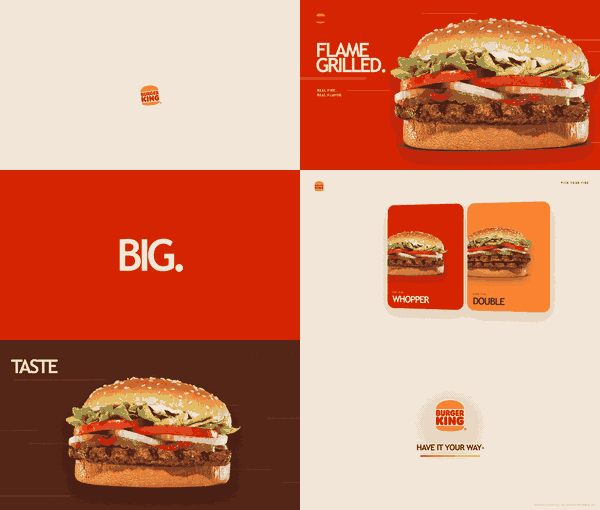
Brand Launch Video Star
Create an authentic launch film, not a generic motion template. Verify the brand, tell a product-specific story, and render a fast, polished sequence with exact assets and deterministic motion.
Release blockers
- Use authentic assets. Never invent, redraw, approximate, trace, or generate a logo, wordmark, product, interface, mascot, packaging, person, or brand scene.
- Make the logo exact. Download the current official file or use the user's original. Never typeset a wordmark or rebuild a logo with CSS/SVG primitives.
- Research beyond uploads. Treat uploads as usable source material, not the asset ceiling. Find additional official or licensed material when the story needs it.
- Show the product. Demonstrate actual features, interactions, scenarios, outputs, and proof. Do not hide a weak product story behind abstract effects.
- Default to English. Use another language only when explicitly requested.
- Keep motion deterministic. Compute every state from frame/time and explicit inputs. Never depend on render order or unseeded randomness.
- Verify claims. Confirm current names, features, metrics, slogans, and CTAs against official sources.
If an identity-bearing asset cannot be authenticated, stop and ask for an authorized original. Do not render a plausible substitute.
Use procedural graphics only as non-representational motion layers: masks, gradients, color fields, grids, glows, particles, trails, typography, verified-data charts, and transition geometry.
Quick start
Install the skill:
npx skills add vibe-motion/skills
Invoke it with a concrete brief:
Use $brand-launch-video-star to create a 15-second 16:9 English launch film
for https://example.com. Research official assets, show the core product
workflow, and deliver a Vibe Motion/Remotion MP4 plus provenance files.
Work inside the user's existing Vibe Motion or Remotion project. If none exists, initialize a Vibe Motion project with npx create-vibe-motion, then follow the generated project's own install and render commands.
Before implementation:
- Copy
references/asset-manifest.example.json into the project and replace every example value.
- Copy
references/timeline.example.json into the project and adapt its duration and shots.
- Validate both files:
node <skill-dir>/scripts/validate-assets.mjs path/to/asset-manifest.json
node <skill-dir>/scripts/validate-timeline.mjs path/to/timeline.json
Use --schema-only only to inspect the bundled manifest template:
node <skill-dir>/scripts/validate-assets.mjs \
  <skill-dir>/references/asset-manifest.example.json --schema-only
Workflow
1. Resolve the brief
Determine:
- Company/product and official URL
- Product or campaign focus
- Audience and distribution
- Duration; default to 15 seconds, normally support 15-30 seconds
- Aspect ratio; default to 16:9
- Language; default to English
- Required claims, CTA, and disclaimer needs
- Whether the user owns or may publish supplied assets
Ask only questions that materially change the film.
2. Build the brand truth sheet
Browse current official sources and extract:
- Exact logo variants and usage
- Official fonts or webfonts
- Primary, secondary, and dynamic colors
- Brand principles, tone, and visual motifs
- Current product names, features, scenarios, metrics, and CTA
- Official photography, renders, UI screenshots, footage, press assets, and media kits
Prioritize:
- User-provided original
- Company website, static bundle, newsroom, brand portal, media kit, or official repository
- Company-controlled media library
- Licensed stock or authorized partner kit
Read references/asset-authenticity.md before acquiring assets.
3. Create the asset manifest
Record every identity-bearing asset in asset-manifest.json:
- Stable ID and role
- Local path
- Exact source URL
- Source type
- Official verification page/file
- Rights/licensing note
- Authenticity status
- Optional SHA-256 checksum
The validator checks manifest structure, declared provenance, local file existence, and optional checksums. It does not independently grant usage rights or prove a remote source is truthful; manually perform the official-source comparison.
Do not start final rendering while validation fails.
4. Choose the story spine
Present 2-3 concise directions and recommend one:
- AI/SaaS: intent -> thinking/planning -> capabilities -> execution -> output -> proof -> logo
- Physical product: hero -> interaction -> feature macro -> usage context -> result -> logo
- Service/company: context -> process -> evidence -> outcome -> promise -> logo
- Image-led brand: authentic imagery -> visual motif -> benefit -> emotional payoff -> logo
Read references/story-patterns.md for duration patterns.
5. Plan exact frames
Use 30fps unless the project requires otherwise. Convert every boundary to an integer frame.
For 15 seconds, target 5-8 major beats; for 30 seconds, target 8-12. Give every beat:
- Start/end frame
- Visual owner and authentic asset IDs
- Primary action
- Anticipation, commitment, impact, brake, and settle
- Copy and readable hold
- Color state
- Incoming/outgoing transition
Use 6-12 frame overlaps when continuity benefits. One shot owns velocity; the next owns the destination.
6. Build intensity with control
- Use product motion, cursor paths, light, scrolling content, object edges, or matched geometry to drive transitions.
- Use 2-5 deliberate color states with strong contrast.
- Keep one primary action per beat; delay secondary layers by 2-6 frames.
- Establish 2-3 high-energy peaks and quieter braking moments.
- Preserve readable silhouettes, copy, and logo clear space.
- Avoid fake HUDs, arbitrary glass cards, decorative text walls, unverified metrics, and identical easing everywhere.
Read references/motion-quality.md before implementation.
7. Demonstrate cause and effect
Include at least one readable chain:
user intent -> product action -> system response -> useful output
For AI products:
prompt -> planning -> parallel capabilities -> generated result -> proof
Use actual UI captures, recordings, source code, or officially supplied screenshots. If actual UI is unavailable, use clearly conceptual abstract motion; never fabricate a branded interface and present it as real.
8. Implement and render
For Remotion:
- Define
state = f(frame, fps, inputs, constants).
- Keep shot boundaries in one timeline/constants module.
- Seed procedural variation with stable IDs.
- Preserve fractional values when deriving velocity.
- Keep image dimensions and aspect ratios explicit.
- Preserve previous compositions/outputs during iteration.
Prefer the project's local CLI. Typical discovery and render commands are:
pnpm exec remotion compositions <entry-file>
pnpm exec remotion render <entry-file> <composition-id> out/launch-film.mp4
Default preview:
- 1920x1080
- 30fps
- H.264 MP4
- Exact requested duration
- Visual-first V1; add sound only when requested or available
9. Verify
- Run asset-manifest and timeline validation.
- Run composition discovery/build and targeted lint/type checks.
- Verify media duration, frame rate, dimensions, and file integrity.
- Inspect representative frames and the complete render.
- Ask for timecoded feedback on pace, clarity, impact, authenticity, and smoothness.
10. Deliver provenance
Provide:
- Rendered video
- Composition/source path
- Exact specs and duration
- Asset manifest
- Brand/product source links
- Rights/disclaimer note
- Version identifier
State when the film is an unofficial concept and when commercial publication requires permission.
Failure recovery
- Wrong logo: remove it, locate the current official file, record provenance, and rerender.
- Fake-looking product/UI: replace it with official, user-supplied, or licensed media; do not improve the imitation.
- Fast but chaotic: reduce simultaneous actions, assign a visual owner, and preserve matched motion across cuts.
- Beautiful but generic: add a complete product interaction, verified claims, and real outputs.
- Smooth but slow: shorten holds, overlap transitions, and brake only around key messages.
- Asset unavailable: ask for an authorized original; never guess.
1---
2name: brand-launch-video-star
3description: Create fast, high-impact 15-30 second brand and product marketing videos from an official company website, verified brand sources, or user-uploaded product imagery. Use for launch films, website motion videos, AI/SaaS demos, product promos, and Vibe Motion/Remotion productions that require exact logos, authentic imagery, English-first copy, product-feature storytelling, strong visual impact, smooth transitions, and deterministic frame-based animation.
4metadata:
5 source: https://skillmd.com/skills/vibe-motion/brand-launch-video-star
6---
7
8# Brand Launch Video Star
9
10Create an authentic launch film, not a generic motion template. Verify the brand, tell a product-specific story, and render a fast, polished sequence with exact assets and deterministic motion.
11
12## Release blockers
13
141. **Use authentic assets.** Never invent, redraw, approximate, trace, or generate a logo, wordmark, product, interface, mascot, packaging, person, or brand scene.
152. **Make the logo exact.** Download the current official file or use the user's original. Never typeset a wordmark or rebuild a logo with CSS/SVG primitives.
163. **Research beyond uploads.** Treat uploads as usable source material, not the asset ceiling. Find additional official or licensed material when the story needs it.
174. **Show the product.** Demonstrate actual features, interactions, scenarios, outputs, and proof. Do not hide a weak product story behind abstract effects.
185. **Default to English.** Use another language only when explicitly requested.
196. **Keep motion deterministic.** Compute every state from frame/time and explicit inputs. Never depend on render order or unseeded randomness.
207. **Verify claims.** Confirm current names, features, metrics, slogans, and CTAs against official sources.
21
22If an identity-bearing asset cannot be authenticated, stop and ask for an authorized original. Do not render a plausible substitute.
23
24Use procedural graphics only as non-representational motion layers: masks, gradients, color fields, grids, glows, particles, trails, typography, verified-data charts, and transition geometry.
25
26## Quick start
27
28Install the skill:
29
30```bash
31npx skills add vibe-motion/skills
32```
33
34Invoke it with a concrete brief:
35
36```text
37Use $brand-launch-video-star to create a 15-second 16:9 English launch film
38for https://example.com. Research official assets, show the core product
39workflow, and deliver a Vibe Motion/Remotion MP4 plus provenance files.
40```
41
42Work inside the user's existing Vibe Motion or Remotion project. If none exists, initialize a Vibe Motion project with `npx create-vibe-motion`, then follow the generated project's own install and render commands.
43
44Before implementation:
45
461. Copy `references/asset-manifest.example.json` into the project and replace every example value.
472. Copy `references/timeline.example.json` into the project and adapt its duration and shots.
483. Validate both files:
49
50```bash
51node <skill-dir>/scripts/validate-assets.mjs path/to/asset-manifest.json
52node <skill-dir>/scripts/validate-timeline.mjs path/to/timeline.json
53```
54
55Use `--schema-only` only to inspect the bundled manifest template:
56
57```bash
58node <skill-dir>/scripts/validate-assets.mjs \
59 <skill-dir>/references/asset-manifest.example.json --schema-only
60```
61
62## Workflow
63
64### 1. Resolve the brief
65
66Determine:
67
68- Company/product and official URL
69- Product or campaign focus
70- Audience and distribution
71- Duration; default to 15 seconds, normally support 15-30 seconds
72- Aspect ratio; default to 16:9
73- Language; default to English
74- Required claims, CTA, and disclaimer needs
75- Whether the user owns or may publish supplied assets
76
77Ask only questions that materially change the film.
78
79### 2. Build the brand truth sheet
80
81Browse current official sources and extract:
82
83- Exact logo variants and usage
84- Official fonts or webfonts
85- Primary, secondary, and dynamic colors
86- Brand principles, tone, and visual motifs
87- Current product names, features, scenarios, metrics, and CTA
88- Official photography, renders, UI screenshots, footage, press assets, and media kits
89
90Prioritize:
91
921. User-provided original
932. Company website, static bundle, newsroom, brand portal, media kit, or official repository
943. Company-controlled media library
954. Licensed stock or authorized partner kit
96
97Read [references/asset-authenticity.md](references/asset-authenticity.md) before acquiring assets.
98
99### 3. Create the asset manifest
100
101Record every identity-bearing asset in `asset-manifest.json`:
102
103- Stable ID and role
104- Local path
105- Exact source URL
106- Source type
107- Official verification page/file
108- Rights/licensing note
109- Authenticity status
110- Optional SHA-256 checksum
111
112The validator checks manifest structure, declared provenance, local file existence, and optional checksums. It does not independently grant usage rights or prove a remote source is truthful; manually perform the official-source comparison.
113
114Do not start final rendering while validation fails.
115
116### 4. Choose the story spine
117
118Present 2-3 concise directions and recommend one:
119
120- **AI/SaaS:** intent -> thinking/planning -> capabilities -> execution -> output -> proof -> logo
121- **Physical product:** hero -> interaction -> feature macro -> usage context -> result -> logo
122- **Service/company:** context -> process -> evidence -> outcome -> promise -> logo
123- **Image-led brand:** authentic imagery -> visual motif -> benefit -> emotional payoff -> logo
124
125Read [references/story-patterns.md](references/story-patterns.md) for duration patterns.
126
127### 5. Plan exact frames
128
129Use 30fps unless the project requires otherwise. Convert every boundary to an integer frame.
130
131For 15 seconds, target 5-8 major beats; for 30 seconds, target 8-12. Give every beat:
132
133- Start/end frame
134- Visual owner and authentic asset IDs
135- Primary action
136- Anticipation, commitment, impact, brake, and settle
137- Copy and readable hold
138- Color state
139- Incoming/outgoing transition
140
141Use 6-12 frame overlaps when continuity benefits. One shot owns velocity; the next owns the destination.
142
143### 6. Build intensity with control
144
145- Use product motion, cursor paths, light, scrolling content, object edges, or matched geometry to drive transitions.
146- Use 2-5 deliberate color states with strong contrast.
147- Keep one primary action per beat; delay secondary layers by 2-6 frames.
148- Establish 2-3 high-energy peaks and quieter braking moments.
149- Preserve readable silhouettes, copy, and logo clear space.
150- Avoid fake HUDs, arbitrary glass cards, decorative text walls, unverified metrics, and identical easing everywhere.
151
152Read [references/motion-quality.md](references/motion-quality.md) before implementation.
153
154### 7. Demonstrate cause and effect
155
156Include at least one readable chain:
157
158```text
159user intent -> product action -> system response -> useful output
160```
161
162For AI products:
163
164```text
165prompt -> planning -> parallel capabilities -> generated result -> proof
166```
167
168Use actual UI captures, recordings, source code, or officially supplied screenshots. If actual UI is unavailable, use clearly conceptual abstract motion; never fabricate a branded interface and present it as real.
169
170### 8. Implement and render
171
172For Remotion:
173
174- Define `state = f(frame, fps, inputs, constants)`.
175- Keep shot boundaries in one timeline/constants module.
176- Seed procedural variation with stable IDs.
177- Preserve fractional values when deriving velocity.
178- Keep image dimensions and aspect ratios explicit.
179- Preserve previous compositions/outputs during iteration.
180
181Prefer the project's local CLI. Typical discovery and render commands are:
182
183```bash
184pnpm exec remotion compositions <entry-file>
185pnpm exec remotion render <entry-file> <composition-id> out/launch-film.mp4
186```
187
188Default preview:
189
190- 1920x1080
191- 30fps
192- H.264 MP4
193- Exact requested duration
194- Visual-first V1; add sound only when requested or available
195
196### 9. Verify
197
198- Run asset-manifest and timeline validation.
199- Run composition discovery/build and targeted lint/type checks.
200- Verify media duration, frame rate, dimensions, and file integrity.
201- Inspect representative frames and the complete render.
202- Ask for timecoded feedback on pace, clarity, impact, authenticity, and smoothness.
203
204### 10. Deliver provenance
205
206Provide:
207
208- Rendered video
209- Composition/source path
210- Exact specs and duration
211- Asset manifest
212- Brand/product source links
213- Rights/disclaimer note
214- Version identifier
215
216State when the film is an unofficial concept and when commercial publication requires permission.
217
218## Failure recovery
219
220- **Wrong logo:** remove it, locate the current official file, record provenance, and rerender.
221- **Fake-looking product/UI:** replace it with official, user-supplied, or licensed media; do not improve the imitation.
222- **Fast but chaotic:** reduce simultaneous actions, assign a visual owner, and preserve matched motion across cuts.
223- **Beautiful but generic:** add a complete product interaction, verified claims, and real outputs.
224- **Smooth but slow:** shorten holds, overlap transitions, and brake only around key messages.
225- **Asset unavailable:** ask for an authorized original; never guess.