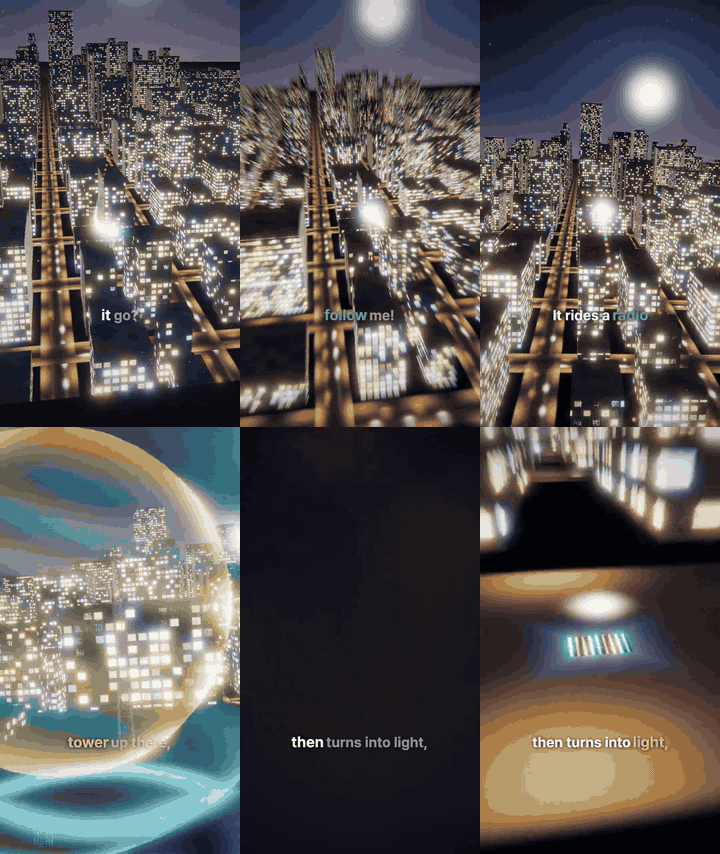
Super Video Agent
Make one film from whatever the user hands you. Draw every frame in code, render it, watch your
own frames, fix, and deliver.
This skill follows how the viral Opus 5.5 code-drawn films were actually made
(references/community.md): the maker gave a premise and a tone — and the model chose the
tools, invented the look, and checked its own renders. Keep that freedom. Everything under guides/, references/ and scripts/ is support you may
use, adapt or ignore; none of it is a template.
What you must hold
- The source is material, not the film. Whatever the source is (card news, storyboard, deck,
article, URL, topic), take its words and pictures apart and use them.
Words: tell it in your own lines for this film. Reorder, cut, merge or add a hook as the film
needs. When a source is given, keep its facts and every caution, and never invent numbers,
names or claims it does not contain.
Pictures: a deck or page is material to take photos, logos and facts from. Reusing a part is
fine; reusing a whole scene as it is, is not. In every scene, at least half of the composition,
layout and motion is made new for the film. Two things are never a scene: a capture of a page
shown as it is, and a rebuild that keeps the page's card arrangement or positions.
Exception — the user supplied the words. If the input includes a script, storyboard or
narration, ask before writing: use it as written, or let you rework it? If nobody can answer
(an unattended run), use it as written and note that in
FILM.md. Used as written, split long
sentences only at clause boundaries and give each piece its own picture, so no shot is held
through a whole paragraph.
- Voice first; the voice sets the clock. Generate the narration before building any scene.
Its measured line and word times (
voice/timings.json) are the film's timeline; build every
scene to fit them. Align a scene change with the first spoken word of its sentence
or clause. For a list or contrast, let each clause introduce its own picture.
Mark the moment a key word is heard with a visual or sound effect, using the existing
word: cues. Keep these anchors when revising. Avoid splitting every phrase when
it would make the scene restless. Never time scenes by estimate and fit the voice afterwards — synthetic
voices land seconds away from any estimate. Review the script in passes before any synthesis
(references/script-review.md: facts, story, spoken wording, listener, read-out, final read) so the
voice is made once.
Every wording change after synthesis costs a re-synthesis and shifts every line after it.
A film with no narration has no voice to set the clock: its clock is the step or scene timeline,
written once as voice/timings.json and a silent voice/narration.wav by scripts/silent-clock.mjs
(references/assembly.md "A film with no narration"). The review's silence gate then counts quiet
between scenes (references/sound.md "A film with little or no narration").
After the voice is made, change a line only to fix a confirmed error. STT flags are advisory
evidence: compare the intended and recognized text before deciding to regenerate.
Regenerate only the affected voice with voice.mjs --lines <id>. A pronunciation fix keeps the
line's old time slot, so the film does not change: re-render only to remix the audio.
While a scene or film session runs, its reel's plan.json and voice/ are frozen: make
voice fixes in a copy of those two, and bring them into the reel once, after the film is done.
A film session never re-syncs to a voice that changed under it; it builds to the timings it
started with and reports.
- Something changes every moment. A new line brings a new picture. No frame
sits frozen. No composition repeats while only the caption changes.
- Watch your own output. Render frames, look at them, fix, repeat. You cannot watch motion or
hear audio: every claim about either comes from a measurement or a frame you actually looked
at. Say what you did not check.
- Rendering is the costliest work: reuse what exists. Render or encode only the spans that
changed (
render.mjs --span, --only for browser pictures; affected Blender frames and
reassembly in references/blender.md), copy the rest without re-encoding, and build what
several versions share (a picture, a language-neutral span) once. Before any render, synthesis or
dub, list what changed and make only that; redo the whole thing only when you can say in one line
why the parts cannot be reused (references/pipeline.md "Render reuse").
Flow
0. Brief: rewrite the user's request into seven slots (viewer and action, technique, flow, camera
   and transitions, facts and sources, voice and tone, size/length/language) and mark each slot
   "from the user" or "filled by the skill"; fill a gap from the source and the request, or ask
   it in step 1's one question round (no second round); unattended: fill it and note that. Write
   the result to `FILM.md` "Brief" before planning; every later stage reads it
   (`references/brief.md`). The user need not fill all seven
1. Read the source and the user's direction; ask style (Shorts formula or free), frame size,
   length (a target, not a limit: the film may run over when the story needs it), the opening: pick the three types in
   `references/openings.md` that fit this film best, recommend them with one line each on why,
   and offer a fourth choice, "recommend other types", the checkpoint level (how far they want to
   review before the film is finished: the storyboard, the script, the voice, or fully automatic;
   "Checkpoint levels" below), the order — voice first
   (default) or picture first; both make the base language's voice (the user's language) before
   the picture, and picture first then renders the picture once without captions so other
   languages are laid over it — recommend picture first when the picture renders slowly
   (3D/WebGL drawn on CPU, heavy effects) or several languages share one picture, for a 9:16
   film the voice speed (1.0–1.2×, default 1.1), and whether to compare a few tones on the
   opening line first (default when nobody can answer: no), if not given; start
   FILM.md with one line naming the skill version (`version` in the skill's `package.json`,
   e.g. `super-video-agent <version>`, the version the skill reports), then (the listener, from the Brief: who watches (one audience, or two when the film serves two, each with its own takeaway) and what they should think or do, and who speaks if a
   character does — the voice, how the character refers to themselves and how they look on
   screen agree, and the delivery fits that speaker; with several speakers, a line takes its own
   `voice` over `meta.voice` (`references/voice.md`); facts with where
   they came from, cautions, scope, the style choice, the tone choice, decisions, what the owner
   must supply; for every scene, the technique and why it fits, also in films without
   characters (`references/craft.md` "Named 2D techniques"); only when the film carries persistent
   labels or logos in one or more of the four corners: each corner used and its box, also as
   `meta.corners`, which the film stage keeps clear from the first build (`references/pipeline.md`
   "Corner reserve"))
2. Write the lines → plan.json, and while writing, decide what each visible event sounds like in
   this film. Look in the asset library first (`assets.mjs search`) and use a sound as a line
   `cue` only if it fits the event and the film's world (fit 8 or more, `references/sound.md`
   "Sound cards"); where nothing fits, make the sound for this film
   → review passes until a full read changes nothing; estimate the length before any synthesis
     (`validate-plan.mjs --estimate`, `references/script-review.md`) — a length check only; the
     voice still sets the clock
   → opening lead (the film's choice, not forced): if the film or the user wants a few seconds
     before the first story line, set `meta.lead` (seconds; `true` = 3 s) and give it sound — a
     music bed from t=0 (`meta.sound.bed`), a sound cue, sound the page makes itself (`meta.sound.page`), or an opening line marked `lead: true` —
     e.g. one that leads naturally into the next scene (`references/pipeline.md` "Timeline", `references/sound.md`
     "Lead sound"); absent = no lead
   → at the script level or higher: show the whole script as plain text in the conversation (and
     say where it differs) and wait; apply their edits, then continue
   → if a tone comparison was requested: make the opening line in 2–4 tones chosen freely for
     this film from the full emotion list (`EMOTIONS` in `scripts/lib/tags.mjs`; e.g.
     `confident`) with `voice.mjs --lines <openingId> --takes <tone>,<tone>`, show the comparison
     table, and install the user's pick (`--pick <id>=<k>`); the pick becomes the film's
     delivery (`meta.voice.delivery`) for every other line (`references/voice.md`)
   → make the voice once → voice/timings.json (measured line times); review STT evidence and fix confirmed errors
   → 3D in voice-first order: play the whole narration to the user and get a confirm before
     building scenes (a changed line length re-renders every later shot, and a 40 s 3D film
     took 11–20 min to render). Every other case: build the film and fix voice lines after
     (a 2D film re-renders only the changed shots in minutes; picture first only re-dubs)
3. From the first build, register every string drawn inside a browser picture with
   `Reel.pictureText(key, defaultText)`. For Blender picture text, use the keyed text table
   described in `references/blender.md`. Keep stable keys so another language can replace
   the text without searching scene code. `verify.mjs` reports direct unregistered
   language literals in `fillText` and identifies dynamic expressions for review.
   It is advisory, not proof that every drawing API or helper is covered.
   `assets.mjs fetch`, then build scenes onto the measured times: hardest frame first, look at
   it, fix it; then the rest. Build scene drafts on the locked voice slots; an approved draft can
   be the final segment (e.g. trim or speed only; when one element is fixed, keep the rest). One
   way is to render a draft shot with a short handle before and after its slot: `render.mjs --only
   <ids> --handle 0.5` (about 0.5 s each side is a starting point) writes `out/drafts/<id>.mp4` + `<id>.json`, so it
   can be trimmed or reused if the voice shifts a little; `--use-draft <id>` cuts the slot back
   out and splices it in without a page render. Rendering a draft a little longer than its
   slot and cutting it to fit is the same practice as generated video clips, which are made long
   and trimmed in the edit. The handle costs the extra frames (+25% for a 4 s shot at 0.5 s), and
   a film with slow 3D pictures may choose smaller handles
   For a demonstration clip, show the actual recorded result at the matching spoken
   moment. Modest playback-speed changes can help; judge whether motion still looks
   natural instead of forcing the clip to fill a slot. A final hold can be as short
   as a spoken breath, about 0.5 seconds. Keep the clip's effects below the narration.
   Prefer the existing clip insertion path; no separate demonstration tool is needed.
   To draw over real footage (captions, name tags, a clip in a drawn panel, slow motion, a freeze)
   instead of replacing frames, declare footage spans (`references/pipeline.md` "Footage spans").
   For familiar reactions or gestures, try a stronger expression specific to this
   moment first. If it does not communicate better, use a familiar example: a brief
   celebration for a payoff, or a directional gesture toward comments or a description.
   These are examples, not a visual template or a required reusable hand asset.
4. Render → look at a contact sheet → fix → repeat until it holds. After the sounds are built:
   write `sound-cards.json` → `sfx-cards.mjs measure`, `judge`, `report` (`references/sound.md`
   "Sound cards"); redesign any sound scoring fit < 8, re-measure, re-judge, up to 3 rounds
5. Final render; report numbers, what you looked at, what you did not check, and a few
   timestamps for the owner to listen to; print the cost and time report to the user (below)
Cost and time report. After a film, print per stage the time, the sessions, the cost and the
tokens, and the speech-synthesis usage, in the final message. Stages run under the runner give it
by scripts/runner/cost-report.mjs <film-dir> (references/unattended.md). In a single session, report
what you measured and say what you could not measure; never estimate a figure.
Checkpoint levels
The user's answer sets where the film stops for review. It applies to the whole film; ask once.
| Level |
The film stops for the user |
What to show |
| Storyboard |
after the script, before the voice |
the draft frames (still.mjs stills of the key shots, or sketches) together with each line, as one sheet |
| Script |
after the review passes, before the voice |
the whole script as plain text |
| Voice |
after the voice, before the picture |
the narration to listen to; fit-track.mjs --draft writes a track fitted to an existing picture even when some lines need more than the speed limit, listing them, so the user can hear it before the words are fixed |
| Fully automatic |
never before the final |
the final report |
The user may name more than one stop. Their changes to a storyboard go into the plan as each line's visual
field, so the film is built from what they approved. Unanswered or unattended: fully automatic, noted
in FILM.md.
Revision rounds
When the owner asks for changes over several rounds, keep one cumulative list of every request they
have made in FILM.md ("Owner requests"), each with its state (done, open, changed by a later
request). Before a round starts, read the whole list and plan the round against it, so a new change does
not undo an earlier one. After the round, check the result against the same list and mark each item;
report any earlier request that no longer holds.
Before a revision round, choose a small tool-call budget for the requested changes.
Use the existing checks and the smallest useful preview. Avoid new measurement tables
or one-off analysis scripts for an ordinary revision. Measurements remain useful for
protecting an irreversible output or fixing a confirmed skill defect. When the budget
is spent, report what is unresolved and plan the next round. Group non-blocking findings
into that next planned step instead of starting a new investigation for each one.
For a changed line, preview from the preceding line's end to the following line's
start. At the film edges, use the film boundary. Prefer the current mixed encode so
picture, narration and bed are heard together. scripts/preview-changes.mjs <reel-dir> --lines <ids> --media <mixed.mp4> overwrites its clips in out/preview/. For a dub,
pass its --timings <timings.placed.json>. Refresh the affected encode first; an old
encode cannot demonstrate a new edit. Silent drafts are not a mixed preview.
Skill defects. Do not edit the skill's own files; work around a defect inside the reel. List
each one in the final report under "Skill defects" (what broke, how you worked around it). Then
ask the user whether to report them to the makers. Only on a yes: open a prefilled issue at
https://github.com/ww-w-ai/super-video-agent/issues/new?template=skill-defect.md (or gh issue create --repo ww-w-ai/super-video-agent when gh is signed in), containing the defect, the
workaround, the steps to reproduce, the skill version and the tool output — never the user's
source, script, film or file paths.
Four stages, four sessions
The film is made in four stages. Each stage reads only the files the stage before it left in the
reel folder, so run each one in a fresh session: a new session starts without the previous
stage's reading and tool output, which keeps its context for its own work. A 3D film with its
own characters adds a cast stage between voice and film.
| Stage |
Flow steps |
Reads |
Leaves |
Effort |
| Script |
0, 1, 2 up to the first draft |
the source, the user's direction |
FILM.md with the Brief, plan.json (draft), script-v0.md (the same draft, never edited again) |
xhigh |
| Review |
2: the review passes |
plan.json, FILM.md (Brief included), the source |
the locked plan.json; the review record in FILM.md |
low |
| Voice |
2 from "make the voice" |
plan.json |
voice/ with timings.json in the base language, in either order; STT flags handled |
low |
| Cast (3D films with their own characters) |
between 2 and 3 |
plan.json, FILM.md (who appears, in which lines, doing what; selected renderer) |
character and prop assets for that renderer, an approved lineup still, the contract table in FILM.md (references/3d.md or references/blender.md) |
xhigh |
| Film |
3–5 |
plan.json, voice/, FILM.md, the source (and the cast files) |
reel.html, Blender scene source when selected, final MP4, the report |
xhigh |
| Language dub (one film, several language versions) |
after the base voice |
the locked base plan.json, voice/timings.json |
dub/<code>/plan.json, voice/, out/final-<code>.mp4 |
medium |
The language dub stage is adaptation more than creation, so a lighter path is a good starting
point: write every language's dub/<code>/plan.json at once (no command scaffolds it; references/pipeline.md shows its shape), make the voice without a review before it,
fix the lines that fail, and run one review focused on caption breaks (references/pipeline.md).
Add passes where a language needs them; the creation stages keep their repeated review passes.
A language you cannot read yourself is reviewed by a separate session that acts as that language's
editor: it reads the lines as a native editor would (idiom, register, meaning, caption breaks) and
fixes what it finds, so no language ships unread. Run scripts/punct-check.mjs <dir>: it checks each
language's punctuation and script rules from the table in references/pipeline.md ("Punctuation and
script table"), reading the languages from the film's own plan and dub folders, not from a fixed set.
Extend the table when a language needs a rule it lacks (examples, not a menu: quote and dash forms,
spacing, numerals, the characters its writing system allows). Before you trust a new rule, show it
fails: run it on a deliberately wrong sentence and see it report that sentence. A check that has
never failed proves nothing. Its findings are facts; the editor session judges them.
A stage ends only when its files are written, and its notes count as files: a stage or a probe
writes what it found (in FILM.md or the probe's own notes) before it ends, because the next
stage reads the notes, not the session. Wait for any job it started — synthesis, render — to
finish before the session ends; a job left running dies with the session. When one session has
to do everything, keep the same order and the same hand-off files. When a script runs the stages
with nobody watching, read references/unattended.md.
Every stage ends by writing a stage report into FILM.md, in this shape, so the next stage reads
what was done, what was not, and what is asked of it:
## Stage report: <stage>
Done: what this stage made or changed
Files left: <path> - what it is (done markers, drafts and old drafts included)
Checked: what you looked at or measured, and the result
Not checked: what you did not look at, could not measure, or took on trust
Decisions: choices made and why
Needs from the owner: what only they can supply
Requests to next stage: what the next stage must do or watch for
"Not checked" is never left out; an empty list says "nothing", so a missing line cannot read as a
pass. "Files left" is the table the next stage uses to find drafts and done markers instead of
rebuilding them (references/unattended.md "Where the earlier stages left things").
For the browser renderer, reel.html is the only picture source. Make later edits there.
For Blender, keep the scene source and overlay source separate (references/blender.md).
Do not keep a stale generator that could overwrite later edits.
When the user asks to fix only some scenes, change only those: regenerate only the changed
lines' voice (voice.mjs --lines). For browser pictures, re-render only those shots
(render.mjs --only) and splice them into the existing film (references/pipeline.md).
For Blender pictures, render the affected frame ranges, reassemble and reinsert the picture,
then dub it (references/blender.md). Do not render the browser placeholder as a replacement.
Picture first
"Picture first" does not mean the picture comes before the voice. The base is the user's
language: build its voice/ first, same as always, and build the picture on its timings. Other
languages come after, as variations over that picture. The picture itself renders once, with no caption baked in
(render.mjs --no-captions for browser pictures; include the full-picture --insert for
Blender as described in references/blender.md), and every language — including the base one — is laid over it with
dub.mjs, each in its own dub/<code>/. A language whose lines run longer than the base
language's is sped up to fit (dub.mjs and fit-track.mjs fit a line by at most 10% faster, 5% slower by
default) or the film reports which lines to shorten; the picture
never moves unless you ask for it (--min-gap, below) and no other language's lines run long
because of it (references/pipeline.md).
When one film gets several language versions or several voice/subtitle versions, write every
language's lines to the same time slots from the start; the picture is not lengthened for a
language. Example words shown inside the picture in the source language can be localised or
translated per language version; IDs and handles usually stay as they are.
A film with its own caption look (word-by-word highlight, emphasis colours) keeps that look in
every dub — write drawCaptions(t) in reel.html (the scaffold's reference implementation) and
declare "captions" in __reel.layers; otherwise dub.mjs falls back to the engine's default
caption box and says so. Judge each language's line by the silence after it, against that
line's own scene rather than the base language: not so full that it runs into the next line
(at least 0.4 s), not so empty that the scene sits in silence (at most about a quarter of
the scene), anywhere in between is fine (dub.mjs --table lists each line). When dub.mjs
warns about a line — crammed, sparse, or atempo — inspect the timing first. Use local
pause or tempo edits when they solve the issue (guides/audio-editing.md). Rewrite and
regenerate only when local editing cannot solve it, up to 3 rounds. When the wording
cannot get shorter, dub.mjs --min-gap <sec> slows only the tight slots' picture and bed so each
gap reaches <sec>, voice speed unchanged (references/pipeline.md).
Frame size: let the user pick one of these (new-reel.mjs --ratio). If they did not say and
you can ask, ask; otherwise infer it from where the film goes.
--ratio |
Size |
Where |
9:16 |
1080×1920 |
vertical — YouTube Shorts, Reels, TikTok; voice speed from the user (1.0–1.2×) into meta.voice.rate; unanswered, 1.1 in every language and style, which voice.mjs fills in when the plan sets none (Fish: confident delivery by default) |
16:9 |
1920×1080 |
horizontal — YouTube long-form, presentations |
1:1 |
1080×1080 |
square — feed posts |
4:5 |
1080×1350 |
portrait feed — Instagram, LinkedIn |
Style: at the start, ask the user which one to use.
| Style |
What it means |
| Shorts formula |
The shape popular Shorts converge on: hook first, fast, a banded frame with a fixed hook title (references/shorts-formula.md); story order and look stay yours |
| Free style |
No preset; you invent the look and structure for this film |
Ask this together with frame size, length, the checkpoint level, the voice-first-or-picture-first
order and (for 9:16) the voice speed, in one question. If the user already said, do not ask
again. If nobody can answer (an unattended run), use free style, fully automatic (no review stop), use
your first opening pick, leave
the speed at 1.1, use voice first unless the brief names a slow 3D picture (then picture first),
and note these in FILM.md. Write the choice in FILM.md so the later stages follow it.
In free style, everything inside the frame (margins, caption size, layout) is your call, or the
user's if they specify it. Length: a target from the user, not a limit; if unstated, ask, or infer
it from where the film goes. Language: the user's — the base language whose voice sets the clock; other languages
are dubbed over the picture (picture first).
When the user asks for an upload version with an opening or ending attached to a film (a channel
end card, a title card, a series episode), read references/bookends.md; otherwise skip it.
When the user asks for 3D in any words ("3D", "like a video game", "WebGL", "Three.js"), make a
3D film and render picture first. Before authoring a new 3D film or its cast, run
node <skill>/scripts/probe-blender.mjs. Use Blender when its JSON says engine: "blender";
follow references/blender.md. Otherwise scaffold with new-reel.mjs --3d and follow
references/3d.md. Record the result and selected executable in FILM.md for later stages.
Never install or download Blender for this choice. A missing, failed or timed-out probe uses
the existing Three.js path. A version check alone is not a successful probe.
An explicit renderer request takes precedence. Existing-film edits keep their current renderer.
Ordinary 2D films keep the browser path. This selection guides scene authoring; it does not
convert existing Three.js code into Blender or change render.mjs into a Blender renderer.
Estimate the render before you commit to a renderer or a quality setting. Render one
representative frame (the heaviest shot) at final settings, multiply its time by the film's frame
count, and write the estimate in FILM.md. A film a few minutes long should render in minutes,
not hours. Path tracing (Blender Cycles) and high sample counts are for when the user asks for that
quality or accepts the time. When the estimate runs long, cut the cost first (EEVEE, fewer samples
with denoising, the Three.js path), and tell the user the estimate if it is still long.
A short request is enough; fill in the camera move, the places and the look yourself. A "one take",
"no cuts" or "camera that never cuts" request is a continuous camera path (references/3d.md "Craft
that worked"). A photo or screenshot can go on a surface in the scene as a texture, an object
"at its official size" is modelled to published dimensions recorded with their date in FILM.md,
and "take it apart in layers" is an exploded view, one layer per spoken beat (all in references/3d.md).
Characters and sets built for an earlier film are reused, not rebuilt (references/3d.md "The cast stage").
When the user asks for pen line art in any words ("pen line", "ink drawing", "line drawing",
"hand-drawn illustration", "sketch animation", "펜선", "선화"), or the film suits that look (a book,
manual or leaflet whose figures are line drawings; steps the viewer copies), read
references/pen-line.md: a generated model sheet, every drawing drawn in code, reveal effects to
choose from.
When the user names an existing game, film, show or brand as the look ("like "), take the
style from it — shapes, proportions, palette, mood, how things move — and describe it in your own
words in FILM.md (e.g. "round, big-headed characters, soft pastels, a cozy life-sim game
feel"). Never copy its characters, names, logos or signature designs, and never name it in the
film. A news desk, broadcast graphic or live-score look is drawn the same way, in code
(references/craft.md "Broadcast and news-desk screens").
In either style, pictures fill the whole frame. Where the film is shown decides how much of it
text may use: on a platform that draws buttons over the video (Shorts, TikTok, Reels), text and
anything the viewer must see stay inside that platform's safe area (references/pipeline.md,
"Safe area"; textBlock and caption check it for you). Where nothing covers the video (a
messenger, a TV, a site player), Reel.setSafeArea("none") frees the whole frame, or set the
film's own margins. Keep the composition centred on the frame (x 540): avoiding a button column
must not shift titles, captions or pictures left.
Hard lines (these protect the owner, not the look)
- Facts come from the source: no numbers, names or claims it does not contain. For research or
news films, check dates and figures against the primary official source and note the reference
date in
FILM.md; whether it also appears on screen is the film's call.
- A library asset marked
commercialSafe: false goes only into a film the owner marked
personal (meta.distribution) or explicitly allowed; record every used asset's license in
FILM.md.
- Anything you cannot produce (host footage, real screens, licensed music) goes in
FILM.md under
"Needs from the owner".
- An LDraw (LEGO) build is never shown in a still, preview or render before
scripts/ldraw-order-check.mjs passes on the exact order being drawn: no part lands in mid-air, no
part passes through or slides in under a part already placed, every part arrives along its joint (a drum slides along its axle, never dropped across it), and every landing is seen by the film's camera (0 hidden). This holds for every renderer and
planner, the skill's own or a project's (references/assembly.md "Required before any render of an
LDraw build"; owner 2026-10-26, EV-28, EV-29). An angle is built only on a real hinge, click hinge,
turntable or ball joint, the part turned on its pin; the gate checks the pin and the swing (EV-30).
The gate also lists landings that look hung on one side (STABILITY, EV-40) and minifigs not landed
as hips + legs, torso + arms + hands, head + hair (FIGURE, EV-41); --strict makes them fail.
- A featured subject (a statue, a hero figure, the finished model) is never cropped in a shot that
features it, and in a vertical Short it sits at the horizontal centre; check the planned cameras with
scripts/shot-framing.mjs --center 0.05 before rendering (references/3d.md "Hero and viewing
shots"; EV-43).
Tools you can use
Use any tools you need — plain Canvas/SVG/WebGL and Web Audio in one HTML page is the proven
default, but a Python/numpy/cairo pipeline is equally valid. The bundled scripts save time if you
build on the window.__reel page contract (references/pipeline.md):
| Step |
Script |
Gives you |
| setup |
scripts/setup.mjs [--check] [--dir <reel>] [--stt-models] — run once before the first script; --check only reports |
Node dependency and Chromium installed in this folder; FFmpeg checked; browser cache and render-folder disk, real GPU or software renderer (SVA_GPU), video encoder (SVA_VENC), speech-to-text engines and models listed; --dir measures the reel's out/; --stt-models downloads the speech-to-text models. A browser script run before setup stops with one line naming this command |
| page renderer |
environment SVA_RENDERER=browser|native (default browser) |
what draws the reel page for every script that opens it (render, still, verify, state-checks and the rest); native draws in Node with no browser: 2D canvas reels with skia-canvas, and 3D reels (a module scene that imports three) on WebGPU, one 3D page per process (--workers runs as 1); a page with elements beside the canvas stops with a message to use browser. Each script prints one renderer: line. `SVA_NATIVE_RASTER=cpu |
| 3D renderer |
scripts/probe-blender.mjs |
JSON decision after an isolated EEVEE render; Blender if usable, otherwise Three.js; no installation |
| scaffold |
scripts/new-reel.mjs <dir> --ratio 9:16|16:9 [--title "..."] [--fps 30] [--3d|--testbed] |
page with contract + optional helpers; --title sets the page title (default: the folder name) and --fps the frame rate (default 30); --3d scaffolds a WebGL/three.js reel, --testbed a page that shows the GLBs in assets/models/ one view per second for the cast stage (references/3d.md) |
| installed fonts |
scripts/fonts-list.mjs [--text "<line>"] [--family "<name>"] |
installed font families (with localized names) that have every character of the line, on any OS; --family prints the files to copy into assets/fonts/ (references/pipeline.md "Fonts") |
| model facts |
scripts/glb-info.mjs <file.glb> |
roots, clips with lengths, node names as three.js's GLTFLoader sees them, morph targets, triangle counts — for the cast contract (references/3d.md) |
| script check |
scripts/validate-plan.mjs <dir> [--estimate] [--listener] — run before the voice |
plan.json matches the schema; every word: cue names a word in its line; --estimate the film length before synthesis, --listener the ending and punctuation counts for pass 4 (references/script-review.md) |
| voice |
scripts/voice.mjs <dir>; voice.mjs --list-voices [--lang <code>] [--provider <name>] |
per-line audio + measured voice/timings.json; takes, picking and pauses in a finished take; the provider's own voice list (references/voice.md) |
| look |
scripts/still.mjs <dir> --at <t|shotId>[,<t|shotId>...] [--no-captions | --dub <code>] [--out-dir <dir>] [--no-warm]; --sheet <out.png> <a.png> ... [--cell <px>] [--cols N] |
one full-size PNG per value, one browser session; --no-captions draws the picture without the caption layer (as render.mjs --no-captions); --dub <code> shows that language's captions, labels and corner notes over its picture; --sheet tiles PNGs you already have into one sheet, 540 px tiles by default |
| assets |
scripts/assets.mjs search <words> / fetch <dir> |
recorded sound effects and reaction clips from the asset library: SVA_ASSET_LIB if set, else ~/.super-video-agent/library (licenses in references/pipeline.md) |
| sound cards |
scripts/sfx-cards.mjs measure|judge|report <dir> |
fills each sound card's measured audio features, scores its fit (Jev or the current model), and warns on fit < 8 (references/sound.md "Sound cards") |
| check |
scripts/verify.mjs <dir> [--range <t0>-<t1> | --only <shotIds> | --world <key>] |
determinism (warm and cold first-seek probes) + contract scan of reel.html and src/ + boil( call-site info line; a WebGL error fails it; --range/--only/--world probe one part of a long film |
| poke-through (3D) |
scripts/overlap.mjs <dir> [--step <frames>] [--out <json>] |
per cover/part pair, the frame spans where the page hook window.__reel.overlap(t) counts vertices on the wrong side; reports only, never fails (references/3d.md "Covers and soft bodies") |
| word times |
scripts/word-times.mjs <dir> [--threshold <ms>] |
re-measures word starts from narration.wav and lists words whose sound is off the recorded time; reports only (references/qa.md) |
| sound cue words |
scripts/cue-check.mjs <dir> [--threshold <ms>] [--page | --marks <json>] |
warns when a word: cue word is missing from the line, not heard, interpolated or moved; --page (or --marks) also reads the sound events the page makes itself (window.__reel.marks) and reports each one against the recorded word times; reports only (references/qa.md) |
| page mix level |
scripts/mix-level.mjs <dir> [--under <dB>] [--bed <wav>] [--line <id> | --voice-lufs <n>] [--out <json>] |
the page's own sound (out/picture.bed.wav) against a leveled narration line: the gap in dB, the page's true peak, and with --under the offset to add to the page's level; reports only (references/sound.md "Mix") |
| text, glyphs, flicker |
scripts/state-checks.mjs <dir> [--only overlap,glyphs,flicker,covers,reserve,langglyphs] [--range <t0>-<t1>] [--lang <code>] |
text boxes that overlap, characters drawn by a fallback font, one-frame flicker (source windows first, then every frame's state), labels over declared key regions (covers), picture text inside a corner box kept clear for a label or logo (reserve), characters a language's font lacks (langglyphs, the one check that exits 1); --range reads only those seconds; --lang checks the text a language picture draws (run it per language); reports otherwise (references/pipeline.md "Checks and reports") |
| punctuation and script |
scripts/punct-check.mjs <dir> [--lang <code>,...] |
each language's caption text (plan.json and each dub//plan.json) against that language's row of the table in references/pipeline.md; a form that cannot be right exits 1 for that step, the rest is reported for the editor session |
| blink |
scripts/blink-check.mjs <dir> [--glb <file>] |
per character blink count, intervals, durations; flags blinks under ~100 ms, under 1.5 s apart, flutter; source first, then the page hook window.__reel.blink(t) (references/3d.md); reports only |
| cut-out rig joints (example) |
scripts/rig-check.mjs <dir> [--step <sec>] [--out <json>] |
per joint, the largest gap in px between a child's pivot and its parent's anchor over the film, and angles outside limits, from the page hook window.__reel.rigCheck; reports only; helper scripts/engine/reel-rig.js (references/characters.md) |
| mouth schedule (example) |
scripts/mouth.mjs <dir> [--dub <code>] [--mode amplitude|steady] [--threshold <0-1>] [--rate <hz>] [--out <json>] |
per line, when the mouth is open (from the audio level, or at a steady rate), as JSON the page reads; no language model, and with several languages it may not match (references/characters.md) |
| tempo |
scripts/tempo.mjs --target <sec> --timeline <json>|--timings <json> [--floor <sec>] [--out <json>] |
the speed factor that fits a timeline to a length, per step, floors respected; reports unless --out writes the fitted timeline (references/assembly.md) |
| silent clock |
scripts/silent-clock.mjs <dir> --timeline <json> [--fps <n>] [--force] |
for a film with no narration: voice/timings.json (one silent line per timeline item, exact starts and ends) and a silent voice/narration.wav of the film's length, so render.mjs final, --span and --assemble work; stops on a repeated id, overlap or an end past the duration, and on a real voice unless --force; gaps and off-grid edges are printed as facts (references/assembly.md) |
| model file reader |
scripts/ldraw-bake.mjs <model.mpd|.ldr> --lib <parts-folder> --out <dir> [--until <n>] [--classes <json>] [--detail] |
a model in the LDraw text format (parts folder from the user) baked into build.json (tree, build order, per item matrix, colour, insertion direction, path check) and parts.json (geometry by colour as base64 floats, colours); a missing part stops and is named; the order then goes through the required build-order gate below (references/assembly.md "Reading a model file") |
| minifig hand-hold check |
scripts/ldraw-handhold.mjs <model.mpd|.ldr> --lib <parts-folder> [--moving <json>] [--json <out>] |
every item in a minifig hand is gripped on a 3.18 mm bar on the hand's clip axis (never a stud, body, plate edge or tile), and with animation data moves only with its hand and arm; CHECK lines for an item held upside down; fast, no bake (`refer |
…(truncated)
1---2name: super-video-agent3description: Make a narrated video drawn in code from any source. Use for any video, short, reel, promo or explainer — 영상·쇼츠·릴스·홍보영상, card news/images/footage/article/blog/YouTube/topic → video — even unnamed. Not for AI video models.4metadata:5 source: https://skillmd.com/skills/ww-w-ai/super-video-agent6---78# Super Video Agent910Make one film from whatever the user hands you. Draw every frame in code, render it, watch your11own frames, fix, and deliver.1213This skill follows how the viral Opus 5.5 code-drawn films were actually made14(`references/community.md`): the maker gave a premise and a tone — and the model chose the15tools, invented the look, and checked its own renders. Keep that freedom. Everything under `guides/`, `references/` and `scripts/` is support you may16use, adapt or ignore; none of it is a template.1718## What you must hold19201. **The source is material, not the film.** Whatever the source is (card news, storyboard, deck,21 article, URL, topic), take its words and pictures apart and use them.22 Words: tell it in your own lines for this film. Reorder, cut, merge or add a hook as the film23 needs. When a source is given, keep its facts and every caution, and never invent numbers,24 names or claims it does not contain.25 Pictures: a deck or page is material to take photos, logos and facts from. Reusing a part is26 fine; reusing a whole scene as it is, is not. In every scene, at least half of the composition,27 layout and motion is made new for the film. Two things are never a scene: a capture of a page28 shown as it is, and a rebuild that keeps the page's card arrangement or positions.29 **Exception — the user supplied the words.** If the input includes a script, storyboard or30 narration, ask before writing: use it as written, or let you rework it? If nobody can answer31 (an unattended run), use it as written and note that in `FILM.md`. Used as written, split long32 sentences only at clause boundaries and give each piece its own picture, so no shot is held33 through a whole paragraph.342. **Voice first; the voice sets the clock.** Generate the narration before building any scene.35 Its measured line and word times (`voice/timings.json`) are the film's timeline; build every36 scene to fit them. Align a scene change with the first spoken word of its sentence37 or clause. For a list or contrast, let each clause introduce its own picture.38 Mark the moment a key word is heard with a visual or sound effect, using the existing39 `word:` cues. Keep these anchors when revising. Avoid splitting every phrase when40 it would make the scene restless. Never time scenes by estimate and fit the voice afterwards — synthetic41 voices land seconds away from any estimate. Review the script in passes before any synthesis42 (`references/script-review.md`: facts, story, spoken wording, listener, read-out, final read) so the43 voice is made once.44 Every wording change after synthesis costs a re-synthesis and shifts every line after it.45 A film with no narration has no voice to set the clock: its clock is the step or scene timeline,46 written once as `voice/timings.json` and a silent `voice/narration.wav` by `scripts/silent-clock.mjs`47 (`references/assembly.md` "A film with no narration"). The review's silence gate then counts quiet48 between scenes (`references/sound.md` "A film with little or no narration").49 After the voice is made, change a line only to fix a confirmed error. STT flags are advisory50 evidence: compare the intended and recognized text before deciding to regenerate.51 Regenerate only the affected voice with `voice.mjs --lines <id>`. A pronunciation fix keeps the52 line's old time slot, so the film does not change: re-render only to remix the audio.53 While a scene or film session runs, its reel's `plan.json` and `voice/` are frozen: make54 voice fixes in a copy of those two, and bring them into the reel once, after the film is done.55 A film session never re-syncs to a voice that changed under it; it builds to the timings it56 started with and reports.573. **Something changes every moment.** A new line brings a new picture. No frame58 sits frozen. No composition repeats while only the caption changes.594. **Watch your own output.** Render frames, look at them, fix, repeat. You cannot watch motion or60 hear audio: every claim about either comes from a measurement or a frame you actually looked61 at. Say what you did not check.625. **Rendering is the costliest work: reuse what exists.** Render or encode only the spans that63 changed (`render.mjs --span`, `--only` for browser pictures; affected Blender frames and64 reassembly in `references/blender.md`), copy the rest without re-encoding, and build what65 several versions share (a picture, a language-neutral span) once. Before any render, synthesis or66 dub, list what changed and make only that; redo the whole thing only when you can say in one line67 why the parts cannot be reused (`references/pipeline.md` "Render reuse").6869## Flow7071```720. Brief: rewrite the user's request into seven slots (viewer and action, technique, flow, camera73 and transitions, facts and sources, voice and tone, size/length/language) and mark each slot74 "from the user" or "filled by the skill"; fill a gap from the source and the request, or ask75 it in step 1's one question round (no second round); unattended: fill it and note that. Write76 the result to `FILM.md` "Brief" before planning; every later stage reads it77 (`references/brief.md`). The user need not fill all seven781. Read the source and the user's direction; ask style (Shorts formula or free), frame size,79 length (a target, not a limit: the film may run over when the story needs it), the opening: pick the three types in80 `references/openings.md` that fit this film best, recommend them with one line each on why,81 and offer a fourth choice, "recommend other types", the checkpoint level (how far they want to82 review before the film is finished: the storyboard, the script, the voice, or fully automatic;83 "Checkpoint levels" below), the order — voice first84 (default) or picture first; both make the base language's voice (the user's language) before85 the picture, and picture first then renders the picture once without captions so other86 languages are laid over it — recommend picture first when the picture renders slowly87 (3D/WebGL drawn on CPU, heavy effects) or several languages share one picture, for a 9:1688 film the voice speed (1.0–1.2×, default 1.1), and whether to compare a few tones on the89 opening line first (default when nobody can answer: no), if not given; start90 FILM.md with one line naming the skill version (`version` in the skill's `package.json`,91 e.g. `super-video-agent <version>`, the version the skill reports), then (the listener, from the Brief: who watches (one audience, or two when the film serves two, each with its own takeaway) and what they should think or do, and who speaks if a92 character does — the voice, how the character refers to themselves and how they look on93 screen agree, and the delivery fits that speaker; with several speakers, a line takes its own94 `voice` over `meta.voice` (`references/voice.md`); facts with where95 they came from, cautions, scope, the style choice, the tone choice, decisions, what the owner96 must supply; for every scene, the technique and why it fits, also in films without97 characters (`references/craft.md` "Named 2D techniques"); only when the film carries persistent98 labels or logos in one or more of the four corners: each corner used and its box, also as99 `meta.corners`, which the film stage keeps clear from the first build (`references/pipeline.md`100 "Corner reserve"))1012. Write the lines → plan.json, and while writing, decide what each visible event sounds like in102 this film. Look in the asset library first (`assets.mjs search`) and use a sound as a line103 `cue` only if it fits the event and the film's world (fit 8 or more, `references/sound.md`104 "Sound cards"); where nothing fits, make the sound for this film105 → review passes until a full read changes nothing; estimate the length before any synthesis106 (`validate-plan.mjs --estimate`, `references/script-review.md`) — a length check only; the107 voice still sets the clock108 → opening lead (the film's choice, not forced): if the film or the user wants a few seconds109 before the first story line, set `meta.lead` (seconds; `true` = 3 s) and give it sound — a110 music bed from t=0 (`meta.sound.bed`), a sound cue, sound the page makes itself (`meta.sound.page`), or an opening line marked `lead: true` —111 e.g. one that leads naturally into the next scene (`references/pipeline.md` "Timeline", `references/sound.md`112 "Lead sound"); absent = no lead113 → at the script level or higher: show the whole script as plain text in the conversation (and114 say where it differs) and wait; apply their edits, then continue115 → if a tone comparison was requested: make the opening line in 2–4 tones chosen freely for116 this film from the full emotion list (`EMOTIONS` in `scripts/lib/tags.mjs`; e.g.117 `confident`) with `voice.mjs --lines <openingId> --takes <tone>,<tone>`, show the comparison118 table, and install the user's pick (`--pick <id>=<k>`); the pick becomes the film's119 delivery (`meta.voice.delivery`) for every other line (`references/voice.md`)120 → make the voice once → voice/timings.json (measured line times); review STT evidence and fix confirmed errors121 → 3D in voice-first order: play the whole narration to the user and get a confirm before122 building scenes (a changed line length re-renders every later shot, and a 40 s 3D film123 took 11–20 min to render). Every other case: build the film and fix voice lines after124 (a 2D film re-renders only the changed shots in minutes; picture first only re-dubs)1253. From the first build, register every string drawn inside a browser picture with126 `Reel.pictureText(key, defaultText)`. For Blender picture text, use the keyed text table127 described in `references/blender.md`. Keep stable keys so another language can replace128 the text without searching scene code. `verify.mjs` reports direct unregistered129 language literals in `fillText` and identifies dynamic expressions for review.130 It is advisory, not proof that every drawing API or helper is covered.131 `assets.mjs fetch`, then build scenes onto the measured times: hardest frame first, look at132 it, fix it; then the rest. Build scene drafts on the locked voice slots; an approved draft can133 be the final segment (e.g. trim or speed only; when one element is fixed, keep the rest). One134 way is to render a draft shot with a short handle before and after its slot: `render.mjs --only135 <ids> --handle 0.5` (about 0.5 s each side is a starting point) writes `out/drafts/<id>.mp4` + `<id>.json`, so it136 can be trimmed or reused if the voice shifts a little; `--use-draft <id>` cuts the slot back137 out and splices it in without a page render. Rendering a draft a little longer than its138 slot and cutting it to fit is the same practice as generated video clips, which are made long139 and trimmed in the edit. The handle costs the extra frames (+25% for a 4 s shot at 0.5 s), and140 a film with slow 3D pictures may choose smaller handles141 For a demonstration clip, show the actual recorded result at the matching spoken142 moment. Modest playback-speed changes can help; judge whether motion still looks143 natural instead of forcing the clip to fill a slot. A final hold can be as short144 as a spoken breath, about 0.5 seconds. Keep the clip's effects below the narration.145 Prefer the existing clip insertion path; no separate demonstration tool is needed.146 To draw over real footage (captions, name tags, a clip in a drawn panel, slow motion, a freeze)147 instead of replacing frames, declare footage spans (`references/pipeline.md` "Footage spans").148 For familiar reactions or gestures, try a stronger expression specific to this149 moment first. If it does not communicate better, use a familiar example: a brief150 celebration for a payoff, or a directional gesture toward comments or a description.151 These are examples, not a visual template or a required reusable hand asset.1524. Render → look at a contact sheet → fix → repeat until it holds. After the sounds are built:153 write `sound-cards.json` → `sfx-cards.mjs measure`, `judge`, `report` (`references/sound.md`154 "Sound cards"); redesign any sound scoring fit < 8, re-measure, re-judge, up to 3 rounds1555. Final render; report numbers, what you looked at, what you did not check, and a few156 timestamps for the owner to listen to; print the cost and time report to the user (below)157```158159**Cost and time report.** After a film, print per stage the time, the sessions, the cost and the160tokens, and the speech-synthesis usage, in the final message. Stages run under the runner give it161by `scripts/runner/cost-report.mjs <film-dir>` (`references/unattended.md`). In a single session, report162what you measured and say what you could not measure; never estimate a figure.163164### Checkpoint levels165166The user's answer sets where the film stops for review. It applies to the whole film; ask once.167168| Level | The film stops for the user | What to show |169|---|---|---|170| Storyboard | after the script, before the voice | the draft frames (`still.mjs` stills of the key shots, or sketches) together with each line, as one sheet |171| Script | after the review passes, before the voice | the whole script as plain text |172| Voice | after the voice, before the picture | the narration to listen to; `fit-track.mjs --draft` writes a track fitted to an existing picture even when some lines need more than the speed limit, listing them, so the user can hear it before the words are fixed |173| Fully automatic | never before the final | the final report |174175The user may name more than one stop. Their changes to a storyboard go into the plan as each line's `visual`176field, so the film is built from what they approved. Unanswered or unattended: fully automatic, noted177in `FILM.md`.178179### Revision rounds180181When the owner asks for changes over several rounds, keep one cumulative list of every request they182have made in `FILM.md` ("Owner requests"), each with its state (done, open, changed by a later183request). Before a round starts, read the whole list and plan the round against it, so a new change does184not undo an earlier one. After the round, check the result against the same list and mark each item;185report any earlier request that no longer holds.186187Before a revision round, choose a small tool-call budget for the requested changes.188Use the existing checks and the smallest useful preview. Avoid new measurement tables189or one-off analysis scripts for an ordinary revision. Measurements remain useful for190protecting an irreversible output or fixing a confirmed skill defect. When the budget191is spent, report what is unresolved and plan the next round. Group non-blocking findings192into that next planned step instead of starting a new investigation for each one.193194For a changed line, preview from the preceding line's end to the following line's195start. At the film edges, use the film boundary. Prefer the current mixed encode so196picture, narration and bed are heard together. `scripts/preview-changes.mjs <reel-dir>197--lines <ids> --media <mixed.mp4>` overwrites its clips in `out/preview/`. For a dub,198pass its `--timings <timings.placed.json>`. Refresh the affected encode first; an old199encode cannot demonstrate a new edit. Silent drafts are not a mixed preview.200201**Skill defects.** Do not edit the skill's own files; work around a defect inside the reel. List202each one in the final report under "Skill defects" (what broke, how you worked around it). Then203ask the user whether to report them to the makers. Only on a yes: open a prefilled issue at204https://github.com/ww-w-ai/super-video-agent/issues/new?template=skill-defect.md (or `gh issue205create --repo ww-w-ai/super-video-agent` when `gh` is signed in), containing the defect, the206workaround, the steps to reproduce, the skill version and the tool output — never the user's207source, script, film or file paths.208209### Four stages, four sessions210211The film is made in four stages. Each stage reads only the files the stage before it left in the212reel folder, so run each one in a fresh session: a new session starts without the previous213stage's reading and tool output, which keeps its context for its own work. A 3D film with its214own characters adds a cast stage between voice and film.215216| Stage | Flow steps | Reads | Leaves | Effort |217|---|---|---|---|---|218| Script | 0, 1, 2 up to the first draft | the source, the user's direction | `FILM.md` with the Brief, `plan.json` (draft), `script-v0.md` (the same draft, never edited again) | xhigh |219| Review | 2: the review passes | `plan.json`, `FILM.md` (Brief included), the source | the locked `plan.json`; the review record in `FILM.md` | low |220| Voice | 2 from "make the voice" | `plan.json` | `voice/` with `timings.json` in the base language, in either order; STT flags handled | low |221| Cast (3D films with their own characters) | between 2 and 3 | `plan.json`, `FILM.md` (who appears, in which lines, doing what; selected renderer) | character and prop assets for that renderer, an approved lineup still, the contract table in `FILM.md` (`references/3d.md` or `references/blender.md`) | xhigh |222| Film | 3–5 | `plan.json`, `voice/`, `FILM.md`, the source (and the cast files) | `reel.html`, Blender scene source when selected, final MP4, the report | xhigh |223| Language dub (one film, several language versions) | after the base voice | the locked base `plan.json`, `voice/timings.json` | `dub/<code>/plan.json`, `voice/`, `out/final-<code>.mp4` | medium |224225The language dub stage is adaptation more than creation, so a lighter path is a good starting226point: write every language's `dub/<code>/plan.json` at once (no command scaffolds it; `references/pipeline.md` shows its shape), make the voice without a review before it,227fix the lines that fail, and run one review focused on caption breaks (`references/pipeline.md`).228Add passes where a language needs them; the creation stages keep their repeated review passes.229230A language you cannot read yourself is reviewed by a separate session that acts as that language's231editor: it reads the lines as a native editor would (idiom, register, meaning, caption breaks) and232fixes what it finds, so no language ships unread. Run `scripts/punct-check.mjs <dir>`: it checks each233language's punctuation and script rules from the table in `references/pipeline.md` ("Punctuation and234script table"), reading the languages from the film's own plan and dub folders, not from a fixed set.235Extend the table when a language needs a rule it lacks (examples, not a menu: quote and dash forms,236spacing, numerals, the characters its writing system allows). Before you trust a new rule, show it237fails: run it on a deliberately wrong sentence and see it report that sentence. A check that has238never failed proves nothing. Its findings are facts; the editor session judges them.239240A stage ends only when its files are written, and its notes count as files: a stage or a probe241writes what it found (in `FILM.md` or the probe's own notes) before it ends, because the next242stage reads the notes, not the session. Wait for any job it started — synthesis, render — to243finish before the session ends; a job left running dies with the session. When one session has244to do everything, keep the same order and the same hand-off files. When a script runs the stages245with nobody watching, read `references/unattended.md`.246247Every stage ends by writing a stage report into `FILM.md`, in this shape, so the next stage reads248what was done, what was not, and what is asked of it:249250```251## Stage report: <stage>252Done: what this stage made or changed253Files left: <path> - what it is (done markers, drafts and old drafts included)254Checked: what you looked at or measured, and the result255Not checked: what you did not look at, could not measure, or took on trust256Decisions: choices made and why257Needs from the owner: what only they can supply258Requests to next stage: what the next stage must do or watch for259```260261"Not checked" is never left out; an empty list says "nothing", so a missing line cannot read as a262pass. "Files left" is the table the next stage uses to find drafts and done markers instead of263rebuilding them (`references/unattended.md` "Where the earlier stages left things").264265For the browser renderer, `reel.html` is the only picture source. Make later edits there.266For Blender, keep the scene source and overlay source separate (`references/blender.md`).267Do not keep a stale generator that could overwrite later edits.268269When the user asks to fix only some scenes, change only those: regenerate only the changed270lines' voice (`voice.mjs --lines`). For browser pictures, re-render only those shots271(`render.mjs --only`) and splice them into the existing film (`references/pipeline.md`).272For Blender pictures, render the affected frame ranges, reassemble and reinsert the picture,273then dub it (`references/blender.md`). Do not render the browser placeholder as a replacement.274275### Picture first276277"Picture first" does not mean the picture comes before the voice. The base is the user's278language: build its `voice/` first, same as always, and build the picture on its timings. Other279languages come after, as variations over that picture. The picture itself renders once, with no caption baked in280(`render.mjs --no-captions` for browser pictures; include the full-picture `--insert` for281Blender as described in `references/blender.md`), and every language — including the base one — is laid over it with282`dub.mjs`, each in its own `dub/<code>/`. A language whose lines run longer than the base283language's is sped up to fit (`dub.mjs` and `fit-track.mjs` fit a line by at most 10% faster, 5% slower by284default) or the film reports which lines to shorten; the picture285never moves unless you ask for it (`--min-gap`, below) and no other language's lines run long286because of it (`references/pipeline.md`).287When one film gets several language versions or several voice/subtitle versions, write every288language's lines to the same time slots from the start; the picture is not lengthened for a289language. Example words shown inside the picture in the source language can be localised or290translated per language version; IDs and handles usually stay as they are.291A film with its own caption look (word-by-word highlight, emphasis colours) keeps that look in292every dub — write `drawCaptions(t)` in `reel.html` (the scaffold's reference implementation) and293declare `"captions"` in `__reel.layers`; otherwise `dub.mjs` falls back to the engine's default294caption box and says so. Judge each language's line by the silence after it, against that295line's own scene rather than the base language: not so full that it runs into the next line296(at least 0.4 s), not so empty that the scene sits in silence (at most about a quarter of297the scene), anywhere in between is fine (`dub.mjs --table` lists each line). When `dub.mjs`298warns about a line — crammed, sparse, or atempo — inspect the timing first. Use local299pause or tempo edits when they solve the issue (`guides/audio-editing.md`). Rewrite and300regenerate only when local editing cannot solve it, up to 3 rounds. When the wording301cannot get shorter, `dub.mjs --min-gap <sec>` slows only the tight slots' picture and bed so each302gap reaches `<sec>`, voice speed unchanged (`references/pipeline.md`).303304Frame size: let the user pick one of these (`new-reel.mjs --ratio`). If they did not say and305you can ask, ask; otherwise infer it from where the film goes.306307| `--ratio` | Size | Where |308|---|---|---|309| `9:16` | 1080×1920 | vertical — YouTube Shorts, Reels, TikTok; voice speed from the user (1.0–1.2×) into `meta.voice.rate`; unanswered, 1.1 in every language and style, which `voice.mjs` fills in when the plan sets none (Fish: confident delivery by default) |310| `16:9` | 1920×1080 | horizontal — YouTube long-form, presentations |311| `1:1` | 1080×1080 | square — feed posts |312| `4:5` | 1080×1350 | portrait feed — Instagram, LinkedIn |313314Style: at the start, ask the user which one to use.315316| Style | What it means |317|---|---|318| Shorts formula | The shape popular Shorts converge on: hook first, fast, a banded frame with a fixed hook title (`references/shorts-formula.md`); story order and look stay yours |319| Free style | No preset; you invent the look and structure for this film |320321Ask this together with frame size, length, the checkpoint level, the voice-first-or-picture-first322order and (for 9:16) the voice speed, in one question. If the user already said, do not ask323again. If nobody can answer (an unattended run), use free style, fully automatic (no review stop), use324your first opening pick, leave325the speed at 1.1, use voice first unless the brief names a slow 3D picture (then picture first),326and note these in `FILM.md`. Write the choice in `FILM.md` so the later stages follow it.327328In free style, everything inside the frame (margins, caption size, layout) is your call, or the329user's if they specify it. Length: a target from the user, not a limit; if unstated, ask, or infer330it from where the film goes. Language: the user's — the base language whose voice sets the clock; other languages331are dubbed over the picture (picture first).332333When the user asks for an upload version with an opening or ending attached to a film (a channel334end card, a title card, a series episode), read `references/bookends.md`; otherwise skip it.335336When the user asks for 3D in any words ("3D", "like a video game", "WebGL", "Three.js"), make a3373D film and render picture first. Before authoring a new 3D film or its cast, run338`node <skill>/scripts/probe-blender.mjs`. Use Blender when its JSON says `engine: "blender"`;339follow `references/blender.md`. Otherwise scaffold with `new-reel.mjs --3d` and follow340`references/3d.md`. Record the result and selected executable in `FILM.md` for later stages.341Never install or download Blender for this choice. A missing, failed or timed-out probe uses342the existing Three.js path. A version check alone is not a successful probe.343An explicit renderer request takes precedence. Existing-film edits keep their current renderer.344Ordinary 2D films keep the browser path. This selection guides scene authoring; it does not345convert existing Three.js code into Blender or change `render.mjs` into a Blender renderer.346**Estimate the render before you commit to a renderer or a quality setting.** Render one347representative frame (the heaviest shot) at final settings, multiply its time by the film's frame348count, and write the estimate in `FILM.md`. A film a few minutes long should render in minutes,349not hours. Path tracing (Blender Cycles) and high sample counts are for when the user asks for that350quality or accepts the time. When the estimate runs long, cut the cost first (EEVEE, fewer samples351with denoising, the Three.js path), and tell the user the estimate if it is still long.352A short request is enough; fill in the camera move, the places and the look yourself. A "one take",353"no cuts" or "camera that never cuts" request is a continuous camera path (`references/3d.md` "Craft354that worked"). A photo or screenshot can go on a surface in the scene as a texture, an object355"at its official size" is modelled to published dimensions recorded with their date in `FILM.md`,356and "take it apart in layers" is an exploded view, one layer per spoken beat (all in `references/3d.md`).357Characters and sets built for an earlier film are reused, not rebuilt (`references/3d.md` "The cast stage").358359When the user asks for pen line art in any words ("pen line", "ink drawing", "line drawing",360"hand-drawn illustration", "sketch animation", "펜선", "선화"), or the film suits that look (a book,361manual or leaflet whose figures are line drawings; steps the viewer copies), read362`references/pen-line.md`: a generated model sheet, every drawing drawn in code, reveal effects to363choose from.364365When the user names an existing game, film, show or brand as the look ("like <title>"), take the366style from it — shapes, proportions, palette, mood, how things move — and describe it in your own367words in `FILM.md` (e.g. "round, big-headed characters, soft pastels, a cozy life-sim game368feel"). Never copy its characters, names, logos or signature designs, and never name it in the369film. A news desk, broadcast graphic or live-score look is drawn the same way, in code370(`references/craft.md` "Broadcast and news-desk screens").371372In either style, pictures fill the whole frame. Where the film is shown decides how much of it373text may use: on a platform that draws buttons over the video (Shorts, TikTok, Reels), text and374anything the viewer must see stay inside that platform's safe area (`references/pipeline.md`,375"Safe area"; `textBlock` and `caption` check it for you). Where nothing covers the video (a376messenger, a TV, a site player), `Reel.setSafeArea("none")` frees the whole frame, or set the377film's own margins. Keep the composition centred on the frame (x 540): avoiding a button column378must not shift titles, captions or pictures left.379380## Hard lines (these protect the owner, not the look)381382- Facts come from the source: no numbers, names or claims it does not contain. For research or383 news films, check dates and figures against the primary official source and note the reference384 date in `FILM.md`; whether it also appears on screen is the film's call.385- A library asset marked `commercialSafe: false` goes only into a film the owner marked386 personal (`meta.distribution`) or explicitly allowed; record every used asset's license in387 `FILM.md`.388- Anything you cannot produce (host footage, real screens, licensed music) goes in `FILM.md` under389 "Needs from the owner".390- An LDraw (LEGO) build is never shown in a still, preview or render before391 `scripts/ldraw-order-check.mjs` passes on the exact order being drawn: no part lands in mid-air, no392 part passes through or slides in under a part already placed, every part arrives along its joint (a drum slides along its axle, never dropped across it), and every landing is seen by the film's camera (0 hidden). This holds for every renderer and393 planner, the skill's own or a project's (`references/assembly.md` "Required before any render of an394 LDraw build"; owner 2026-10-26, EV-28, EV-29). An angle is built only on a real hinge, click hinge,395 turntable or ball joint, the part turned on its pin; the gate checks the pin and the swing (EV-30).396 The gate also lists landings that look hung on one side (STABILITY, EV-40) and minifigs not landed397 as hips + legs, torso + arms + hands, head + hair (FIGURE, EV-41); `--strict` makes them fail.398- A featured subject (a statue, a hero figure, the finished model) is never cropped in a shot that399 features it, and in a vertical Short it sits at the horizontal centre; check the planned cameras with400 `scripts/shot-framing.mjs --center 0.05` before rendering (`references/3d.md` "Hero and viewing401 shots"; EV-43).402403## Tools you can use404405Use any tools you need — plain Canvas/SVG/WebGL and Web Audio in one HTML page is the proven406default, but a Python/numpy/cairo pipeline is equally valid. The bundled scripts save time if you407build on the `window.__reel` page contract (`references/pipeline.md`):408409| Step | Script | Gives you |410|---|---|---|411| setup | `scripts/setup.mjs [--check] [--dir <reel>] [--stt-models]` — run once before the first script; `--check` only reports | Node dependency and Chromium installed in this folder; FFmpeg checked; browser cache and render-folder disk, real GPU or software renderer (`SVA_GPU`), video encoder (`SVA_VENC`), speech-to-text engines and models listed; `--dir` measures the reel's `out/`; `--stt-models` downloads the speech-to-text models. A browser script run before setup stops with one line naming this command |412| page renderer | environment `SVA_RENDERER=browser\|native` (default `browser`) | what draws the reel page for every script that opens it (render, still, verify, state-checks and the rest); `native` draws in Node with no browser: 2D canvas reels with skia-canvas, and 3D reels (a module scene that imports `three`) on WebGPU, one 3D page per process (`--workers` runs as 1); a page with elements beside the canvas stops with a message to use `browser`. Each script prints one `renderer:` line. `SVA_NATIVE_RASTER=cpu|gpu` (default `cpu`) picks where native draws; `gpu` frees the CPU for the encoder (`references/pipeline.md`) |413| 3D renderer | `scripts/probe-blender.mjs` | JSON decision after an isolated EEVEE render; Blender if usable, otherwise Three.js; no installation |414| scaffold | `scripts/new-reel.mjs <dir> --ratio 9:16\|16:9 [--title "..."] [--fps 30] [--3d\|--testbed]` | page with contract + optional helpers; `--title` sets the page title (default: the folder name) and `--fps` the frame rate (default 30); `--3d` scaffolds a WebGL/three.js reel, `--testbed` a page that shows the GLBs in `assets/models/` one view per second for the cast stage (`references/3d.md`) |415| installed fonts | `scripts/fonts-list.mjs [--text "<line>"] [--family "<name>"]` | installed font families (with localized names) that have every character of the line, on any OS; `--family` prints the files to copy into `assets/fonts/` (`references/pipeline.md` "Fonts") |416| model facts | `scripts/glb-info.mjs <file.glb>` | roots, clips with lengths, node names as three.js's GLTFLoader sees them, morph targets, triangle counts — for the cast contract (`references/3d.md`) |417| script check | `scripts/validate-plan.mjs <dir> [--estimate] [--listener]` — run before the voice | `plan.json` matches the schema; every `word:` cue names a word in its line; `--estimate` the film length before synthesis, `--listener` the ending and punctuation counts for pass 4 (`references/script-review.md`) |418| voice | `scripts/voice.mjs <dir>`; `voice.mjs --list-voices [--lang <code>] [--provider <name>]` | per-line audio + measured `voice/timings.json`; takes, picking and pauses in a finished take; the provider's own voice list (`references/voice.md`) |419| look | `scripts/still.mjs <dir> --at <t\|shotId>[,<t\|shotId>...] [--no-captions \| --dub <code>] [--out-dir <dir>] [--no-warm]`; `--sheet <out.png> <a.png> ... [--cell <px>] [--cols N]` | one full-size PNG per value, one browser session; `--no-captions` draws the picture without the caption layer (as `render.mjs --no-captions`); `--dub <code>` shows that language's captions, labels and corner notes over its picture; `--sheet` tiles PNGs you already have into one sheet, 540 px tiles by default |420| assets | `scripts/assets.mjs search <words>` / `fetch <dir>` | recorded sound effects and reaction clips from the asset library: `SVA_ASSET_LIB` if set, else `~/.super-video-agent/library` (licenses in `references/pipeline.md`) |421| sound cards | `scripts/sfx-cards.mjs measure\|judge\|report <dir>` | fills each sound card's measured audio features, scores its fit (Jev or the current model), and warns on fit < 8 (`references/sound.md` "Sound cards") |422| check | `scripts/verify.mjs <dir> [--range <t0>-<t1> \| --only <shotIds> \| --world <key>]` | determinism (warm and cold first-seek probes) + contract scan of `reel.html` and `src/` + `boil(` call-site info line; a WebGL error fails it; `--range`/`--only`/`--world` probe one part of a long film |423| poke-through (3D) | `scripts/overlap.mjs <dir> [--step <frames>] [--out <json>]` | per cover/part pair, the frame spans where the page hook `window.__reel.overlap(t)` counts vertices on the wrong side; reports only, never fails (`references/3d.md` "Covers and soft bodies") |424| word times | `scripts/word-times.mjs <dir> [--threshold <ms>]` | re-measures word starts from `narration.wav` and lists words whose sound is off the recorded time; reports only (`references/qa.md`) |425| sound cue words | `scripts/cue-check.mjs <dir> [--threshold <ms>] [--page \| --marks <json>]` | warns when a `word:` cue word is missing from the line, not heard, interpolated or moved; `--page` (or `--marks`) also reads the sound events the page makes itself (`window.__reel.marks`) and reports each one against the recorded word times; reports only (`references/qa.md`) |426| page mix level | `scripts/mix-level.mjs <dir> [--under <dB>] [--bed <wav>] [--line <id> \| --voice-lufs <n>] [--out <json>]` | the page's own sound (`out/picture.bed.wav`) against a leveled narration line: the gap in dB, the page's true peak, and with `--under` the offset to add to the page's level; reports only (`references/sound.md` "Mix") |427| text, glyphs, flicker | `scripts/state-checks.mjs <dir> [--only overlap,glyphs,flicker,covers,reserve,langglyphs] [--range <t0>-<t1>] [--lang <code>]` | text boxes that overlap, characters drawn by a fallback font, one-frame flicker (source windows first, then every frame's state), labels over declared key regions (`covers`), picture text inside a corner box kept clear for a label or logo (`reserve`), characters a language's font lacks (`langglyphs`, the one check that exits 1); `--range` reads only those seconds; `--lang` checks the text a language picture draws (run it per language); reports otherwise (`references/pipeline.md` "Checks and reports") |428| punctuation and script | `scripts/punct-check.mjs <dir> [--lang <code>,...]` | each language's caption text (plan.json and each dub/<code>/plan.json) against that language's row of the table in `references/pipeline.md`; a form that cannot be right exits 1 for that step, the rest is reported for the editor session |429| blink | `scripts/blink-check.mjs <dir> [--glb <file>]` | per character blink count, intervals, durations; flags blinks under ~100 ms, under 1.5 s apart, flutter; source first, then the page hook `window.__reel.blink(t)` (`references/3d.md`); reports only |430| cut-out rig joints (example) | `scripts/rig-check.mjs <dir> [--step <sec>] [--out <json>]` | per joint, the largest gap in px between a child's pivot and its parent's anchor over the film, and angles outside limits, from the page hook `window.__reel.rigCheck`; reports only; helper `scripts/engine/reel-rig.js` (`references/characters.md`) |431| mouth schedule (example) | `scripts/mouth.mjs <dir> [--dub <code>] [--mode amplitude\|steady] [--threshold <0-1>] [--rate <hz>] [--out <json>]` | per line, when the mouth is open (from the audio level, or at a steady rate), as JSON the page reads; no language model, and with several languages it may not match (`references/characters.md`) |432| tempo | `scripts/tempo.mjs --target <sec> --timeline <json>\|--timings <json> [--floor <sec>] [--out <json>]` | the speed factor that fits a timeline to a length, per step, floors respected; reports unless `--out` writes the fitted timeline (`references/assembly.md`) |433| silent clock | `scripts/silent-clock.mjs <dir> --timeline <json> [--fps <n>] [--force]` | for a film with no narration: `voice/timings.json` (one silent line per timeline item, exact starts and ends) and a silent `voice/narration.wav` of the film's length, so `render.mjs` final, `--span` and `--assemble` work; stops on a repeated id, overlap or an end past the duration, and on a real voice unless `--force`; gaps and off-grid edges are printed as facts (`references/assembly.md`) |434| model file reader | `scripts/ldraw-bake.mjs <model.mpd\|.ldr> --lib <parts-folder> --out <dir> [--until <n>] [--classes <json>] [--detail]` | a model in the LDraw text format (parts folder from the user) baked into `build.json` (tree, build order, per item matrix, colour, insertion direction, path check) and `parts.json` (geometry by colour as base64 floats, colours); a missing part stops and is named; the order then goes through the required build-order gate below (`references/assembly.md` "Reading a model file") |435| minifig hand-hold check | `scripts/ldraw-handhold.mjs <model.mpd\|.ldr> --lib <parts-folder> [--moving <json>] [--json <out>]` | every item in a minifig hand is gripped on a 3.18 mm bar on the hand's clip axis (never a stud, body, plate edge or tile), and with animation data moves only with its hand and arm; CHECK lines for an item held upside down; fast, no bake (`refer436437…(truncated)